
Business success is being reshaped by AI-driven web and mobile applications by the year 2025. The market for AI all over the globe is expected to reach $1,871.2 billion by 2032 and will grow at a CAGR of 47.6%. Consequently, using ChatGPT API in apps is now viewed as an essential strategy.
AI-powered web and mobile apps can help businesses involve customers, automate tasks and increase their earnings. You’ll find a detailed series of steps on building AI applications using the ChatGPT API and discover new ways to boost your business’s growth.
Why Do Businesses Need AI-Powered Web and Mobile Apps?

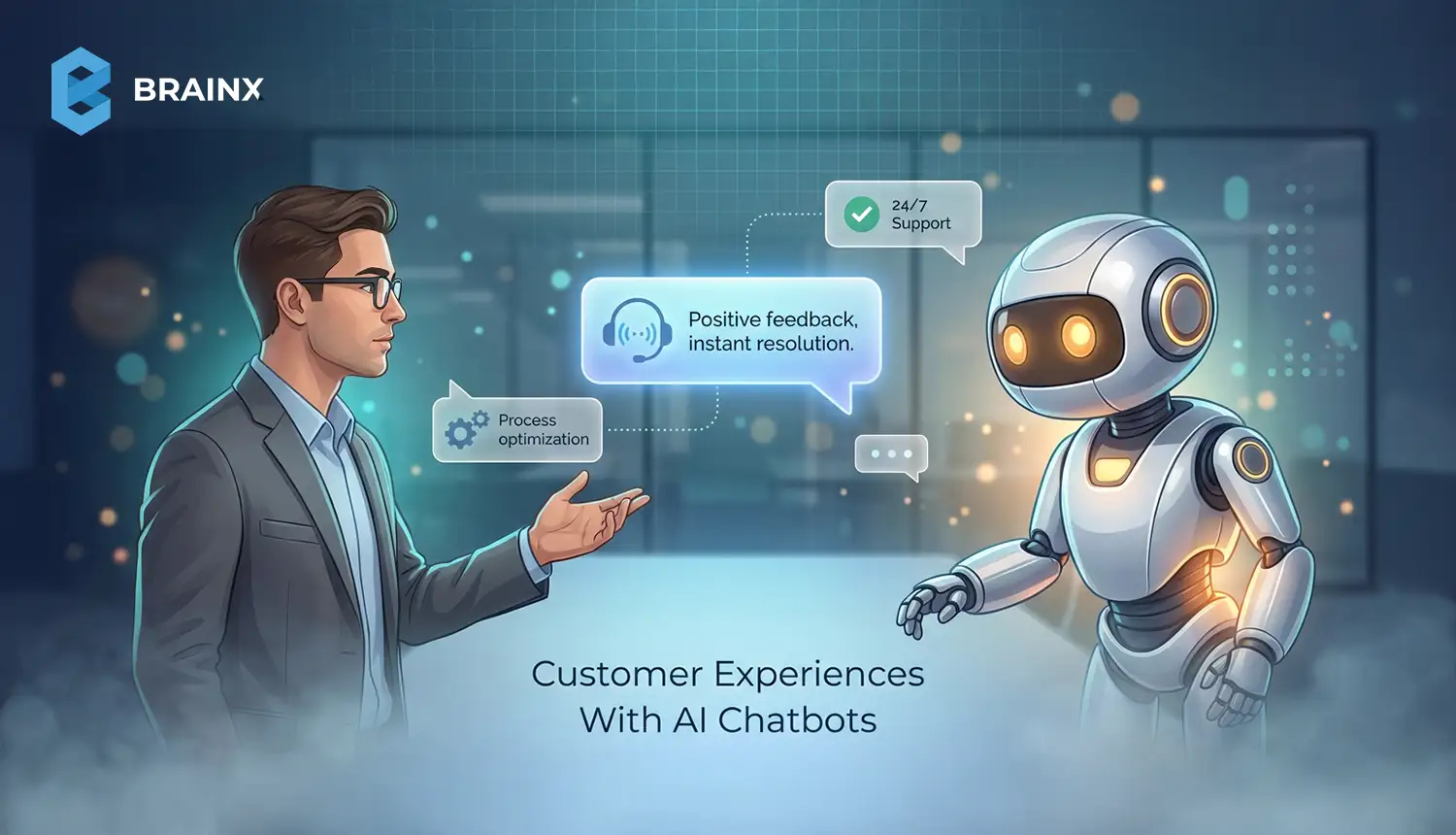
AI-based apps provide customized experience and efficiency of operations. The chatbot industry, according to a report from Statista, which was worth $190.8 million in 2016, will grow to $1.25 billion by 2025 as a result of conversational AI demand.
To explore how AI is transforming mobile experiences specifically, read our guide on the latest trends in AI in Mobile Apps for 2025
Key benefits include:
- Enhanced Engagement: AI chatbots boost user satisfaction by 60% through tailored responses.
- Cost Efficiency: According to the recent IBM reports, chatbots can lessen over 30% of customer support costs.
- Scalability: The City of Buenos Aires' Boti chatbot responds to 2 million inquiries per month without any human interference.
Integrating these APIs, companies can develop scalable, user-focused applications that fuel growth.
Understanding the ChatGPT API
Powered by OpenAI’s GPT-4o model, these APIs are a versatile tool for natural language processing (NLP). Additionally, it supports up to 8,000 tokens for handling complex interactions.
It excels in:
- Conversational Intelligence: Maintains context across multi-turn conversations.
- Multimodal Capabilities: Processes text, images, and potentially voice inputs.
- Customizability: Aligns responses with brand voice.
- Real-Time Performance: Enables rapid development with minimal code.
Unlike regular APIs, it is made for applications that use dynamic features like virtual assistants, recommendation systems and content generators.
How to build AI App using OpenAI API?
Here's how to integrate the API into your AI-powered web and mobile apps.
1. Define Your Business Use Case
Identify the problem your app will solve. Common applications include:
- Customer Support: Automate routine queries, reducing workload.
- Personalized Recommendations: Increase conversions by 15%, as seen in Netflix’s AI-driven system.
- Content Generation: Produce dynamic product descriptions or blogs, boosting engagement.
2. Set Up the Development Environment
Prepare your setup with these steps:
- Obtain an API Key: Register at OpenAI’s platform to get your key.
- Choose a Tech Stack: Use Python with Django/Flask for backend and React Native for cross-platform mobile apps.
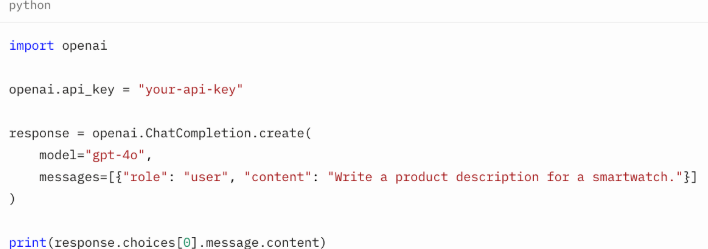
- Install Libraries: Install OpenAI for Python (pip install openai) or Node.js (npm install openai).
3. Design the App Architecture
- Frontend: Use React Native for responsive, cross-platform interfaces, leveraging its vibrant ecosystem.
- Backend: Implement Node.js or Django to manage API requests and data flow.
- Database: Use MongoDB or PostgreSQL to store user interactions for analytics.
4. Integrate and Customize
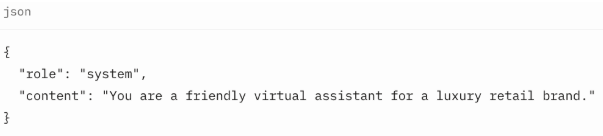
Send structured messages (roles: system, user, assistant) to ensure context-aware responses. Fine-tune prompts for brand alignment.
Example for a luxury brand:
5. Test and Deploy
- Test for accuracy and relevance, iterating based on user feedback.
- Deploy on AWS or Azure for scalability.
If your business needs expert execution of these AI-powered iOS, Android, or cross-platform builds, explore our Mobile App Development Services for end-to-end development by senior engineers.
💡Scalable Path’s Heuristica app used A/B testing to refine its mind-map interface, improving engagement by 25%.
Cost-Benefit Analysis of ChatGPT-Based API
Pros:
- Affordable: Starts at $20/month with a free trial.
- Rapid Development: Requires minimal coding, making it easy to integrate and launch with just a few API calls.
- Scalability: Supports high-volume interactions without infrastructure costs.
Cons:
- Limited Customization: Less flexible than custom AI models for niche use cases.
- Ongoing Costs: API fees scale with usage.
- Dependency: Relies on OpenAI’s infrastructure.
Unique Insight: BrainX offers hybrid solutions, blending this API with custom models to balance cost, scalability, and specificity for enterprise needs.
Real-World Case Studies
1. Instacart: AI-Powered Grocery Shopping Assistant
Instacart rolled out the "Ask Instacart" feature powered by OpenAI’s ChatGPT to make online shopping easier. Natural language interaction is possible with this tool which allows a person to ask, “What dinner options are available?” or "How can I make sure my kids eat a healthy lunch?"
The assistant creates a personalized list of meals and places the needed ingredients in the user’s cart which helps simplify grocery shopping. ChatGPT and Instacart have come together, letting users use ChatGPT to pick meals from Instacart's large catalog.
2. Klarna: Conversational Shopping Experience
Klarna used AI powered by OpenAI to help improve the way customers shop online. Users can use the assistant via chat and find products, review prices and decide what to buy by chatting. With ChatGPT on its platform, Klarna hopes its users will have a more personalized and efficient shopping experience.
3. Khan Academy: Personalized Learning with Khanmigo
Khan Academy's Khanmigo is a tutoring and teaching assistant based on OpenAI's GPT-4. It is used to help students learn about difficult topics by walking them through problems but not actually giving answers, helping them learn more in-depth. Khanmigo is helpful to teachers as well, providing assistance in lesson planning and monitoring of student progress, making the learning experience better.
4. Canva: AI-Enhanced Design Assistance
Users of Canva can now generate design components by following prompts prompted by AI. Users can easily make presentations, social media posts and other visual material using Magic Design and Magic Write. Thanks to AI, Canva allows anyone to design their own materials, regardless of whether they are designers.
10 Latest Trends in AI App Development for 2025
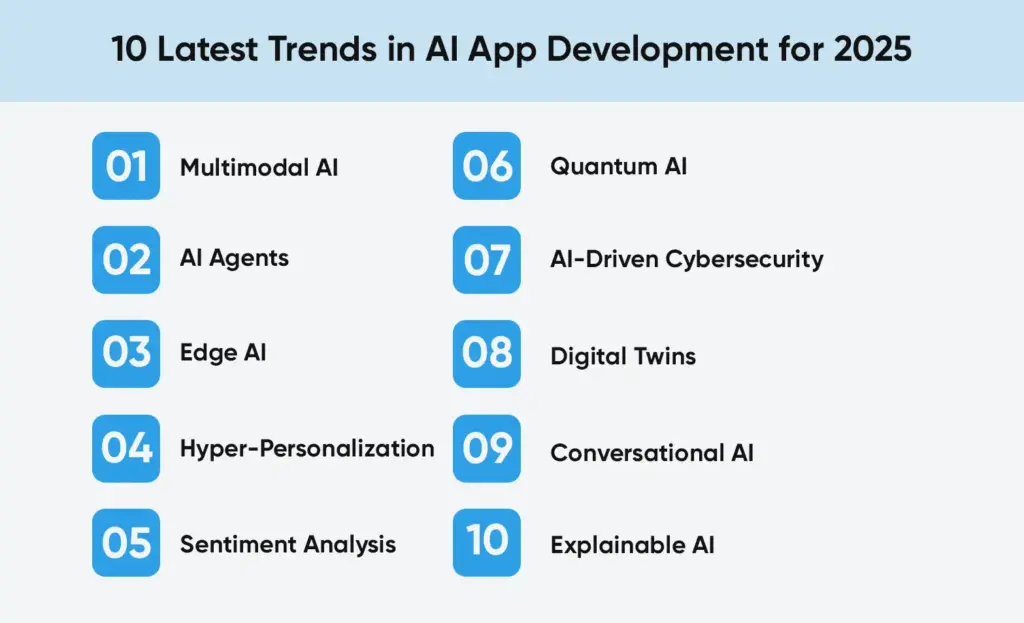
1. Multimodal AI
Thanks to models like OpenAI’s GPT-4o, AI can now deal with several types of data such as text, images and audio, at the same time. Using several approaches, applications can better understand the user’s situation and offer more natural features. For example, in order to assist customers, multimodal AI can interpret what is said, analyze the customer’s documents, produce an answer and provide assistance.
2. AI Agents
Autonomous Agentic AI makes it possible for AI to seek out actions, choose and learn independently. Because of these agents, scheduling, analyzing data and making personal suggestions require less human help. This leads to smarter and more efficient systems in different fields.
3. Edge AI
With Edge AI, information is processed right on local gadgets such as smartphones or devices that are part of the Internet of Things (IoT). It achieves faster performance, better security and requires less use of cloud services at the same time.
4. Hyper-Personalization
AI is now a main tool for businesses to improve how users interact with their websites. Keeping track of how users interact and what they enjoy, applications can show content and options suited to each user. Making the platform this customizable makes users happier and more loyal.
5. Sentiment Analysis
The use of advanced sentiment analysis leads applications to interpret what people feel and react accordingly by studying text, spoken words and behaviors. Being able to detect user sentiment adds great value for customer care teams and mental health platforms, helping them interact more empathetically.
6. Quantum AI
Integrating quantum and artificial intelligence offers the chance to resolve difficult problems faster than current natural computing methods. Thanks to this synergy, finance, logistics and drug discovery are predicted to benefit from rapid data handling and accurate predictions.
7. AI-Driven Cybersecurity
AI is now important in cybersecurity as it responds to threats quickly as soon as it finds them. Using AI, cyberattacks can often be detected, response actions can be set to happen automatically and protection can adapt to emerging risks, thus improving system security.
8. Digital Twins
Digital twins are computerized versions of equipment that are used to run models, predict behaviour and increase effectiveness. When AI is used, these models work faster and make decisions in real time which matters greatly for manufacturing, healthcare and urban planning.
9. Conversational AI
This technology is being applied to services in fields such as education, healthcare and legal work. As the market forecasts that AI systems will surpass $49.9 billion by 2030, they are now more complex, can deal with difficult conversations and offer personalized support across different areas.
10. Explainable AI
When AI systems affect decision-making more, it becomes vital to make sure those decisions are fair and easy to trace. In healthcare and finance, Explainable AI helps ensure people understand and trust the decisions taken by AI.
Common Questions About ChatGPT API Integration in Web and Mobile Apps
Do I Need a ChatGPT Plus Subscription for Using APIs?
No. This API is separate from the ChatGPT Plus subscription. While Plus gives you access to GPT-4o in the ChatGPT interface, API usage is billed separately based on token consumption. This makes it ideal for scaling your mobile or web app without a fixed monthly fee, perfect for startups and growing businesses looking to build AI-powered apps on a budget.
Why Do API Calls Fail on Mobile But Work on Web?
Many developers face this issue when testing GPT’s API in mobile environments. Typically, the problem is due to incorrect handling of authentication headers or insecure storage of API keys. In web apps, secure environments like Node.js backends protect the API key. On mobile, you must ensure the key is encrypted and permissions are configured correctly, especially on Android and iOS platforms.
How Can I Avoid Rate Limiting Errors Like HTTP 429?
If your app is experiencing HTTP 429 errors, the best solution is to implement an exponential backoff strategy and optimize the number of requests sent per minute. Monitoring your usage through the OpenAI dashboard and setting alert thresholds also helps manage scale as your user base grows.
How Do I Keep API Integration's Costs Manageable?
Using these APIs efficiently can significantly lower costs. Reduce token usage by crafting concise prompts and limiting redundant message history. Apps can also cache frequent queries like repeated FAQs or instructions, to avoid unnecessary API calls. These tactics are crucial for businesses scaling AI functionality without inflating their cloud costs.
Is It Safe to Use the ChatGPT-powered API Directly in Frontend Code?
No. Direct integration of the API in frontend code exposes your API key and can lead to unauthorized usage. The recommended approach is to route all API requests through a secure backend whether it’s Node.js, Django, or Flask before passing responses back to the frontend or mobile app.
Should I Use Asynchronous API Calls in AI-Powered Web and Mobile Apps?
Yes, especially for mobile and modern web applications. Asynchronous calls prevent the app from freezing while waiting for responses, which is critical when using generative AI models like GPT-4o. This improves both performance and user satisfaction.
How Can I Maintain Conversation Context Across API Calls?
To build an intelligent, context-aware AI chatbot, use the messages array in your API request. This includes prior messages from the user and assistant, allowing the model to retain context throughout a multi-turn conversation. It’s one of the reasons the ChatGPT API is highly effective for customer support and virtual assistant use cases.
Why Aren’t Custom GPTs Working on Some Mobile Devices?
Custom GPT features may not be supported on all devices or platforms. If a feature works on the web but not on Android or iOS, it’s often due to platform limitations. Always validate device compatibility early during testing, especially when targeting multiple mobile OS versions.
Can I Keep ChatGPT’s Replies in Memory for Faster and Lower Cost Performance?
Absolutely. Caching is a good option to minimize API requests and expedite responses, when pages aren’t changing much. You should also make sure to change messages often, especially when what you are sharing needs to be recent or relevant to the user.
How BrainX Helps Businesses Address Problems with AI?
Wanting to transform your business with the help of AI-powered web and mobile apps? BrainX develops AI applications for diverse businesses. We integrate ChatGPT’s API with unique models to help reach better results for the business. Our applications for customer chatbots and recommendation systems are always scalable, protected and keep our client brand in mind. With proven results like a [X%] increase in patient satisfaction for a [X industry] client, BrainX empowers your business to lead in 2025.
Contact us at BrainX Technologies for a free consultation and start your AI journey today.