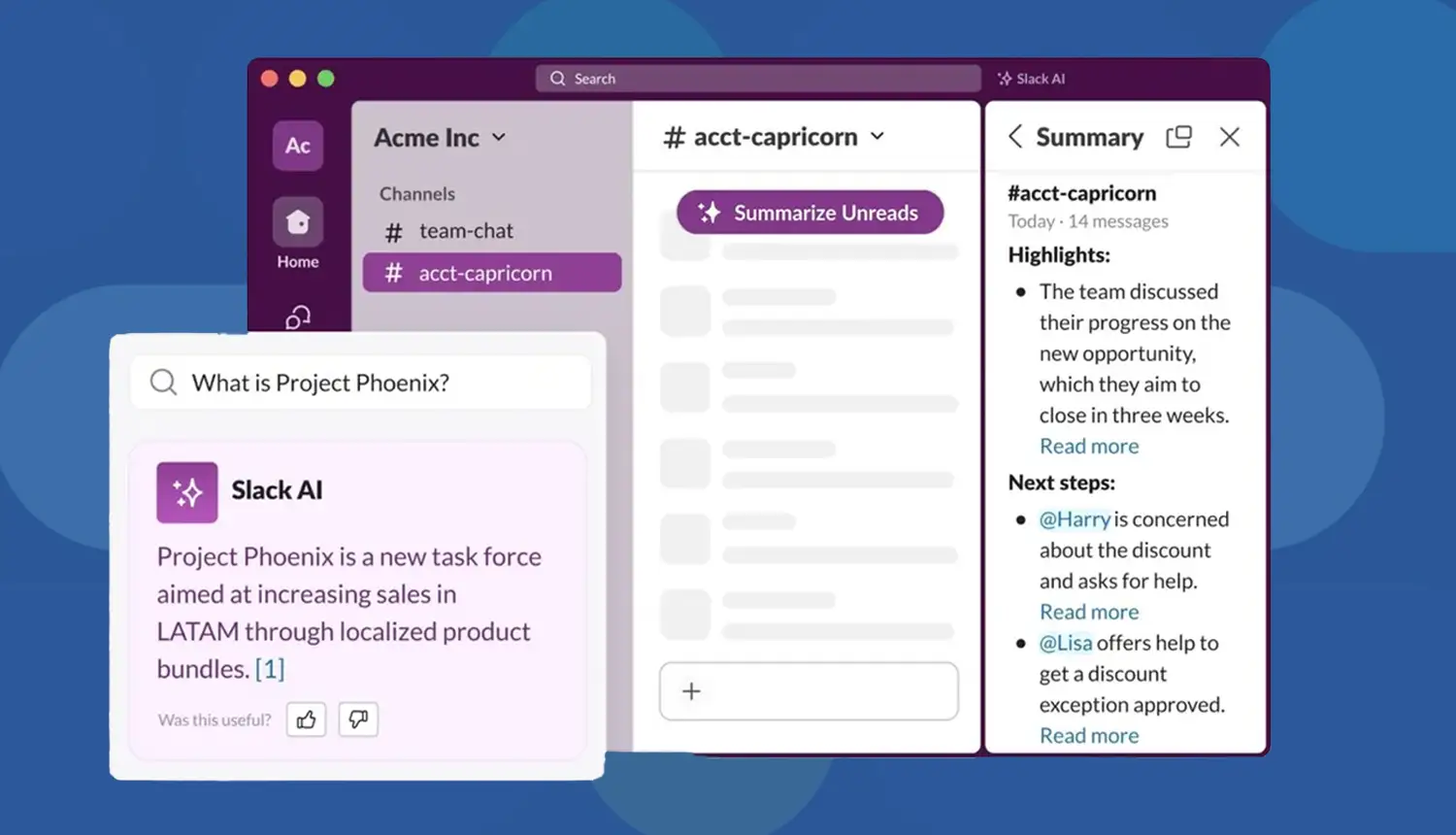

A Slack app connected to ChatGPT can proofread messages instantly, refine tone, and prevent errors. Setup involves creating a Slack bot, connecting it with the ChatGPT API, and configuring slash commands like /proofread. This guide shows how to build it step by step.
Build a Slack app to proofread messages with ChatGPT API and ensure your team’s Slack communication is clear and error-free. In fact, Slack is now used by over 1.1 million companies worldwide and ChatGPT processes more than 190 million queries every day, so integrating an AI proofreading tool directly into Slack addresses a huge market.
As AI adoption surges in the workplace (daily AI use among workers jumped 233% in six months), a Slack-based proofreader can save time and boost professionalism. This guide covers why and how to build such an app, step by step, with up-to-date tips, code examples, and best practices.

Use Cases for a Slack Proofreading App
According to McKinsey, “employees spend up to 20% of their workweek clarifying miscommunication”. AI-powered proofreading can drastically reduce this wasted time.
1. Enterprises
Maintain consistent, professional communication across large teams where hundreds of Slack messages are exchanged daily.
2. Startups
Save time and improve investor-facing communication with automated proofreading that keeps pitches sharp and professional.
3. Remote Teams
Improve visibility among working teams that are distributed and may lead to misunderstanding due to time zones and cultural differences.
4. Global Companies
Translate and refine multilingual messages to ensure seamless collaboration between international offices and clients.
5. Customer-Facing Teams
Guarantee client interactions remain professional, polished, and brand-aligned in every message.
6. HR & Recruitment
Craft clear, professional onboarding instructions, policy updates, and candidate messages that avoid confusion and maintain company reputation.
7. Sales Teams
Refine outreach messages shared internally before client delivery, helping sales reps send persuasive and error-free communications.
8. Marketing Departments
Ensure campaign ideas, brainstorming notes, and content drafts exchanged in Slack are clean and easy to reuse externally.
9. Product & Engineering Teams
Clarify technical discussions, feature updates, and bug reports, reducing the chance of misunderstandings in high-stakes product development.
10. Legal & Compliance Teams
Proofread compliance-related messages to minimize risk, ensuring all communication is precise and aligned with regulatory standards.
Why Use ChatGPT API for Slack Message Proofreading?
Research shows daily AI users experience up to 64% higher productivity and 81% higher job satisfaction.
-Slack's Workforce Index
Here are the following benefits to build a Slack app to proofread messages with ChatGPT API:
1. Professionalism in Each Message
Make sure that all Slack messages are clear, refined, and free of errors and make teams remain credible and confident in their day-to-day communication.
2. Clean In-Slack Support
Compose and tidy messages within Slack seamlessly, without having to switch applications or disruption of working sessions.
3. Checking More Than Grammar
Go even further and spell checks with smart aiding tones, lessening jargon, formatting, and phrasing suggestions to make the text easier to understand.
4. Focus on Ideas, Not Errors
Give the employees a chance to focus on creativity, teamwork and problem solving when AI takes care of proofreading, editing and improvement of messages on its own.
5. Consistent Brand Voice
Keep the similarity of the tone in all Slack communications within and outside of the company, enhancing brand recognition and working atmosphere.
6. Instant Multilingual Support
Break language barriers with instant translation, ensuring smooth, accurate communication between global teams and across multiple regions or markets.
7. Reduced Miscommunication
Prevent misunderstandings by clarifying intent, simplifying complex language, and ensuring messages are always delivered in a precise, readable format.
8. On-Demand Writing Coach
Get immediate feedback on tone, style, and structure of writing, and convert any Slack message into an effective, concise, and professional communication.
9. Inclusive Communication
Individualization of the message so as to reach different audiences and ensure that communication with other employees in different positions and at different cultural backgrounds are respectful, accessible, and inclusive.
10. Faster Decision-Making
Enhance quicker team alignment by eliminating the use of wordy language as well as by provisioning concise, action-oriented Slack messages which prompt quicker decision making.
How Slack and ChatGPT Work Together?
In Slack, a Slack App is the umbrella for any integration you install. In case there is a bot user of the app, messages can be published and answered as a human. That is, all Slack bots are Slack apps, although not all apps include bots. In our case, the proofreader is a Slack App that we have configured with a bot that listens to commands or mentions. Triggering the Bot. A common pattern is to use a slash command (e.g. /proofread). When a user types /proofread some text, Slack sends that text to your server via a URL you provide. Your server (the Slack app backend) then calls the ChatGPT API to get corrections, and responds back to Slack with the proofread text.
Alternatively, you could listen to message events (using Event Subscriptions) and trigger when someone mentions the bot. For simplicity and user control, a slash command is straightforward. Slack API Scopes and Setup. Your Slack App will be configured in the Slack Developer Dashboard. Name it and attach it to your workspace. Then in OAuth & Permissions, add bot token scopes like commands (to use slash commands) and chat:write (to post messages).
After installing the app to the workspace, Slack gives you a Bot User OAuth Token. Save that token and the Signing Secret; you’ll use them in code to authenticate your app. ChatGPT API. We’ll use OpenAI’s Chat Completions API (the same API behind ChatGPT). You need an API key from OpenAI’s developer platform. The bot sends the user’s text to the ChatGPT endpoint with a prompt such as “Proofread the following text: [user text]” or uses the chat-completion endpoint with a system message like “You are a grammar assistant.” Your bot sends the text with corrections back to Slack by OpenAI.
How to Build a Slack Proofreading App ChatGPT API?
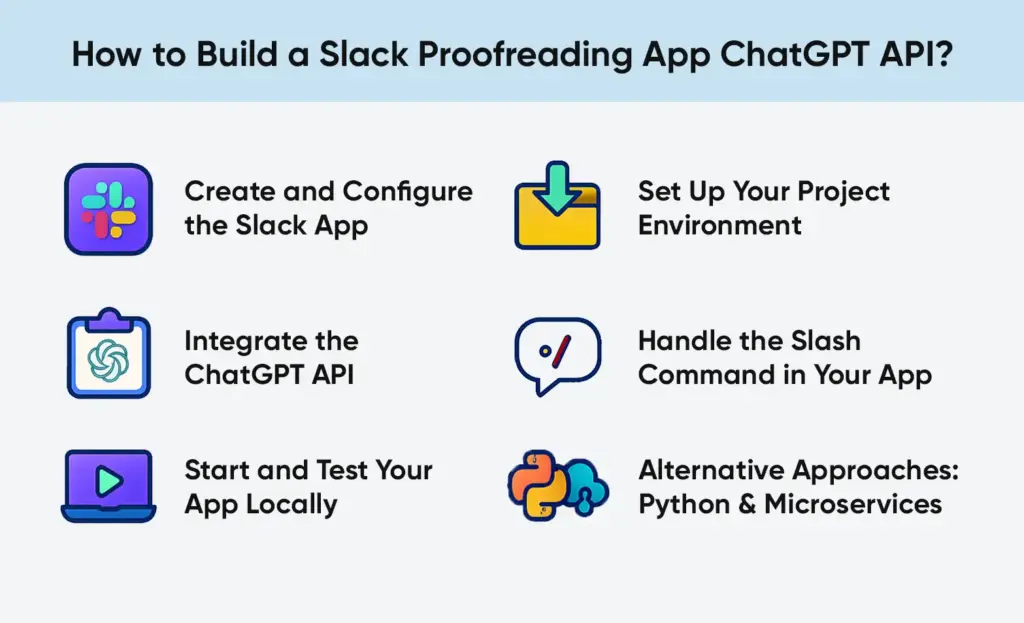
Below is a high-level outline of the development steps to build a Slack proofreading app with ChatGPT API.
Step# 1. Create and Configure the Slack App
1. Create a New App: In the Slack API dashboard, click Create New App. Choose “From scratch” and give it a name (e.g. “ProofreaderBot”) and select your development workspace.
2. Slash Command (Proofread): Under Features, go to Slash Commands. Click “Create New Command.” For the command, use /proofread. Input the Request URL to the endpoint on your server that will accept the command (you may change this later e.g. https://your-server.com/slack/events).
Give it a short description like “Proofreads your message.” Save these settings.
3. Bot Token Scopes: In OAuth & Permissions, scroll to Bot Token Scopes and add at least commands and chat:write. (If you want the bot to also respond to direct messages or listen to channel messages, you might add scopes like im:read, channels:read, etc., but for a simple slash command these two are enough.)
4. Install to Workspace: Click “Install App to Workspace”. Slack will ask you to authorize your bot; approve it. After installation, Slack provides the Bot User OAuth Token and displays the Signing Secret in Basic Information. Copy both for your code environment.
At this point, your Slack app is set up. The bot has permission to respond to /proofread commands.
Step# 2. Set Up Your Project Environment
1. Create a Project: On your local machine or server, make a new folder (e.g. slack-proofreader) and initialize it. For Node.js:

2. Install Dependencies: For a Node.js solution (using Slack Bolt and axios), install:
npm install @slack/bolt axios dotenv express
- @slack/bolt – Slack’s app framework for Node.js makes listening to commands/events easy.
- axios – to call the OpenAI API.
- dotenv – to load environment variables (tokens/keys) from a .env file.
- express – if you need an HTTP server (Bolt actually includes an Express under the hood).
3. For Python, you might use Flask or FastAPI, plus the slack_sdk and requests libraries (and python-dotenv). The concepts are similar.
4. Environment Variables: To make your tokens safe, make a file called .env:

Then in code, use dotenv (Node) or python-dotenv to load these. This keeps secrets out of your codebase.
Step# 3. Integrate the ChatGPT API
Write code to take user text and get a proofread result. Gpt 4.1 can also be used through the Chat Completions endpoint, by typecasting the prompt as a chat message, which can provide more natural responses. Reminder: API usage cost is to be considered. Each call to ChatGPT consumes tokens (the input and output text) and OpenAI charges per token. Keep prompts concise to save cost. In a business setting, you might track usage or set usage limits.
Step# 4. Handle the Slash Command in Your App
Next, tell your Slack app how to respond to /proofread. In Bolt, you register a command handler:
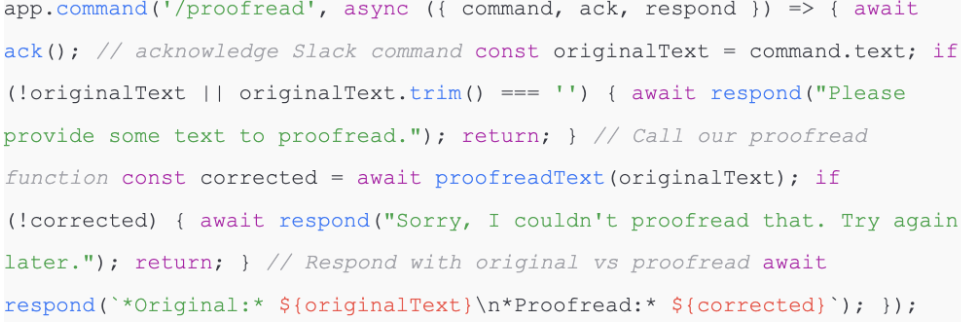
This code does the following:
- It lacks the slash command so Slack knows the app received it.
- It reads command.text (the user’s input).
- It calls proofreadText (originalText) to get corrections from ChatGPT.
- It uses respond () to send a message back in the Slack channel (or DM) showing the original and the proofread text.
For example, if a user types:
/proofread This is a smaple text with some erros.
the bot might reply:
*Original:* This is a smaple text with some erros.
*Proofread:* This is a sample text with some errors.
Step# 5. Start and Test Your App Locally
In order to test locally, your Slack must be able to access your server. The most common trick is to tunnel your localhost using ngrok.
- Run ngrok http 3000 (or whatever port your app uses). ngrok gives you a URL like https://abcd1234.ngrok.io.
- In your Slack app settings, update the Slash Command’s Request URL to https://abcd1234.ngrok.io/slack/events (Bolt’s default endpoint is /slack/events).
- Restart (or “Re-install”) the Slack app in your workspace after changing URLs.
- Run your server: node index.js.
- In Slack, try /proofread with some text. Check that your app logs the incoming request (Bolt logs) and responds correctly.
If something goes wrong, use Slack’s developer tools and the logs. ngrok provides a web interface (http://localhost:4040) to inspect requests. And check your server console for errors. This workflow (tunneling, changing URLs, reinstalling) is standard for Slack development.
Step# 6. Alternative Approaches: Python & Microservices
While the above uses Node.js and Bolt, you could do the same in Python. For example, a Flask app could receive slash command POSTs and use the slack_sdk to respond. The key steps (verify Slack signature, parse JSON, call OpenAI, post answer) are similar. For larger scale or advanced setups, consider a microservices architecture. CloudAMQP’s tutorial uses LavinMQ (a RabbitMQ service) to decouple Slack events from processing. In that design, one service quickly receives Slack messages and enqueues them, and a separate worker dequeues to call ChatGPT and post back. This prevents losses of time when ChatGPT is sluggish. It is also more reliable: in case the ChatGPT call is unsuccessful, the message remains in the queue until reattempted.
A high-level architecture for a Slack-ChatGPT bot: Slack messages → Slack Bot Service (producer) → LavinMQ queue → Processing Service (consumer) → ChatGPT API → Slack response.
This is a decoupled method where the Slack Bot Service never blocks ChatGPT so a spike in traffic or short-lived failures does not crash the bot. When you are going to deal with a large volume, or high fault tolerance, then the additional effort of a queue based design (with RabbitMQ, Kafka, or any other broker) is worth it.
Best Practices/Considerations
- Slack Rate Limits: Please note Slack is a rate limit in which slash commands (e.g., ~set my status) are permitted to make requests, as well as how quickly HTTP endpoints have to respond (3 seconds). Bolt handles retries, but if ChatGPT takes too long, you should at least ack() first and then send a delayed response.
- Security: Always verify requests are from Slack. If you use Bolt, it checks the signing secret for you. If DIY, validate the Slack signing signature. Only respond to authenticated calls. Avoid logging user data carelessly.
- Response Time: Slack expects a response within 3 seconds. If OpenAI is slow, Slack will retry your endpoint. The first of these is to add the following header to your responses: X-Slack-No-Retry: 1 to instruct Slack to not retry. This header can be sent by your web framework once you ack() the command.
- Message Context: By default, we’re just proofreading isolated text. But you could extend the bot to use conversation history. For example, if a message is in a thread, you could fetch prior messages with conversations.replies and send the whole thread to ChatGPT to make suggestions in context. That’s more complex but more powerful (e.g. “rewrite this whole thread politely”).
- Costs: OpenAI bills per token. Keep prompts tight. For instance, GPT-3.5 costs about $0.002 per 1,000 tokens input and $0.002 per 1,000 output (gpt-4 is more expensive). Even a short proofreading prompt (a few sentences) might consume a few dozen tokens. Costs may accumulate in a busy Slack workspace, track usage or limit quotas.
- Alternative Triggers: You may also allow users to engage with the bot by either an slash command or by mentioning it in a thread or replying to it. Then, allow Event Subscriptions and subscribe to app mentions or message events.
- Coding Changes: Listen to message events instead of commands.
Will The Bot Post The Proofread Text Publicly?
The code above uses respond(), which by default replies in the same channel or thread. If you want private replies, you can adjust to use ack() with an ephemeral message, or have the bot DM the user. It’s up to your design.
Are There Existing Slack Apps For ChatGPT? Why Build A Custom One?
Yes, Slack’s App Directory already has apps like “Q, ChatGPT for Slack” (by Suchica) which offer AI chat features. However, custom building lets you tailor the experience (e.g. restricting it to proofreading, integrating with your data). Also, custom apps can use your own OpenAI key instead of a third-party’s.
Can The App Handle Multiple Messages in a Thread?
By default, the slash command proofreads only the text given. To handle threads, you can change your logic: if the incoming Slack event has a thread_ts (thread timestamp), you could fetch the full thread history with conversations.replies and send it all to ChatGPT. This way, ChatGPT can see the context. This is more advanced and was demonstrated in other integrations.
Why Build with Us?
At BrainX Technologies, we go beyond tutorials. Our Slack integrations match your workflow and business objectives and are enterprise-grade.
- Tailored AI Solutions: We will create solutions, such as proofreading bots, or complete AI assistants, that fit your requirements.
- Scalable Integrations: scaled to support growing teams and enterprise-level security.
- End-to-End Support: We take care of setup, API integration, deployment and maintenance so that you can work on results.
- Cross-Platform Expertise: We are integrating AI in Microsoft Teams, CRMs and custom platforms in addition to Slack.
FAQs
Q1: How much does it cost to run a Slack proofreading bot?
Costs depend on usage volume and the ChatGPT model chosen. Lighter usage may only add minimal monthly costs.
Q2: Can the bot maintain a company-specific tone?
Yes, ChatGPT can be trained or even asked to learn your brand style guide to keep the same voice throughout the messages.
Q3: What industries are Slack proofreading bots most useful in?
In the healthcare industry, finance, consulting and eCommerce, clear and accurate communication is most important.
Q4: Does ChatGPT on Slack ensure data security?
Yes, with proper setup. BrainX observes enterprise grade security measures such as API key management, encrypted storage, and Slack-approved scopes.
Q5: Is the Slack proofreading robot compatible with the private channels or direct message?
Yes, under the right Slack API scopes, the bot can check the text of messages in a private channel and DMs.
Q6: Does the bot support any type of Slack (desktop, mobile, web)?
Yes, as the integration occurs on the level of Slack workspace, the proofreading works effectively in desktop, mobile, and browser versions.
Q7: What is the speed of Slack proofreading bot?
In most cases within a few seconds, depending on the ChatGPT API response time and the latency of the Slack network.
Q8: Does the bot make work with long or technical messages?
Yes, but token limits apply. Prolonged technical discussions can be proofread in sections so that it is accurate and complete.
Q9: Does it enable the users to go up or down in correctness level (i.e. formal vs. casual)?
Yes, the bot can adapt to the professional, formal or casual connected to the choice of the user.
Q10: Does proofreading bot support multiple languages?
Yes, ChatGPT can proofread and translate messages in various languages and it can come in handy with global teams.
Q11: The bot is sensitive or confidential, how does it address sensitive or confidential information?
Messages are safely processed through API and BrainX can set up private hosting services to businesses that have high compliance requirements.
Q12: Does the bot know how to propose other phrases or simply correct mistakes?
It serves two purposes: in fixing grammar, spelling and structure, but also in providing clearer and more effective ways to express something.