
- Mobile app development for enterprise provides ROI, enhancing productivity, accelerating decision-making, and eliminating friction in operations.
- Strong outcomes start with defined business goals, actual user needs and well-documented requirements and integrations.
- Choose the right build strategy (native, cross-platform, or low-code) based on performance goals, time-to-market, and team constraints.
- Enterprise success relies on the user-focused UX, scalable cloud-based architecture, and security-by-design throughout the entire lifecycle.
- Treat launch as a milestone and not the finish line by monitoring usage, iterating updates, and planning long-term scalability and support.
Modern businesses are turning enterprise mobile apps into a strategic imperative. Founders of startups, product managers, and IT executives are all interested in optimizing their work, empowering staff and acquiring a competitive advantage using custom mobile solutions. In this guide, we demystify mobile app development for enterprise as it takes you through all of the steps, starting with planning and ending with deployment, with practical insights and AI-powered suggestions inspired from BrainX’s experience.
Mobile App Development for Enterprise & Why It Matters
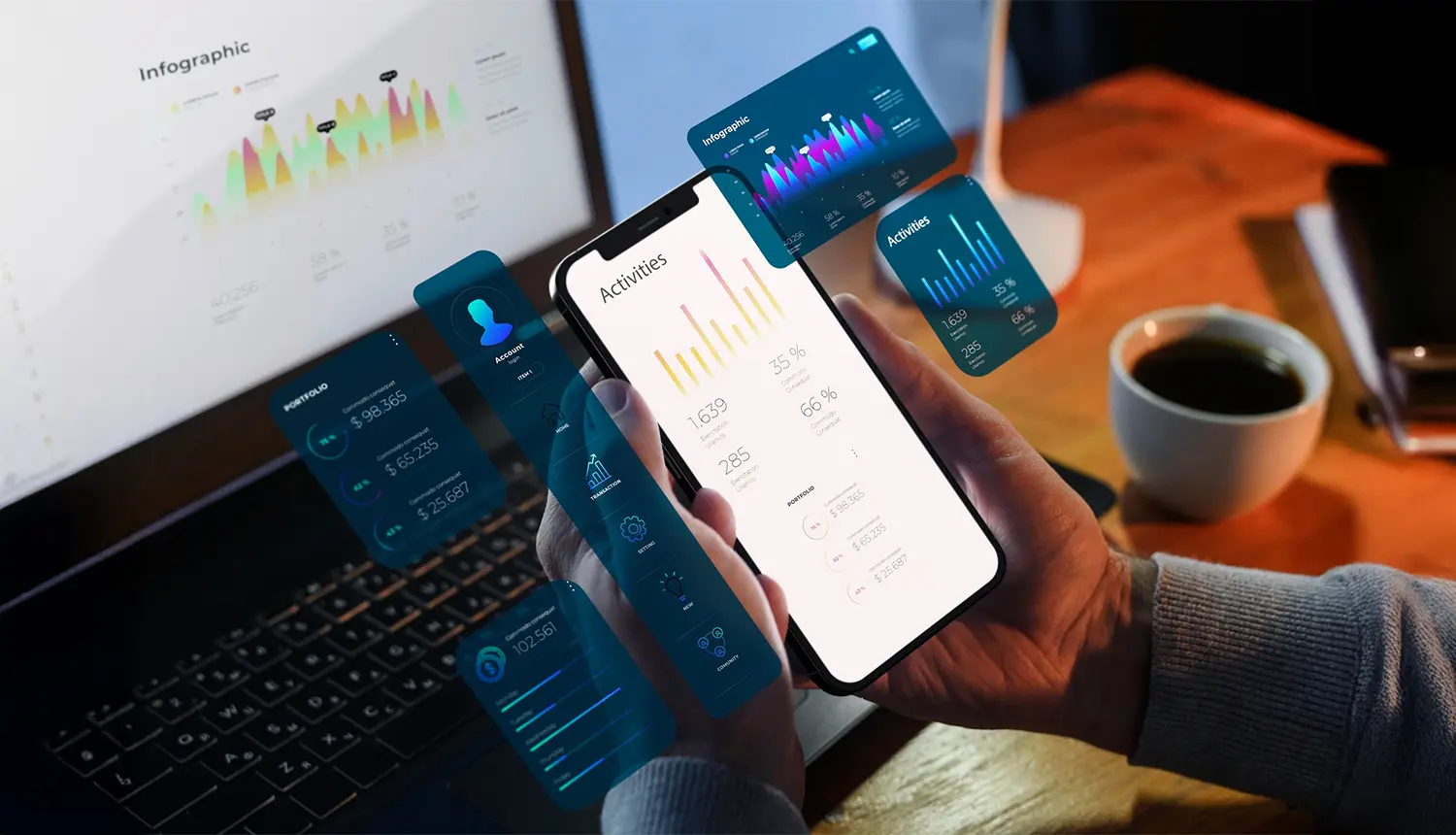
Enterprise mobile apps generate quantifiable business value. They improve productivity, simplify workflows and place real-time information at the fingertips of employees. Research indicates that enterprise applications can boost employee productivity by more than 34 percent.
Mobile apps provide real-time access to business-critical information, which allows teams to make decisions faster. In fact, 77% of enterprises believe the access to real-time data is essential. Mobile access leads to efficiency and cost-saving as one survey suggests that digital transformation (which mobile apps can drive) can reduce operational expenses by as much as 40 percent.
Additionally, enterprise apps improve team collaboration and engagement with customers. They can be integrated with the existing systems (CRM, ERP, etc.) to achieve data silos elimination and regular tasks automation, thereby minimizing errors and enabling employees to focus on more valuable activities. That’s not all because these applications are also improving customer-facing experiences by creating personalized and instant customer support.
In short, mobile app development for enterprise facilitates growth. It enhances productivity, costs less, and improves retention. For example, companies having employee-facing apps usually experience increased satisfaction and loyalty; whereas customer apps are likely to provide new channels of sale and services. Enterprise mobile apps can be strong drivers of ROI and competitive advantage when built with clear business goals.
Must-Have Features in Enterprise Mobile App Development Software
Choosing the right platform is not just about building screens faster. Enterprise teams need software that can automate workflows, connect with core business systems, protect sensitive data, support employees in low-connectivity environments, and scale without adding unnecessary complexity. That is why the best enterprise platforms now prioritize governance, offline capability, integrations, and cloud-ready deployment as core features rather than optional extras.
1. Workflow Automation and Process Management
A strong enterprise platform should help teams replace slow manual work with structured digital processes. Features like approvals, task routing, notifications, and workflow automation make it easier to standardize operations across departments and reduce delays in day-to-day execution. This is especially important for enterprises that want mobile apps to improve internal efficiency, not just digitize forms.
2. Role-Based Access, Security, and Governance
Enterprise apps often handle sensitive employee, customer, or operational data, so security controls must be built into the platform from the start. Look for support for role-based access, connector governance, policy controls, and data protection guardrails that help IT teams manage risk while still enabling app innovation across the business.
3. Offline Access and Reliable Data Sync
Many enterprise users work in warehouses, hospitals, field environments, or remote locations where internet access is unreliable. A capable enterprise platform should let users continue working offline, store data locally on the device, and sync changes automatically when connectivity returns. This keeps productivity high without forcing teams to depend on a stable connection at all times.
4. Seamless Integrations with Enterprise Systems
No enterprise app should operate in isolation. It should connect smoothly with tools like CRM, ERP, HR systems, databases, and cloud services so information can move across the business in real time. Platforms with strong API and connector support reduce data silos and make mobile apps far more useful in practical business environments.
5. Analytics and Operational Visibility
Enterprise apps should do more than collect inputs. They should also help teams understand performance, identify bottlenecks, and make faster decisions. Built-in analytics, usage tracking, and operational monitoring can give stakeholders a clearer view of how the app is performing and where improvements are needed after launch.
6. Low-Code Speed with Customization Flexibility
Speed matters, but so does control. The best enterprise platforms support faster delivery through low-code tools while still allowing developers to extend functionality when the app requires custom logic, advanced integrations, or a more tailored user experience. This balance helps enterprises move quickly without limiting future growth.
7. Scalable Deployment and DevOps Readiness
What works for one team should still work when adoption spreads across regions, departments, or business units. Enterprise-ready platforms should support cloud-native deployment, CI/CD practices, flexible hosting options, and the ability to scale without rebuilding the application from scratch. That makes long-term maintenance and expansion much easier for growing organizations.
Key Benefits of Enterprise Mobile Apps
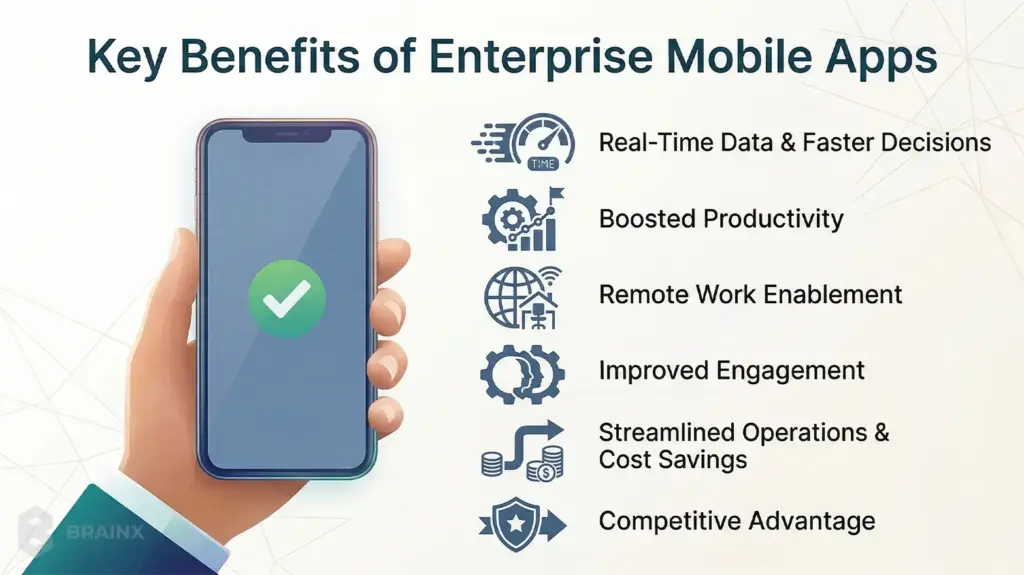
Enterprises invest in mobile apps to gain the following tangible advantages:
1. Real-Time Data & Faster Decisions: Mobile applications allow access to critical data (reports, dashboards, notifications) on the employee devices in real-time. Researchers discovered that 77 percent of enterprises consider real-time access of data as critical. The immediacy of data access and prompt decision making speeds up approvals, issue resolution, and market responsiveness.
2. Boosted Productivity: Staff members can be productive anywhere with mobile CRMs, inventory monitoring applications, or field service apps. Enterprise apps, according to one report, have the potential to increase the productivity of employees by 34% or higher. Employees spend less time on paper work or desktop sign-ins and can concentrate on core tasks.
3. Remote Work Enablement: Enterprise applications support secure remote and field work. Field technicians dispatch and report using mobile apps, sales teams keep the pipelines updated on the go and managers keep in touch with distributed teams. The flexibility has now become critical to the modern work-forces.
4. Improved Engagement: In the case of employees, the convenient application translates into simpler operations and higher satisfaction. Enterprise mobile apps provide a personalized experience (e.g. customized notifications, loyalty programs) to customers, increasing retention and brand-loyalty. Mobile push notifications and in-app chat can enhance the level of engagement by providing users with information and keeping them engaged.
5. Streamlined Operations & Cost Savings: With the help of apps, routine activities (inventory checks, time tracking) can be automated and various systems (ERP, CRM, databases) can be connected to reduce the number of manual errors and administrative costs. Mobile-led digital transformation has been found to reduce operational expenses by up to 40 percent. As an example, a tablet-based data collection app can be used instead of paper forms to save the costs of printing and data entry.
6. Competitive Advantage: The early adopters of enterprise mobile solutions gain a leg up right away. Mobile applications make companies more responsive, in the sense that they can roll out new services or access distant markets quicker. They also encourage innovation (e.g. AR training apps or IoT monitoring tools) that competitors may lack.
Overall, enterprise mobile apps provide high levels of return on investment through centralizing data, automation, and user engagement. It is because firms that embrace strategic mobile app development have continued to record high productivity, efficiency, and increased revenues.
Various Types of Enterprise Applications Essential for A Range of Businesses
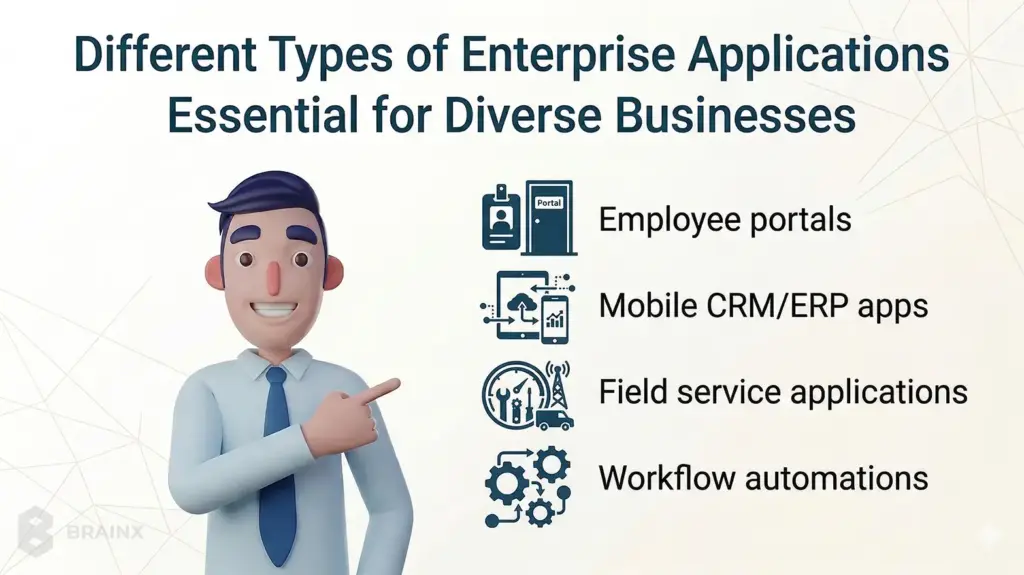
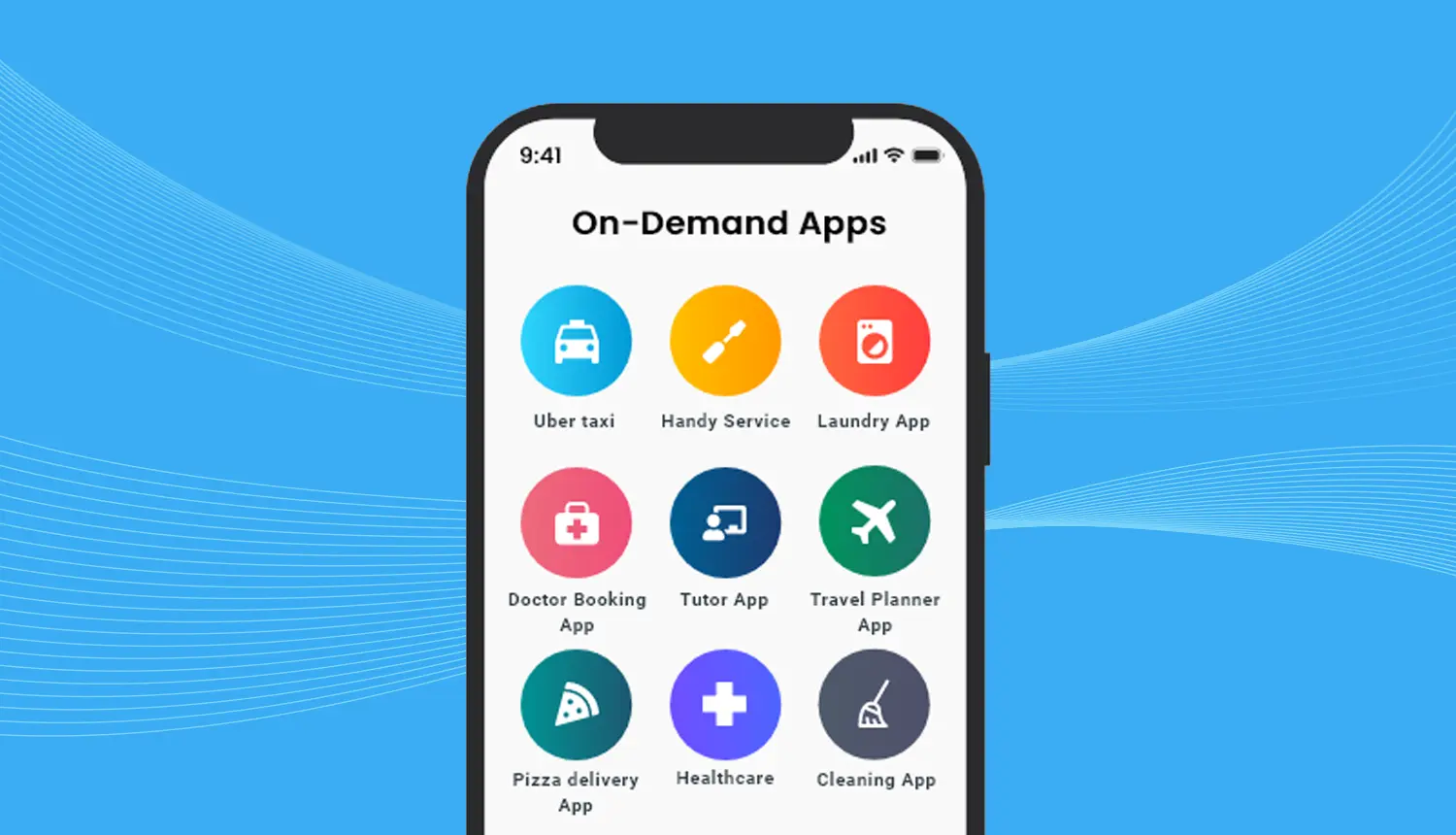
Enterprise mobile applications are available in numerous forms, while each addresses particular business problems. Typical applications are:
- Employee portals
- Mobile HRM/CRM/ERP apps
- Field service applications
- Workflow automations, etc.
Such apps can be classified as employee-facing, department-specific, and organization-wide. For example:
- Employee Productivity & Collaboration Apps: Apps such as Slack or Microsoft Teams (mobile versions) can ensure that employees are in touch and stay engaged. Project collaboration on the go can be achieved through task management apps (e.g. Asana). An internal application may be a custom one that consolidates HR self-service (payroll data, time off requests) or makes corporate announcements. By putting workflows in employees’ pockets, these apps drive efficiency.
- CRM & Sales Enablement: The mobile CRM applications (Salesforce Mobile, Microsoft Dynamics) allow the sales and support team to update leads, verify customer details, and log activities when they are on the road .Mobile surveys or help-desk applications are also integrated to enhance customer communication by providing service representatives with the necessary information in real-time.
- ERP and Inventory Management: ERP systems such as SAP or Oracle usually contain mobile components (SAP Fiori, Oracle ERP Cloud). Through mobile, field workers can scan barcodes, provide asset data, or make purchase orders. It guarantees real-time inventory monitoring and removes office-bound system delays.
- Field Service & Logistics Apps: Mobile applications can be utilized by companies to dispatch technicians, monitor equipment, and lead maintenance operations. Apps such as ServiceMax assist in route management and enable technicians to submit job reports/photos in the field enhancing accuracy and response time.
- Business Intelligence (BI) & Analytics: Mobile dashboards (Power BI, Tableau Mobile) give managers insights on the go. Sales executives are able to see real time performance metrics on their phones, while operations are able to track KPIs of the supply chain. Mobile access to analytics facilitates making quick decisions based on data.
These varied use cases demonstrate how a mobile app for enterprise development can tailor solutions to needs. It might be a basic internal portal or a technical B2B application, but its purpose is to address obvious areas of pain, such as increasing field productivity or enhancing customer service. Enterprises can also adjust the type of app based on the roles of the users (e.g. HR vs. finance vs. sales) to make sure that every solution is as impactful as it can get.
A Step-by-Step Walkthrough of the Mobile App for Enterprise Development Process
Enterprise mobile apps are not built in one sprint. They move through a clear, repeatable flow that keeps business goals, security, and user adoption aligned from day one.
In the next sections, we’ll break down the process step by step, starting with planning and requirements, then moving into design and UX, followed by development and integrations, testing and QA, and finally deployment, launch, and ongoing maintenance.
Planning Your Enterprise Mobile Application Development Project
Planning is critical before one is even able to write a single line of code. The planning phase provides the groundwork for the goal definition, requirements, and approach. Overlook this and projects tend to fail, get it straight and you can save on development and expensive re-work.
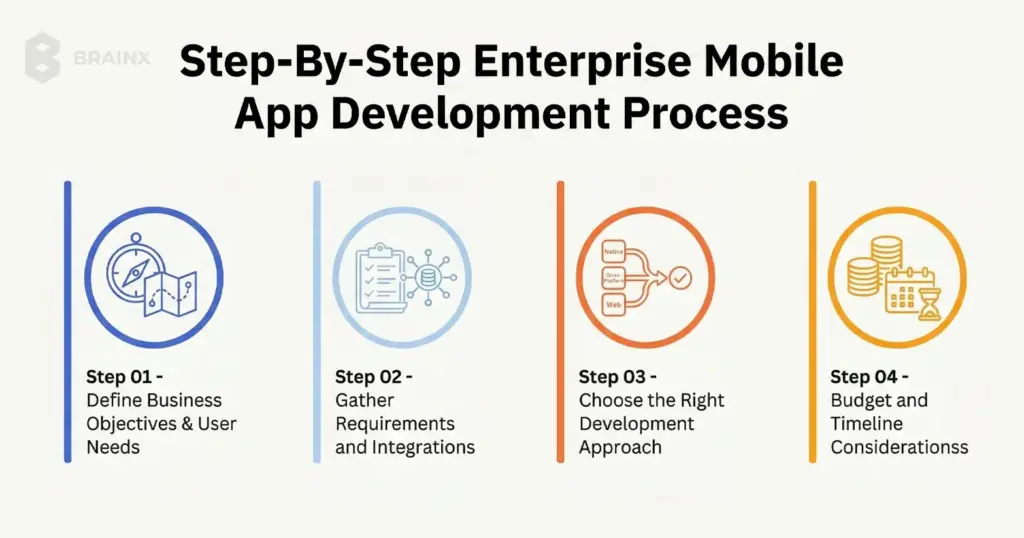
1. Define Business Objectives & User Needs
Start by clarifying the app’s purpose. What problem it will be solving, and for whom. Gather stakeholders to outline business goals (e.g. increase sales, improve compliance, reduce costs) and link them to app features.
Identify end users (employees, customers or partners) and trace their workflow and different pain points. User personas and journey maps come to the rescue, an example is that a sales rep and a warehouse manager will have different needs.
Make sure that the app supports corporate strategy, such as, in case digital transformation is the priority, show how this app supports this agenda. In this point, metrics are important so establish goals (e.g. cut time of orders by 20 percent and/or reach level 80 percent of users in 3 months). The clarity of the objectives helps to keep the project on track.
2. Gather Requirements and Integrations
Record all functionality (features and user cases) as well as technical requirements early. Some functional requirements may be offline access, push notifications, biometric entry. The non-functional requirements may include performance, level of security, compliance (GDPR, HIPAA), and scalability.
Determine systems the app has to be connected to, like CRM, ERP, databases, third-party APIs, IoT platforms, and so on.This integration planning is essential as most enterprise applications can only be useful when they have connectivity with the backend systems. Determine data flow diagrams so you are aware of where we get data from, how it is updated. An example is that assuming inventory data is stored in a premise ERP, consider connecting real-time (via APIs) or using a sync service.
Record everything in a Requirements Specifications document so developers and QA know exactly what to build and test against.
3. Choose the Right Development Approach
Select a strategy for development depending on your needs:
- Native Apps: iOS (Swift) and Android (Kotlin) apps can be developed individually, which provides the best performance, use of all features of the device, and a platform-specific UX.Native is the best when your application is graphical intensive or you need the highest possible performance (e.g. AR, real-time video). However, it is costlier and takes longer as you’re actually building two separate apps.
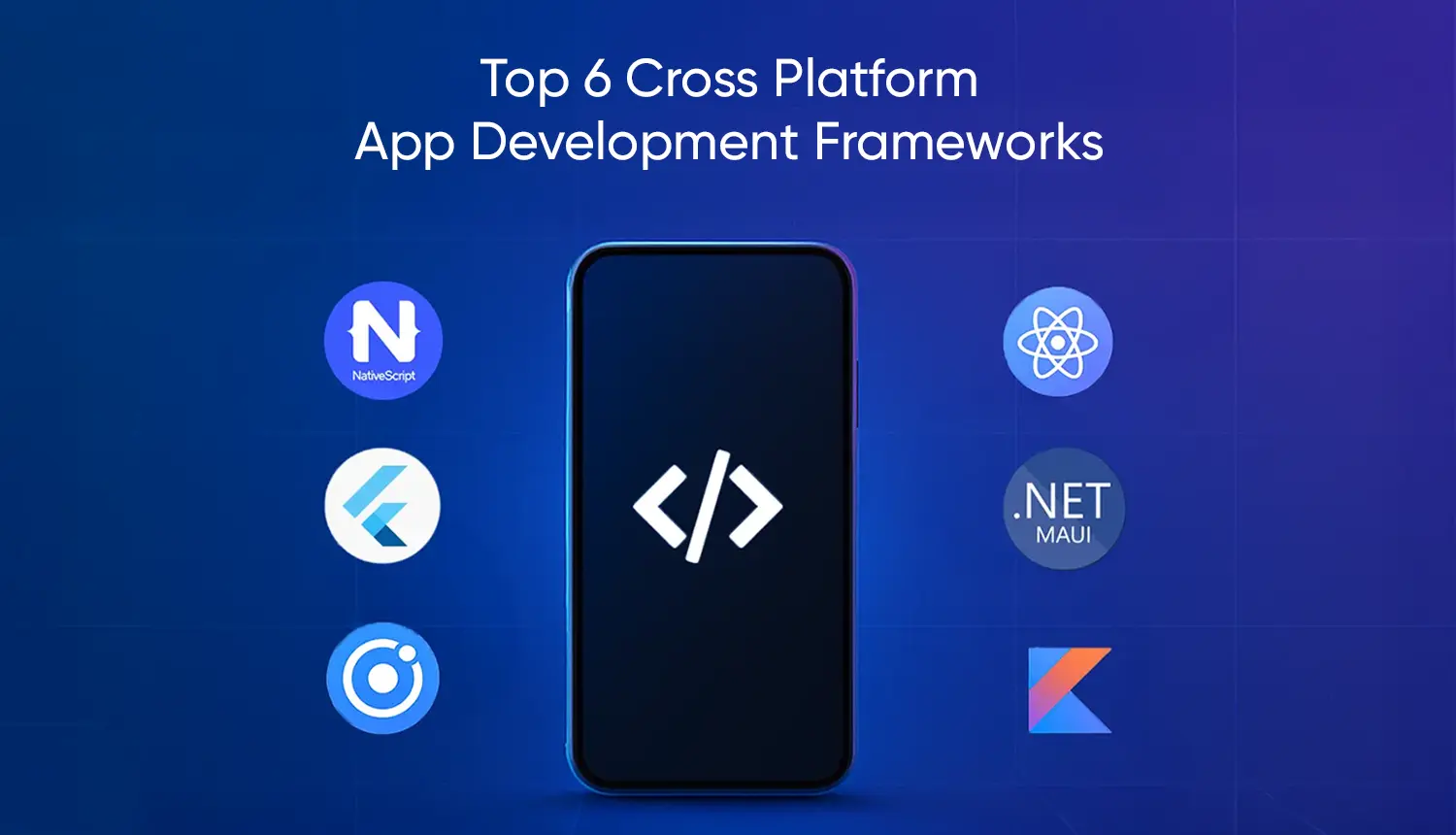
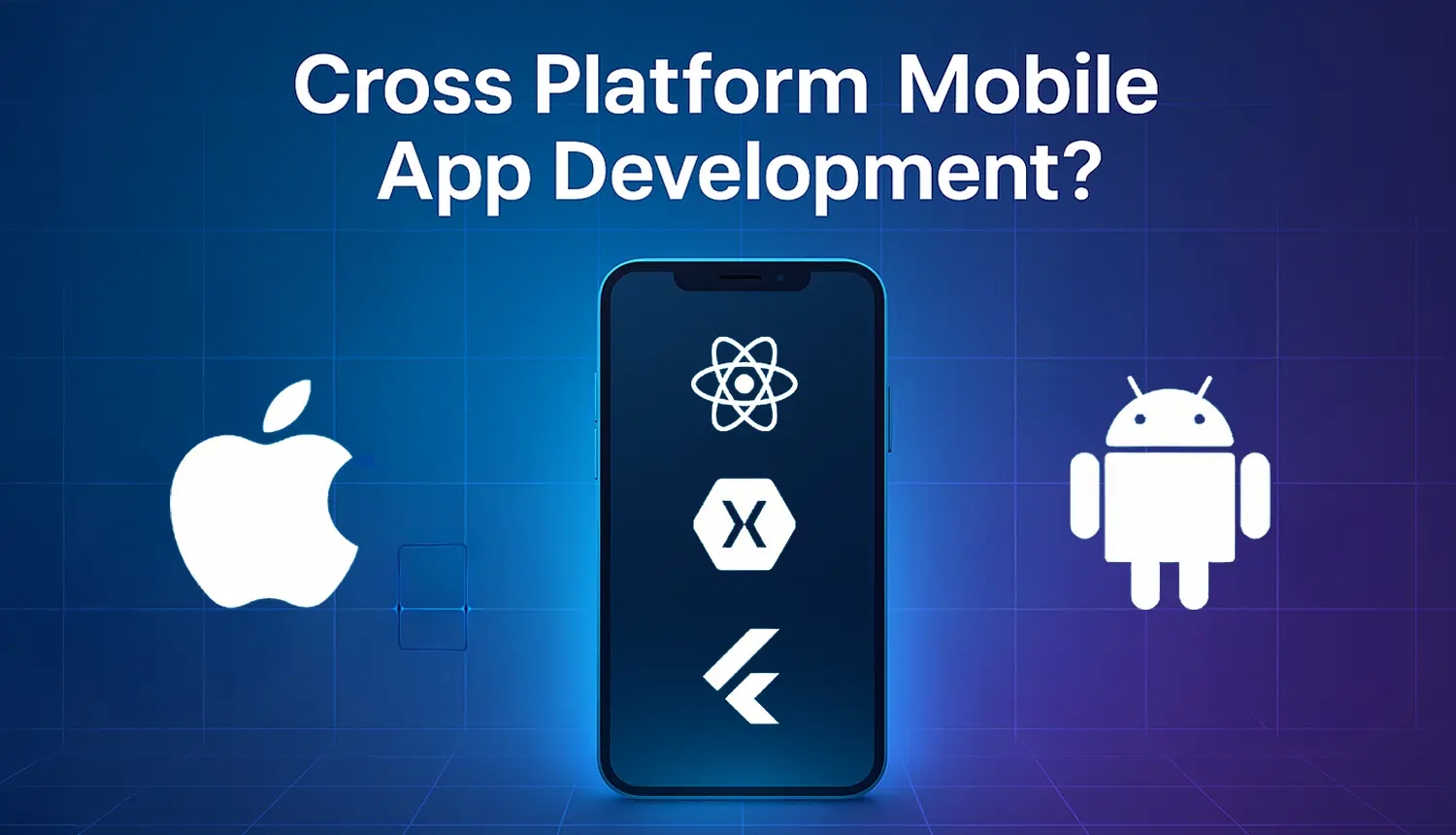
- Cross-Platform Frameworks: Tools like Flutter or React Native let you write one codebase for both iOS and Android. It speeds up development and lowers the maintenance costs in the long term. While performance is slightly below pure native, modern frameworks are very capable and often our recommended approach for typical enterprise apps. Using our brainxtech blog on cross-platform frameworks can help you evaluate options. In case time-to-market and budget are constrained, cross-platform is the more appealing option.
- Low-Code/No-Code Platforms: Platforms like OutSystems, Mendix, or Microsoft PowerApps allow rapid development through visual interfaces. They are able to empower citizen developers and minimize the necessity of deep technical expertise. Low-code can be used to build internal tools or when the needs are simple. Mobile app development software for enterprise frequently has built-in powerful enterprise systems connectors that accelerate integration. The tradeoff is reduced flexibility in UI/UX and possibly a higher cost of licensing for enterprise scale apps. Look at low-code when you have a small team of IT specialists and require a quick turnaround on simple applications.
4. Budget and Timeline Considerations
Estimating cost and schedule for an enterprise app requires thinking through complexity. Simple apps (basic features, one platform) may cost as little as $50K at BrainX, and more often enterprise-scale solutions (multi platform, deep integrations, advanced features) may cost between $150K and $500K+.
Timelines are similarly scaled. A simple MVP can be finished in several months, whereas complex projects require time ranging between 9 and 18 months or even more. Some of the factors influencing cost/timeline are:
- number of platforms
- UI complexity
- Integration points
- Security/compliance requirements
- Team size/location
Make a rough budget that accounts for design, development, quality assurance, and project management. Allocate around 40 or 50 percent of the budget for development work, along with time to plan and test. Build in contingency and consider an MVP approach so you can launch core features first (to users who provide feedback) and then iterate. Document milestones (such as wireframes done, prototype review or beta launch) in a project timeline. Clear budgeting assists the stakeholders and provides the project support throughout all phases.
Design & User Experience for Enterprise Apps
Exceptional UX is essential to adoption, particularly in the implementation of enterprise software. However strong an application may be, it will not go down well with users when it is bulky or difficult to understand. During this phase, UX/UI designers create a user-friendly interface and a powerful architecture to make the app user-friendly and scalable.
Wireframing and Prototyping
The wireframes (plain black-and-white layouts) describe the position of the elements on every screen. These low-fidelity designs allow the stakeholders and end-users to visualize the app at an early stage.
The next step would be to make interactive prototypes to simulate app navigation (with tools such as Figma or Adobe XD). Prototyping provides answers to most of the questions that have a what-if, Does this button fit here? Is that form field needed? When the prototypes are tested on real users (or client stakeholders), you get feedback prior to commencing the coding process. It is an iterative design model that is time saving. It helps in spotting problems easily at the early stage rather than to correct the code at a later stage. One example of this is, you might find out a two-step checkout makes no sense and replace it with a single screen.
User-Centric UI/UX Design
Enterprise apps are designed with principles that focus on simplicity and consistency. Make it easy to navigate (use tab bars or menus) to ensure that even non technical employees can use the app with minimum training. Minimize clutter of interfaces as enterprise applications tend to be loaded with features, and advanced controls are often hidden among menus or progressive disclosure.
Ensure accessibility (large tap targets, readable fonts) since your users may vary in tech-savviness. Consistency across platforms is key. Follow iOS Human Interface Guidelines and Android Material Design where possible, so users feel at home. Incorporate familiar icons (e.g. a gear for settings, a home for dashboard) and adhere to your company’s branding (colors, logos) for a unified experience.
- Design for ease of use. Include straightforward labels, tooltips, and help text.
- Localize and internationalize if needed (e.g., multilingual support).
- Prototype key screens (login, dashboard, critical form) and refine based on usability tests.
The difference between an app that people use and don’t use is in its engaging UI/UX design. As BrainX emphasizes, “great products begin with great user experiences”. Prioritize a user-centric approach and your enterprise app will gain traction quickly.
Scalability & Architecture Planning
Behind the scenes, the app’s technical architecture must scale with your business. Design a modular, cloud-based backend (for example, microservices on AWS or Azure) so you can easily expand functionality over time. As one expert notes, enterprise apps “have to be designed with high security and scalability in mind”. By leveraging cloud services, the app will be able to support increasing amounts of data and traffic. For example, use cloud databases (Firebase, AWS Amplify, Azure SQL) and storage for large data sets with elastic scaling.
Think about splitting the backend into microservices, i.e. independent services for authentication, data processing, notifications, etc., so that you can upgrade or scale components of the app without any downtime. Cloud-native design (with Kubernetes, serverless functions, etc.) allows the most flexibility. You have the ability to adjust capacities when there are heavy workloads, and only pay for what you use.
Through scalability planning, you make sure that the app will be fast and reliable as it scales up with the increase in the number of users. Architect the flow in such a way that the new features (adding an AI module, etc.) are connected to the existing services. In short, a cloud-backend with microservices means your enterprise app is future-proof – ready to expand without a major rewrite.
Development & Integration (Building the App)
Now that there is a plan and design is ready, it is time to build. We recommend Agile methodology for enterprise projects:
- Break work into short sprints
- Deliver a minimum viable product (MVP) quickly
- Iterate based on user feedback
An Agile process (with daily standup meetings, two-week sprints, etc.) keeps development on track and responsive to change. Conducting regular demos of working app increments are a good way to prove that you are fulfilling user requirements at each step. This way, you can adapt scope or fix issues before they snowball.
Backend Integration & APIs
As development proceeds, focus on connecting the app to enterprise systems.
- Use APIs or middleware platforms to interface with CRM, ERP, databases, and other services.
- In the event that the legacy systems do not have modern APIs, you might have to create connectors or use an Enterprise Service Bus (ESB).
- Make sure data flows are bidirectional. E.g., when the sales order is registered on the mobile it must be reflected in the main ERP instantaneously, and vice versa. This would often need a centralized back end which federates information across multiple sources.
- Implement robust error handling, so when an API request fails, the application should not ignore the issue and send the request again or put it in a queue for later. It is wise to log all the API interactions as it aids in debugging and auditing.
Keep in mind, it is essential to have seamless integration until many business users trust and use the app. They will not accept it when it does not display the “single source of truth” data from enterprise systems.
Security and Compliance (DevSecOps)
Security is everything when it comes to enterprise apps. Follow best DevSecOps practices to integrate security at every development phase. Here’s what you should do:
- Encrypt all data that is sensitive (and use AES or RSA, and HTTPS/TLS for data during transit).
- Enforce strong authentication (e.g. OAuth 2.0, Single Sign-On or SSO with corporate directory) and role-based access control so users see only what they’re permitted.
- Regularly update dependencies to patch vulnerabilities.
- Be conscious about compliance. E.g. in case your application processes personal data or health records, make sure that there are GDPR or HIPAA controls (data anonymization, consent form, audit log) in place.
- Carry out code reviews and static analysis to catch issues early on. One security report states that 24,000 malicious mobile applications are blocked daily, so it is obvious that security should be a priority.
- Use DevSecOps to automate security scans (vulnerability scanners, SAST/DAST tools) in your CI/CD pipeline.
- Catch and fix security bugs during development as it is far cheaper than patches done post-launch.
- Embed security tests (pen tests, encryption checks) in each sprint.
Performance Optimization
As you build, write efficient code and optimize data usage. Use best practices like:
- Lazy loading (fetch data only when needed)
- Background synchronization to reduce perceived latency
For database-heavy apps, implement caching layers or use CDNs to serve static assets. If running on cloud infrastructure, take advantage of autoscaling groups to meet demand spikes.
Monitor key metrics (response time, CPU/memory usage) in development to catch slow operations early. For example, an enterprise chat app will need to provide close to real-time messaging so verify and optimize message serialization and network requests.
In short, treat performance as a first-class concern, especially since enterprise apps often serve many users with heavy data or images. Clean, scalable architecture (as mentioned before in its relevant section) will naturally help performance in production.
Testing & Quality Assurance
Quality assurance is critical for enterprise apps, where bugs or downtime can cost real money. A rigorous testing process will ensure that the app itself is reliable, secure, and actually addresses the business issue before launch.
Functional & Usability Testing
Check every feature and ensure that it is tested against given requirements. Create test cases of all user stories (log In, data entry, reporting, and so on). Use a mix of automated tests (unit tests, integration tests) and manual tests (especially for UI).
Importantly, engage actual users in usability testing. A pilot group of employees or customers should try the app in real world scenarios, because their feedback might uncover issues like confusing workflows or missing features. For example, if an employee portal’s expense form is unclear, a pilot user will point it out. Validate that the app truly addresses the original goals defined in planning.
Usability tests should also check that even non-technical staff can navigate the interface. Document bugs and iterate, all the while expecting that this phase might need multiple rounds. BrainX’s QA process emphasizes “extensive testing to ensure the app runs smoothly across all platforms, devices, and scenarios”.
In practice, testing covers all combinations of device types, screen sizes, and network conditions (offline mode, poor connectivity). Achieving high reliability is worth the effort as it develops user trust in the new app.
Performance & Security Testing
Beyond functionality, test for load handling and security robustness. Run load tests to simulate many concurrent users or data volume, ensuring the app and backend can handle peak enterprise usage. Identify bottlenecks (e.g. slow API endpoints) and optimize them.
On the security side, conduct vulnerability scans and penetration tests. Try common attacks (SQL injection, XSS, broken auth) to verify your protections.
For mobile apps, test device-specific issues (e.g. data leakage between apps, secure local storage).
Compliance testing is vital if regulated – ensure data flows meet regulatory requirements. This thorough “stress test” makes sure the app meets enterprise-grade standards before thousands of users rely on it.
Automation & CI/CD in Testing
Automate wherever possible. Use automated test suites (unit, integration, UI tests) that run on every code change. Integrate them into a CI/CD pipeline:
- Whenever developers push code
- The system automatically
- builds the app
- runs tests
- reports issues
This catches regressions early. For example, automating push-notification tests ensures that changes don’t break a key feature. Automated testing speeds up QA cycles and ensures consistency. Combine it with continuous delivery: small, frequent releases of the app through a beta channel let you deploy improvements quickly.
Many enterprises today use mobile CI/CD tools (e.g. Bitrise, Jenkins, Azure DevOps) to streamline testing and deployment, dramatically reducing time-to-fix.
Deployment & Launch
With a polished, tested app ready, it’s time to launch. Deployment strategies differ based on the audience:
- App Store vs. Enterprise Distribution: For customer-facing enterprise apps, you’ll publish on public app stores (Apple App Store, Google Play). This requires compliance with store guidelines, and an app submission process (review, approval, etc.). For internal apps, companies often use Mobile Device Management (MDM) or private enterprise app stores. MDM solutions (like VMware AirWatch, Microsoft Intune) let IT push the app to employee devices securely. Internal distribution avoids public listing and allows tight access control. Plan for both if needed (e.g. a B2B app might be listed only for select partners). Whichever path you choose, prepare launch assets: app descriptions, screenshots, user guides, and support contacts. BrainX can assist in [mobile app development company] launching and maximizing visibility through App Store optimization and deployment best practices.
- Change Management & User Training: Introducing a new enterprise app often requires change management. Before rollout, create training materials (guides, video demos) and schedule training sessions or webinars. Provide a sandbox or pilot release to a small group for final feedback. Address concerns proactively (data privacy, usage instructions) and highlight benefits (“this app will cut your approval time by half”). Support channels (help desk, chat, email) should be ready to handle questions. Positive user onboarding is key – ensure users know how to access support and report issues. High adoption depends on making the transition smooth and rewarding.
- Monitoring and Launch Feedback: Once live, monitor analytics and user feedback closely. Integrate crash reporting tools and mobile analytics (e.g. Firebase Crashlytics, Google Analytics) to track app performance and usage patterns. Watch for any spikes in errors or abandonment. Gather qualitative feedback through surveys or focus groups. Did users find a key feature missing? Is onboarding confusing? Use this data to iterate rapidly. A modern app launch is not “release and forget” – it’s a cycle. The faster you respond to post-launch insights, the faster the app will reach its full potential. For example, if analytics show low use of a feature, you might improve its discoverability.
Post-Deployment Maintenance & Optimization
Launching the app isn’t the final step – ongoing maintenance is crucial for long-term success. Plan to support and improve the app continually:
- Regular Updates and Improvements: Allocate budget and resources for continuous updates. Mobile platforms evolve (new iOS/Android versions, security patches) and your app must keep pace. Release periodic updates for compatibility and to refine features based on real-world use.
For example, if user feedback suggests a better navigation layout, incorporate that in the next update. Also, consider enhancements like new AI-driven features or integrations that become viable over time. BrainX recommends a proactive update cycle: even small updates (security patches, minor UI tweaks) every few months signal to users that the app is reliable and current.
- Support & Issue Resolution: Set up clear support channels. This may include an internal help desk, support ticketing, or even a dedicated Slack/Teams channel. Ensure bugs found in production are triaged and fixed quickly. Enterprise agreements often specify Service-Level Agreements (SLAs) for bug fixes (e.g. critical issues fixed within 24 hours). Having a maintenance team or contract in place prevents small issues from festering.
For example, if a login problem emerges after a platform update, rapid support minimizes downtime. Good support also involves keeping documentation up to date (FAQs, release notes) so users have self-service help.
- Scalability Planning: Finally, keep an eye on growing usage and be ready to scale. Monitor server load and database usage; if user numbers double, you may need to increase server capacity or add new instances. Cloud platforms make scaling easier – just add resources in response to demand spikes.
Also consider licensing or subscription scaling (e.g., adding more user seats in your CRM integration as your company grows). Forecast future growth and prepare. Ensuring the app scales seamlessly with your organization makes it a lasting asset rather than a one-time project.
How Much Can Custom Enterprise App Development Services Cost?
The cost of a custom enterprise app depends on far more than design or coding hours. Pricing is shaped by the app’s business scope, number of user roles, integrations with internal systems, security and compliance requirements, supported platforms, and post-launch maintenance plan.
Current market data shows that most mobile app projects reviewed on Clutch fall in the $10,000 to $49,999 range, with many development companies charging around $25 to $49 per hour, but enterprise-grade apps often exceed those averages because they usually require more complex architecture, governance, and testing.
Project Scope and Complexity Drive the Core Budget
A small internal workflow app will cost much less than a business-critical enterprise solution used across multiple teams or locations. Costs rise when the app includes advanced user roles, offline functionality, analytics dashboards, approval flows, custom admin controls, or deep integrations with ERP, CRM, HR, or legacy systems. In most cases, the more business processes the app touches, the more planning, development, and QA effort it requires.
Your Development Approach Also Changes Total Cost
The build approach has a direct impact on both upfront budget and long-term operating cost. Native development can require more platform-specific work, while cross-platform development can reduce duplication when you need both iOS and Android. Low-code platforms can speed up delivery for internal tools, but they may also add recurring licensing costs. For example, Microsoft lists Power Apps Premium at $20 per user/month, with a $12 per user/month option for organizations buying at least 2,000 seats.
Distribution, Compliance, and Security Add Important Costs
Enterprises also need to budget for how the app will be distributed and controlled. On Apple’s side, the standard Apple Developer Program is $99 per year, while the Apple Developer Enterprise Program is $299 per year for qualifying internal distribution use cases. Google states that 97% of developers distribute at no charge, and among those who do pay service fees, 99% are eligible for 15% or less depending on the program and billing model. These fees are usually smaller than development costs, but they still matter when planning the full launch budget.
Post-Launch Maintenance Is Part of the Real Cost
The first release is only part of the investment. Enterprise apps usually need ongoing monitoring, bug fixes, OS compatibility updates, analytics reviews, security patches, and feature improvements after launch. If the app is built on a licensed low-code platform, subscription costs may continue as adoption grows. That is why the most accurate way to estimate cost is to look at the full app lifecycle, not just the initial build.
Enterprise App Cost Factors at a Glance
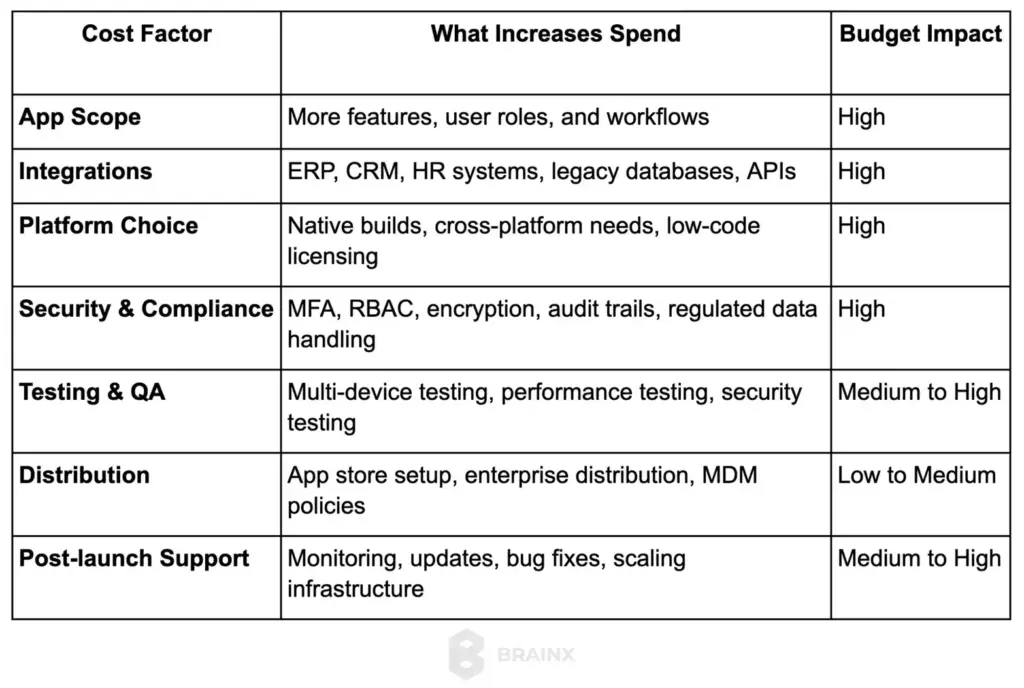
For most enterprises, the smartest way to control cost is to start with a focused MVP, prioritize the most valuable workflows first, and expand in planned iterations instead of trying to launch every feature at once.
Future Trends and Innovations in Enterprise Mobile Apps
Enterprise mobile development continues to evolve, and forward-thinking organizations are already adopting new trends to stay ahead:
1. AI and Machine Learning Integration: AI/ML features are becoming standard in enterprise apps. Chatbots and virtual assistants (e.g. an AI helpdesk bot) can automate routine queries. Predictive analytics can surface insights (e.g. forecast sales or detect anomalies) directly in the app. Personalization engines can tailor content and recommendations to each user’s role and behavior.
Enterprises should explore integrating AI into their apps – for instance, a service app that uses ML to predict equipment failures before they happen. BrainX specializes in AI development services to embed smart capabilities in your mobile apps.
2. Cloud & SaaS Platforms: The shift to cloud backends and SaaS accelerates development. Using Mobile Backend-as-a-Service (MBaaS) platforms like Firebase or AWS Amplify offloads infrastructure management. SaaS components (e.g. Salesforce Mobile, Microsoft Power Platform) offer ready-made enterprise features. This trend means internal IT teams can focus on app logic instead of servers.
Enterprises should evaluate which parts of their mobile app can leverage existing SaaS: maybe use Auth0 for authentication, or Twilio for notifications. By composing apps from cloud services, companies save time and gain enterprise-level reliability.
3. Internet of Things (IoT) and AR/VR: Mobile apps increasingly connect with IoT devices. For example, logistics firms use mobile apps paired with IoT sensors for asset tracking. Field technicians use AR headsets or smartphone AR apps for on-site training and diagnostics. While still emerging, integrating IoT data into mobile apps provides real-time visibility (think utility meters or manufacturing equipment dashboards). AR/VR can enhance training apps or remote assistance.
Forward-looking enterprises are piloting these technologies: a warehouse app might use AR overlays to guide pickers, or a maintenance app might use VR walkthroughs for complex repairs.
4. Low-Code Development Tools: To speed up development, low-code/no-code platforms are on the rise. These let business analysts or “citizen developers” create apps visually.
Gartner predicts a large portion (75%) of apps will be built this way soon. Low-code tools (like Mendix or Appian) now include mobile app features and integrations for enterprise data. While not suitable for all use cases, low-code can empower teams to deliver internal tools rapidly.
Enterprises should consider hybrid approaches: use low-code platforms for standard workflows (forms, approvals) and custom code for unique features. BrainX can help integrate or extend your low-code solutions as needed.
With these innovations, enterprise mobile apps will become smarter, faster to build, and more capable than ever. By leveraging AI, cloud services, IoT, and low-code, companies can future-proof their mobile strategy and maintain a competitive edge.
Conclusion and Next Steps
Developing enterprise mobile apps is a journey that spans planning, design, development, and beyond. By following a structured approach – defining clear objectives, choosing the right technology stack (native, cross-platform, or low-code), and rigorously testing – organizations can build secure, scalable apps that transform operations. Remember to invest in user-centric design and to plan for ongoing maintenance and growth. The ROI of enterprise mobile app development is high – modern apps enhance productivity, collaboration, and customer engagement.
With the right strategy and partner, the process becomes manageable and rewarding. Consider BrainX as your full-cycle development ally. We offer enterprise mobile app development services and AI-driven expertise to guide you from concept to launch. Our cross-functional teams ensure your app is tailored, secure, and future-proof. Ready to get started? Let’s build an enterprise mobile solution that drives real business results together.
Top FAQs on Building Enterprise Mobile Apps
Q1. What is mobile app development for enterprise, and how is it different from a consumer app?
Enterprise apps are built to support business workflows, employees, partners, or large customer bases. They usually require deeper security, role-based access, audit logs, and integrations with systems like CRM/ERP. Consumer apps focus more on broad usability and growth, while enterprise apps prioritize reliability, compliance, and operational efficiency.
Q2. How long does it take to build an enterprise mobile app from planning to deployment?
Timelines vary by scope, but a typical range is 10–24+ weeks. A focused MVP may take 8–12 weeks, while a larger app with complex integrations, offline support, and compliance can take 4–6 months or more. Discovery, integrations, QA, and approvals often drive the schedule more than UI screens.
Q3. How do I choose between native, cross-platform, and low-code for an enterprise mobile app?
Pick based on outcomes, not trends:
- Native (iOS/Android): best for top performance, device features, and strict UX control.
- Cross-platform (Flutter/React Native): great for faster rollout and shared code while keeping strong UX.
- Low-code/mobile app development software for enterprise: ideal for internal tools, rapid prototypes, and workflow apps, but may hit limits for complex UX, offline-first, or heavy integrations.
A common strategy is cross-platform for speed, then native modules only where needed.
Q4. What security and compliance requirements should an enterprise mobile app follow (GDPR, HIPAA, role-based access)?
Start with “security by design.” Most enterprise apps need strong authentication (SSO/MFA), role-based access control (RBAC), encryption in transit and at rest, secure session handling, and device/app hardening. Compliance depends on industry: GDPR for data privacy and user rights, HIPAA for protected health information, plus internal policies like audit trails and retention rules. DevSecOps practices help keep security continuous, not a last-minute patch.
Q5. Should we publish on app stores or use enterprise distribution (MDM/private app store) for internal apps?
If the app is customer-facing, app stores are usually best for reach and updates. For employee/internal apps, enterprises often prefer MDM (Mobile Device Management), private app stores, or managed distribution to control access, enforce policies, and reduce data risk. Many organizations use a hybrid approach: public store for customers and managed distribution for internal teams.