
 August 7, 2026 -
 34 minutes read


Key Takeaways
- The fastest ROI is typically from patient access, revenue cycle, document intake and documentation support as the volume and cycle time are easily measured.
- Start with one bounded workflow, one operational owner, and three to five KPIs. Do not begin with autonomous clinical decisions.
- A narrow pilot can often reach controlled production in 6 to 10 weeks. Multi-system or payer-facing workflows usually take longer.
- Design the exception queue before the happy path. Silent failures and unowned exceptions erase expected savings.
- Practices indicated they perform an average of 40 prior authorizations per physician weekly, in the 2025 AMA prior authorization survey, with 13 staff hours spent completing them.
- CMS now requires affected payers to provide specific denial reasons and meet defined decision time frames, while FHIR-based prior authorization APIs are scheduled for 2027 under the CMS Interoperability and Prior Authorization Final Rule.
- HIPAA compliance is not a given with a platform. The entire workflow needs to be subject to access controls, audit logs, retention, vendor agreements, incident response and testing.
- Scale automation in healthcare only after the pilot passes operational, security, safety, adoption, and measurement gates.

Automation in healthcare now means more than replacing clicks with bots. In 2026, it combines rules, workflow orchestration, APIs, document intelligence, and carefully bounded AI to move repeatable work from trigger to outcome.
The urgency is measurable. According to the American Medical Association’s 2025 physician survey, practices complete an average of 40 prior authorizations per physician each week, requiring 13 hours of physician and staff time. The same survey found that 95% of physicians experienced care delays linked to prior authorization.
The highest-volume processes to consider include eligibility checks, referral intake, prior authorization preparation, claims follow-up, appointment communication, and draft documentation. Regulatory requirements are also increasing the need for connected, auditable workflows.
Beginning in 2026, affected payers must provide specific reasons for prior authorization denials, publicly report performance metrics, and issue decisions within 72 hours for expedited requests and seven calendar days for standard requests. Clinical decisions, however, must remain with qualified professionals.
This guide outlines the value that can be gained from automation, which workflows to target, how the technology fits into your organization, what can go wrong, and how to get from discovery to a controlled pilot. The basic concept or the center lesson is to automate the process, not just one task. Build exception handling, auditability, security, and human approvals into the design from the beginning.
What Is Healthcare Automation?
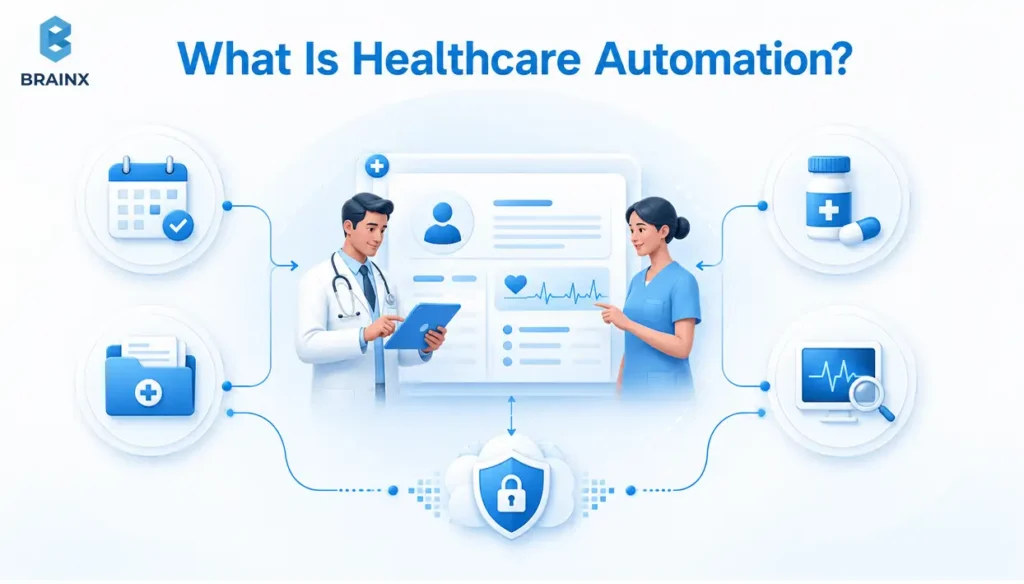
Automation in healthcare is the use of connected technologies to move, validate, transform, route, or generate information with minimal manual handling while keeping the process observable and controllable.
It can combine deterministic rules, workflow engines, APIs, robotic process automation, optical character recognition, machine learning, and generative AI. The objective is not merely to complete one task faster. It is to move an entire process from a defined trigger to a measurable outcome with clear exception handling, security controls, and human oversight.
A strong healthcare automation candidate usually has the following characteristics:
- The work occurs frequently and at a measurable volume.
- Staff follow a documented and reasonably consistent procedure.
- The required inputs are identifiable and accessible.
- Common exceptions can be defined and routed appropriately.
- The final outcome can be measured through operational KPIs.
A weak candidate depends heavily on incomplete context, competing clinical interpretations, patient preferences, or judgment that cannot be reduced safely to explicit rules. These processes may still benefit from decision support, but they should not be handed over to an autonomous system.
Consider referral intake. Before automation, staff may have to open a fax, identify the patient, re-enter demographics, verify insurance, check whether the packet is complete, route the referral, request missing records, and update the EHR.
An automated workflow can classify the document, extract key fields, match the patient, check completeness, create a work item, and send only uncertain or incomplete cases to staff. The value comes from connecting these steps into one governed workflow—not simply from using an extraction model.
How AI Fits Into Healthcare Automation
Artificial intelligence is one component of healthcare automation, not a replacement for the entire workflow.
AI is most useful when the system must interpret variable or unstructured information. It can classify incoming documents, extract details from referral packets, summarize records, identify likely denial categories, draft correspondence, or propose a next action.
Rules and standard transactions are usually better when the required logic is stable and explicit. For example, eligibility validation, required-field checks, status updates, and routing based on predefined service codes may not require a generative AI model.
A safe AI-assisted workflow should define:
- Which inputs the model can access
- What task the model is permitted to perform
- The minimum confidence required for automated routing
- Which outputs require professional review
- What evidence reviewers should see
- How staff can correct, reject, or escalate an output
- Which actions the system must never complete independently
Clinical decisions, medication approvals, medical-necessity determinations, and other consequential actions should remain with qualified professionals. AI should help people interpret information and complete administrative work, not hide decisions inside an unreviewable black box.
RPA vs Workflow Orchestration vs AI Agents: Where Each Fits
RPA is useful when a stable portal or desktop interface is the only available integration point. A bot can log in, copy values, download files, update fields, or upload documents. It is practical for closing legacy integration gaps, but interface changes, authentication updates, and unexpected pop-ups can break the automation without warning.
Workflow orchestration manages the state of a process across systems and people. It handles triggers, queues, timers, service-level agreements, retries, approvals, escalations, and completion status. For most automation in healthcare programs, orchestration creates more durable value than isolated bots because delays often occur between departments, systems, payers, and reviewers.
AI agents can support processes with variable inputs or multi-step information gathering. They may classify documents, summarize records, draft communications, or recommend a next action. However, they should operate inside bounded workflows with permissions, validation rules, and escalation paths.
The 2026 HealthAdminBench evaluation tested computer-use agents across realistic EHR, payer-portal, fax, prior-authorization, and denial-management tasks. Although agents often completed individual subtasks, the strongest evaluated configuration completed only 36.3% of full end-to-end tasks successfully. The gap between subtask performance and workflow completion supports continued human review for consequential actions.
What Is Not Automation and Why Digitization Alone Is Not Enough
A web form is digitization. A scanned PDF stored in an EHR is also digitization. A chatbot that answers a patient’s question but cannot complete or route the requested transaction is not end-to-end automation.
The operational test is more useful:
- Did the workflow reduce manual touches?
- Did it shorten the time from trigger to outcome?
- Did it reduce avoidable errors or rework?
- Did it route exceptions to a named owner?
- Did it establish a clear audit trail?
- Did it reduce the work required across the entire process?
An AI-generated summary that staff must manually copy into another system may help an individual user, but it does not necessarily improve the broader workflow.
This distinction prevents tool-first implementation. Teams should first map the current process, remove unnecessary steps, define ownership, and design the exception path. Otherwise, they risk automating waste and creating a faster route to the same backlog.
Healthcare Automation Trends Shaping 2026
Healthcare automation is accelerating because regulatory deadlines, workforce pressure, interoperability improvements, and more capable AI tools are converging at the same time. Adoption is no longer driven only by vendor interest. Healthcare organizations now face measurable administrative workloads and increasingly specific expectations for transparency, data exchange, and workflow performance.
According to Grand View Research, the global AI-in-healthcare market is estimated at $50.7 billion in 2026 and projected to reach $505.6 billion by 2033. These projections do not mean that every AI or automation initiative will produce a return. They indicate sustained investment in software, services, infrastructure, integration, security, and governance.
Prior Authorization and Interoperability Deadlines
The regulatory environment is more concrete in 2026. Under the CMS Interoperability and Prior Authorization Final Rule, affected payers must provide specific reasons for denied prior authorization requests, publicly report selected performance metrics, and issue decisions within 72 hours for expedited requests and seven calendar days for standard requests.
These operational requirements generally began in 2026, while major payer API requirements generally begin in 2027. The distinction matters: organizations should improve current data capture, denial tracking, response monitoring, and exception management before assuming that future APIs will solve the entire process.
Interoperability requirements are also evolving beyond prior authorization. The HTI-1 Final Rule established USCDI Version 3 as the baseline standard for the ONC Health IT Certification Program as of January 1, 2026. It also introduced transparency requirements for AI and predictive algorithms included in certified health IT.
For healthcare automation teams, this increases the importance of standardized data, traceable system behavior, documented model information, and evidence that users can review when technology supports decision-making.
Ambient Documentation and Bounded AI Agents
Ambient documentation demonstrates how AI is moving from experimentation into routine operational workflows. A 2025 report covering a JAMA Network Open study at Mass General Brigham and Emory found that ambient documentation technology was associated with reduced burnout and improved documentation-related well-being among responding clinicians.
However, the study also reported low survey response rates and variation in how well the technology fit different specialties and documentation needs. The practical conclusion is not that ambient AI works equally well everywhere. It is that reviewed, integrated drafting has become a serious operational option when organizations measure adoption, accuracy, specialty fit, and downstream documentation quality.
AI agents are following a similar path. They can navigate interfaces and perform multi-step administrative tasks, but current evidence still shows a significant gap between completing individual actions and reliably finishing an entire healthcare workflow.
As a result, organizations should limit agent permissions, validate all downstream actions, maintain audit logs, and route uncertain or high-impact cases to trained reviewers.
Workforce Capacity, Governance, and Cybersecurity
Interoperability remains uneven. FHIR enables modern resource-based exchange, but real healthcare environments still combine FHIR with HL7 v2, X12, flat files, fax, document uploads, and payer portals. A program that assumes one standard will cover every dependency is likely to underestimate delivery effort.
Workforce capacity is another constraint. Subject-matter experts must define exceptions, validate outputs, review incidents, train users, and improve the workflow after launch. Engineering teams may be able to build a technical solution faster than operations can safely absorb it.
The 2025 HHS AI Strategy reflects this broader shift by emphasizing governance and risk management, user-focused infrastructure, workforce development, administrative-burden reduction, and modernization of care delivery. These priorities reinforce that automation is as much an operating-model and change-management initiative as a software project.
Payer-provider pressure is also increasing. According to the 2025 AMA prior authorization physician survey, 95% of physicians reported that prior authorization delayed access to necessary care, while 26% reported that it had led to a serious adverse event for a patient in their care.
Automation can improve submission completeness, status visibility, communication, and turnaround. It should not transfer medical-necessity decisions to an unreviewable system.
10 Key Benefits of Automation in Healthcare
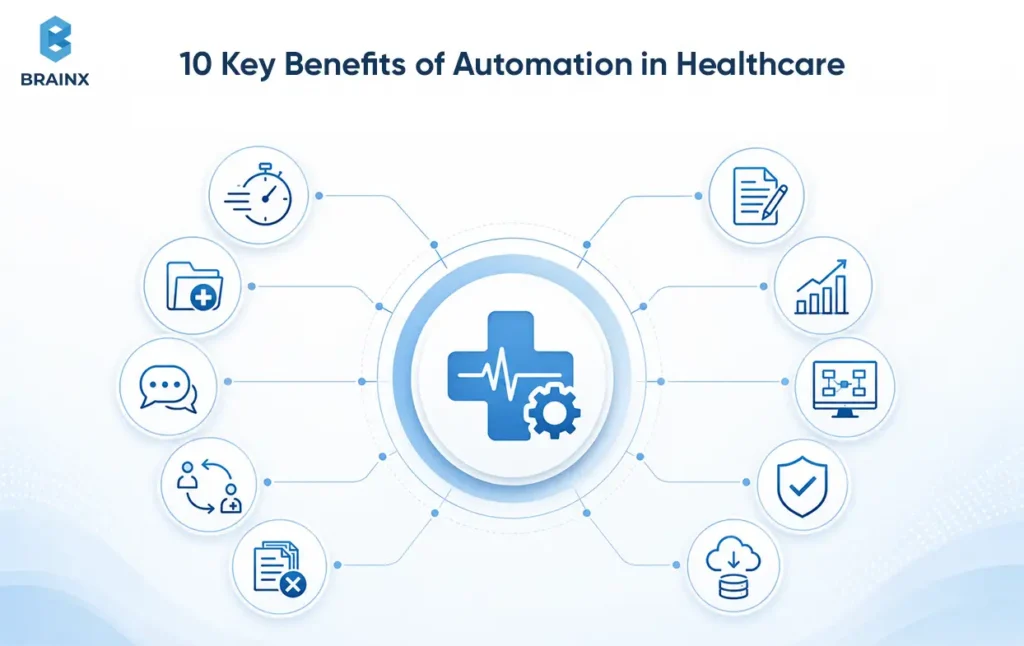
The value of automation in healthcare is not limited to completing tasks faster. A well-designed workflow can improve patient access, reduce administrative burden, strengthen revenue performance, and make responsibilities clearer across systems and teams.
The benefits should still be measured at the workflow level. A faster process that produces incorrect results, creates an unmanaged exception queue, or shifts work to another department is not a successful implementation.
Benefits of Healthcare Automation for Patients
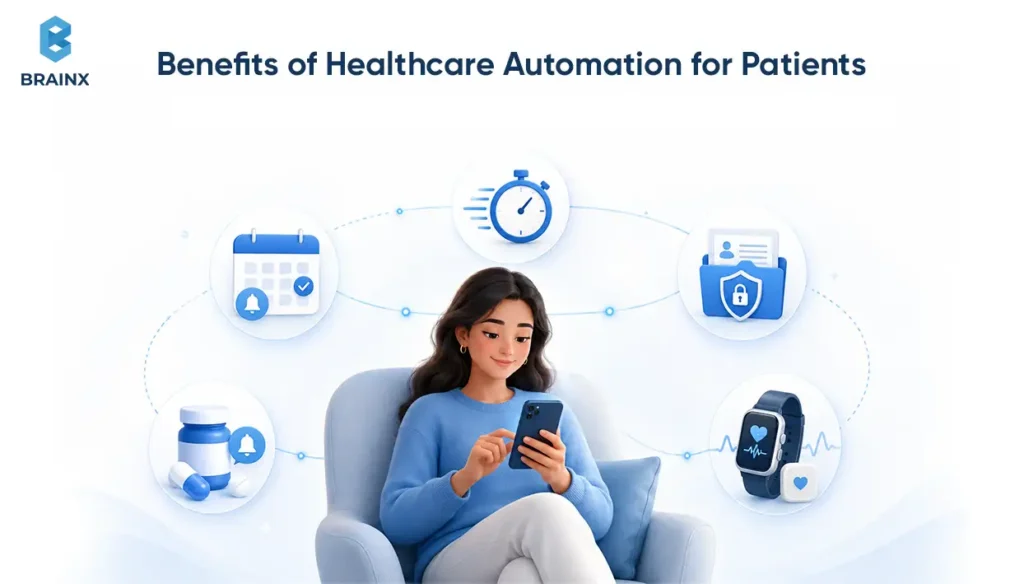
1. Faster Access to Services
Automated eligibility checks, referral routing, appointment communication, and prior authorization preparation can reduce the time patients spend waiting for routine administrative steps to be completed.
The greatest gains usually come from removing queue delays and unnecessary handoffs rather than attempting to automate clinical judgment.
2. Fewer Delays Caused by Missing Information
Automated completeness checks can identify missing insurance details, clinical documents, signatures, referral information, or payer-required fields before a request enters the next stage.
This helps staff address incomplete cases earlier instead of discovering the problem after a submission has been rejected or delayed.
3. Clearer and More Timely Communication
Automation can send appointment confirmations, preparation instructions, request-status updates, payment notifications, and approved follow-up information through the patient’s preferred channel.
Messages should explain the next step clearly and provide a route to a human when the patient has a clinical question, accessibility need, or complex issue.
4. More Reliable Care Coordination and Follow-Up
Automated workflows can create follow-up tasks, notify care teams, reconcile checklist completion, and escalate missed actions.
This can make ownership clearer across discharge planning, referrals, chronic-care programs, and post-visit communication. The system should support coordination rather than independently determine a patient’s care plan.
Benefits for Healthcare Professionals and Organizations
5. Less Repetitive Administrative Work
Automation can reduce manual data entry, document sorting, portal checks, status calls, claim follow-up, and routine message handling.
This allows staff to focus on exceptions, patient communication, complex cases, and responsibilities that require professional judgment.
6. Faster Documentation and Note Closure
AI-assisted documentation can produce reviewed drafts from clinician-patient conversations, organize relevant information, and reduce the time required to create an initial note.
Clinicians must still review the output for omissions, inaccuracies, unsupported statements, and specialty-specific requirements before it becomes part of the medical record.
7. Stronger Revenue Cycle Performance
Automated validation, claim-status monitoring, denial classification, payment matching, and appeal preparation can improve first-pass completeness and reduce avoidable rework.
Revenue cycle teams can also identify where delays occur, which denial categories are growing, and which payer workflows require intervention.
8. Better Workflow Visibility and Accountability
Workflow orchestration creates timestamps, queue status, escalation records, and ownership across handoffs.
Managers can see whether a case is waiting on a patient, provider, payer, system, or internal reviewer instead of relying on emails, spreadsheets, or individual staff knowledge.
9. More Consistent Quality and Fewer Preventable Errors
Rules, required-field validation, duplicate controls, identity checks, and standardized routing can reduce variation in repetitive processes.
Consistency is particularly valuable where different locations or departments currently follow slightly different procedures for the same operational task.
10. Scalable Capacity and Better Cost Control
Automation can help organizations handle increasing transaction volumes without requiring staffing levels to grow at the same rate.
The objective should not be to remove every human touch. It should be to reserve skilled capacity for cases where judgment, empathy, investigation, or intervention creates the greatest value.
The AMA prior authorization survey found that physicians and their staff spend an average of 13 hours each week completing prior authorizations, while 94% of physicians reported that the process somewhat or significantly contributes to burnout. Programs should therefore measure staff time and exception burden—not only transaction volume.
What KPIs Prove Healthcare Automation Value?
Use a small scorecard connected to one workflow. Before development begins, establish the baseline, define the pilot target, and agree with operations and finance on how each metric will be calculated.
The following targets are illustrative. Actual targets should reflect the organization’s current performance, risk level, transaction volume, and improvement opportunity.
| KPI | Baseline Example | Pilot Target | Measurement Method |
| Median cycle time | 4.5 days | 25% lower | Trigger and completion timestamps |
| First-pass completeness | 72% | 90% or higher | Validation and rejection logs |
| Denial rate | 12% | 10% or lower for targeted categories | Payer responses and denial codes |
| Staff touches per case | 6 | 3 to 4 | Workflow event logs |
| SLA compliance | 78% | 95% or higher | Queue age and completion reports |
| Exception rate | Unknown | Measured, then reduced | Manual-review queue data |
| Exception age | Unknown | Defined maximum by priority | Queue entry and resolution timestamps |
| Patient-access CSAT or NPS | Current cohort score | Defined improvement | Survey tied to the automated touchpoint |
Reported time savings should be verified rather than assumed. When the automated path handles simple cases but staff spend the same amount of time resolving difficult exceptions, the program may have shifted work rather than removed it.
Pair throughput and cycle-time metrics with:
- Queue age
- Rework
- Overrides
- Failed transactions
- Manual-review time
- Staff adoption
- Patient complaints or escalations
This provides a more accurate view of whether the workflow is delivering sustainable operational value.
Which Healthcare Workflows Should You Automate First (and How Do You Prioritize Use Cases)?
The most promising areas for automation in healthcare have high volume, simple rules, quantifiable pain, consistent data, and minimal direct patient-safety risk. Typically patient access, revenue cycle, referral intake, and document routing are good first pilots instead of diagnostic or treatment decisions.
Prior authorization is attractive because the burden is visible. The AMA found that 40% of physicians had staff working exclusively on prior authorization. However, the process spans payer rules, clinical documentation, codes, portals, and appeals. A first pilot should narrow the scope to one service line, payer group, or stage such as packet assembly or status tracking.
Claims follow-up, appointment reminders, and classification of referrals can be easier due to preexisting data in operational systems that can be used to measure success through timestamps and results. The initial project should demonstrate more about the ability of the organization to design, govern and support automation, rather than trying to address all administrative concerns.
Use-Case Scoring Model: Value vs Effort vs Patient-Safety Risk
Score each candidate from 1 to 5, then use weighted totals rather than intuition.
| Factor | Weight | A High Score Means |
|---|---|---|
| Business value | 30% | High volume, direct cost, throughput, or access impact |
| Data readiness | 20% | Reliable fields, documents, identity, and labels |
| Implementation feasibility | 20% | Available interfaces, clear owner, limited variants |
| Compliance manageability | 15% | Clear purpose, access, retention, and audit requirements |
| Patient-safety suitability | 15% | Low harm if delayed or incorrect, with a safe review path |
Add three gates: Can the workflow pause safely? Can consequential actions be explained? Can a named team own exceptions? If not, reduce scope or choose another pilot.
What Are the Best Real-World Use Cases for Automation in Healthcare (by Function)?
Triggers, steps, systems, exceptions, and KPI are the best real world use cases. This format forces teams to address operational reality before buying software.
Scheduling, Reminders, and Call-Center Deflection (Patient Access Automation)
Patient access is a practical entry point because it is high-volume and measurable. A scheduling workflow will be able to confirm appointments, suggest approved rescheduling options, update calendar, provide preparation instructions, and pass on symptomatic questions to clinical staff.
- Trigger: Appointment created, changed, canceled, or approaching
- Systems: EHR scheduling, CRM or contact center, SMS/email service, etc.
- Exceptions: Invalid contact data, language preference, repeated reschedules, clinical questions and such
- KPIs: No-show rate, self-service completion, call volume, time to schedule, etc.
Deflection only works when the system can complete the transaction. A bot that says “contact the clinic” may reduce neither calls nor effort. Don't lose the context when escalating, otherwise patients will have to start all over.
Prior Authorization and Eligibility Checks (Payer-Provider Automation)
This workflow can confirm eligibility, determine authorization needs, collect records, fill out forms, submit via API or Web portal, track status, and route requests for missing information.
- Trigger: Order, referral, medication, or procedure request
- Systems: EHR, clearinghouse, payer API or portal, document repository
- Exceptions: Coverage changes, missing notes, payer-specific forms, medical necessity review
- KPIs: Submission completeness, staff touches, days to decision, resubmission rate
Automation in healthcare should support administrative precision here. A 2026 preprint on prior authorization letters created by AI revealed strong clinical narratives while highlighting common operational issues such as missing billing codes, prior authorization duration, and follow-up information. For that reason, it is important that draft generation is done within structured validation.
Claims Processing, Denial Management, and Payment Posting (RCM Automation)
Automated revenue cycle functions can scrub claims, monitor claim statuses, classify denials, compile supporting details, appeal claims, and match remittance data for payment posting.
- Trigger: Claim created, rejected, denied, or paid
- Systems: Practice management, clearinghouse, payer EDI, document management, finance
- Exceptions: Coding disputes, coordination of benefits, payer policy changes, authorization mismatch
- KPIs: Denial rate, days in A/R, cost-to-collect, appeal turnaround, payment-posting accuracy
Start with a stable denial taxonomy. If sites use inconsistent categories, the system cannot route work reliably or measure improvement. Standardization may create more value than AI during the first phase.
Referral Intake, Fax-to-EHR, and Document Classification (Unstructured Data Automation)
Document-heavy intake combines OCR, classification, field extraction, identity matching, completeness checks, and queue routing. It is one of the clearest examples of AI supporting a broader deterministic workflow.
- Trigger: Fax, secure email, portal upload, or scanned packet
- Systems: Fax service, document store, master patient index, EHR, workflow engine
- Exceptions: Low-quality image, conflicting demographics, multiple patients, urgent referral
- KPIs: Intake cycle time, auto-classification rate, match confidence, exception age
The hardest part is often patient matching, not extraction. Require confidence thresholds, duplicate controls, and manual resolution for uncertain identities.
Care Coordination, Discharge Planning, and Readmission Risk Flags (Clinical Ops Automation)
Automation in healthcare can support clinical operations by creating follow-up tasks, reconciling checklist completion, sending approved education, notifying care managers, and surfacing risk flags. The system should support prioritization, not independently decide care.
- Trigger: Discharge order, high-risk flag, missed follow-up, or care gap
- Systems: EHR, care management, messaging, analytics
- Exceptions: Social barriers, conflicting plans, home-health dependencies, unreachable patient
- KPIs: Follow-up completion, discharge-to-contact time, queue age, escalation completion
Because missed tasks can affect care, use evidence-linked alerts, explicit ownership, and conservative thresholds to limit alert fatigue.
Medication Refill Workflows and Pharmacy Communications (Safety-First Automation)
Medication workflows are frequent but safety-sensitive. Automate intake, protocol data gathering, status checks, message routing, and patient updates. Keep clinician approval for any action that requires judgment.
- Trigger: Refill request or pharmacy message
- Systems: EHR, e-prescribing network, patient portal, lab results
- Exceptions: Controlled substances, abnormal labs, contraindications, duplicate therapy
- KPIs: Refill turnaround, protocol eligibility, clinician touches, unresolved queue age
Hard stops should be visible and testable. A model confidence score is not a substitute for medication policy, allergy checks, or licensed review.
How Does Automation in the Healthcare Industry Differ Across Providers, Payers, and Digital Health Startups?
The same technology creates a different value for each organization. Organizations evaluating automation in healthcare industry initiatives must account for workflow ownership, financial risk, applicable regulations, and where the system of record sits.
Providers prioritize access, clinician capacity, care coordination, and revenue collection. Payers prioritize administrative cost, consistent policy application, turnaround, transparency, and appeal evidence. Digital health startups prioritize product adoption, unit economics, multi-tenant controls, and repeatable integration across customers.
The safest starting point for automation in healthcare industry programs also differs. A provider may begin with referrals or denials. A payer may begin with intake validation or status transparency. A startup may begin with onboarding, scheduling, or one embedded workflow that improves the core product experience.
BrainX’s AI development services cover custom AI, document processing, predictive analytics, and integration work that can be adapted to these different operating models.
Automation in Healthcare Industry: What Changes for Payers vs Providers vs Startups
For provider automation in healthcare industry programs, workflow fit matters most. The system must work with EHR queues, clinical roles, revenue cycle processes, and local operating procedures. Measure staff touches, throughput, access, and cash impact.
For payer automation in healthcare industry programs, policy versioning and defensibility matter most. Every request needs a traceable rule set, time stamp, decision path, and human review record where required. Measure turnaround, administrative cost per transaction, reconsideration, and appeals.
For startups building automation in healthcare industry products, product architecture and integration repeatability matter most. These products should avoid customer-specific logic buried in code. Use configurable rules, adapters, tenancy controls, and standard event contracts so the product can scale beyond the first enterprise client.
What Does a 2026 Automation Roadmap Look Like (from Discovery to Scale)?
A 2026 roadmap should treat automation as a product rollout with gates, named owners, and measurable outcomes.
A practical sequence is discovery, design, build or buy, validation, adoption, controlled launch, and scale. Each phase should confirm that the workflow is operationally useful, technically reliable, secure, and supportable before the organization expands its scope.
For a bounded administrative workflow with available interfaces, BrainX would typically plan 6 to 10 weeks through a controlled pilot. Legacy integration, payer onboarding, identity resolution, procurement, or clinical safety review extend that range.
Discovery: Map Workflows, Quantify Waste, and Define “Done”
Document the current trigger, every handoff, systems used, queue waits, top exceptions, and final outcome. Observe the work rather than relying only on a workshop because informal steps often determine whether the process succeeds.
Baseline median cycle time, weekly volume, staff touches, error or denial categories, exception rate, and SLA performance. Define “done” as an operational result, such as a complete referral routed within four hours, not “the bot ran successfully.”
Design: Choose Automation Type, Exception Paths, and Human-in-the-Loop
Use the lightest reliable technology. Apply rules when the logic is stable, APIs when interfaces exist, RPA when no safer interface is available, and AI when variable language or documents require interpretation.
Define approval points, escalation thresholds, and evidence shown to reviewers. Human-in-the-loop is not a vague promise. It is a named role, queue, SLA, interface, and override policy.
Build/Buy: Integration Plan, Data Mapping, and Environment Strategy
Buy commodity capabilities when vendors already meet the requirement, such as messaging or OCR. Build the orchestration, integration, and domain logic when those elements differentiate the workflow or require tighter control.
Create a system-by-system integration plan, data map, test-data strategy, service-account model, and environment separation. The BrainX product development process shows how discovery, iterative delivery, and quality assurance fit together.
Validate: Testing, Audit Logs, and Clinical Safety Checks
Test the normal path and the failure path. Include duplicate events, missing data, stale eligibility, portal downtime, timeouts, retries, low-confidence extraction, and user overrides.
For AI-assisted steps, evaluate omission, fabrication, inconsistent formatting, and demographic performance. Store the input, model or rule version, output, reviewer action, and final disposition where policy permits. NIST’s AI Risk Management Framework supports lifecycle governance rather than one-time approval.
Adoption: Train Teams, Define Ownership, and Manage Change
Automation does not create value when users avoid it, duplicate its work, or do not understand when to trust or override its output. Adoption should therefore be treated as a release gate rather than a post-launch communication task.
Define how each affected role will interact with the workflow. Staff should know:
- Which cases are processed automatically
- Which cases enter a manual-review queue
- Who owns each exception category
- What evidence must be reviewed before approval
- How to correct, reject, or escalate an output
- How to pause the workflow and report an incident
- Which system remains the authoritative source of truth
Update SOPs and role responsibilities before controlled production. Training should use realistic normal cases, exceptions, duplicate events, missing information, and system failures rather than demonstrating only the ideal path.
Identify operational champions who can support users, consolidate feedback, and distinguish workflow defects from training issues. During the pilot, measure adoption through queue usage, override patterns, work completed outside the system, support requests, and user feedback.
The HHS AI Strategy emphasizes workforce training, workflow updates, administrative-burden reduction, governance, and secure use. These considerations are equally important for healthcare organizations adopting AI-assisted automation.
Scale: Monitoring, Retraining, Governance, and Continuous Improvement
Scale only after the pilot meets its operational, security, safety, adoption, and measurement gates without creating an unstable exception queue.
Monitor:
- Transaction volume and completion rate
- Cycle time and queue age
- Integration failures and retry volume
- Overrides and reviewer corrections
- Model or data drift
- Access anomalies
- Patient or user complaints
- SLA performance
- Cost per completed case
Assign named product, operations, security, clinical-safety, and escalation owners. Define who can change workflow rules, prompts, model versions, integrations, access permissions, and exception policies.
Review operational performance at least monthly and higher-risk controls at a frequency appropriate to the workflow. Retrain models or update prompts only through a controlled release process with test evidence, versioning, rollback, and post-release monitoring.
Expansion should normally proceed one variable at a time—for example, an additional site, payer, service line, document type, or workflow stage. This makes it easier to identify which change affected performance.
The NIST AI Risk Management Framework supports managing AI risks throughout design, development, deployment, use, and evaluation rather than treating approval as a one-time event. Automation in healthcare should be managed as an ongoing operating capability, not a finished launch project.
What Tech Stack and Integration Patterns Enable Automation in the Healthcare Sector?
A dependable architecture for automation in healthcare sector programs separates systems of record, connectivity, workflow state, AI services, identity, and observability. The objective is to make each action traceable, retryable, and maintainable. HL7 describes FHIR as a standard for electronic exchange through reusable resources and modern implementation patterns, but it still coexists with older standards.
Automation in Healthcare Sector Architecture: EHR/EMR + Integration Layer + Workflow Engine
A stable automation in healthcare sector architecture usually includes:
- EHR or EMR: Clinical source of truth
- Integration layer: APIs, HL7, X12, files, webhooks, and transformations
- Workflow engine: Case state, rules, timers, approvals, retries, and SLAs
- Document layer: OCR, classification, extraction, and attachment handling
- AI services: Bounded summarization, classification, drafting, or prediction
- Identity and access: RBAC, service accounts, secrets, and consent-aware access
- Observability: Logs, traces, queue monitoring, and compliance evidence
Teams building automation in healthcare sector systems should keep workflow state outside fragile UI bots. A case should not disappear from the portal because a portal interaction failed, it should be retried safely.
When to Use FHIR, HL7 v2, X12, or Flat Files (and Why It Matters)
When the required endpoint exists, use FHIR for modern API access to resources like patients, appointments, encounters, observations and documents. For well-known hospital events, such as ADT, orders, and results, use an HL7 v2 feed. Administrative transactions (eligibility, claims, remittances, claim status) should be made using X12.
If the legacy partner does not provide a better solution, apply schema validation, reconciliation, encryption, and monitoring to secure the flat files or SFTP. Use RPA only after checking for an API, interface-engine feed, or standard transaction.
The CMS rule reinforces a mixed transition. It specifies FHIR APIs for future payer-provider exchange while allowing defined flexibility around FHIR and X12 for prior authorization implementation. For automation in healthcare sector roadmaps, architecture must support coexistence rather than assuming immediate replacement.
Data Layer Essentials: Identity Matching, Consent, and Master Data
Identity matching is foundational to automation in healthcare because errors can route information to the wrong record or create duplicates. Use deterministic matches where possible, probabilistic matching where necessary, and manual review below a defined confidence threshold.
Maintain master data for payer identifiers, provider identifiers, locations, specialties, service catalogs, and denial categories. Version policy data so teams can explain which rule applied at a specific time.
Consent and data minimization should follow the workflow. Do not copy PHI into prompts, logs, or analytics stores unless it is needed and governed. The best automation in healthcare sector programs reduce data movement as well as manual movement.
What Are the Biggest Risks and Mistakes in Healthcare Automation and How To Avoid Them?
The greatest risks include unnoticed integration failures, incomplete exceptions, insecure access, untrustworthy AI-generated responses, lack of adoption, and unclear accountability. An error can spread through thousands of cases with automation in healthcare; so every process should have containment and recovery mechanisms.
Avoid automating a broken process without redesigning it. Do not use generative AI when there is a structured transaction or rule available. Do not measure only successful cases. Exceptions, retries, and overrides show if the system is working properly or not.
Where Automation Breaks in the Real World: Exceptions, Edge Cases, and Downtime
Changed payer forms, unreadable faxes, ambiguous identity, duplicate messages, expired credentials, unavailable APIs, and new policy rules are routine conditions, not rare edge cases.
Every workflow should define:
- Retry limits and backoff
- Idempotency and duplicate prevention
- Timeout and dead-letter handling
- Health checks and alerts
- Queue owner and escalation SLA
- Manual continuity process during downtime
Measure exception age, not only exception count. It can be worse to have 10 challenging cases pending for 5 days than 50 cases solved in 1 hour.
How to Keep Humans in Control: Approvals, Escalation Paths, and Audit Trails
Human control is essential to automation in healthcare and requires an actionable interface. Reviewers should see the source evidence, proposed action, relevant rule, uncertainty, and downstream consequence. They should have the ability to approve, adjust, reject and escalate the workflow without leaving it.
Log who initiated the case, what data was used, which rule or model version ran, what output was produced, who approved it, and what was sent. Preserve enough detail for investigation without retaining unnecessary PHI.
For high-impact changes, use separation of duties. The person who edits a policy or prompt should not be the only person who approves its production release.
HIPAA, SOC 2, and Data Retention Basics for Automated Workflows
HIPAA compliance depends on the full administrative, physical, and technical control environment. The HHS proposal to strengthen the HIPAA Security Rule includes more explicit expectations around asset inventories, risk analysis, access controls, incident response, and technical safeguards.
At minimum, address:
- Business associate agreements for vendors handling PHI
- Least-privilege RBAC and periodic access reviews
- Encryption in transit and at rest
- Audit logging and monitoring
- Data retention and secure deletion
- Keep development, test and production environments separate
- Incident response, rollback, and breach procedures
While vendor’s controls can be demonstrated under SOC 2, they cannot make a workflow HIPAA compliant. So, you need to validate scope, sub-processors, data flows, and your configuration.
How Much Does Automation in Healthcare Cost, and How Long Does It Take?
Automation in healthcare costs depend more on integrations, process variability, validation, and support than on the number of screens. Budget by workflow, not by department.
The ranges below are practical planning estimates for custom implementation. They exclude major enterprise platform licenses and assume a defined workflow owner.
| Scope | Typical Delivery Range | Typical Timeline | Assumptions |
|---|---|---|---|
| Lightweight administrative workflow | $25,000 to $60,000 | 6 to 10 weeks | One or two systems, rules-based, limited PHI, clear SOP |
| Document or AI-assisted workflow | $60,000 to $150,000 | 10 to 16 weeks | OCR or LLM component, validation, human review, EHR integration |
| Cross-system RCM or prior auth program | $120,000 to $300,000+ | 4 to 8 months | Multiple payers, X12 or portals, complex exceptions, stronger governance |
| Enterprise multi-site rollout | $300,000 to $750,000+ | 6 to 12+ months | Multiple workflows, sites, monitoring, change management, support model |
These are planning estimates. Procurement, interface fees, licensing, security review, and clinical validation can materially change the total.
What Drives TCO: Integrations, Workflow Complexity, Validation, and Support
Total cost of ownership includes discovery, implementation, platform or model usage, interfaces, validation, training, monitoring, incident response, and rule maintenance.
The largest hidden driver is exception load. A workflow that automatically processes 70% of cases but creates a poorly designed review queue may deliver less value than a simpler system that handles 50% cleanly.
Plan ongoing ownership because payer rules, forms, roles, models, and source systems change. Budget for monitoring and regular improvement rather than zero maintenance.
Build vs Buy vs Hybrid: How to Choose for Regulated Healthcare Teams
Buy when the capability is standardized, proven, and not a source of differentiation. Common examples include messaging infrastructure, electronic signatures, OCR, identity verification, or established clearinghouse transactions.
Build when the workflow is unique, crosses several systems, contains organization-specific rules, or is central to the operating model. Custom development may also be appropriate when the organization requires tighter control over workflow state, data movement, approvals, or audit evidence.
Use a hybrid approach when a commercial platform can provide commodity components but custom orchestration, integration, exception handling, and governance still determine whether the workflow succeeds.
For regulated healthcare teams, going hybrid is often the most practical option. It can reduce implementation time while preserving control over:
- Data flow
- Workflow state
- Human approvals
- Business rules
- Audit trails
- Exception queues
- Monitoring
- Integration behavior
Evaluate healthcare automation tools on workflow fit rather than feature count. Before selecting a product or vendor, assess the following:
Integration Compatibility
Confirm support for the interfaces the workflow actually requires, including EHR APIs, FHIR, HL7 v2, X12, SFTP, document uploads, webhooks, clearinghouses, and payer portals.
Exception and Downtime Handling
Ask what happens when an interface is unavailable, information is missing, a record cannot be matched, or an automated action fails. The system should support retries, alerts, manual continuation, and recovery without losing the case.
Human Review Controls
Reviewers should be able to see source evidence, understand the proposed action, approve or modify the output, and escalate the case from within the workflow.
Auditability and Versioning
The platform should record relevant inputs, rule or model versions, outputs, reviewer actions, timestamps, and downstream transactions. Changes to rules, prompts, or model configurations should be versioned and testable.
Security and PHI Management
Review business associate agreements, subprocessors, hosting locations, encryption, access controls, environment separation, secrets management, data retention, and secure deletion.
Monitoring and Support
Confirm which operational metrics are available, how failures are reported, who receives alerts, how incidents are handled, and what support commitments apply to production workflows.
Portability and Exit Planning
Ask how the organization can export data, rules, workflow history, audit evidence, configurations, and attachments. Understand what happens to retained data when the contract ends and how the workflow could be migrated.
A vendor’s SOC 2 report or healthcare customer list does not prove that the planned implementation is safe or compliant. Selection should be based on the complete workflow, data flow, configuration, integration model, and operating responsibilities.
What’s the Fastest Way to Get Started (without Risking Compliance or Clinical Safety)?
The fastest safe approach is a narrow administrative pilot with a defined owner, baseline, review queue, rollback plan, and limited cohort. Before broadening the scope of automation in the healthcare industry, one measurable result should be achieved.
Choose a workflow that can be observed for two weeks, mapped in detail, and paused without affecting urgent care. Good candidates include referral classification, authorization packet completeness, eligibility checks for one service line, denial routing, and appointment rescheduling.
A 30-Day Pilot Plan: Pick One Workflow, Ship Safely, Measure Outcomes
1. Days 1 to 5: Select and Baseline
- Confirm volume, owner, baseline KPIs, systems, and top exceptions.
- Define success, stop conditions, and rollback criteria.
2. Days 6 to 10: Design and Govern
- Map the target workflow and human approvals.
- Confirm PHI scope, access, retention, and logging requirements.
3. Days 11 to 20: Build and Test
- Configure rules, integrations, queues, audit events, and monitoring.
- Test normal, exception, duplicate, and downtime scenarios.
4. Days 21 to 30: Shadow and Launch
- Run in shadow mode or with a limited cohort.
- Review exceptions daily and compare results with the baseline.
A 30-day plan validates readiness rather than guaranteeing a production-grade integration. Use it to remove uncertainty and create the pilot backlog.
What to Document: SOPs, Exception Handling, and Incident Response
Every pilot should ship with a current-state map, target-state map, RACI, SOP, exception taxonomy, test evidence, monitoring plan, access matrix, rollback procedure, and incident-response steps.
Documentation must tell staff how to pause, override, report errors, and recover affected cases.
The Ponder case study shows BrainX’s experience evolving a healthcare-oriented product with AI features, native application architecture, and structured user workflows.
How BrainX Helps Healthcare Organizations Automate Safely
BrainX Technologies helps teams move from workflow discovery to a measurable, governed implementation. The focus is not adding AI to every process. It is selecting a suitable use case, integrating the necessary systems, designing human review, and building controls that survive production conditions.
A typical engagement includes:
- Discovery: Map out the workflow, measure volume and waste, score risks and define pilot KPIs.
- Pilot: Develop the smallest end-to-end version, integrate essential systems, and validate with users.
- Scale: Integrate monitoring, governance, support processes, and scale to additional sites or workflows.
BrainX can combine API and legacy integration, orchestration, OCR, document intelligence, custom AI, cloud infrastructure, and product engineering. Rules may outperform AI for stable eligibility logic, while AI may suit referral classification or reviewed drafting.
The practical next step is to choose one painful, repetitive, measurable process and define what success looks like. Automation in healthcare can be a dream come true but only if it reduces real work without weakening accountability. Teams can use the BrainX contact page to discuss a discovery engagement, pilot scope, or integration challenge.
FAQs about Automating Healthcare Workflows
What Is Automation in Healthcare, and How Is It Different from AI in Healthcare?
Automation in healthcare is the broader execution layer. It includes rules, APIs, workflow orchestration, RPA, document routing, and human approvals. AI is one possible component used for tasks such as classification, extraction, summarization, or prediction. A workflow can be automated without AI, and an AI feature can exist without improving an end-to-end process.
What Are the Best First Workflows to Automate in a Clinic or Hospital?
Start with high-volume administrative processes that have clear rules and low direct patient-safety risk. Common first choices include referral intake, eligibility checks, appointment reminders, authorization packet preparation, denial routing, and claim status follow-up. Narrow the pilot to one service line, payer group, site, or document family so the team can measure results and control exceptions.
How Do You Measure ROI from Automation in Healthcare?
Compare baseline and post-launch performance for cycle time, staff touches, error or denial rate, SLA compliance, exception age, and cost per case. Add a financial metric such as cost-to-collect or labor capacity where appropriate. Measure the exception queue because manual review can absorb the savings created by the automated path.
Is Automation in Healthcare HIPAA-Compliant by Default?
No. Compliance depends on how the workflow collects, accesses, transmits, stores, logs, and deletes protected health information. Teams must configure least privilege, encryption, audit controls, vendor agreements, retention, incident response, and environment separation. A compliant vendor does not automatically make an organization’s implementation compliant.
How Long Does It Take to Implement a Healthcare Automation Pilot in 2026?
A bounded administrative pilot with stable interfaces may take about 6 to 10 weeks. Document-heavy, EHR-integrated, or payer-facing workflows often require 10 to 16 weeks or more because of mapping, security review, test data, and exception design. A 30-day readiness sprint can still establish the baseline, architecture, controls, and delivery backlog.
What Are the Biggest Risks of Automating Clinical Workflows?
The main risks are automation bias, incorrect routing, missing context, alert fatigue, fragile integrations, and errors that propagate across many patients. Keep consequential decisions with qualified professionals, show reviewers the supporting evidence, and provide clear escalation and override paths. Monitor outcomes continuously and maintain a tested method to pause or roll back the workflow.
What Are the Benefits of Automation for Patient Care?
Automation can improve patient care by reducing administrative delays, identifying missing information earlier, supporting faster appointment and referral workflows, and providing timely status updates.
It can also help care teams create and track follow-up tasks so important actions are less likely to remain in an unowned queue. These benefits depend on accurate data, clear exception handling, and appropriate human review.
Automation should support access, communication, and coordination while keeping diagnoses, treatment decisions, and other consequential clinical actions with qualified professionals.
What Are Examples of Automation in Healthcare Administration?
Common examples include insurance eligibility checks, prior authorization packet preparation, referral intake, appointment reminders, patient registration, document classification, claim-status monitoring, denial routing, payment posting, consent collection, and routine patient communication.
Healthcare organizations can also automate task creation, queue assignment, missing-document requests, SLA escalations, and audit-log generation.
The strongest implementations connect several steps into one observable workflow instead of using separate bots that complete isolated tasks without tracking the final outcome.
How Does Automation Affect Healthcare Practice Management?
Automation can help practices reduce manual data entry, organize staff queues, shorten billing and authorization cycles, and create greater visibility into incomplete or delayed work.
Practice managers can monitor cycle times, workload, denials, appointment outcomes, exception age, and staff touches from a shared workflow rather than relying on spreadsheets or individual follow-up.
However, automation also introduces responsibilities for access management, vendor oversight, monitoring, staff training, incident response, and ongoing workflow maintenance. Its effect depends on how well the technology fits the practice’s actual processes.