 October 16, 2026 -
 15 minutes read


An AI chatbot for small business is worth the investment when it saves enough useful staff time or generates enough additional profit to cover its full cost. That includes setup, software, usage charges, maintenance, and the work needed to correct mistakes. A low subscription price alone does not establish a business case.
The decision starts with the customer requests you already receive. Which ones delay your team, arrive after hours, or repeatedly interrupt other work? This guide helps you choose a suitable task, estimate its return, and test whether a chatbot earns its place in your business.
Quick Answers
What should a small business automate first?
Start with a frequent, clearly defined request whose answer you can verify, such as delivery questions or appointment availability. A task with reliable information is easier to test than a conversation requiring negotiation or judgment.
What does a chatbot subscription actually buy?
It buys the features and usage allowance of a particular plan. Check whether AI responses, staff seats, integrations, and your preferred messaging channels are included before comparing prices.
Does a chatbot need to increase sales to be worthwhile?
No. Reducing repetitive work can justify it, especially when that avoids overtime or additional hiring. When payroll stays unchanged, describe the benefit as staff capacity freed rather than immediate cash savings.
Is custom development necessary?
Usually, the first step is testing a hosted platform against your requirements. Consider custom work when a necessary integration, permission rule, or workflow cannot be supported adequately.
What should prove that the investment works?
Measure completed customer tasks, the human effort still required, and total operating cost against your baseline. More conversations alone do not establish a positive return.
When Is an AI Chatbot for Small Business Worth It?
A chatbot has a credible business case when a recurring customer problem has measurable value and can be handled reliably. Review a representative month of emails, calls, and chats before choosing software.
Group requests by purpose. Separate opening-hours questions from appointment changes, order tracking, complaints, and sales inquiries. Count customer cases rather than individual messages: a six-message exchange about one delivery is still one support task.
For each category, record how often it occurs, how long staff spend resolving it, and what happens when a response is delayed. Then check whether the necessary information is accurate and accessible.
An online retailer with repeated delivery questions might free several hours each week. A specialist service business might receive fewer inquiries but gain more from capturing one additional qualified opportunity. Neither needs a universal minimum conversation count; the economics depend on the task.
What Benefits Can Chatbots Offer Small Businesses?
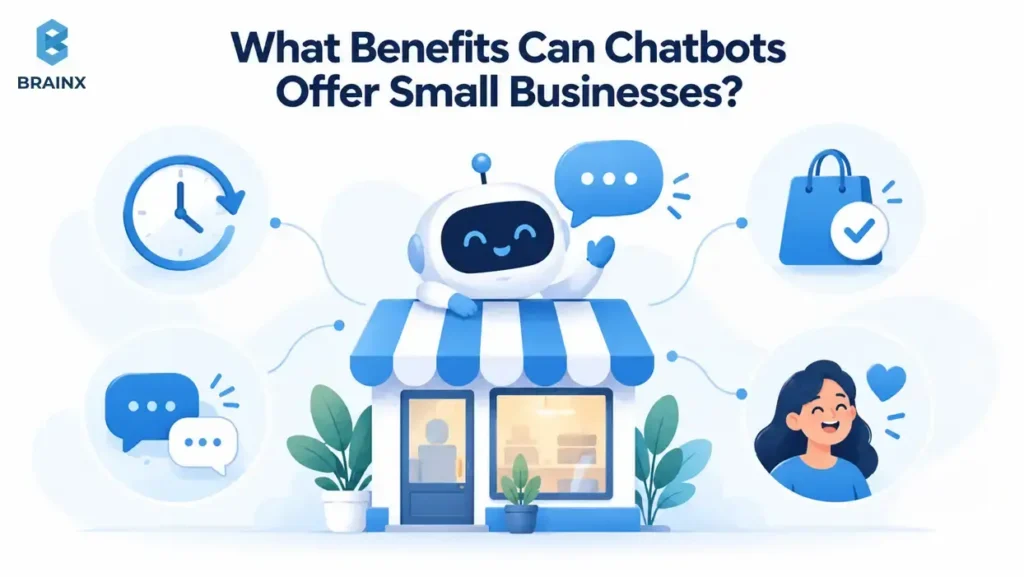
A chatbot can give customers a useful first response when your team is busy or offline. For routine questions, that may mean finding the right information immediately instead of waiting until the next working day.
It can also reduce interruptions for staff. When common requests are handled accurately, people have more time for cases that need judgment or personal attention. The benefit depends on how much follow-up and correction work remains.
For inquiries that need a person, the chatbot can collect relevant details and route them to the right team. That gives staff a clearer starting point and helps prevent unanswered messages from becoming missed opportunities.
When Is a Simpler Alternative Better?
A clearer FAQ page, booking link, or contact form may solve the problem with less expense. If customers keep asking where you deliver, making that information visible could reduce inquiries before automation becomes necessary.
Keep people involved when requests require sensitive judgment, pricing exceptions, or negotiation. A chatbot can collect context and route these requests, but an incorrect decision may cost more than the interaction saves.
Also consider who will maintain it. If nobody can own content updates and review unresolved conversations, even a technically capable tool may add work your team cannot absorb.
Which Small Business Chatbot Use Cases Offer the Best Starting Point?
The strongest starting point is a task with a clear outcome, dependable information, and a manageable setup. Compare your candidates using the same criteria rather than choosing the most impressive demonstration.
After-Hours Questions and Lead Capture
Answer approved service questions, collect relevant details, and explain when someone will respond. Send each inquiry to a monitored inbox or CRM; capturing a message only creates value if someone follows up. Track qualified inquiries that receive a response and progress to a booking or sale.
Appointment Requests and Scheduling
Distinguish requesting a slot from confirming one. The chatbot should confirm a booking only after the calendar system accepts it; otherwise, make the pending status clear. Provide current availability and booking rules, then measure completed bookings, cancellations, and the staff time still needed to arrange appointments.
Order and Delivery Support
A returns-policy answer may come from an approved document, while a delivery update needs current order information and verified customer access. If that connection fails, route the request to support instead of guessing. Measure correct resolutions and whether customers contact you again about the same issue.
Sales Qualification and Routing
Ask only what helps the next person act, using agreed qualification criteria and routing rules. A long questionnaire can discourage a prospect who simply wants to discuss a project. Measure suitable leads accepted by sales, then follow their progress; a completed form alone does not demonstrate additional revenue.
Choose one of these workflows for the first pilot. BrainX’s guide to building an AI chatbot for customer support covers the implementation work behind support-focused use cases.
What Does an AI Chatbot Really Cost a Small Business?
The real cost combines the vendor bill with implementation and ongoing human effort. Separate one-time setup from recurring expenses so you can calculate both monthly performance and the time needed to recover the initial investment.
Compare the Billing Unit Before the Price
Chatbot plans may charge by message credits, conversations, outcomes, or staff seats. These units are not interchangeable. One customer conversation can consume several messages, and a billable outcome may differ from your definition of a resolved issue.
Two official pricing examples illustrate the difference. Prices below were checked on October 12, 2026, and are in US dollars.
| Product | Published pricing example | Budgeting implication |
| Chatbase Hobby | $40 per month with 700 message credits | Estimate credits consumed by actual conversations; do not assume 700 customers are covered. |
| Intercom Fin | From $0.99 per outcome; helpdesk seats are additional when using Intercom’s helpdesk | Confirm the outcome definition and deployment option before estimating the bill. |
Chatbase’s pricing page also lists credit recharge and other add-ons. Check which features require an upgrade and whether annual billing changes the quoted rate.
Intercom’s pricing page says outcomes can include confirmed resolutions, conversations where customers do not request further help, and completed Procedures, including handoffs. Fin with an existing helpdesk has different seat requirements from the integrated Intercom offering.
That makes “pay only when the chatbot resolves the issue without human help” an unreliable general description. Request an estimate using your likely conversation mix, then compare the bill with independently reviewed customer outcomes.
Include the Work Around the Software
Setup includes cleaning source content, configuring boundaries, connecting systems, and testing. Recurring work includes reviewing failures, updating policies, and maintaining integrations.
Count additional messaging fees, paid connectors, and contractor support where applicable. Avoid counting model usage twice if the subscription already includes it. Likewise, distinguish ordinary support work that remains from extra work caused by the chatbot.
For each shortlisted tool, calculate an expected month and a busier month. Check what happens when an allowance runs out: service interruption, automatic recharge, an overage bill, or a forced upgrade.
Custom development needs a separate scope and quote. A document-answering assistant and a chatbot authorized to modify customer accounts involve different work. BrainX’s AI chatbot development cost guide explains the scope and architecture decisions behind those budgets.
How Do You Calculate Chatbot ROI and Break Even?
Calculate chatbot ROI by comparing incremental benefits with incremental costs over the same period. Use realistic staff-time savings and additional contribution from sales, then subtract setup and operating costs.
ROI = (Total benefits − Total costs) ÷ Total costs × 100
Label the result according to what it includes. A model valuing freed staff time measures economic benefit; it does not necessarily show cash returned to the bank account.
Start with a Measured Baseline
Record monthly eligible requests, average handling time, and the loaded hourly staff cost, including relevant employment overhead. For an owner handling requests personally, use a reasonable value for that time and identify it as an assumption.
Estimate how many requests the chatbot can actually resolve. Exclude conversations that still require full human handling. If escalated cases save some time because the chatbot gathers useful context, measure that separately rather than assuming the saving.
For sales, use contribution margin: additional revenue minus the variable costs of delivering those sales. Count only the portion reasonably attributable to the chatbot. A new contact captured in chat could still have called or submitted a form without it.
Compare completed bookings across similar periods, or use a comparison group where practical. Keep traffic sources, opening hours, and promotions in view. If a campaign brings more visitors during the pilot, assigning every additional booking to the chatbot would overstate its contribution.
Avoid counting the same benefit twice. If freed staff time is used to generate the additional sales already included in your estimate, adding its full hourly value again may inflate the total. State how you value the time and which benefits can reasonably be added together.
Work Through One Complete Example
Consider a fictional service business evaluating a chatbot for routine inquiries. These figures are planning assumptions, not vendor prices or a BrainX client result.
| Monthly input | Assumption |
| Eligible customer requests | 400 |
| Requests resolved automatically | 60%, or 240 |
| Human handling time avoided per resolution | 5 minutes |
| Loaded staff cost | $30 per hour |
| Platform and connector fees | $100 |
| Usage fee | $0.50 per automated resolution |
| Additional maintenance and review | 3 hours at $30, or $90 |
| One-time setup | $600 |
The baseline handling cost is 400 × 5 ÷ 60 × $30 = $1,000 per month.
Resolving 240 requests frees 20 hours, valued at $600. The remaining 160 requests still require human support; their $400 baseline handling cost has not disappeared.
The chatbot’s recurring cost is $100 + (240 × $0.50) + $90 = $310 per month. After those costs, the monthly net economic benefit is $290. The three maintenance hours are already included, so do not subtract them again.
Suppose the pilot also supports an estimate of two genuinely additional bookings per month. At $150 contribution per booking, they add $300. Monthly net benefit would rise to $590, but keep that sales assumption separate until evidence supports it.
Calculate Break Even and Setup Payback
In the labor-only example, each automated resolution saves $2.50 of staff time and costs $0.50 in usage. It therefore contributes $2 toward the $190 in fixed monthly platform and review costs.
Break-even resolutions = $190 ÷ ($2.50 − $0.50) = 95 per month
This calculation assumes review effort stays at three hours and only automated resolutions incur usage fees. If unsuccessful chats are also billed, include those charges. Tier changes or rising review effort require a revised calculation.
At $290 monthly net benefit, the $600 setup investment is recovered economically in approximately 2.1 months. If that performance continued for 12 months, benefits would total $7,200 and costs would total $4,320, including setup. First-year economic ROI would be approximately 67%.
That is not automatically cash payback. If salaries stay unchanged, the business gains capacity while paying additional software bills. Explain how the freed time will be used, such as reducing a backlog or postponing an additional hire.
Check a Lower Performance Scenario
If the chatbot resolves only 30% of requests, it frees 10 hours worth $300. Usage drops to $60, bringing recurring costs to $250 and leaving just $50 monthly net economic benefit.
Setup payback then stretches to 12 months. Additional correction work could remove the remaining benefit. This sensitivity check shows why a positive estimate should lead to a measured pilot rather than an immediate long-term commitment.
How Do You Choose the Best AI Chatbot for Small Business?
The best AI chatbot for small business is the one that handles your main customer task reliably, connects to your existing tools, and fits your budget at realistic usage.
Write the task before comparing features: “Answer delivery questions using current order data, verify the customer, and send unresolved cases to our support inbox.”
What Are the Must-Have Features of an AI Chatbot for Small Business?
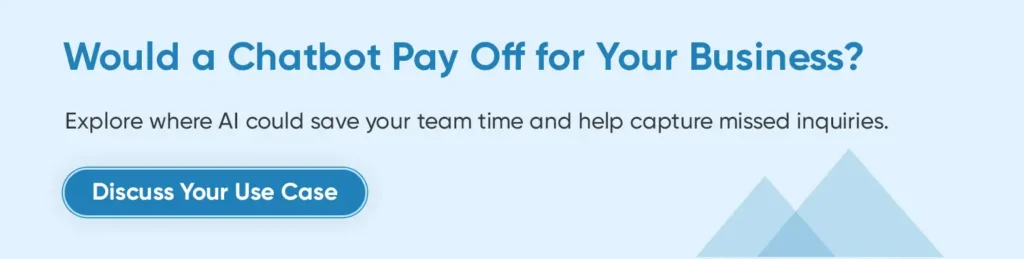
Start with answers grounded in approved information, an accessible human handoff, and the connections required for your chosen task. A booking workflow needs a reliable calendar connection; a policy assistant may only need a maintained knowledge base. Match capabilities to the job you expect the chatbot to complete.
Your team also needs control over information access, a straightforward way to update content, and visibility into conversations and usage. Look for spending alerts or limits and reporting that lets you investigate failures. Add multilingual or multichannel support when your customers need it, since each supported language and channel needs testing and maintenance.
How Do You Compare the Best AI Chatbot Platforms for Small Business?
Use the same sample questions and scenarios across shortlisted tools. Include common requests, missing information, changed policies, frustrated customers, and requests for a person.
| Criterion | What to test during the trial |
| Answer quality | Does it use the correct approved information and acknowledge missing answers? |
| Actions and integrations | Does the requested booking, lookup, or ticket actually complete? |
| Human handoff | Does a person receive the conversation and necessary context? |
| Reporting | Can you inspect failures, repeat contacts, outcomes, and usage? |
| Maintenance and exit | Can your team update content and export the data it needs? |
Review failures by severity. An incorrect refund promise matters more than an awkward greeting, so an average accuracy score alone is insufficient.
Also test the customer experience on a phone. A widget that blocks checkout or makes human help difficult to find can undermine otherwise useful automation. Our chatbot design guide explores these interaction and handoff decisions.
When Does Custom Chatbot Development Make Sense?
Custom development makes sense when a necessary requirement cannot be met through an available platform and supported integrations at acceptable cost. Proprietary data alone does not establish that need; hosted tools may already connect to it securely.
First identify the specific gap. Perhaps a workflow must check several internal systems before changing an order, or access must follow unusual customer permissions. Document what the platform cannot do and what that limitation costs the business.
A hybrid approach may be enough. Keep the hosted conversation interface and build a focused integration that validates requests against your business rules. This avoids rebuilding capabilities the platform already supplies.
For a full custom build, compare the complete ownership cost: development, hosting, model usage, testing, monitoring, and future changes. Agree on who maintains the system and how it can be handed over. The additional investment should solve a proven operational problem.
How Do You Implement an AI Chatbot for Small Business?
Implement an AI chatbot for small business by defining one workflow, preparing reliable information, connecting the necessary systems, and testing the complete customer journey before a limited launch.
Define One Workflow and Its Success Criteria
Choose one task and one channel, then name the person responsible for the pilot. Agree on the outcome customers should receive, the errors you cannot accept, and the operating budget. Use your measured baseline to set realistic targets before testing begins.
Prepare Approved Information and Access Rules
Check FAQs, policies, and service details before connecting them. Resolve conflicting information and identify who approves future changes. Define which questions the chatbot can answer and which actions require confirmation or human review.
Tell customers they are using an automated assistant and provide an accessible route to help. Outside working hours, explain whether they are leaving a message or requesting a callback.
Connect the Required Systems and Map the Conversation
Connect only the systems the workflow needs, such as a calendar, order database, or support inbox. Map the path from the customer’s request to a confirmed result, including identity checks, missing information, and human escalation. Decide what the chatbot should say when a connection fails or an action remains pending.
Test the Complete Customer Journey
Check more than the wording of responses. Verify that calendar bookings appear, support tickets arrive, and account information is available only to authorized customers. Include failed connections and requests the chatbot should decline.
Launch a Limited Pilot and Review Failures
Begin with a limited live audience or request category. Review early conversations closely, then adjust the review schedule according to volume and the seriousness of failures.
A two-to-four-week pilot can be a useful starting window, but low-volume businesses may need longer to observe representative requests. Judge the sample and sales cycle alongside elapsed time.
Which Chatbot Metrics Should Small Businesses Track?
Track whether customers get the right outcome, how much human effort remains, and what the service costs. Keep definitions consistent across your baseline and pilot so the dashboard supports a business decision.
Resolution Quality and Repeat Contacts
Define a correct resolution for each task. For delivery support, the customer should receive accurate tracking information and not reopen the issue within your chosen review window. Sample completed conversations as well as escalations; customer silence alone does not prove success.
Report correct automated resolutions as a share of eligible requests, and state that denominator. Track repeat contacts and corrections separately. A vendor’s resolution rate may cover only conversations its AI handled, so check the definition before comparing it with your own results.
Customer Experience and Human Handoff
Measure time to resolution, not just time to the first reply. For requests needing a person, track completed handoffs as a share of those requiring escalation and check that staff receive the relevant context. Use customer satisfaction feedback alongside the number of responses collected; a few ratings may not represent everyone’s experience.
Operating Cost and Business Outcomes
Track platform fees, usage charges, maintenance, and remaining human handling time. For a cost-per-success measure, divide the total operating cost for the workflow by its correctly resolved cases over the same period. Keep one-time setup separate, and include failed attempts and correction work in operating costs.
For lead or booking workflows, track completed sales and attributable contribution, not just contacts collected. Compare similar periods and note changes in traffic or promotions. These results let you replace the assumptions in your ROI model with observed performance.
What Risks Can Wipe Out the Expected Return?
Incorrect answers, additional handling work, and unnecessary access to customer data can outweigh modest automation savings. Put a response plan beside each risk before launch.
| Risk | Warning sign | Practical response |
| Outdated or invented answers | Corrections and repeat contacts rise | Fix the source and restrict affected answers until retested. |
| Failed handoff | Customers repeat themselves or abandon requests | Pass context to staff and verify ticket delivery. |
| Unexpected costs | Bills or review hours exceed the model | Adjust scope, limits, or the pricing plan. |
| Excessive data access | The chatbot reveals information outside a customer’s permissions | Pause affected access and investigate before restoring it. |
Access controls must be enforced by connected systems, not only by instructions telling the chatbot to behave. Collect only the information needed for the task and review retention and deletion settings.
The NIST AI Risk Management Framework provides voluntary guidance for managing AI risks. Its Generative AI Profile offers additional context; neither replaces testing your specific deployment.
How Do You Know Whether to Scale or Stop?
Expand when quality, workload, and costs remain acceptable across a representative set of customer requests. Add one workflow or channel at a time so you can identify what changes the results.
Change platforms when a persistent integration or pricing limitation prevents an otherwise valuable workflow from working. Include migration and retraining effort in that decision.
Pause or redesign when correction work absorbs the savings, customers struggle to reach help, or the intended outcome does not improve. A pilot that shows a better FAQ or booking page would be more useful has still answered the investment question.
Plan a Chatbot Investment with BrainX That Fits Your Business
A useful first brief contains your recurring customer task, current workload, required systems, and acceptable operating cost. Those details make it possible to compare a hosted platform, targeted integration, and custom development on the same basis.
BrainX Technologies provides AI development services covering chatbot development and system integration. If your business needs help assessing an implementation, bring your workflow and initial numbers to the discussion.
Frequently Asked Questions
What’s the Difference Between an AI Chatbot and an AI Agent?
An AI chatbot provides a conversational interface for questions and requests. An AI agent can dynamically choose steps and use tools to pursue a goal, such as checking availability and arranging a booking. The categories overlap: a chatbot may use an agent behind its interface, and chatbots can also trigger predefined actions. For a small business, the important questions are which actions the system can take, what permissions it has, and when a person must approve its decisions.
Can a free chatbot plan be enough?
Yes, for a limited task within its allowance and feature restrictions. Confirm whether AI usage renews, what happens at the limit, and whether required integrations are included. Staff setup and maintenance still have a cost.
Do you need a developer to manage a chatbot?
Routine content updates and basic configuration may be manageable through a hosted platform. Custom integrations and permission-sensitive actions can require technical support. Test whether the person who will own the chatbot can maintain it comfortably.
Should a chatbot replace live chat?
It can handle selected requests before a person becomes involved. Keep human help available for exceptions and customer preferences, and assess the combined service rather than maximizing automation alone.