
 September 28, 2026 -
 15 minutes read


Key Takeaways
- Strong chatbot design starts with a clearly defined user job, scope, and measurable outcome, not a chat window or AI model.
- Conversational UX determines how the interaction works; the interface helps users understand information and control what happens next.
- Effective AI assistants combine natural language with suggested prompts, buttons, forms, cards, and other guided controls.
- Error recovery and human escalation should be designed as primary journeys, with useful next steps and preserved context.
- Assistants that take actions need previews, appropriate confirmations, execution status, receipts, and recovery options.
- Success should be measured through task completion and business outcomes, supported by friction signals such as rephrasing, fallbacks, abandonment, and escalation.
Good chatbot design helps people complete a task with less effort and enough control to trust the result. Users experience AI through what an assistant says, shows, asks, and does, not through the model architecture underneath it.
Modern assistants can interpret open-ended requests, generate plausible mistakes, use connected information, and take actions. That makes conversation, interface, recovery, accessibility, and user control part of one design problem. The goal is not to make AI sound more human. It is to make the experience more useful, understandable, and controllable.
What Makes an AI Chatbot Experience Effective?
An effective AI assistant reduces the work between a user's request and a useful outcome. A conversational interface lets people interact through written or spoken dialogue, but it is not automatically better than search, forms, or conventional navigation.
Chatbot UI Design vs Chatbot UX Design: What’s the Difference?
Chatbot UI design covers the visible surface: messages, buttons, input fields, cards, layout, and feedback states. Chatbot UX design covers the overall journey: what users can accomplish, what information they need, how context is handled, and how the assistant recovers when something goes wrong.
IBM makes the same distinction in its chatbot design guidance: UI concerns how the experience is presented, while UX concerns how it works. A clear cancellation button is an interface decision. Whether users understand the consequences of cancellation is an experience decision.
For products where conversation and interface behavior need to be designed together, BrainX provides UI/UX design services.
When Is Conversation Better Than Search, Forms, or Traditional Navigation?
Use conversation when dialogue reduces effort, especially for ambiguous, exploratory, or multi-step tasks. Keep direct interfaces when the user already knows exactly what to do.
IBM puts the interface-choice test simply: “Chatbots offer the most value when two-way conversation is needed.” The same guidance notes that some domains are better served by help content or setup tools.
| Interaction | Best fit | User effort | Key design concern |
| Conversation | Ambiguous goals or guided decisions | Adaptive questions narrow the task | Confirm important interpretations |
| Search | Known information or document retrieval | Query, scan, select | Show relevance and authority |
| Form | Predictable structured data | Complete and review fields | Validate exact values |
| Traditional UI | Familiar actions or visual comparison | Direct navigation | Keep effects visible |
A purchasing assistant may help with “I need a lightweight laptop for travel and analytics.” A country selector does not need a conversation. Choose the interaction model that removes work rather than adding novelty.
How Does Generative AI Change the Interaction Design Problem?
Generative AI creates responses dynamically instead of following only predefined scripts. That flexibility helps with unfamiliar language and open-ended questions, but it also makes behavior less predictable.
The NIST Generative AI Profile uses the term confabulation for “confidently stated but erroneous or false content.” Designers therefore need to account for uncertainty, source visibility, recovery, and over-trust, especially when assistants can also call tools or APIs.
Core Chatbot Design Principles for Better AI Assistants
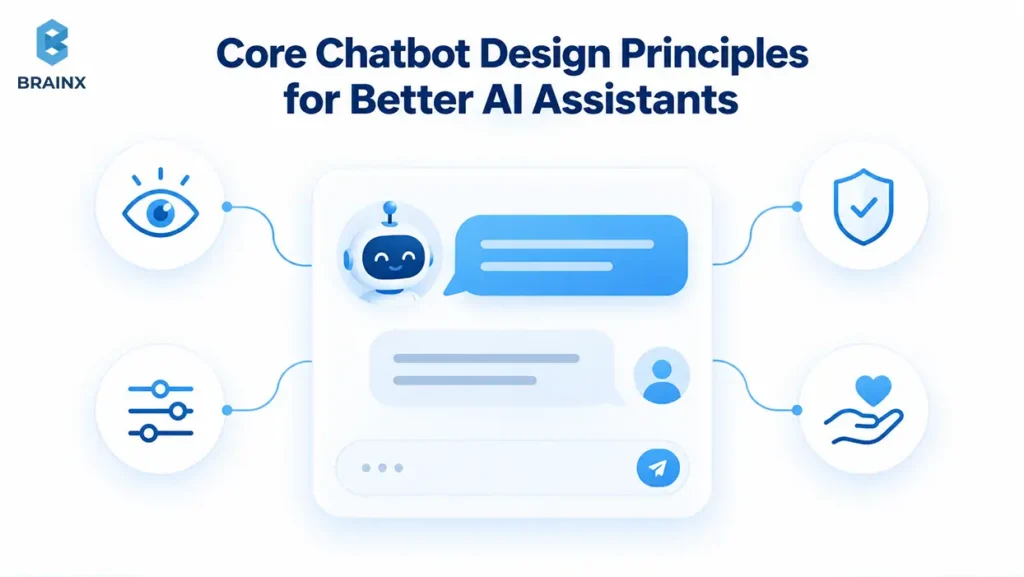
Conversational intelligence cannot compensate for unclear scope, excessive effort, poor response structure, or inaccessible controls. Strong design gives users a clear path from intent to outcome.
Start Chatbot Design With a Clear Job, Scope, and Success Metric
Define the user job before writing prompts or choosing components. “Help account owners understand invoices and request supported billing changes” is more useful than “answer anything about the account.”
Document supported users, tasks, exclusions, and success criteria. For an action-based assistant, a confirmed update in the connected system is stronger evidence than the model saying a task is complete. Start narrow, prove the journey works, then expand from observed demand.
Design the First Turn to Demonstrate Useful Capabilities
The opening interaction should quickly show what the assistant can help with. Generic greetings such as “How can I help?” make users guess what the system understands.
A stronger opening might say: “I’m the AI account assistant. I can explain plans, find invoices, or help you request a subscription change.” Suggested prompts can turn those capabilities into immediate starting points. Nielsen Norman Group’s April 2026 research recommends clear capability messaging and relevant prompt suggestions that users can select directly.
Map Real User Intents, Turns, and Conversational Context
Design around real user language, not idealized prompts. An intent is the outcome a user wants; a turn is one contribution to the exchange. Support tickets, search queries, interviews, and conversation logs can reveal how people actually describe their needs.
If someone says, “Can we add three more?”, the assistant may need to know whether “three” means users, products, or licenses. Keep temporary conversation context separate from persistent memory, and give users appropriate visibility or control over information retained across sessions.
For implementation patterns that connect intents, knowledge, integrations, and escalation, see BrainX’s guide to building an AI chatbot for customer support.
Blend Free Text With Quick Replies, Cards, Forms, and Other Guided Controls
Use natural language where users need flexibility and structured controls where precision matters. A date picker is better than asking users to type an ambiguous date. A form can make several related fields easier to review than a sequence of chat questions.
Suggested prompts and quick replies reduce typing effort and make next steps visible. Keep free text available when predefined options do not fit, so guidance does not become a constraint.
Keep AI Responses Concise, Scannable, and Progressively Disclosed
Give the answer first, then expose supporting detail when useful. Chat users usually want resolution, not a long conversational performance.
In an April 2026 Nielsen Norman Group qualitative study involving nine participants using eight site-specific AI chatbots, participants often wanted quick, scannable answers. The study is useful design evidence, not a universal benchmark. Use short paragraphs, bullets, cards, or expandable detail when information becomes complex.
Preserve the reader’s position while responses stream. Do not pull someone to the bottom of a long answer while they are still reading earlier content.
Use Tone and Personality to Support the User’s Task
Personality should make the interaction clearer, not more theatrical. A billing assistant may sound calm and direct. A retail assistant can be warmer, but it should still prioritize the user's decision.
Keep the voice consistent across routine help, disappointment, refusal, and escalation. Avoid implying human feelings, personal experience, or authority the system does not have. A human name or avatar is optional.
Design for Keyboard, Screen Reader, Touch, Mobile, and Voice Accessibility
Accessibility must cover the complete task, not just the chat window. WCAG 2.2 includes criteria relevant to keyboard operation, visible and unobscured focus, and status messages that assistive technologies can detect without moving focus.
Label controls, maintain readable contrast, and prevent mobile keyboards from hiding essential actions. Announce meaningful state changes without reading every streamed fragment. For voice, provide clear listening and stop states, text alternatives, and editable transcriptions where the experience supports them.
How Should AI Assistants Handle Errors, Uncertainty, and Human Handoffs?
Failure is inevitable. Good recovery helps users understand what happened and continue toward resolution. Clarification resolves missing meaning, a fallback offers another route, and escalation transfers the problem to a person.
Ask Clarifying Questions Instead of Guessing Missing Intent
Ask when missing information could materially change the answer or action. “Cancel it” needs clarification when several subscriptions are active.
Keep the question specific: “Do you mean the analytics add-on or your main subscription?” For low-consequence informational queries, stating a reasonable assumption may be faster than adding an unnecessary turn.
Design Layered Fallbacks That Give Users a Next Step
A useful fallback changes the path instead of repeatedly asking users to rephrase. Use a practical recovery ladder:
Clarify -> Reframe -> Offer alternatives -> Escalate -> Preserve transcript/context
Also distinguish between not understanding a request and understanding a request the assistant cannot complete. The second case needs an alternative route, not another wording attempt.
Preserve Context When Escalating to a Human
A human handoff should transfer the problem summary, relevant details, attempted steps, and outstanding request when privacy and permissions allow it. Show whether the transfer succeeded and offer another route if a live agent is unavailable.
BrainX’s documented T-ShirtDeal GPT project includes progression to human support with conversation context preserved. That is a documented capability, not a claim of measured UX uplift.
For the broader service journey, see how AI chatbots can support customer experience when automated and human support work together.
Show Limitations, Sources, or Uncertainty Where They Affect Decisions
Make evidence gaps specific. “I found the standard refund policy, but I cannot verify whether your contract has an exception” is more useful than a vague disclaimer.
For consequential answers, show relevant provenance when the product can support it. NIST’s Generative AI Profile recommends reviewing and verifying generated sources and citations during evaluation and ongoing monitoring. A source badge alone should never imply that the generated interpretation is automatically correct.
Handle Topic Changes, Interruptions, Latency, and Incomplete Requests Gracefully
Real users change direction, pause, send partial messages, and encounter slow integrations. Preserve unfinished work where appropriate, stop carrying assumptions into unrelated tasks, and show truthful status during delays.
Also distinguish stopping generated text from canceling an external action. Those are different system states, and the interface should explain what actually stopped.
How Should AI Assistants Confirm Actions and Protect User Control?
Assistants that invoke APIs or workflows can update records, send requests, make purchases, or trigger other systems. The more power an assistant has, the more clearly its interface should communicate intent, permission, execution state, result, and recovery.
Preview Consequential Actions Before the Assistant Executes Them
Show users the proposed change before execution when mistakes would matter. A plan-change preview might include the account, current plan, proposed plan, verified price, and effective date.
Let users correct the proposal without starting again. A useful sequence is Propose -> Explain -> Confirm -> Execute -> Report -> Undo/Escalate. Apply the stages according to the action’s consequences.
Require Explicit Confirmation When an Action Is Sensitive or Hard to Reverse
Require explicit approval for sensitive, expensive, external, or difficult-to-reverse actions. Name the action in the control: “Send cancellation request” is clearer than “Continue.”
If material details change after approval, obtain fresh confirmation. Avoid unnecessary confirmations for routine information, since repeated low-value prompts can train users to approve without reading.
Show Progress, Results, Receipts, and Undo Options After Actions
Separate submitted, processing, and completed states. Report success only after the connected system confirms the result.
A receipt should identify what changed and provide a reference where available. Offer undo only when reversal is supported; otherwise explain remediation. After a timeout, check whether the original request succeeded before retrying so the assistant does not create duplicate actions.
Explain Why Personal or Sensitive Information Is Being Requested
Explain the purpose near the request and collect only what the task needs. When chat is unsuitable for sensitive information, move the user into an appropriate secure flow.
AI identity also needs clarity. The European Commission’s 2026 Article 50 transparency guidance confirms that the EU AI Act transparency obligations apply from August 2, 2026. For covered systems intended to interact directly with people, providers generally need to ensure users know they are interacting with AI unless that is obvious from the context.
Separate Read-Only Assistance From Permissioned Actions
Treat retrieving and changing information as different trust boundaries. Finding an invoice should not grant permission to update billing details. Enforce permissions in connected systems and require appropriate authentication or authorization before execution.
This distinction becomes central when moving from conversational help toward AI agents that can operate tools and workflows.
A Practical Workflow for Designing and Launching an AI Assistant
Start with real user tasks and system constraints, then validate before expanding scope. Establish an initial understanding of users, priority tasks, knowledge sources, integrations, permissions, escalation ownership, metrics, and risk level.
Salman Ahmad, Senior UX/UI Designer at BrainX, recommends identifying uncertain assumptions and validating them through prototypes and technical checks. Teams can begin useful discovery before every detail is confirmed.
1. Research High-Value User Tasks and Real Utterances
Review interviews, search data, support tickets, and representative conversation records. Produce a prioritized intent inventory with real wording, current friction, task importance, and the consequence of failure. Imagined prompts alone are a weak foundation.
2. Define Capabilities, Knowledge Sources, Integrations, Permissions, and Limits
Document what the assistant can reliably know, access, and change. Map knowledge ownership, authentication, CRM or helpdesk integrations, API dependencies, permission checks, and exclusions. Make unsupported or simulated capabilities explicit, and validate critical dependencies before committing to delivery. Prototypes can still help investigate unresolved questions.
3. Map Happy Paths, Detours, Edge Cases, and Escalation Rules
For each important intent, map normal completion alongside ambiguity, changed decisions, unavailable data, system errors, and escalation. Every handoff needs a real destination and owner. “Contact support” is incomplete if nobody owns the receiving queue.
4. Prototype Conversation Copy and Interface States Together
Prototype the words and controls in the same context. Include suggested prompts, loading states, empty results, source presentation, editable proposals, permission denial, partial completion, and escalation. Use the prototype to test how the proposed experience works and which design decisions need further investigation.
5. Test With Real Users, Accessibility Tools, and Failure Scenarios
Ask representative users to complete realistic tasks without coaching. Test accessibility, mobile layouts, interruptions, ambiguity, incorrect answers, delayed integrations, conflicting sources, and unauthorized requests. Repeat important generative scenarios and prioritize findings by user impact.
6. Launch Narrowly and Iterate From Outcomes, Research, and Analytics
Release a supported set of intents with monitoring, ownership, and a rollback route. Instrument each task so the team can distinguish verified completion from apparent success. Salman recommends combining task outcomes, user research, and conversation analytics when deciding what to improve. Verify whether tasks succeed, use analytics to identify recurring patterns, and follow up with users to understand confusion or abandonment. Assign an owner to turn those findings into product changes.
How Do You Measure Conversational UX and Business Value?
Measure whether users achieve the outcome they intended. Treat friction metrics as signals to investigate alongside user research, rather than complete explanations of success or failure. Message volume shows activity. Automation or containment alone does not prove resolution.
Measure Whether Users Complete Their Intended Task
Define task completion using evidence appropriate to the task. For transactions, use verified system events. For informational tasks, use user confirmation, sampled review, or another meaningful signal. Keep unresolved outcomes visible.
Positive feedback does not prove an action happened. A user can like the conversation even when the underlying workflow failed, so experience feedback and verified task completion should remain separate measures.
Track Rephrasing, Fallbacks, Escalations, Abandonment, and Resolution Time
Use friction signals as diagnostic tools rather than arbitrary targets.
| Metric and user signal | Likely UX problem | Business impact | Recommended action |
| Rephrase rate | Misunderstood intent or unclear guidance | More user effort | Review repeated requests and prompts |
| Fallback rate | Missing knowledge or unsupported needs | Unresolved demand | Separate knowledge gaps from scope gaps |
| Escalation rate | Capability limit or appropriate routing | Changes human workload | Assess necessity and handoff quality |
| Abandonment | Delay, effort, or unclear next step | Lost support or sales opportunity | Inspect exit points |
| Resolution time | Repeated steps or integration delays | Higher service cost | Remove unnecessary turns and delays |
Connect Experience Metrics to Support, Conversion, Onboarding, or Productivity Outcomes
Tie task success to the process the assistant serves: repeat contacts and cost per resolution for support, completed setup for onboarding, verified purchases for commerce, or completed work for internal productivity tools.
Include model usage, integrations, human review, monitoring, and maintenance when estimating value. Where feasible, use a controlled experiment or a credible comparison group before attributing conversion or productivity changes to the assistant.
Analyze Performance by Intent Instead of Hiding Problems in Aggregate Metrics
Segment performance by task and channel. Strong FAQ results can conceal failures with cancellations, refunds, or account changes. Review high-consequence failures even when they are rare, and prioritize redesign using impact, failure frequency, and recovery cost together.
BrainX Conversational UX Review Matrix Before Launch
An assistant should not ship simply because its happy path works. The BrainX Conversational UX Review Matrix is an editorial readiness framework proposed in this guide, not a validated research instrument or certification.
For each row, mark Ready, Needs Work, or Blocker, attach test evidence, and assign an owner. Do not average away a blocker.
| Design Area | What Good Looks Like | Failure Signal | Ready / Needs Work / Blocker | Owner |
| Purpose and scope clarity | Supported jobs and limits are explicit | Promises exceed capability | Select status | Product |
| First-turn capability discovery | Users identify useful starting tasks | Repeated “What can you do?” | Select status | UX writing |
| Input flexibility and guidance | Controls support precise and unusual requests | Users cannot express their need | Select status | Interaction design |
| Conversation-state/context handling | Relevant details persist and stay correctable | Stale or wrong assumptions | Select status | AI engineering |
| Response hierarchy and readability | Answer and next step are easy to find | Essential details are buried | Select status | Content design |
| Error recovery and fallback | Failure offers a workable next route | Repeated dead ends | Select status | Product / QA |
| Human escalation | Context reaches an owned support path | User must restart | Select status | Support operations |
| Source/uncertainty communication | Important evidence gaps are visible | Unsupported certainty | Select status | Knowledge owner |
| Action confirmation and user control | Approved details match executed changes | Unapproved or duplicate actions | Select status | Engineering |
| Privacy/data-request clarity | Purpose of requested data is clear | Unnecessary sensitive requests | Select status | Privacy lead |
| Accessibility and multimodality | Critical journeys work with required inputs | Focus traps or unusable controls | Select status | Accessibility lead |
| Measurement and post-launch ownership | Task outcomes and user feedback are tracked and reviewed by a named owner | No reliable outcome data or feedback review | Select status | Product analytics |
Treat unauthorized consequential actions, inaccessible critical controls, and missing recovery for high-impact failures as launch blockers.
BrainX Technologies’ documented T-ShirtDeal GPT project includes multilingual support, rich responses, order and product assistance, and context-preserving progression to human agents. Those capabilities demonstrate implementation scope, not measured UX outcomes. Explore the BrainX project portfolio for this and other documented AI work.
Build Better AI Assistants With BrainX
BrainX Technologies connects conversational product design with the AI engineering, integrations, testing, and deployment needed to turn an interaction model into a working product. Strong chatbot design is not only a Figma exercise or prompt-writing task.
If you are planning or reviewing an assistant, start with the journey that matters most. Bring its friction, knowledge sources, integrations, permissions, and success criteria into the product discussion before expanding scope. BrainX’s AI development services cover AI solution design, chatbot development, integration, testing, deployment, and ongoing support.
Frequently Asked Questions About AI Assistants
What is chatbot design, and what does it include?
Chatbot design defines how an assistant communicates, presents information, and helps users complete tasks. It includes conversation flows, interface controls, response writing, context handling, recovery, accessibility, and measurement. For action-based assistants, it also covers permissions, confirmations, execution feedback, and recovery.
How much design work should be completed before developers start building an AI assistant?
Complete enough design to establish priority tasks, capability limits, dependencies, critical journeys, and acceptance criteria. Developers should participate early so feasibility shapes the design. Important success and failure states should be testable before production development expands; every possible model response does not need to be written in advance.
Who should be involved in designing an AI assistant?
Include product, UX or conversation design, engineering, and the team responsible for the underlying service. Add knowledge owners, accessibility specialists, security or privacy reviewers, analytics, and support operations where the use case requires them. Every critical journey needs an owner.
Should an AI assistant have a human name, avatar, or personality?
Only when it helps the task and brand experience. A name or avatar is optional; clear AI identity and consistent behavior matter more. Avoid presentations that misleadingly implies a human is responding. Test whether the persona improves comprehension and trust rather than judging it only by visual appeal.
How should AI assistant experiences differ across websites, mobile apps, and messaging platforms?
Keep service boundaries and core behavior consistent, but adapt controls to the channel. Websites can support wider comparisons, mobile needs touch-friendly controls and keyboard-aware layouts, and messaging platforms may restrict components. Transfer context only where identity, privacy, and permissions support it, and test each channel independently.
When should a business redesign an existing chatbot instead of replacing it?
Redesign when the underlying knowledge, integrations, and platform remain suitable but users struggle with discovery, wording, navigation, response structure, or recovery. Consider replacement when the architecture cannot support essential permissions, accessibility, integrations, observability, or reliable actions. Diagnose the failure before committing to a rebuild.