 August 28, 2026 -
 23 minutes read


Key Takeaways
- A logistics management system integrates the warehouse, inventory, order, transportation, delivery, return and logistics-data workflows throughout the movement of goods.
- Each system must have well-defined tasks and data ownership for WMS, TMS, ERP, OMS, carrier platforms and warehouse technologies to operate at optimum level.
- Improving the speed of fulfillment, the visibility of inventory, handling of exceptions, operating costs, and service reliability contribute the most to business value, just digitizing the current work doesn’t mean much.
- Critical prerequisites for successful implementation are accurate master data, reliable integrations, user adoption, workflow design and exception testing..
- Businesses should choose between buying, configuring, integrating, or custom-building software based on process complexity, differentiation, system dependencies, scale, and long-term ownership requirements.
- Reliable transactional systems and operational data are the foundation for enabling AI, predictive analytics, IoT, robotics and automation in logistics decisions.
A logistics management system harmonizes the software, data and processes related to transportation and storage of merchandise. It links warehouse related activities such as inventory availability, warehouse execution, order fulfilment, transportation scheduling, shipment tracking, delivery and returns.
Lack of software is rarely the problem, it is fragmentation. An order may originate in an ecommerce platform, inventory may sit in an ERP, warehouse work in a WMS, transportation in a TMS, and tracking events in carrier systems.
An effective logistics environment connects those systems without forcing one application to control everything. It's crucial to grasp those boundaries before choosing technology. This guide covers the most important aspects like functions, workflows, integrations, business value, implementation needs, software-selection options and emerging AI capabilities.
What Is a Logistics Management System?
A logistics management system is software, or a connected set of applications, used to plan, execute, monitor, and optimize the movement and storage of goods. It can cover warehousing, transportation, inventory, fulfillment, shipment visibility, returns, and the information exchanged between those activities.
The Council of Supply Chain Management Professionals (CSCMP) defines logistics management as the part of supply chain management responsible for planning, implementing, and controlling forward and reverse flows and storage between origin and consumption.
A useful distinction is that a logistics platform does not always mean one large application. A business may instead operate an ERP, Order Management System (OMS), Warehouse Management System (WMS), Transportation Management System (TMS), carrier platforms, and custom services as one connected logistics environment.
Logistics Management vs. Supply Chain Management: What Is the Difference?
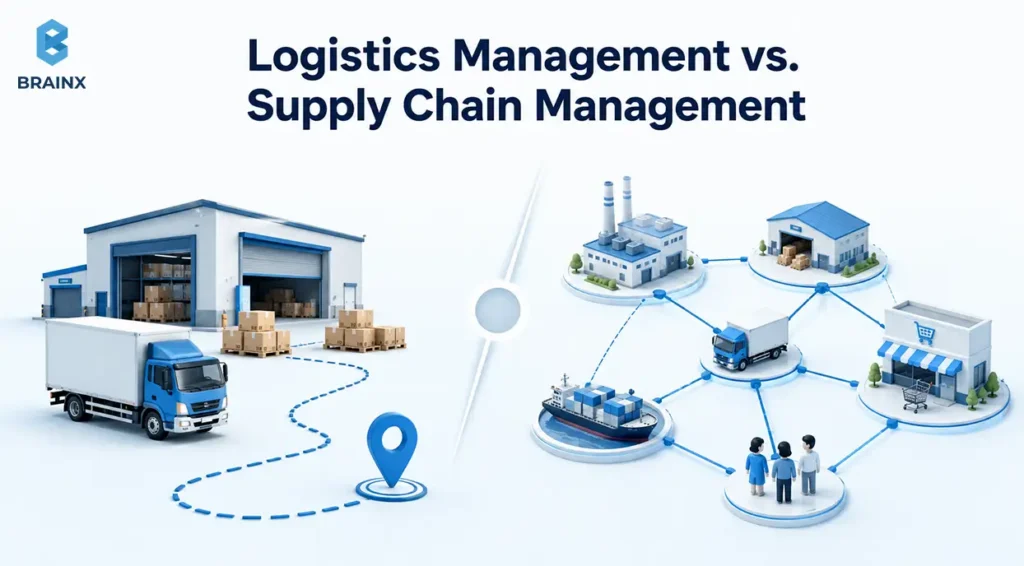
Logistics management is concerned with the movement, storage, fulfillment, delivery and return of goods. Supply chain management, however, extends to a wider business network.
Supply chain management can include sourcing, procurement, production, supplier relationships, demand planning, logistics, and coordination across business partners. Logistics is considered as one component of that broader discipline by the CSCMP.
| Dimension | Logistics Management | Supply Chain Management |
| Scope | Movement, storage, fulfillment, distribution, and returns | End-to-end sourcing, production, planning, logistics, and partner coordination |
| Primary responsibility | Execute and control physical goods flow | Coordinate supply, production, demand, partners, and logistics |
| Core processes | Warehousing, inventory movements, freight, delivery, returns | Sourcing, procurement, production, demand planning, inventory, logistics |
| Typical systems | WMS, TMS, OMS, fleet and carrier platforms | ERP, planning platforms, procurement systems, OMS, WMS, TMS |
| Example decision | Which warehouse should fulfill this order, and how should it ship? | How much should be sourced, produced, and positioned across the network? |
Let's say a retailer has an online order to fulfill. The OMS receives demand, the WMS manages picking, the TMS plans transportation, and the carrier reports delivery. Those are logistics activities. Supplier selection and long-term production planning belong to the wider supply chain.
What Functions Does an Integrated Logistics Platform Manage?
An integrated logistics platform can support many functions, but not every business needs every function inside one product. Requirements depend on warehouse complexity, transportation networks, fulfillment models, product characteristics, sales channels, and the existing technology stack.
The better question is not, “How many modules does this platform have?” It is, “Which operational problem needs to be solved, which data does it require, and which outcome should improve?”
How Does a Logistics Warehouse Management System Handle Warehouse Operations?
A logistics warehouse management system controls the execution of work inside warehouses and distribution centers.
It takes inventory, SKUs, storage locations, orders, labor, equipment and task rules as inputs. The WMS converts that information into the receiving, putaway, replenishment, picking, packing, staging, cycle counting, and shipping activities.
SAP's current WMS guidance includes the following warehouse processes as supported by RF:
- Goods receipt
- Putaway
- Picking/replenishment
- Packing/unpacking
- Inventory counting
- Loading/unloading
The operating design still varies. Manufacturers may prioritize lot traceability and production supply. Ecommerce warehouses may emphasize high-volume picking and shipping cutoffs. Third party logistics (3PL) provider companies may require client-specific workflows, billing and inventory.
Order and Inventory Management
Order and inventory functions determine what customers requested, what can be promised, where stock exists, and which inventory should fulfill each order.
An OMS commonly captures and orchestrates orders across channels. Inventory services maintain states such as on-hand, available, reserved, allocated, and in-transit stock. The WMS then executes the physical movements required to satisfy those decisions.
The important architecture principle is to prevent multiple applications from independently promising the same inventory. A confirmed order should result in a controlled reservation or allocation that downstream warehouse systems can execute.
Transportation, Fleet, Carrier, and Last-Mile Management
Transportation management determines the way a ready shipment should be transported from one location to another.
A TMS can also generate freight orders, plan loads, choose carriers, tender freight, dispatch shipments, track the freight’s execution, and manage transportation costs. SAP's current Transportation Management documentation describes freight orders as execution objects that support load planning, carrier selection, and tendering.
Fleet management becomes more important when the business operates its own vehicles. Carrier management supports outsourced freight. Last-mile applications add capabilities such as driver dispatch, delivery windows, proof of delivery, and customer notifications.
Reverse Logistics, Billing, Analytics, and Exception Management
Logistics operations do not end at the time of delivery as returns, freight charges, abnormal events and performance data all require controlled workflows.
Return authorization, inbound movement, inspection, restock, repair, recycle, replacement or disposal can be handled by reverse logistics. Billing connects shipment activity with carrier charges, customer billing, freight settlement, or internal cost allocation.
Analytics turns logistics events into metrics. Exception management makes those metrics actionable by assigning ownership when inventory is short, a pickup is missed, a shipment is late, or a delivery fails. BrainX covers the wider trigger-to-outcome pattern in its business process automation examples, including cross-system actions, rules, exceptions, and human approvals.
A practical module-to-problem map looks like this:
| Function | Problem It Solves | Core Data | Primary User | KPI Influenced |
| OMS | Fragmented orders and fulfillment decisions | Order, customer, channel, promise | Fulfillment team | Order cycle time |
| Inventory | Unclear stock availability | SKU, location, quantity, status | Inventory planner | Inventory accuracy |
| WMS | Inefficient warehouse execution | Tasks, bins, inventory, workers | Warehouse team | Pick accuracy, throughput |
| TMS | Costly or unreliable transportation | Shipment, route, rate, carrier | Transport planner | Cost per shipment, OTIF |
| Last mile | Weak delivery execution | Stop, driver, ETA, proof | Dispatcher | Delivery success |
| Reverse logistics | Slow or uncontrolled returns | Return, condition, reason, disposition | Returns team | Return cycle time |
| Analytics | Fragmented performance reporting | Events, costs, KPIs | Operations leadership | Cost-to-serve |
| Exception management | Problems discovered too late | Alerts, thresholds, status | Operations control | Resolution time, SLA performance |
How Does an Integrated Logistics Platform Work From Order to Delivery?
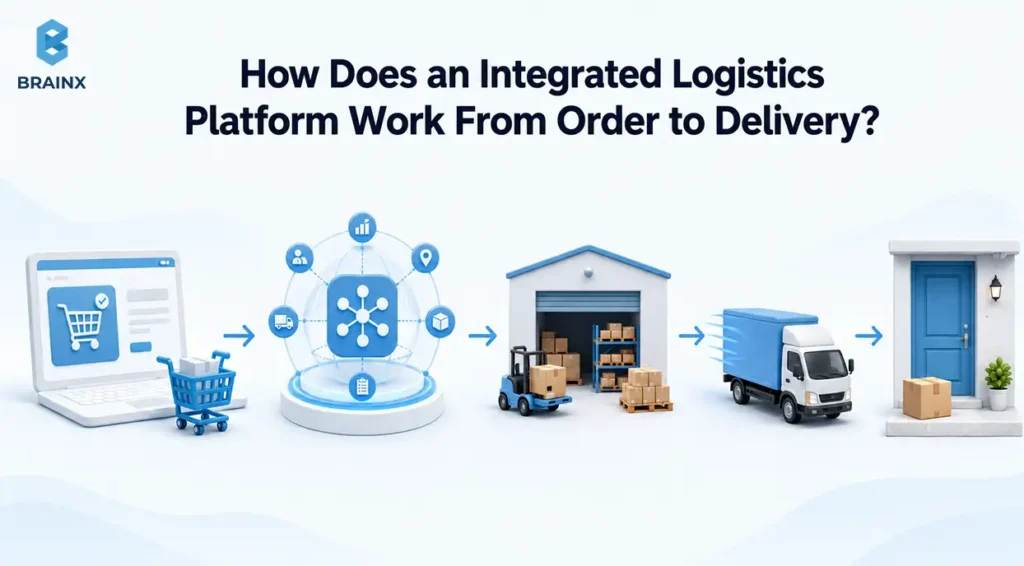
An integrated logistics platform works by communicating orders, inventory statuses, warehouse events, shipment instructions, tracking events, and delivery confirmations among systems responsible for each stage.
The product moves physically while its digital state changes at the same time.
Consider a distributor shipping 20 units of one product to a business customer.
Step 1: Capture the Order and Confirm Inventory Availability
The process starts when an order comes in from a valid customer to an OMS, ERP, ecommerce site, EDI feed, or any other ordering channel.
The order system records the request and checks whether inventory can be promised. If stock is available, the order is confirmed and the amount of quantity is reserved or prepared to be allocated. The system can forward the request to a backorder, transfer, replenishment or exception workflow if the stock is not available.
The downstream output is an accepted fulfillment request.
Step 2: Allocate Inventory and Create Fulfillment Tasks
Inventory allocation helps to decide which stock, warehouse, lot, or location will be used to satisfy an order.
The relevant inventory or order service commits the required stock. The WMS receives the fulfillment request with information such as SKU, quantity, destination, service requirements, and required ship date.
The key state change is from available inventory to allocated inventory. The WMS can then create executable warehouse tasks.
Step 3: Receive, Put Away, Pick, Pack, and Stage Goods
The WMS turns fulfillment demand into physical work.
For outbound orders, workers or automation are notified of picking instructions, they verify the pick items by scanning, pack the items, and then stage the shipment to its appropriate dock. WMS records receipt and directs putaway for inbound stock.
Each confirmation changes the warehouse record. SAP's WMS documentation describes these physical inventory and warehouse movements as core system responsibilities.
The output is a shipment ready for transportation planning.
Step 4: Plan Transportation and Select the Carrier or Fleet
A shipment that is ready to leave the warehouse becomes an input to transportation planning.
The TMS can assess the destination, the service level, the volume of the shipment, service type, charges, carrier capacity, delivery times, and other factors. It may consolidate freight, select a carrier, tender a load, or allocate internal fleet capacity.
The output is a transportation plan with the carrier or fleet assignment, service, schedule, and shipment instructions.
Step 5: Dispatch, Track, and Confirm Delivery
Dispatch transfers operational control from the warehouse into transportation execution.
Carrier platforms, GPS systems, telematics, or driver applications generate milestones during transit. Those events can update operations dashboards, estimated arrival times, customer-facing tracking, and exception rules.
Delivery confirmation or proof-of-delivery data closes the transportation movement and updates the related order or shipment status.
Step 6: Manage Exceptions, Returns, and Reverse Logistics
A complete logistics workflow must also define what happens when normal execution fails.
An inventory shortage can trigger reallocation. A missed pickup may trigger re-planning. A failed delivery may create another delivery attempt. A customer return may create authorization, inbound freight, inspection, disposition, replacement, refund, and inventory events.
Designing these paths explicitly is important because email and spreadsheets are poor substitutes for owned, traceable exception workflows.
How Should ERP, WMS, TMS, EDI, APIs, and IoT Work Together?
The safest architecture principle is straightforward: give each operational domain a clear system of record, then exchange only the data and events other systems need.
An ERP, OMS, WMS, and TMS may all display an “order,” “inventory,” or “shipment.” That does not mean each should independently control that business state.
What Should Logistics Management System Software Integrate With?
The list of integrations for logistics management system software include ERP, OMS, WMS, TMS, ecommerce platforms, procurement systems, carriers, 3PL platforms, finance apps, warehouse automation, analytics tools, and connected devices.
An Enterprise Resource Planning (ERP) system typically provides enterprise data such as products, customers, suppliers, purchasing, accounting, and financial inventory. An OMS coordinates customer orders. A WMS executes warehouse work. A TMS handles transportation planning and freight execution.
SAP documents integrations that allow orders and deliveries to move from ERP functions into transportation planning and execution.
Complex environments may benefit from an integration or API layer rather than dozens of tightly coupled point-to-point connections.
Which System Should Own Orders, Inventory, Warehouse Events, and Freight Data?
There is no universal system-of-record model, but each critical business state should have one clearly defined authoritative owner.
| Data Domain | Typical System of Record | Data Other Systems Usually Need |
| Customer order | OMS or ERP | Lines, status, promise, destination |
| Product/customer master | ERP | IDs, dimensions, units, attributes |
| Warehouse execution | WMS | Receipt, pick, pack, location, task status |
| Physical warehouse stock | WMS or inventory execution layer | On-hand quantity and status changes |
| Financial inventory value | ERP | Quantity and valuation |
| Transportation plan | TMS | Carrier, service, route, load, freight cost |
| Tracking events | Carrier/TMS/visibility platform | Milestone, ETA, location, exception |
| Delivery confirmation | Carrier/last-mile/TMS | Proof, timestamp, recipient, exception |
The exact allocation depends on the chosen platforms. The broader principle is more durable: one authoritative writer for each critical operational state, with controlled synchronization elsewhere.
“A SOR is an authoritative source of data for a business domain or business process.”: Matthew Kosinski, IBM Think
When Should Logistics Teams Use APIs, EDI, or File-Based Integration?
Use the integration method that matches the partner, transaction type, timing requirement, volume, and technical capability.
Electronic Data Interchange (EDI) uses standardized formats to exchange business documents such as purchase orders, invoices, and advance ship notices. Application Programming Interfaces (APIs) provide more flexible, on-demand interaction between applications.
IBM's May 2026 comparison notes that EDI remains especially useful for standardized B2B document exchange, while APIs are better suited to flexible, real-time application connectivity. In practice, organizations often use both.
File exchanges through SFTP or object storage can still make sense for legacy systems, migrations, scheduled bulk transfers, or data that does not need immediate synchronization.
How Do Barcodes, RFID, GPS, Sensors, and Telematics Feed Logistics Systems?
Physical technologies turn warehouse and transportation activity into digital events that business systems can process.
A barcode scan can confirm an item or location. Radio-Frequency Identification (RFID) can capture identifiers without the same line-of-sight workflow. GPS reports location. Telematics adds vehicle data. Environmental sensors can monitor temperature, humidity, shock, or equipment state.
GS1's EPCIS 2.0 standard provides a model for sharing visibility-event data that captures what happened, where, when, and why across supply-chain processes.
The key architectural rule is context. A temperature reading means little until it is associated with a shipment. A scan cannot change inventory safely unless it is linked to an item, location, and task. For the device-to-enterprise side of this architecture, see BrainX's enterprise IoT solutions guide.
Why Does Integrated Logistics Software Matter to Business Performance?
Integrated logistics software matters only when it improves measurable operational or financial performance.
Visibility alone is not the goal. The technology should change outcomes such as fulfillment reliability, inventory accuracy, throughput, transportation cost, working capital, labor productivity, exception resolution, or customer service.
Where Does the Operational Value Come From?
Operational value comes from connecting a real problem to a system capability and then to a measurable result.
For example:
Inventory mismatch → scan-based warehouse transactions → higher inventory accuracy → fewer failed allocations and emergency corrections.
Manual freight selection → centralized TMS planning → more consistent carrier decisions → better transportation cost and service performance.
Late exception discovery → event-driven alerts → earlier intervention → fewer missed service commitments.
Software does not create those results automatically. Data quality, workflow design, user adoption, and operating discipline determine whether a capability changes the KPI.
Which Logistics KPIs Show Whether the System Is Working?
The best KPI is the one that measures the process the implementation is supposed to improve.
APQC defines perfect-order performance around correctly taking and fulfilling the order, including immediate inventory allocation, on-time delivery, and accurate invoicing. ASCM's current warehouse KPI guidance also highlights inventory accuracy and overall throughput as core warehouse measures.
| Business Goal | Operational Problem | System Capability | Baseline KPI | Post-Launch KPI |
| More reliable fulfillment | Late or incomplete orders | Order and exception orchestration | OTIF / perfect order | Same measure |
| Better stock confidence | System stock differs from reality | WMS scanning and cycle counting | Inventory accuracy | Inventory accuracy |
| Faster fulfillment | Orders wait between stages | Task orchestration | Order cycle time | Order cycle time |
| Faster receiving | Inbound stock remains unavailable | Receiving and putaway workflow | Dock-to-stock time | Dock-to-stock time |
| Fewer picking errors | Wrong item or quantity | Scan validation | Pick accuracy | Pick accuracy |
| Lower fulfillment cost | Excess travel and manual handling | Workflow optimization | Cost per order | Cost per order |
| Lower freight cost | Weak consolidation or selection | TMS planning | Cost per shipment | Cost per shipment |
| Faster returns | Uncontrolled reverse flow | Returns workflow | Return cycle time | Return cycle time |
The baseline is essential. Without measuring the same KPI before launch, a business may know that its new software works technically but still be unable to prove that operations improved.
How Should Businesses Measure ROI After Implementation?
Measure ROI against pre-implementation operating performance, not the size of the new feature list.
Evaluate three layers:
- Operational: Did order cycle time, inventory accuracy, OTIF, throughput, or exception resolution improve?
- Financial: Did those changes reduce labor, freight, carrying costs, rework, penalties, expedited shipments, or cost-to-serve?
- Adoption: Are employees actually using the intended workflows, or has work simply moved back into spreadsheets?
Total cost should include licensing, integration, migration, devices, infrastructure, testing, training, support, upgrades, and custom maintenance.
Which Businesses Need Dedicated Logistics Software?
Company size alone is a weak indicator of whether dedicated logistics software is necessary. Operational complexity is usually the more useful signal.
Warehouses, SKUs, carriers, channels, integrations, service commitments, traceability needs, and exception volume matter more than employee count.
When Have Spreadsheets or Basic ERP Modules Become a Constraint?
Basic tools become restrictive when employees increasingly spend their time reconciling records, moving information manually, or discovering operational problems too late.
Typical warning signs include recurring inventory mismatches, multiple warehouses, several sales channels, growing carrier complexity, strict service-level agreements, extensive traceability, many manual handoffs, or rising exception volume.
A spreadsheet is not inherently a problem. It becomes a problem when the operational process changes faster than people can safely keep the spreadsheet synchronized.
How Do Requirements Differ for 3PLs, Retailers, Manufacturers, and Distributors?
Different business models create different system priorities.
A 3PL may require multi-client inventory, customer-specific workflows, integrations, SLA reporting, and billing. A retailer may prioritize omnichannel inventory and store/ecommerce fulfillment.
A manufacturer may care more about production supply, lots, serial numbers, material staging, and finished-goods movement. A distributor often emphasizes inventory availability, fast picking, transportation, and customer service.
The software category may be the same, but the process design should reflect the operating model.
Which Warehouse Complexity Signals Justify a Dedicated WMS?
A specialist WMS becomes more defensible when the warehouse needs capabilities beyond basic inventory recording.
Signals include advanced location control, directed putaway, replenishment rules, wave or task planning, high-volume scanning, lot or serial traceability, labor coordination, automation integration, or complex outbound requirements.
| Operating Pattern | Likely Direction |
| Simple warehouse, low variability, few integrations | ERP/basic tools may remain sufficient |
| Growing warehouse complexity with standard processes | Add a specialist WMS |
| Significant transportation complexity | Add or deepen TMS capability |
| Existing specialist systems work well | Integrate rather than replace |
| Highly differentiated workflows and unusual dependencies | Evaluate custom architecture |
This is intentionally a decision framework rather than a fixed order-volume threshold. Complexity differs too much by product, service model, facility design, and customer requirements for one universal number to be reliable.
How Do You Implement Logistics Software Without Disrupting Warehouse Operations?
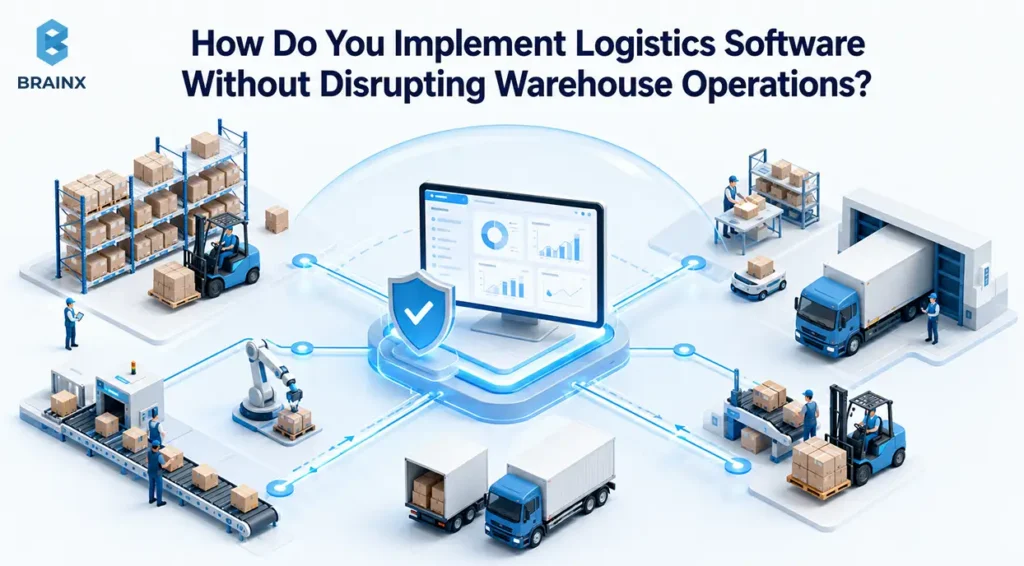
Successful implementation depends on process readiness, data readiness, integration reliability, testing, people, and operational continuity. Software configuration is only one part of the project.
Microsoft's Dynamics 365 go-live guidance emphasizes system integration, user acceptance, and performance testing, along with migration planning, cutover preparation, user training, and security-role assignment before go-live.
Step 1: Map Current Workflows, Exceptions, and Baseline KPIs
Document how receiving, putaway, replenishment, picking, packing, shipping, returns, and transportation actually work today.
Include informal workarounds and exception paths. Operations, warehouse leadership, IT, and process owners should agree on the current-state workflow.
The deliverables are a process map, pain-point list, baseline KPIs, and prioritized future-state scope.
Step 2: Define Requirements, Responsibilities, and System Ownership
Translate the operating model into functional, data, integration, reporting, security, device, and support requirements.
Define who owns the ERP, OMS, WMS, TMS, integration layer, devices, master data, testing, and production support.
The critical architecture decision is not merely which systems connect. It is what each system is authoritative for after go-live.
Step 3: Clean Master Data and Validate Integration Dependencies
Prepare the data the new workflows depend on before migration.
That may include products, SKUs, units of measure, locations, customers, suppliers, carriers, packaging, lot or serial rules, rates, inventory balances, and open transactions.
Microsoft's June 2026 data-migration guidance distinguishes master data such as customers, products, and vendors from open transactions such as sales orders, purchase orders, stock on hand, and open balances.
Test external dependencies early. A correct WMS configuration cannot compensate for bad product dimensions or an ERP interface that posts inventory incorrectly.
Step 4: Configure or Build the Minimum Operational Scope
Implement the smallest scope that can support a complete, safe operational flow.
Start with the workflows required to receive, allocate, pick, pack, ship, track, and reconcile goods. Avoid reproducing every legacy workaround through customization.
Additional automation can follow once the core process is stable and measurable.
Step 5: Test Real Warehouse Scenarios and Exception Paths
User acceptance testing should reproduce warehouse reality, not only ideal demonstrations.
Test shortages, partial picks, cancelled orders, damaged stock, duplicate messages, scanner failures, unavailable printers, carrier rejections, inventory discrepancies, integration delays, and returns.
The real question is not simply, “Does the feature work?” It is, “Can the operation complete or recover safely when something goes wrong?”
“Test with expected peak volumes. Simulate external systems that are down and how those scenarios affect the user experience.”: Microsoft Dynamics 365 go-live checklist
Step 6: Plan Migration, Cutover, Rollback, and Fallback Operations
Define exactly when transactions freeze, which records migrate, how inventory is reconciled, when integrations switch, who approves go-live, and what triggers rollback.
Fallback operations deserve equal attention. A warehouse may still need to receive or ship goods during a software or network incident.
A useful plan explains who can authorize degraded operation and how inventory changes will be reconciled later.
Step 7: Train Users, Monitor KPIs, and Scale Gradually
Train employees around the tasks and exceptions they actually handle, not only around software screens.
After launch, monitor integration failures, queue backlogs, inventory variance, throughput, order-cycle time, user adoption, and support requests.
Expand to more locations, workflows, or automation only when critical processes remain stable under real volume.
Common Failure Modes: Poor Data, Weak Adoption, Over-Customization, and Integration Gaps
Logistics implementations become fragile when data, people, workflows, and systems disagree.
Poor master data produces incorrect tasks. Weak adoption pushes work back into spreadsheets. Excess customization makes upgrades harder. Missing integration events create conflicting records and manual reconciliation.
A warehouse go-live readiness check should confirm:
- Product and SKU data is validated.
- Inventory balances are reconciled.
- Customer, vendor, location, and carrier records are ready.
- ERP, WMS, TMS, API, and EDI integrations pass end-to-end testing.
- Scanners, printers, RFID readers, scales, and other required devices work.
- User roles and permissions are assigned.
- Normal and exception workflows have passed user acceptance testing.
- Reporting and operational monitoring are active.
- Users have completed role-specific training.
- Fallback and degraded-mode procedures are documented.
- Support ownership and escalation paths are clear.
- Rollback conditions and decision-makers are defined.
Should You Buy, Configure, Integrate, or Build Custom Logistics Software?
The decision is rarely just buy versus build. Businesses generally have four practical options: buy, configure, integrate, or custom-build.
Standard processes usually favor established products. Differentiated workflows, unusual system dependencies, or strategic product requirements may justify more customization or custom development.
When Is Off-the-Shelf Software the Better Choice?
Off-the-shelf software is usually the stronger option when processes are well understood, relatively standard, and already supported by mature products.
Established WMS and TMS platforms already address complex execution problems such as warehouse tasking, carrier connectivity, permissions, transportation planning, and upgrades.
Rebuilding commodity capabilities creates extra maintenance responsibility without necessarily creating competitive value.
When Does Custom Development Become Justified?
Custom development becomes more defensible when the workflow itself differentiates the business, existing products cannot support important rules cleanly, or integration and orchestration requirements dominate the project.
Custom software also does not have to replace a commercial ERP, WMS, or TMS. It can sit above those platforms as an orchestration layer, operational portal, workflow service, mobile application, analytics product, or decision engine. BrainX's custom software development services cover tailored applications and integration-led software engineering for workflows that cannot be handled cleanly through configuration alone.
What Drives Logistics Software Cost and Implementation Time?
There is no credible universal price or implementation timeline for integrated logistics software.
Cost and duration depend on the number of warehouses, modules, users, transactions, integrations, devices, migration requirements, automation equipment, custom rules, testing needs, rollout stages, and support model.
License cost is only one component. Total cost of ownership can also include implementation, integrations, cloud infrastructure, data migration, hardware, testing, training, change management, upgrades, observability, and ongoing maintenance.
What Should You Evaluate Before Choosing a Software Vendor or Development Partner?
Evaluate operational fit before presentation quality.
Ask how the proposed solution handles your hardest workflow, biggest exception, system-of-record boundaries, peak volume, integration protocols, warehouse devices, security controls, reporting, upgrades, failure recovery, data portability, and production support.
For custom development, also define source-code ownership, documentation, deployment responsibility, test standards, maintainability, and handover requirements.
A practical decision matrix is:
| Criterion | Buy | Configure | Integrate | Custom Build |
| Time to value | Usually strongest | Strong | Moderate | Usually longest |
| Process uniqueness | Low | Low to medium | Medium to high | High |
| Integration complexity | Standard | Moderate | High | High |
| Flexibility | Product-constrained | Moderate | High | Highest |
| Upfront investment | Lower | Moderate | Moderate to high | Higher |
| Long-term TCO | License-dependent | License + extensions | Multi-system + integration | Engineering + operations |
| Internal control | Lower | Moderate | High | Highest |
| Maintenance ownership | Vendor-led | Shared | Shared/multi-vendor | Organization/development partner |
How Are AI and Automation Changing Logistics Operations?
AI increasingly acts as an intelligence and decision layer around logistics execution. It does not eliminate the need for accurate ERP, WMS, OMS, or TMS transactions.
The 2026 MHI Annual Industry Report, produced with Deloitte and informed by responses from more than 500 supply-chain leaders, identifies AI as the most disruptive technology in the survey. It reports that 33% were using AI for demand forecasting and inventory optimization, while 26% were applying it to logistics and transportation route optimization.
Predictive ETAs, Demand Forecasting, and Inventory Risk
Predictive systems estimate what is likely to happen before the logistics process is complete.
Inputs may include order history, shipment milestones, carrier performance, demand, inventory positions, supplier lead times, weather, or traffic. Models can then estimate delivery risk, demand, potential stockouts, or replenishment requirements.
The prediction creates value only when it reaches a workflow. A predicted shortage should influence allocation, purchasing, replenishment, or planner review. BrainX explores the data, modeling, deployment, and decision-workflow layers in its predictive analytics in supply chain guide.
AI-Assisted Routing, Exception Management, and Decision Support
AI can help logistics teams decide which event deserves attention and what action may be appropriate.
For example, Oracle's 2026 Task Management Assistant can identify at-risk orders, reprioritize order tasks, and assign tasks to users. Its Inventory Expiry Assistant can identify expired or soon-to-expire lot-controlled inventory and support controlled actions such as container locking.
The design goal should be shortening time from event → decision → action, not another isolated dashboard.
Robotics, Computer Vision, and IoT Inside Warehouses
Warehouse automation extends logistics software into physical operations.
Autonomous mobile robots can move material. Automated storage and retrieval systems can store and retrieve inventory. Computer vision can identify, count, inspect, or verify products. RFID and barcode systems create identification events. IoT sensors provide environmental or equipment telemetry.
The WMS remains important because automation still needs inventory context, tasks, priorities, permissions, and completion events.
Where Human Approval and Operational Controls Still Matter
The appropriate level of automation depends on the operational risk of a wrong action.
A system may safely auto-prioritize routine warehouse work while requiring approval before overriding a high-value customer allocation, accepting expensive freight, or changing a sensitive inventory disposition.
AI recommendation and AI execution are different. A recommendation proposes an action. Execution changes operational state.
Controls should therefore define what AI can read, recommend, modify, approve, and execute, along with escalation thresholds, audit logs, monitoring, and rollback. BrainX's AI development services include machine learning, predictive analytics, computer vision, data analytics, integration, deployment, and monitoring capabilities.
| Technology | Required Data | Decision Supported | Human Control |
| Predictive ETA | Shipment history, traffic, weather, carrier events | Is delivery at risk? | Escalation and customer action |
| Demand forecasting | Sales history, seasonality, inventory | How much may be needed? | Planner review |
| Route optimization | Stops, capacity, rates, traffic | Which route or carrier fits? | Dispatcher override |
| Exception detection | Operational events and thresholds | Which problem matters most? | Resolution decision |
| Warehouse robotics | Tasks, bin maps, item data | What movement should execute? | Safety and fallback |
| Computer vision | Camera feeds and product data | Is an item damaged or incorrect? | Quality confirmation |
| IoT sensors | Temperature, humidity, shock, location | Is a condition outside limits? | Corrective action |
Build Logistics Operations That Scale
Scalable logistics depends less on finding one application that does everything and more on creating clear boundaries between standard platforms, integrations, data, and custom workflows.
BrainX Technologies currently provides software engineering, custom application development, AI development, data analytics, integration, DevOps, QA, and production-delivery capabilities. Its AI offering also includes supply-chain forecasting, inventory management, and predictive analytics.
For a logistics modernization initiative, that engineering capability can support requirements discovery, solution architecture, custom applications, API development, ERP/WMS/TMS integration, workflow automation, data pipelines, AI integration, testing, deployment, and modernization.
The objective should not be to custom-build a WMS or TMS simply because it is possible. The better approach is to determine where established software already fits and where integration or custom engineering creates meaningful operational value.
Discovery → Architecture → Integration/Build → Pilot → Production
A logistics management system creates the most value when technical ownership follows operational ownership. Establish reliable transactions, integrations, master data, warehouse workflows, transportation processes, and exception handling first. AI and automation can then improve a foundation that the business already trusts.
Frequently Asked Questions About Logistics Systems
What is the difference between a logistics management system and a warehouse management system?
A logistics management system can coordinate inventory, orders, warehousing, transportation, delivery, tracking, returns, and analytics. A Warehouse Management System focuses on execution inside warehouses, including receiving, putaway, replenishment, picking, packing, and shipping. The WMS therefore has a narrower operational scope.
Can logistics software replace an ERP, WMS, or TMS?
Not necessarily. An ERP may remain authoritative for finance and master data, a WMS for warehouse execution, and a TMS for transportation planning. Integrated logistics software often coordinates these applications instead of replacing them. The correct model depends on existing platforms and process ownership.
How do you know when a business has outgrown spreadsheets or basic inventory software?
Look for repeated operational friction rather than a fixed company size. Inventory mismatches, manual reconciliation, multiple warehouses, increasing channels, carrier complexity, frequent exceptions, traceability requirements, and employees maintaining unofficial records are strong signs that the current tools no longer support the operating model reliably.
How long does integrated logistics software usually take to implement?
There is no reliable universal implementation period. A limited WMS configuration differs significantly from a multi-warehouse ERP/WMS/TMS transformation. Data readiness, integrations, warehouse devices, custom workflows, migration, user testing, training, rollout strategy, and operational cutover requirements determine the schedule.
Which integrations should businesses prioritize when modernizing warehouse and transportation operations?
Start with the integrations required to complete the core order-to-delivery process: order capture, inventory availability, warehouse execution, shipment planning, carrier communication, tracking, delivery confirmation, and financial posting. Stabilize those flows before adding lower-priority analytics, automation, or secondary partner integrations.
Is cloud-based or custom logistics software better for multi-warehouse operations?
Neither is universally better. A mature cloud WMS or TMS is usually attractive when processes are relatively standard and faster deployment matters. Custom software becomes more appropriate when multi-warehouse orchestration, integrations, customer-specific logic, or strategic workflows cannot be supported cleanly through product configuration. A hybrid architecture can combine both.