 July 23, 2026 -
  34 minutes read


Automating one repetitive task rarely fixes a broken operation. It can save a few minutes but employees still transfer data from one system to another, chase approvals, deal with exceptions, and fix incomplete handoffs. Business process automation addresses the complete workflow instead. It brings together applications, data, decision rules, AI models, employees, and approvals around a defined business outcome.
For instance, an automated invoice process is more than an ability to put out a total. It confirms the supplier, compares with the purchase order, routes exceptions, gets approval, updates the ERP, schedules payment, and logs all actions.
It's important because enterprise-wide value is lagging behind enterprise AI adoption. In 2025, McKinsey identified 88% of surveyed companies implementing AI in at least one business process but most had not expanded its use throughout the business. Its research also revealed that redesigning workflow is the most influential factor in achieving measurable EBIT impact from generative AI.
This guide explores practical examples by industry, measurable business value, process-selection criteria, solution choices, costs, implementation steps, and risks that determine the viability of automation in production.
Key Takeaways
- BPA enhances whole workflows, not just repetitive tasks.
- The strongest candidates are high-volume, stable, measurable, and supported by reliable data.
- Effective automation involves integrations, workflow rules, AI functionality and human supervision.
- The success of ROI can be determined by cycle time, transaction cost, error rates, service levels and customer outcomes.
- Before selecting a platform, organizations should know the process, owner, baseline and the KPIs.
What Is Business Process Automation in 2026?
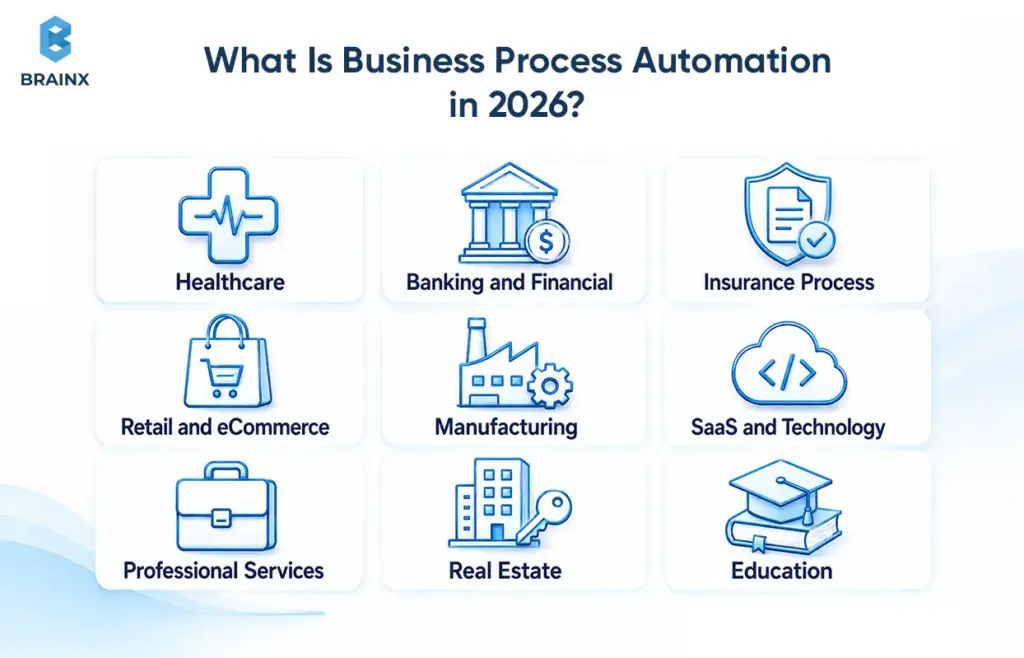
Business process automation refers to the coordinated use of software to perform an integrated process between people, software systems, data, and decisions. Its goal isn't just to lessen the number of clicks. It moves work reliably from a defined trigger to a measurable outcome.
IBM defines BPA as a strategy that takes advantage of software to automate complex and repetitive processes that support day-to-day operations. It is more extensive than a bot, script, chatbot, or macro that performs a single action.
A modern automated process may combine workflow engines, APIs, RPA bots, document intelligence, machine learning, generative AI, and human approvals. The architecture must be based on the process, not the technology that is being talked about the most at the moment.
What Makes a Task a Business Process?
A task is part of a business process when it serves as a means of achieving a repeatable result and is linked to other tasks.
A complete process normally includes:
- Inputs: A request, form, document, event, transaction, or sensor signal
- Stakeholders: Employees, customers, vendors, managers, or regulators
- Rules: Validation criteria, policies, approval thresholds, or service levels
- Systems: CRMs, ERPs, databases, document repositories, or external services
- Outputs: A payment, decision, account, appointment, shipment, or updated record
- Exceptions: Missing data, unusual values, disputed decisions, or failed integrations
- Outcome: A result measured through cost, speed, quality, risk, or customer value
Consider employee onboarding. The creation of an email account is a task. The broader workflow process involves gathering employee data, granting accessibility, setting up accounts, assigning permissions, setting up the equipment, scheduling training sessions, informing stakeholders, and verifying that training is completed.
The process has a trigger, owner, systems, decision points, exceptions, and measurable outcome (getting the employee ready to work safely).
Business Process Automation vs RPA, BPM, and Workflow Automation
These terms are related, but refer to different levels of operational improvement.
| Approach | Primary Purpose | Typical Scope | Example |
| Task automation | Completes one action automatically | Single task | Rename and store an uploaded file |
| RPA | Reproduces rules-based user actions | Individual tasks or system interactions | Copy invoice data into a legacy ERP |
| Workflow automation | Moves work through defined steps | Departmental workflow | Route a purchase request for approval |
| BPA | Coordinates an end-to-end process | Multiple systems and teams | Process a purchase request through approval, ordering, receipt, and payment |
| BPM | Designs, measures, and improves processes | Continuous management discipline | Redesign procurement to reduce approval delays |
| Intelligent automation | Adds interpretation or prediction | Dynamic or data-heavy processes | Classify documents and recommend exception handling |
IBM describes RPA as software that uses bots to automate repetitive tasks normally performed through a computer interface. It describes BPM as the wider discipline of discovering, modelling, analysing, measuring, and improving processes.
BPA may use RPA as an execution method. It can also use APIs, event streams, middleware, workflow engines, and direct integrations. The main difference is that the process keeps being the unit of design.
Rules-Based Automation vs AI-Assisted Automation
Fixed rules work best when inputs are structured and decisions are predictable. A system may allow an expense to be approved automatically if the expense amount is less than a specified threshold, and the receipt is attached and the expense category is within the policy.
When there's some ambiguity or unstructured information in a process, AI-powered automation comes in handy. Common examples include:
- Extracting information from invoices, contracts, emails, and forms
- Classifying support requests written in natural language
- Predicting equipment failure or customer churn
- Detecting anomalies that do not match known fraud rules
- Summarizing documents for a reviewer
- Recommending a next action from historical patterns
- Coordinating multiple actions through an AI agent
A practical production principle is rules first, AI at the edges. Deterministic rules should control clear policy decisions. AI can interpret uncertain inputs, identify patterns, and propose the next step.
AI should not automatically control every decision it supports. Low confidence, high financial value, clinical risk, legal consequences, or unusual circumstances may require human review.
For a deeper look at how autonomous systems coordinate tools, apply guardrails, and return sensitive decisions to people, see BrainX’s guide to AI agents for intelligent support and automation.
Why Business Automation Matters More in 2026
Business automation is now an operating model priority for businesses because they need to boost productivity without increasing the number of scattered tools and administrative layers.
The objective has also changed. Earlier programmes often focused on individual back-office tasks or headcount reduction. Current initiatives increasingly target response times, operational resilience, compliance, revenue protection, employee capacity, and decision quality.
From Isolated Automation Pilots to Scalable Workflows
A pilot can prove that a model extracts information or that a bot performs an action. It does not prove that the surrounding process will operate reliably across systems, teams, and exceptions.
Scaling requires:
- An accountable process owner
- Production-grade integrations
- Access and security controls
- Exception and recovery procedures
- Monitoring and service levels
- User training
- Measurable outcomes
- A managed improvement backlog
Microsoft reported in February 2026 that 24% of leaders said their organizations had deployed AI organization-wide, while 12% remained in pilot mode. Its 2025 Work Trend Index also found that 82% of leaders considered that year pivotal for rethinking strategy and operations.
The practical lesson is simple: treat automation like a product. It needs ownership, metrics, monitoring, releases, support, and continuous improvement.
AI Agents, Process Mining, and Intelligent Orchestration
Process mining shows what is actually happening. AI interprets complex inputs. Orchestration coordinates what happens next.
Process-mining tools analyse event logs from systems such as ERPs, CRMs, EHRs, and ticketing platforms. They reveal delays, skipped steps, rework loops, and variations that process workshops may miss.
AI can interpret documents, messages, images, or historical patterns that traditional rules cannot handle reliably. The orchestration layer then assigns actions to applications, bots, models, and people while preserving deadlines, case state, and audit history.
UiPath’s 2025 research found that 90% of surveyed US enterprise IT executives believed their organizations had processes that agentic AI could improve. Seventy-seven per cent said they were prepared to invest during the year. The research covered large enterprises, so it indicates executive priorities rather than universal adoption.
The Pressure to Improve Productivity Without Adding Operational Complexity
Service expectations are rising while many organizations still depend on fragmented CRMs, spreadsheets, legacy applications, email approvals, and manual reporting.
Employees may spend substantial time locating information, moving data, and following up on routine requests. Adding another disconnected automation tool can make this worse.
The goal is not simply more automation. It is less operational friction:
- Consolidate triggers and data sources
- Standardise handoffs
- Establish consistent exception policies
- Reduce duplicate records
- Create one source of truth
- Make process performance visible
The wider shift reflects how generative AI is changing industry workflows, from document interpretation to customer operations and decision support.
BrainX examines these cross-industry patterns further in its analysis of how generative AI is reshaping industries.
How Business Process Automation Works From Trigger to Outcome
Every automated process can be understood as a controlled path from an initiating event to a measurable result.
The tools differ, but the model remains similar: capture the input, validate it, make or support a decision, execute actions, route exceptions, and measure the outcome.
Step 1: Capture the Trigger and Input
The workflow begins when an event occurs. Common triggers include:
- A customer submits a form
- An invoice arrives by email
- A CRM opportunity changes stage
- A sensor identifies abnormal equipment behaviour
- A subscription payment fails
- An employee joins or leaves
- A service deadline approaches
- An external application sends an API event
The system records the trigger and gathers the information required to process it. A strong design also captures its source, timestamp, owner, consent status, and related business record.
Required fields, file formats, duplicate records, and identity checks should be addressed at entry. Poor inputs create expensive exceptions later.
Step 2: Validate, Classify, and Apply Business Rules
The system checks whether the input is complete, valid, and safe to process.
It may:
- Verify account or policy status
- Check mandatory fields
- Detect duplicate submissions
- Compare values against policy
- Classify a request or document
- Calculate an initial risk tier
- Select the correct route or service level
Rules are appropriate for deterministic decisions. AI-assisted classification is more useful when the input is an email, scanned document, image, or free-text request.
A healthcare document classifier, for example, might distinguish a referral from a lab result or insurance record. A confidence threshold determines whether the classification proceeds or goes to a reviewer.
Step 3: Connect Systems and Execute Workflow Actions
Once validated, the process exchanges information with the systems involved.
Typical actions include:
- Calling an ERP or CRM API
- Creating or updating a database record
- Generating a document
- Processing or scheduling a payment
- Assigning a case
- Provisioning an account
- Scheduling an appointment
- Sending a notification
- Using RPA to operate an application without a suitable API
APIs are generally more stable than screen-based automation. RPA remains useful when a legacy application cannot be integrated directly.
The design must also establish a source of truth. One system should own the master customer, order, claim, or account record. Otherwise, automation can create more reconciliation work than it removes.
Where classification, document processing, prediction, or enterprise integration requires a tailored implementation, BrainX’s custom AI development services can support the workflow intelligence layer.
Step 4: Route Exceptions and High-Risk Decisions to People
Production workflows need a clear answer to one question: What happens when automation should not proceed?
Human review may be needed when:
- A confidence score falls below a threshold
- A transaction exceeds an approval limit
- Information conflicts across systems
- An applicant disputes a result
- A decision affects healthcare, employment, insurance, credit, or legal rights
- An integration fails
- The process encounters an unrecognised scenario
Human-in-the-loop design is not a weakness. It is how organizations scale safely.
The reviewer should receive the evidence needed to act, not a generic error message. That may include the original input, validation results, rules applied, model confidence, supporting documents, and previous workflow actions.
If a workflow cannot route exceptions cleanly, employees will bypass it.
Step 5: Measure Results and Continuously Improve the Process
Automation without measurement becomes invisible operational debt.
Useful signals include:
- Cycle time
- Completion rate
- Exception rate
- Approval delays
- Failed integrations
- Manual intervention time
- SLA attainment
- Model accuracy
- Customer complaints
- Rework after completion
Process mining and workflow analytics can show where cases repeatedly slow down or deviate from the intended route. Teams can then refine rules, improve forms, repair integrations, or adjust responsibilities.
Business process automation is therefore not a one-time deployment. It is a managed operational system.
Business Process Automation Examples Across Industries

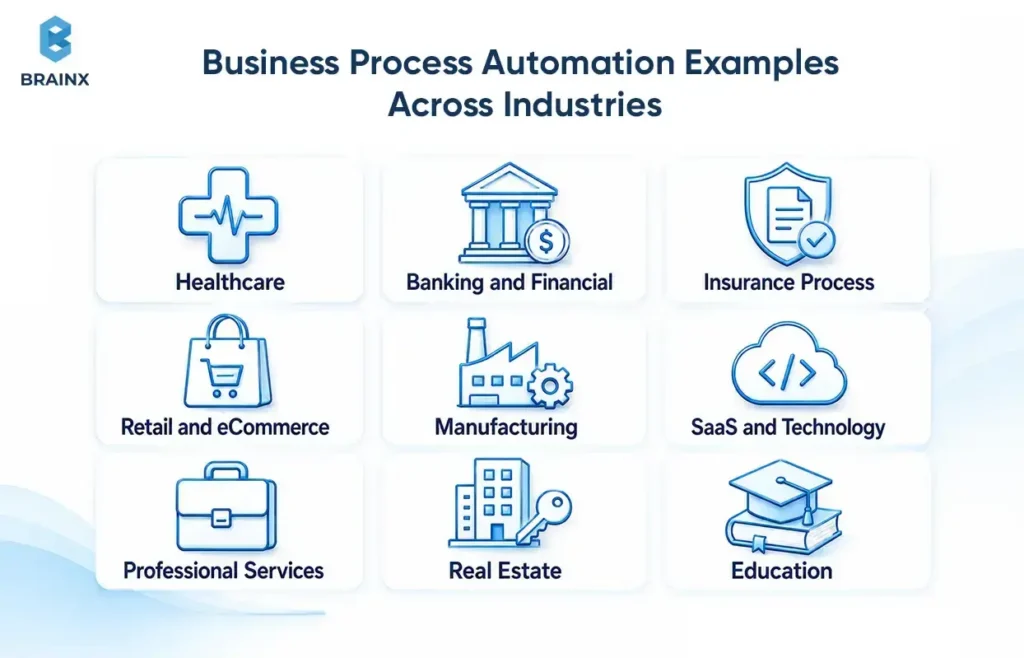
The most useful business process automation examples show the entire workflow, not only the software feature.
Each example below follows the same framework: manual bottleneck, automation trigger, workflow, systems, human control point, and KPI.
Healthcare Process Automation Examples
Healthcare organizations can automate administrative coordination while keeping clinical judgement with qualified professionals.
A strong example is prior-authorisation routing. The workflow starts when a clinician submits a treatment request. The system checks for required information, fetches supporting documents, categorizes them, applies the rules for the payers, submits the package, monitors package status, and escalates denials or ambiguous cases.
- Manual bottleneck: Staff has to retrieve data from EHRs, portals, e-mail and scanned documents.
- Automation trigger: A treatment, procedure, or prescription requires authorisation.
- Automated workflow: Confirm patient and payer information, gather documents, send requests, check or follow up on responses, and provide updates.
- Systems and data: EHR, payer portal, document repository, scheduling system, and eligibility service.
- Human control point: Clinicians review medical necessity, denials, and treatment-impacting decisions.
- KPI: Submission time, approval cycle time, incomplete-request rate, denial rate, and staff hours per request.
Other processes that can be automated are digital intake, eligibility checks, appointment reminders, billing administration, referrals, and clinical-document classification.
The administrative burden is substantial. The AMA’s 2025 physician survey, released in May 2026, found that 95% of physicians reported care delays associated with prior authorisation, while 79% said authorisation challenges could at least sometimes lead patients to abandon recommended treatment.
US healthcare workflows involving protected health information must use appropriate privacy and security safeguards. The HIPAA Privacy Rule establishes national standards protecting medical records and individually identifiable health information.
Banking and Financial Services Automation Examples
Financial institutions can leverage automation for high volume information collection and routing and remain human accountable for potentially consequential decisions.
Digital customer onboarding is a common use case. An applicant submits identity and business information. The system extracts document data, validates required fields, runs relevant checks, calculates an initial risk tier, creates the account record, and routes exceptions to compliance analysts.
- Manual bottleneck: Teams collect documents, compare records, and update several systems.
- Automation trigger: A customer starts an application or updates their information.
- Automated workflow: Identity verification, document extraction, screening, risk routing, account creation and notification.
- Systems and data: Core banking, CRM, identity services, screening tools, document storage and fraud systems.
- Human control point: High risk applicants, conflicting evidence, and adverse results are checked by analysts.
- KPI: Onboarding time, abandonment rate, false-positive rate, investigation time, and compliance exceptions.
Some other examples are loan intake, reconciliation, routing of fraud alerts, preparation for audits, regulatory reporting, and orchestration of customer service.
The need for reliable fraud workflows continues to grow. The US Federal Trade Commission reported that consumers recorded approximately $16 billion in fraud losses during 2025, around 25% more than in 2024.
The need to be explainable, traceable, segregated and subject to regulatory review are not things that can be taken away by automation. The system should preserve the evidence used, rule version, model output, reviewer action, and final decision.
Insurance Process Automation Examples
Claims and underwriting activities are highly suitable for automation since they involve a high number of documents, repetitive data collection, and exceptions.
A first-notice-of-loss workflow can gather policyholder data, validate the policy, classify the incident, request missing data, look for signs of severity, assign an adjuster and provide status updates.
- Manual bottleneck: Staff re-enter claim data, sort attachments, review standard documents, and assign cases manually.
- Automation trigger: A policyholder reports a loss through an app, portal, call centre, or email.
- Automated workflow: Validate coverage, classify evidence, assess complexity, route the claim, and schedule follow-ups.
- Systems and data: Policy administration, claims management, CRM, image analysis, fraud tools, and payment systems.
- Human control point: Adjuster looks at coverage issues, bodily injury, fraud flags, and settlement issues.
- KPI: Claims cycle time, handling cost, leakage, reassignment rate, communication time, and customer satisfaction.
Other areas of opportunity include claims summarization, underwriting data collection, renewals, policy servicing, and fraud escalation.
Accenture reported that 45% of insurers were using generative AI for claims intake as a strategic initiative, with just 12% being deployed and scaled, in October 2025. The gap illustrates why integration, governance, and workflow redesign matter more than a successful demonstration.
The NAIC’s model bulletin regarding insurers' use of AI indicates that any insurance-related decisions made with the assistance of AI need to be in accordance with relevant insurance laws. Its principles emphasise fairness, accountability, transparency, security, and documented governance.
For a related insurance-facing application, BrainX explains how AI chatbot development can support scalable claims and policy-service workflows.
Retail and eCommerce Business Automation Examples
Retailers can connect orders, inventory, fulfilment, returns, support, and lifecycle communication instead of managing each channel independently.
A returns workflow can verify the order, check eligibility, generate a label, select a return location, inspect the received item, update inventory, issue the refund, and trigger fraud review when needed.
- Manual bottleneck: Support agents check policies, create labels, update inventory, and follow up with finance.
- Automation trigger: A customer requests a return or the carrier confirms receipt.
- Automated workflow: Validate eligibility, route the item, update status, process the refund, and communicate progress.
- Systems and data: eCommerce platform, order management, warehouse management, payment provider, CRM, and fraud detection.
- Human control point: Staff review damaged goods, policy exceptions, repeated returns, and suspected abuse.
- KPI: Return resolution time, refund cycle time, support contacts per return, recovery value, and fraud rate.
Other opportunities include order routing, inventory replenishment, product-information updates, support-ticket classification, and personalised lifecycle messages.
The National Retail Federation projected that total retail returns would reach $849.9 billion in 2025. It predicted that 19.3% of online sales will be returned.
Good business automation should reduce customer effort as well as internal work. It is important to get a quick refund, but so are transparent status reports and minimal support contacts.
Manufacturing and Supply Chain Automation Examples
Manufacturing automation should connect planning signals with procurement, production, quality, maintenance, and logistics.
The predictive-maintenance workflow starts with patterns that are observed after the equipment data. The system validates the sensor's signal, reviews service history, determines urgency, generates a work order, verifies parts, schedules a tech and raises a safety concern if any.
- Manual bottleneck: Teams react to breakdowns or review separate monitoring systems.
- Automation trigger: A sensor anomaly, inspection result, or operating threshold.
- Automated workflow: Detect risk, assess severity, create work, reserve parts, assign technicians, and track completion.
- Systems and data: IoT platform, manufacturing execution system, ERP, maintenance platform, and inventory system.
- Human control point: Engineers approve safety-critical actions, shutdowns, and uncertain predictions.
- KPI: Unplanned downtime, mean time to repair, maintenance cost, asset availability, and repeat failure rate.
Other examples include purchase requisitions, supplier approvals, demand-triggered replenishment, quality routing, production exceptions, and shipment-delay escalation.
Deloitte’s 2025 Smart Manufacturing Survey found that 78% of respondents allocated more than 20% of their improvement budgets to smart-manufacturing initiatives. Eighty-eight per cent expected investment to continue or increase.
The strongest business process automation examples in manufacturing connect alerts with action. Predicting a failure creates limited value when nobody reserves the part, schedules the technician, or escalates the production risk.
For a deeper implementation view, see BrainX’s guide to predictive analytics in supply chain.
SaaS and Technology Company Automation Examples
SaaS businesses can automate customer and employee operations without removing ownership from product, support, finance, or security teams.
A failed-payment recovery workflow detects a declined renewal, identifies the failure type, schedules intelligent retries, requests updated details, adjusts account status, alerts the customer-success team, and records recovered revenue.
- Manual bottleneck: Finance and customer-success teams review payment failures and contact customers manually.
- Automation trigger: A recurring payment fails.
- Automated workflow: Retry payment, update status, send communication, route high-value accounts, and apply service rules.
- Systems and data: Billing platform, payment gateway, CRM, product database, email system, and analytics.
- Human control point: Account managers review strategic customers, disputes, and contractual exceptions.
- KPI: Recovery rate, involuntary churn, days to recovery, revenue retained, and support workload.
Other examples include customer onboarding, account provisioning, ticket routing, employee access, incident escalation, usage alerts, and renewal management.
Stripe states that its billing recovery features recovered $8.2 billion in failed payments during 2025. This is a platform-specific result rather than a universal SaaS benchmark, but it demonstrates the scale of revenue that automated recovery processes can protect.
Professional Services and Legal Automation Examples
Professional-services firms can automate information preparation, routing, and record management while leaving advice and accountable judgement with qualified professionals.
A legal client-intake workflow can collect matter details, validate required fields, search for conflicts, classify the request, estimate urgency, assign a lawyer, generate engagement documents, and track signatures.
- Manual bottleneck: Teams review forms, search systems, re-enter contact details, and coordinate appointments.
- Automation trigger: A prospective client submits an enquiry.
- Automated workflow: Validate information, check conflicts, classify the matter, route it, and prepare documentation.
- Systems and data: CRM, practice management, document management, billing, e-signature, and knowledge systems.
- Human control point: Lawyers review conflicts, legal merit, privilege, advice, and final documents.
- KPI: Intake cycle time, conversion rate, conflict-check time, missing-information rate, and administrative hours.
Other opportunities include contract approvals, renewal tracking, document extraction, billing, time entry, and source-linked knowledge retrieval.
Thomson Reuters reported in 2025 that surveyed legal professionals expected AI to free nearly 240 hours per year, up from 200 hours in 2024. It estimated an average annual value of $19,000 per professional. These figures are projected benefits based on adoption expectations, not guaranteed savings.
Confidentiality, version control, permissions, evidence retention, and human review remain essential. A faster contract workflow is not an improvement if the wrong clause reaches the client.
BrainX’s guide to legal document automation covers extraction, review workflows, source-linked knowledge retrieval, and governance.
Real Estate and Construction Automation Examples
Real estate and construction workflows often span customers, agents, contractors, inspectors, suppliers, and regulatory records.
A property-maintenance workflow can classify a tenant’s request, determine severity, check warranty coverage, assign a vendor, schedule access, track work, collect completion evidence, and update the property record.
- Manual bottleneck: Property teams coordinate requests through calls, email, and disconnected spreadsheets.
- Automation trigger: A tenant, buyer, site manager, or sensor reports an issue.
- Automated workflow: Classify urgency, assign responsibility, schedule work, collect evidence, and close the request.
- Systems and data: Property management, CRM, contractor portal, project system, document storage, and accounting.
- Human control point: Managers review safety risks, disputed costs, access issues, and regulatory exceptions.
- KPI: Lead response time, approval delay, maintenance resolution, contractor performance, and project exceptions.
Other examples include lead assignment, property-listing onboarding, document collection, inspections, contractor approvals, and compliance reporting.
Autodesk’s 2025 research found that 68% of architecture, engineering, construction, and operations leaders expected AI to enhance their industry. The finding reflects strategic expectations, but successful adoption still depends on data quality, integration, and operational ownership.
Education and Public-Service Automation Examples
Education institutions and public agencies can automate administrative service delivery while protecting accessibility, transparency, and the right to human review.
A student-admissions workflow can collect an application, verify documents, identify missing information, route specialist cases, update the student system, schedule interviews, and send status notifications.
- Manual bottleneck: Staff inspect documents, update records, and answer repeated status enquiries.
- Automation trigger: An application or service request is submitted.
- Automated workflow: Validate documents, classify the request, assign a case, notify the applicant, and update records.
- Systems and data: Student information, case management, identity verification, document storage, and communication platforms.
- Human control point: Staff review admissions decisions, accessibility needs, safeguarding, appeals, and disputed eligibility.
- KPI: Processing time, incomplete applications, response time, backlog, appeal rate, and record accuracy.
Similar workflows apply to enrolment, course registration, benefit requests, licensing, case management, and public-record updates.
The OECD reported in 2025 that 67% of OECD countries were using AI to improve public-service design and delivery. Its guidance also stresses transparency, accountability, privacy, and public trust.
Digital workflows must also be accessible. W3C’s WCAG standards explain how web content and applications can better support users with disabilities.
Which Processes Should You Automate First?
The best first process is not necessarily the most visible one. It is the process with enough value, stability, data readiness, and ownership to produce a measurable result.
A painful workflow may still be a poor candidate when its rules change every week, exceptions dominate the workload, or nobody owns the outcome.
Use a Process-Automation Candidate Scorecard
Score each process from one to five against the following criteria.
| Criterion | Low Score | High Score |
| Transaction volume | Rarely occurs | Occurs continuously |
| Frequency | Ad hoc | Daily or weekly |
| Process stability | Rules change frequently | Rules are documented and stable |
| Manual effort | Minimal effort | Significant staff time |
| Error and rework | Few corrections | Frequent corrections |
| Business impact | Limited effect | Material cost, risk, or customer impact |
| Data readiness | Incomplete or inaccessible | Reliable and available |
| Integration complexity | Undocumented systems | Stable APIs or interfaces |
| Compliance risk | High and poorly understood | Defined controls and reviewers |
| Time to value | Requires major transformation | Can be tested in a focused scope |
The score should support discussion rather than make the decision automatically.
A high-impact process with low readiness may belong on the strategic roadmap. A moderate-impact process with strong readiness may be a better first implementation.
Separate Quick Wins From Strategic Automation
Organizations should treat opportunities as a portfolio.
| Automation Level | Characteristics | Example |
| Quick win | Stable rules, one team, limited integrations | Approval reminders |
| Departmental workflow | Several roles and one process owner | Employee onboarding |
| Cross-department process | Multiple systems and teams | Order-to-cash |
| AI-assisted workflow | Unstructured data or predictive decisions | Claims classification |
| Operational transformation | New roles, data models, and architecture | End-to-end claims modernisation |
Quick wins build confidence and produce evidence. Strategic programmes create deeper value but require stronger governance, data foundations, and change management.
Business process automation should not become a collection of unrelated quick fixes. Each early implementation should create reusable patterns for approvals, integrations, permissions, monitoring, or human review.
Identify Processes That Should Not Be Automated Yet
Some processes need redesign or better data before technology is introduced.
Delay automation when:
- The process has no accountable owner
- Rules change constantly
- Teams follow several undocumented versions
- Data is duplicated, incomplete, or unreliable
- Exceptions represent most cases
- The activity is rare and inexpensive
- The interaction is emotionally sensitive
- The decision requires accountable professional judgement
- The organization cannot explain or appeal the outcome
- The proposed solution addresses a symptom rather than the cause
Automating an unstable process can make inconsistency faster and harder to detect.
Business Value and KPIs That Prove Automation ROI
Business process automation creates value only when operational changes can be connected to a baseline and business outcome.
“Hours saved” is useful, but it is not enough. Saved time may create additional capacity, shorter response times, reduced overtime, lower external spend, or no measurable financial benefit.
The measurement plan should define what happens to released capacity and which downstream outcome should improve.
Efficiency and Cost Metrics
Track how quickly and economically the process operates:
- Process cycle time
- Cost per transaction
- Manual hours per case
- Throughput
- Approval time
- Straight-through processing rate
- Automation completion rate
- Cost of exceptions
Measure both averages and outliers. An acceptable average can hide a small group of cases that repeatedly breach service levels.
Quality, Risk, and Compliance Metrics
Automation should improve consistency without hiding defects.
Track:
- Error rate
- Rework rate
- Exception rate
- False-positive and false-negative rates
- Data accuracy
- Policy compliance
- Audit findings
- Model override rate
- Post-completion corrections
A reduction in manual effort is not a positive result when inaccurate decisions reach customers faster.
Customer and Revenue Metrics
Customer-facing workflows should connect to an experience or financial outcome.
Track:
- Response and resolution time
- Conversion rate
- Time to value
- Customer satisfaction
- Retention or churn
- Renewal rate
- Revenue recovered
- Revenue leakage prevented
- Abandonment rate
A faster onboarding process matters when it improves completion or shortens time to first value. Technical completion alone does not prove success.
Employee and Operational-Resilience Metrics
A process also affects the employees responsible for operating it.
Track:
- Administrative workload
- Employee adoption
- Backlog size
- SLA attainment
- Overtime
- Escalation volume
- Recovery time
- Process continuity
- User-reported friction
- Time spent on higher-value work
Individual case studies can illustrate possible outcomes but should not be treated as universal benchmarks. IBM reports that Sicoob reduced certain process times by up to 80% and costs by up to 20% through RPA. Those figures reflect a specific implementation and scope.
Capture a stable baseline before implementation. After launch, compare similar transaction types, volumes, exception categories, and seasonal conditions.
Choosing Business Automation Solutions: Buy, Build, or Combine
The right business automation solutions depend on how standard the process is, how many systems it crosses, how much control it requires, and whether it creates competitive differentiation.
The choice is rarely limited to one product. Many organizations use a platform for standard workflows, APIs for integrations, RPA for legacy access, and custom development for specialised requirements.
Off-the-Shelf Workflow and Low-Code Platforms
Off-the-shelf platforms work best when the process follows a common pattern.
They are often suitable for:
- Approval flows
- Form-based requests
- Notifications
- Basic case management
- Standard SaaS integrations
- Departmental dashboards
- Internal tools with moderate complexity
Their advantages include faster deployment and reusable components. Limitations appear when processes require complex data models, specialist interfaces, unusual permissions, or deep customisation.
Teams should evaluate licensing, environment limits, connector availability, data residency, versioning, and testing support.
RPA and Enterprise Process Platforms
RPA is useful when a process depends on an older application without reliable APIs.
Bots can enter data, retrieve reports, move files, and interact with user interfaces. Enterprise platforms add orchestration, queues, approvals, monitoring, and governance.
RPA should not become the default integration method. Interface changes can break bots, while documented APIs are normally more stable and observable.
Use RPA selectively as the last-mile connection to legacy systems, then manage it within the wider workflow.
Custom Automation and AI Development
Custom development makes sense when the process is proprietary, integration-heavy, regulated, or central to the organization’s customer experience.
Typical requirements include:
- Industry-specific document processing
- Custom classification or predictive models
- Proprietary workflow logic
- Complex roles and permissions
- High-volume integrations
- Specialised operational dashboards
- Customer-facing portals
- AI evaluation and monitoring
- Human-review interfaces
A custom approach offers greater control over architecture, data, UX, and roadmap. It also creates responsibility for testing, maintenance, security, monitoring, and support.
Hybrid Automation Architecture
Hybrid architecture is often the most practical answer.
A typical design may include:
- A low-code platform for internal approvals
- APIs for CRM and ERP integration
- RPA for a legacy desktop application
- A custom customer portal
- Document AI for extraction and classification
- A workflow engine for orchestration
- Human review for high-risk exceptions
- Central monitoring for logs and service levels
This approach balances speed and control. It also avoids rebuilding standard features that mature platforms already provide.
Solution-Selection Criteria
Compare business automation solutions against the real process rather than a generic feature checklist.
| Criterion | Questions to Ask |
| Process fit | Can it represent rules, exceptions, approvals, and case states? |
| Integration support | Are suitable APIs and connectors available? |
| Security | Does it support least privilege, encryption, and logging? |
| Compliance | Can the organization demonstrate required controls? |
| Scalability | Can it handle expected and peak transaction volumes? |
| Observability | Can teams monitor failures, latency, quality, and cost? |
| Data ownership | Can data and workflow history be exported? |
| Vendor dependency | How difficult would migration be? |
| User experience | Does it remove work or create additional steps? |
| Total cost | What are the licensing, usage, support, and change costs? |
| Maintenance | Who owns upgrades, connectors, models, and future changes? |
The correct choice may be to buy a standard component, build the differentiating layer, and connect both through a managed architecture.
What Business Process Automation Costs and How Long It Takes
Business process automation costs depend on the workflow, integrations, risks, and operating requirements. A universal price range would hide the factors that determine the real effort.
A stable departmental approval flow requires a different investment from a regulated claims process spanning policy, document, fraud, payment, and communication systems.
The Main Cost Drivers
The largest cost variables include:
- Number of workflows: One process is easier to scope than a programme.
- Process complexity: Rules, branches, roles, and exceptions increase effort.
- Application integrations: Reliable APIs reduce uncertainty.
- Legacy access: RPA, middleware, or database adapters may be required.
- Data quality: Cleansing and reconciliation can exceed development effort.
- AI requirements: Document processing, prediction, RAG, and agents require evaluation.
- Security controls: Identity, encryption, logging, and environment separation affect architecture.
- Compliance: Regulated processes require additional evidence and review.
- Interfaces: Customer portals and reviewer dashboards increase UX and QA scope.
- Testing: High-risk processes require wider scenario, recovery, and performance testing.
- Support: Monitoring and workflow changes continue after launch.
Integrations and exception handling often require more effort than the happy path.
What Determines the Implementation Timeline?
Delivery depends on more than development speed.
The main timeline factors are:
- Process documentation and stakeholder agreement
- System and test-environment access
- API readiness
- Data availability
- Number and variety of exceptions
- Security and legal review
- AI evaluation requirements
- User testing
- Training and rollout scope
- Release windows and change freezes
A narrow pilot may validate feasibility. It should not be described as a production system unless it includes access controls, monitoring, exception handling, recovery, and operational ownership.
Gartner predicted in 2025 that more than 40% of agentic AI projects would be cancelled by the end of 2027 because of rising costs, unclear value, or inadequate risk controls. The forecast relates specifically to agentic AI, but the underlying lesson applies to complex automation programmes: narrow the scope and define value before scaling.
Total Cost of Ownership Beyond Initial Development
Initial implementation is only one part of the investment.
Ongoing costs may include:
- Platform licensing
- API calls
- Cloud infrastructure
- Model inference
- Document-processing volume
- Monitoring
- Support staff
- Security reviews
- Model or rule updates
- Retraining
- Vendor upgrades
- Compliance audits
- User training
- New integrations
- Future workflow changes
A lower initial price may produce a higher long-term cost when the platform limits integration, charges by transaction, or makes workflow logic difficult to export.
Compare three-year ownership scenarios rather than development cost alone.
A Practical Business Process Automation Roadmap
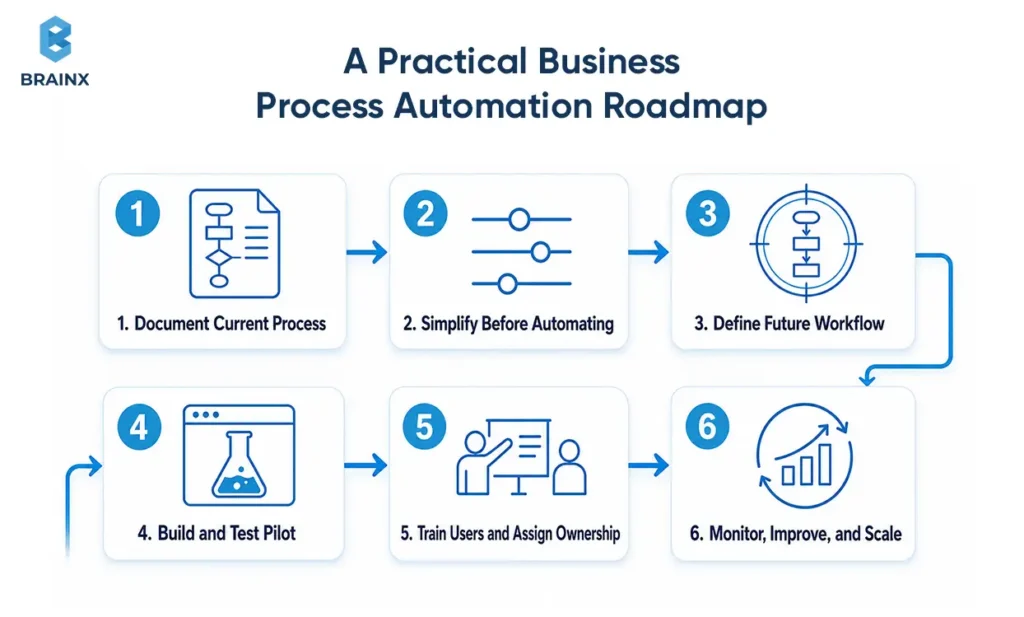
A reliable programme moves from process understanding to controlled deployment, ownership, and continuous improvement.
The following roadmap applies whether the implementation uses low-code software, RPA, custom development, AI, or a combination.
1. Document the Current Process and Its Baseline
Map how work operates today.
Record:
- Trigger and end state
- Stakeholders and ownership
- Systems and data sources
- Manual handoffs
- Rules and approvals
- Exceptions
- Delays and failure points
- Current KPIs
Interview employees who execute the process, not only managers who oversee it. System logs and process-mining evidence may reveal variations that workshops miss.
The output should show where time, cost, errors, and customer friction occur.
2. Simplify the Process Before Automating It
Remove unnecessary complexity before translating the process into software.
Look for:
- Duplicate data entry
- Redundant approvals
- Obsolete policy requirements
- Repeated document requests
- Unclear ownership
- Parallel spreadsheets
- Unnecessary status meetings
- Variations without a business reason
A six-step manual process may not need six automated steps. Some actions should be removed entirely.
3. Define the Future Workflow and Success Criteria
Document how the future process should operate.
Specify:
- Trigger
- Required inputs
- Validation rules
- Decision logic
- Integrations
- Roles and permissions
- Human-review thresholds
- Escalation paths
- Failure recovery
- Outputs
- Audit requirements
- Target KPIs
“Automate onboarding” is too broad. “Reduce median onboarding time from three days to one day while keeping access exceptions below 2%” is measurable.
This is where business process automation becomes an operational product with a clear contract between the process owner and technical system.
4. Build and Test a Controlled Pilot
Test the workflow with realistic cases and a limited user group.
The pilot should cover:
- Normal cases
- Missing data
- Duplicate submissions
- Conflicting information
- API failures
- Permission errors
- Low-confidence AI outputs
- High-risk decisions
- Recovery after interruption
- Manual takeover
Do not optimize only for successful cases. Exceptions often determine whether employees trust the system.
5. Train Users and Establish Process Ownership
Assign one accountable process owner.
That person or team should own:
- Workflow performance
- Exception policy
- Documentation
- User communication
- KPI reviews
- Rule changes
- System dependencies
- Escalation decisions
- Improvement backlog
Training should explain not only how to use the system, but when not to trust an automated result and how to report a problem.
Employees should not have to guess whether the old process still applies.
6. Monitor, Improve, and Scale
Track the workflow after launch.
Review:
- Completion rates
- Bottlenecks
- Exception patterns
- Integration failures
- Model performance
- Customer feedback
- Manual overrides
- Cost per case
- SLA attainment
- Security events
Scale reusable components such as approval modules, identity services, document pipelines, monitoring, and human-review interfaces.
Do not copy one workflow into another without checking its ownership, risks, data, and exception patterns.
Risks, Compliance, and Common Automation Mistakes
Most automation failures come from poor process design, weak data, missing exception paths, and unclear accountability rather than the workflow engine itself.
Controls should be proportional to the consequence of failure. A delayed internal notification does not require the same oversight as a credit decision, insurance denial, clinical workflow, or account-access change.
Automating an Inefficient or Unstable Process
Automation can make a poor process faster without making it better.
Warning signs include:
- Repeated workarounds
- Conflicting policies
- Excessive approvals
- No agreed process owner
- Frequent rule changes
- High rework
- Different teams using different definitions
Redesign the workflow first. Otherwise, software may formalise unnecessary steps and make future change more expensive.
Poor Data and Fragile System Integrations
Missing fields, duplicate records, inconsistent identifiers, and incompatible formats can prevent accurate automation.
AI does not remove these problems. Gartner predicted that organizations would abandon 60% of AI projects unsupported by AI-ready data through 2026.
Integration risks include:
- Undocumented APIs
- Rate limits
- Expiring credentials
- Interface changes
- Unreliable screen automation
- Missing retry logic
- Inconsistent test environments
Use data validation, integration monitoring, retries, idempotency, versioned interfaces, and clear failure ownership.
No Exception or Human-Escalation Design
Every production workflow needs a fallback path.
Define:
- Confidence thresholds
- Approval limits
- Escalation roles
- Response deadlines
- Manual processing steps
- Rollback conditions
- Notification rules
- Recovery procedures
NIST recommends monitoring AI risks and benefits throughout the system lifecycle, including after deployment. It also recommends documenting system performance and negative outcomes.
A named person must remain accountable for actions taken by autonomous systems. Automation should not become a reason for responsibility to disappear.
Security, Privacy, and Audit Gaps
Access should be limited to the minimum data and actions required for each role.
Core controls include:
- Role-based access
- Least privilege
- Encryption
- Secure secret management
- Data-retention rules
- Audit logs
- Environment separation
- Vendor-access restrictions
- Incident response
- Regular access reviews
Industry requirements should be applied only where relevant. Healthcare workflows involving protected health information may be subject to HIPAA. Workflows involving EU personal data may need to consider GDPR Article 22 when decisions rely solely on automated processing and create legal or similarly significant effects.
ISO/IEC 42001 provides requirements and guidance for AI management systems. ISO/IEC 27001 defines requirements for information-security management systems. These standards can support governance, but they do not replace process-specific legal or regulatory analysis.
Weak Ownership and Change Management
Employees may resist automation when it is introduced without explanation, involvement, or training.
Common problems include:
- No process owner
- No support channel
- Unclear role changes
- Duplicate old and new workflows
- Unapproved tools
- Weak documentation
- Metrics focused on automation volume instead of outcomes
Involve users during discovery and pilot testing. Explain what will change, what remains their responsibility, and how the new process will be evaluated.
Adoption is an operational responsibility, not a final training task.
Excessive Vendor Lock-In
A platform creates long-term dependency when the organization cannot move its data, workflow logic, integrations, or historical records.
Before committing, confirm:
- Data export formats
- API availability
- Workflow-definition portability
- Model portability
- Documentation ownership
- Source-code rights
- Log retention
- Termination support
- Third-party dependencies
- Operational handover
Portability does not mean every component must be replaceable immediately. It means the organization understands what it owns, what it rents, and what migration would require.
How BrainX Helps With Business Process Automation
BrainX Technologies helps organizations move from fragmented manual work to secure, measurable, and maintainable automated workflows.
The engagement starts with the process outcome. Technology selection follows once the workflow, integrations, risks, data, and success measures are understood.
Process Discovery and Automation Prioritisation
BrainX works with operational and technical stakeholders to map the current workflow, identify bottlenecks, document exceptions, and assess technical readiness.
Discovery may include:
- Stakeholder workshops
- Current-state process mapping
- Integration assessment
- Data-readiness review
- Risk and compliance analysis
- Candidate scoring
- KPI baseline definition
- Pilot recommendations
- Architecture planning
This prevents teams from selecting software before they understand the operational problem it needs to solve.
Custom Workflow, Integration, and AI Development
BrainX can design and develop the components required for the complete workflow.
Capabilities include:
- API and enterprise-system integrations
- Workflow engines
- Operational dashboards
- Document extraction and classification
- AI assistants and agents
- Predictive models
- RPA connections
- Customer and employee portals
- Human-review interfaces
- Notifications and case management
- Role-based access and audit logs
Radio Prospector is one example of an integration-led system. We built an AI-powered platform connecting advertiser discovery, data enrichment, lead scoring, campaign integration, response handling, multi-tenant access, and role-based reporting.
For Copyright Clinic, our team implemented AI-assisted intake, attorney scheduling, secure payments, dashboards, video consultations, and administrative workflows. The published case study reports that 24/7 AI triage reduced intake time by 80%.
These projects demonstrate why successful business automation needs more than one model or connector. The value comes from combining data, applications, rules, interfaces, and accountable people around the complete process.
Secure Deployment, Monitoring, and Continuous Improvement
A workflow is not complete when it passes a demonstration. It is complete when it operates reliably in production.
BrainX can support:
- Access controls
- Integration and performance testing
- Failure recovery
- AI evaluation
- Auditability
- Monitoring dashboards
- Technical documentation
- Deployment automation
- Support processes
- Workflow optimisation
- Operational handover
Post-launch monitoring uses exception data, workflow logs, user feedback, and KPIs to identify what should change next.
When a Custom Automation Approach Makes Sense
A custom approach is most appropriate when:
- The process is proprietary
- Several fragmented systems must be connected
- Legacy applications limit standard integrations
- The workflow includes industry-specific rules
- Documents or messages need AI interpretation
- Employees need a specialised review interface
- The organization requires control over its data and roadmap
- Generic platforms create excessive workarounds
- The workflow affects a differentiated customer experience
- Long-term portability matters
Off-the-shelf products remain the better option for many standard workflows. BrainX can also integrate those products into a wider architecture rather than rebuilding mature capabilities unnecessarily.
Successful business process automation begins with one clearly owned workflow, a realistic view of its exceptions, and a measurable baseline. Once that foundation exists, BrainX Technologies can help design, integrate, deploy, and improve a production-ready solution that fits how the organization actually operates.
FAQs About Business Process Automation
What is a real-world example of business process automation?
A common example is automated invoice processing. The system captures an invoice, extracts the supplier and payment details, matches it against a purchase order, applies approval rules, routes exceptions, updates the ERP, and schedules payment.
Employees review only mismatches, high-value transactions, or policy exceptions. The workflow can be measured through cycle time, cost per invoice, exception rate, and late-payment penalties.
What business processes should a company automate first?
Start with processes that are high-volume, repetitive, stable, and measurable. They should also have reliable data, a clear owner, and manageable integration requirements. Good first candidates often include approvals, employee onboarding, document routing, reconciliation, and support-ticket classification.
Avoid starting with a poorly documented or politically sensitive workflow simply because employees complain about it.
What is the difference between business process automation and RPA?
RPA uses software bots to reproduce actions a person performs through an application interface. It may copy data, open files, or enter information into a legacy system. Business process automation coordinates the broader workflow, including triggers, rules, integrations, approvals, exceptions, people, and outcomes.
RPA can therefore be one component inside a wider automation architecture.
How much does business process automation cost?
The cost depends on process complexity, integrations, legacy systems, data quality, AI requirements, security, compliance, testing, and support. A stable departmental workflow requires a different investment from an enterprise process spanning several regulated systems.
Organizations should request a scoped estimate after process discovery rather than rely on a universal range. Licensing, infrastructure, API usage, monitoring, training, and future changes should be included in total cost of ownership.
How long does it take to automate a business process?
The timeline depends on process readiness as much as development effort. Stakeholder alignment, system access, integration availability, exception design, compliance review, testing, and training all affect delivery.
A focused pilot may validate one part of a process, but a production deployment also needs security, monitoring, recovery, and ownership. Project plans should distinguish between proof of concept, controlled pilot, production release, and wider rollout.
Can AI fully automate a business process without human oversight?
AI can complete parts of a workflow autonomously when the risk is low, inputs are reliable, and actions are reversible. Human oversight remains important for low-confidence outputs, unusual exceptions, large financial decisions, regulated activities, and outcomes affecting people’s rights or wellbeing.
The safest architecture uses confidence thresholds, escalation rules, audit logs, and clear accountability. Full autonomy should be a risk-based design decision, not the objective of every automation project.