
 June 15, 2026 -
  35 minutes read

Key Takeaways
- Legal document automation supports law firms to keep lawyers in control and accelerate document review.
- AI can support contract review, due diligence, compliance checks, litigation discovery, and client intake.
- Security, audit trail features, system integrations and human review are a must have for the right legal document automation software.
- Law firms should use one high-volume workflow first, and then expand AI adoption to other practice areas.
- When off-the-shelf tools don't provide firm-specific review rules, custom AI workflows might be better.

The problems where legal issues stall include inbox-based intake, inconsistent clause checking, manual redlines and the last minute partnership review you perform on deals. In 2026, leading firms are standardizing how work moves through the practice using legal document automation that supports lawyers with structured workflows, source-linked analysis, and governed approvals. It isn't about “automating judgment,” it's about minimizing unnecessary work and risk to create more uniform review results between teams.
Firms using AI-powered review tools have reported quicker turnaround times without compromising on the quality of their work. The difference comes down to workflow design: what gets extracted, what gets flagged, how outputs are verified, and how humans stay accountable at every step.
What Is Legal Document Automation in 2026?
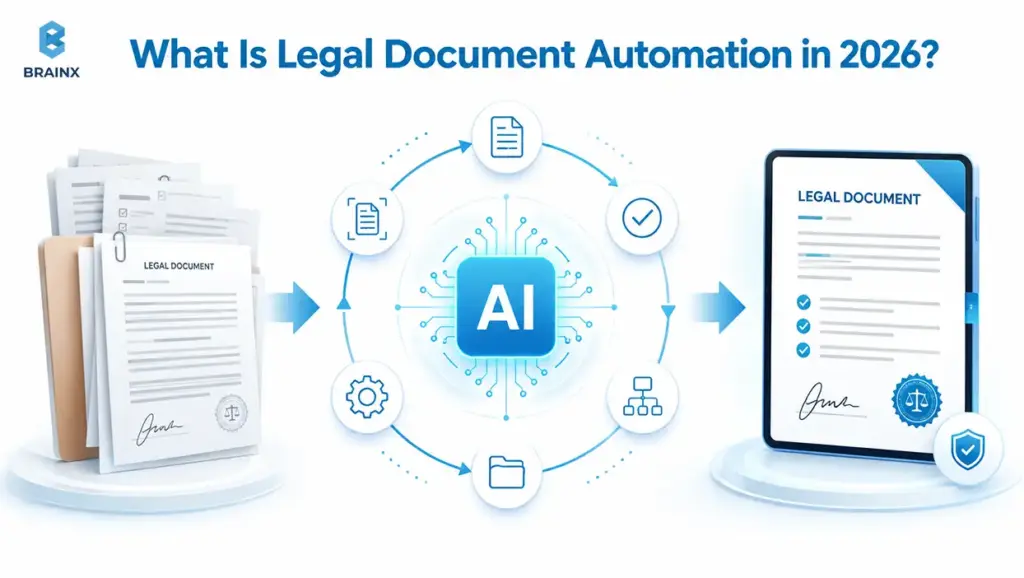
Legal automation used to mean “fill a template and generate a PDF.” In 2026, it is closer to an end-to-end review system: documents are ingested, normalized, classified, compared against playbooks, and routed through approvals with an auditable trail. The best implementations are designed around repeatable legal decisions (for example, which clause variants are acceptable) rather than around generic AI output.
This matters because law firms rarely struggle with drafting in isolation. They struggle with variability: different reviewers interpret the same risk differently, institutional knowledge sits in emails, and teams re-review the same concepts matter after matter.
Modern automation also has a different risk posture. Outputs are expected to be traceable, meaning a lawyer can click from a flagged risk to the exact text span, related precedent, and the configured rule that triggered the flag.
From Template Automation to AI-Powered Legal Document Review
Template automation is still useful, especially for standardized documents like NDAs, engagement letters, and basic policies. It accelerates the generation of the first drafts by filling in variables and predefining the options for clauses.
AI-powered review takes this one step further by being able to scan unstructured documents, identify clauses, flag missing clauses, and compare clause language to a firm's playbook. Instead of only generating text, it helps reviewers understand what is already in the document and what that implies for risk.
In practice, firms combine both approaches. On the front end, templates ensure consistency, and on the back end, AI helps review and deal with exceptions when edits are returned by counterparties.
Traditional Document Review vs AI-Powered Legal Document Review
Traditional review is limited to the individual’s expertise and manual search. It works, but it is difficult to scale, and it can be challenging to get two reviewers to come to the same conclusion when they are pressed for time.
An AI-assisted review fundamentally changes the paradigm from "look for" to "make a decision. Rather than having to search every limitation of liability clause or scan for change-of-control language, the system could highlight likely places for such language, and ask a reviewer to validate.
One simple way to compare the two approaches:
| Review Area | Traditional Review | AI-Assisted Review (Governed) |
| Finding Key Clauses | Lawyers manually search documents using memory, keywords, and checklists. | AI detects clause types and highlights likely matches with confidence scores. |
| Risk Identification | Risk depends on each reviewer’s judgment, experience, and available time. | The system flags deviations based on firm playbooks and links them to supporting evidence. |
| Consistency | Review quality can vary across attorneys, teams, and deadlines. | Repeatable rules create more consistent reviews while lawyers confirm final decisions. |
| Auditability | Decisions may be stored in emails, tracked changes, or informal notes. | Review actions are logged with version history, approvals, and audit trails. |
AI does not remove the need for legal expertise. It reduces the “where is it?” work so expertise is spent on “is it acceptable?”
For larger review projects, AI can also categorize documents into groups, identify potentially privileged or confidential information and provide summaries of lengthy files so that reviewers can prioritize the most relevant documents first. This is particularly helpful in litigation discovery, diligence, and investigation processes where teams have to navigate through large document sets without losing the context.
The key difference is not that AI “does the legal work.” It organizes the review environment so lawyers can make decisions faster, with better visibility into what has already been checked.
Where Legal Document Automation Software Fits in a Law Firm’s Tech Stack
Most firms already have a document management system (DMS), email and calendaring, practice management, and in some cases, a contract lifecycle management (CLM) system in place on the corporate level. Legal document automation software is best suited when it integrates with such existing applications, versus adding an extra layer of parallel storage and shadow workflows.
In a practical stack, automation tools typically sit between the DMS and the lawyer:
- Pull documents from the DMS or matter workspace
- Normalize formats (DOCX, PDF, scans)
- Run review tasks (extraction, comparison, summarization)
- Push results back into Word as redlines, comments, or a structured report
- Store review artifacts and decisions in the matter record
This matters because adoption often fails when lawyers have to leave their normal workflow. If a review tool requires constant exporting, uploading, downloading, and reformatting, it quickly becomes another admin burden.
The stronger approach is embedded automation. Lawyers should be able to review redlines in Word, receive matter updates through familiar channels, and store review artifacts back inside the firm’s document or matter system. The less the tool disrupts daily work, the more likely it is to become part of the firm’s real review process.
The best-fit tools behave like an extension of the firm’s workflow, not a separate destination that attorneys must remember to use.
What AI Can and Cannot Do Without Human Legal Review
AI is strong at pattern recognition, drafting suggestions, and summarizing long text. It is less adept at applying sophisticated legal standards, balancing business interests, and drawing inferences from inconclusive facts.
When properly configured, here’s what AI can reliably do:
- Identify likely clause types and key fields (dates, parties, amounts)
- Compare language to preferred clause libraries
- Summarize documents with citations to the underlying text
- Flag missing sections based on a checklist or playbook
What AI should not do unattended:
- Provide final legal conclusions or advice without oversight
- Invent citations or “fill in” missing authority
- Decide whether a risk is acceptable for a specific client context
- Override firm approval rules or escalation paths
A safe model in 2026 is AI as a structured assistant, which is complemented by a lawyer who remains accountable for the final review, sign-off and client-facing duties.
Why Law Firms Are Prioritizing AI Document Review Now
The pressure is not theoretical. Firms are seeing more documents per matter, more collaboration across offices, and tighter client timelines. At the same time, clients are increasingly sensitive to paying for purely mechanical review.
That's why legal teams are looking to do more than hire more people, they are looking for operational improvements. Automation can help reduce cycle times and contribute to defensibility and consistency with proper governance.
The shift is also backed by measurable adoption. Wolters Kluwer’s 2026 Future Ready Lawyer Report found that 92% of legal professionals now use at least one AI tool, while 62% of respondents save 6% to 20% of their weekly time because of AI. In addition, the report mentions that AI is frequently leveraged for legal research, legal analysis, contract writing, and document review.
This transforms AI-assisted review from a distant possibility into a viable solution for law firms grappling with a growing document volume, quickening client deadlines, and the constant need to provide high-quality work without necessarily adding more staff. That's where legal document automation comes in handy as it streamlines the disconnected review process into a measurable workflow.
Rising Document Volumes and Faster Client Expectations
M&A, commercial contracting, privacy work, and regulatory responses all produce large document sets. There can be several versions of an email, various attachments, exhibits, and many email threads in the record, even for the smallest of issues.
Clients are also expecting earlier visibility. They want a risk view in hours, not days, plus quick turnaround on redlines and counterparty negotiations. That compresses review windows and increases the cost of inconsistency.
Pressure to Reduce Manual and Non-Billable Review Work
Many firms still spend expensive attorney time on tasks that are necessary but not differentiating: formatting, locating definitions, compiling diligence trackers, and assembling summaries from repeated patterns.
AI-assisted workflows do not eliminate billable work. They shift effort toward analysis, negotiation strategy, and client counseling. For firms, that can improve utilization while reducing write-downs tied to repetitive tasks.
Why Legal Document Automation Software Is Becoming a Strategic Investment
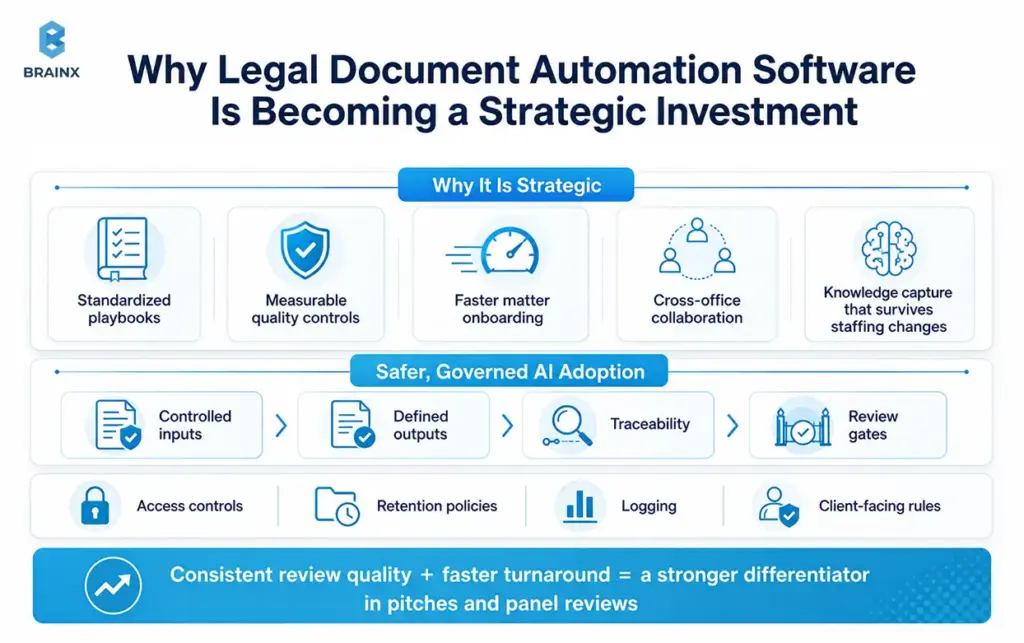
In 2026, firms are evaluating automation as part of service delivery, not as a side experiment. Legal document automation software becomes strategic when it supports:
- Standardized playbooks across practice groups
- Measurable quality controls (error rates, escalation frequency, rework)
- Faster matter onboarding and cross-office collaboration
- Knowledge capture that survives staffing changes
When a firm can show consistent review quality and faster turnaround, it becomes a differentiator in pitches and panel reviews.
The Shift Toward Safer, More Governed AI Adoption
Early AI pilots often failed because they treated tools like standalone chat interfaces. Firms learned that value comes from governed workflows: controlled inputs, defined outputs, traceability, and review gates.
Governance in practice includes access controls, retention policies, logging, and clear rules for what can be used as client-facing work products. This shift is making adoption easier for risk committees and client security audits.
Where Legal Document Automation Fits in the Legal Document Lifecycle
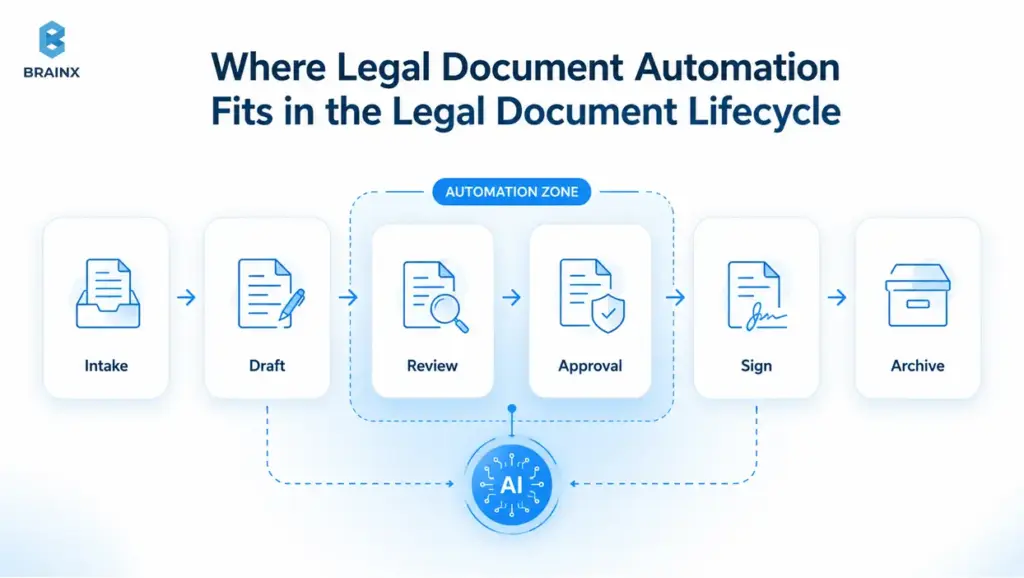
Document work is a lifecycle, not a moment. Automation is most effective when it supports multiple stages, so effort invested in structuring data and decisions pays off later through reuse and reporting.
A useful mental model is: intake → drafting → review → execution → storage → reuse. The opportunity is not only speed, but fewer errors, fewer missed escalations, and better institutional memory.
Intake and Triage Before Document Creation
Intake is where matters get defined, scoped, and routed. Automation can turn unstructured intake emails or forms into structured matter data, including parties, jurisdiction, deadlines, and document types needed.
It also helps triage: for example, routing an NDA to a standard workflow, escalating a data processing agreement to privacy counsel, or tagging a contract for industry-specific provisions. This reduces back-and-forth and ensures the right reviewer sees the right work early.
Template Population, Clause Selection, and First Draft Generation
Template-driven drafting remains one of the most immediate wins. When templates are paired with clause libraries, firms can enforce preferred language and fallback positions without relying on memory.
AI can assist by recommending clause variants based on context (industry, governing law, risk tier), but the clause library and firm playbook should remain the source of truth. Draft generation is most valuable when it produces a document that is already aligned with firm standards.
Review, Redlining, Approval, and Version Control
This is where automation has expanded the most. Instead of a single reviewer scanning line-by-line, AI can generate a structured review report: key deviations, missing clauses, non-standard definitions, and risk hotspots.
Version control also improves when review is tied to systems. Each approval, comment, and exception decision can be captured, so teams know why language was accepted. That history becomes training data for future matters and new team members.
Execution, Storage, and Knowledge Reuse
After signing, firms often lose value by storing documents as static files with minimal metadata. Automation can extract key terms for indexing, renewal tracking, or future diligence.
Knowledge reuse is where long-term ROI emerges: clause performance, negotiation patterns, and common deviations by counterparty can be analyzed across matters. Over time, this helps refine playbooks and improve predictability.
How AI-Powered Legal Document Automation Works
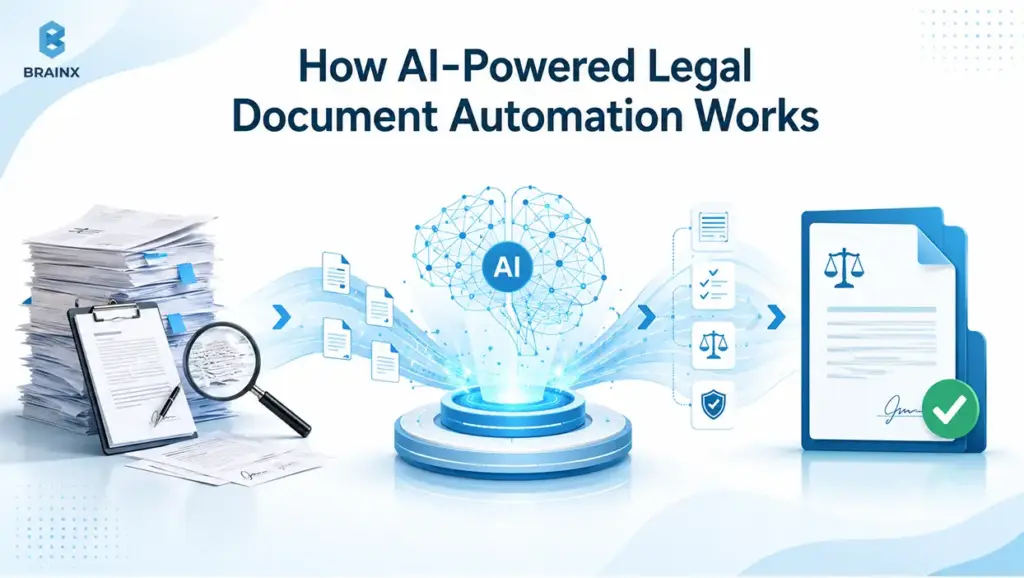
Under the hood, successful workflows combine multiple components: ingestion, extraction, classification, playbook rules, and human validation. The most important design choice is not the model, it is the workflow boundary: what inputs are allowed, what outputs are permitted, and how lawyers verify the result.
In 2026, many legal teams also prefer architectures that support private deployments, data residency controls, and model routing (using different models for different tasks).
Document Intake, OCR, and Data Extraction
The workflow starts by accepting documents from email, a matter workspace, or a DMS. For scanned PDFs and images, OCR converts content into machine-readable text.
Extraction then identifies entities and fields such as:
- Parties, addresses, dates, and signatures
- Defined terms and cross-references
- Monetary amounts, caps, and thresholds
- Governing law, venue, and notice provisions
For best results, extraction should store both the value and its exact location in the document, so reviewers can verify quickly.
Classification, Clause Detection, and Risk Flagging
Classification answers “what kind of document is this?” Clause detection answers “where are the important parts?” Risk flagging adds “what is non-standard or missing?”
These steps usually combine:
- Pattern-based rules (good for strict formats)
- ML models trained on legal text
- Playbook thresholds (for example, indemnity caps)
- Similarity checks against approved clause libraries
The most defensible systems provide confidence indicators and cite the source text span for every flag.
Summarization, Matter Timeline Creation, and Key Issue Extraction
Summaries are valuable when they are structured and verifiable. Instead of a generic paragraph, better outputs include:
- A one-page issue list with citations to sections
- Obligations and deadlines extracted into a checklist
- A timeline of key events (effective date, renewal, termination windows)
- Open questions for the reviewer, based on missing or ambiguous data
For litigation and investigations, timeline creation can be especially useful when it links each event to a document and page reference.
Drafting, Redlining, and Template Population
Drafting support can range from suggesting alternative clause language to generating a redline against a preferred position. In Word-centric workflows, outputs should be delivered as:
- Track Changes edits
- Comments with rationale and playbook references
- Insertable clause blocks with fallback options
This is where controls matter: drafting suggestions should be constrained to approved language, and anything novel should be clearly labeled as a suggestion requiring review.
Feedback Loops and Reviewer Learning
High-performing systems improve over time by learning from reviewer actions. When a lawyer dismisses a false positive or accepts a suggested clause replacement, the system can capture that outcome.
This “learning” should be governed. Firms typically want:
- Practice-group-specific playbooks
- Senior review requirements for changing rules
- Versioned playbook updates with approvals
- Reporting on changes and their impact on flags
That ensures the workflow evolves without drifting away from firm standards.
Human Validation, Audit Trails, and Final Approval
The last mile is what makes automation usable in real matters. Lawyers need to be able to confirm:
- What the system found
- Where it found it
- Why it flagged it
- Who approved the final language
Audit trails should record document versions, reviewer actions, timestamps, and rule versions used in the analysis. That is essential for quality control, defensibility, and client audits.
Core Use Cases of Legal Document Automation for Law Firms
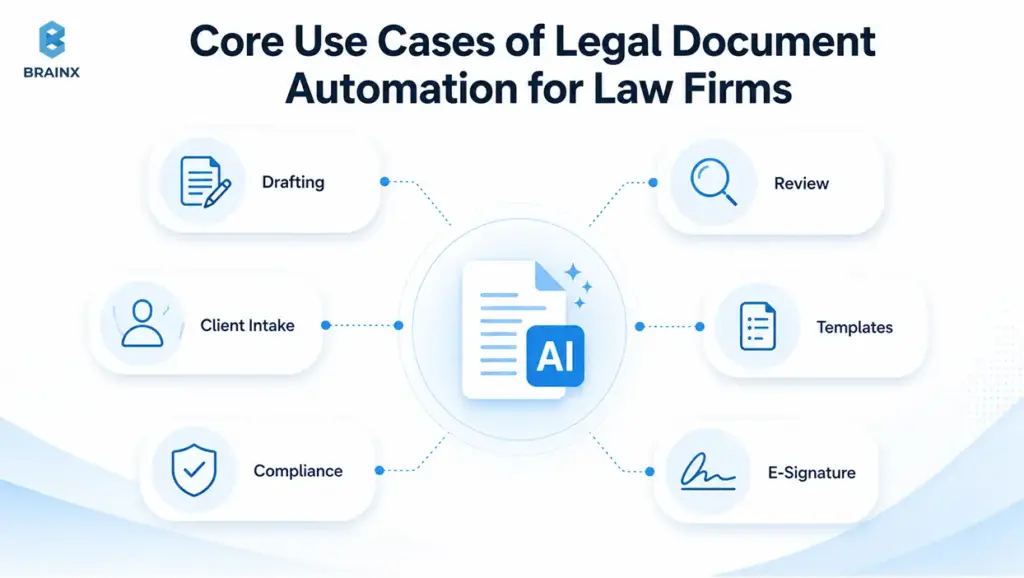
Firms get the best outcomes when they start with a repeatable, high-volume use case, then expand. The goal is to build trust through predictable performance, not to automate everything at once.
Across practice areas, the common pattern is: ingest documents, extract key items, compare against standards, and route exceptions for human decision-making.
Contract Review and Clause Comparison
Contract review is a natural fit because the same clause families appear across many agreements. Automation can:
- Compare clauses to a firm’s preferred language and fallback tiers
- Highlight deviations and missing provisions
- Extract key terms into a standardized review memo
- Recommend edits aligned to the playbook
This becomes especially valuable for high-volume agreements such as NDAs, MSAs, DPAs, vendor contracts, and renewal-heavy commercial agreements. Instead of reviewing every clause from scratch, teams can start with a structured risk report that shows what changed, what is missing, and what needs approval.
For firms that handle repeat contract types, even small time savings per document can compound into major capacity gains across a month or quarter.
Teams that do high-volume commercial work often see the fastest cycle time improvements here, especially when the workflow is embedded directly in Word and the DMS.
Due Diligence and M&A Document Review
Diligence involves scale: hundreds or thousands of documents, many of them inconsistent and scanned. Automation helps by classifying documents, extracting key fields, and generating diligence trackers.
It can also identify common issues such as change-of-control provisions, assignment restrictions, unusual termination rights, or missing consents. Reviewers still make the judgment call, but they start from a prioritized list rather than a blank page.
Litigation Discovery and Evidence Review
Discovery and investigations rely on organizing large document sets and extracting relevant facts quickly. AI-assisted workflows can:
- Summarize long documents and email threads with citations
- Extract entities, dates, and relationships
- Create matter timelines and issue maps
- Identify likely privileged content for additional review
In discovery-heavy matters, AI can also reduce the review burden by grouping similar documents, highlighting likely privileged material, and surfacing files that match specific issue patterns. This does not remove attorney review, but it helps teams avoid spending the same amount of time on every document, regardless of relevance.
The result is a more focused review process where lawyers spend more time on strategy, evidence, and case theory, and less time sorting through repetitive material.
For litigation teams, the key is tight governance and defensible logging, especially when outputs influence strategy.
Legal Intake, Triage, and Matter Document Generation
Intake workflows are often overlooked, but they create downstream efficiency. Automation can capture structured information from client requests and route them to the correct team, with the right templates and checklists attached.
It can also generate first-pass documents like engagement letters, standard notices, or information requests, based on the matter type and jurisdiction. This reduces delays that start before “real legal work” begins.
Compliance Documentation, Policy Updates, and Regulatory Monitoring
Compliance teams manage recurring updates, evidence collection, and policy versioning. Automation supports:
- Policy clause checks against internal standards
- Controlled update workflows with approvals
- Monitoring summaries of regulatory changes with source links
- Generation of compliance evidence packages for audits
Because compliance is process-heavy, it benefits from strong audit trails and standardized reporting dashboards.
Medical Record and Personal Injury File Summarization
For personal injury and medical-related matters, files can be lengthy and hard to parse. Automation can extract diagnoses, treatments, dates of service, and provider details, then build a narrative summary with referenced source pages.
This helps attorneys and paralegals focus on case strategy rather than manually assembling timelines from stacks of records. As always, final verification remains essential due to OCR errors and ambiguous clinical notes.
Business Benefits of Legal Document Automation Software
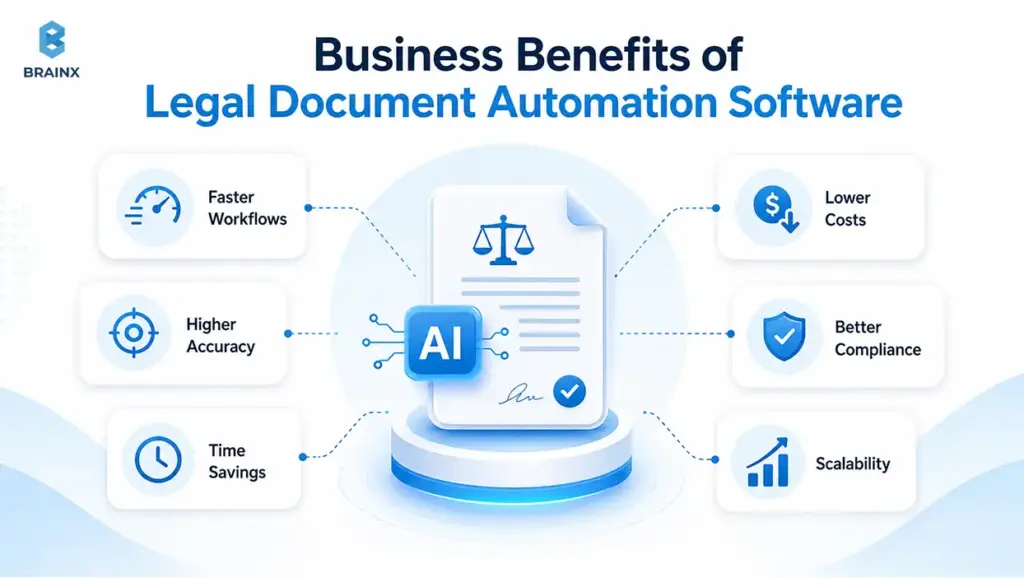
The business case is rarely just “time saved.” In mature firms, the real value is consistency, reduced rework, faster throughput, and better ability to scale quality across offices and teams.
When implemented well, legal document automation becomes a delivery capability, not just a tool. It standardizes how work happens, which is what clients notice.
Faster Review Cycles Without Losing Lawyer Control
Automation shortens review cycles by reducing the time spent locating relevant provisions and preparing first-pass summaries. Reviewers can start with a structured report, then jump directly to the exact sections that require attention.
Control is maintained through workflow gates: only a human can approve final redlines, finalize a memo, or send client-facing guidance. The system supports the decision, but does not replace the decision-maker.
How Legal Document Automation Software Improves Review Consistency
Consistency is often the hidden pain point. Two associates may flag different risks, use different fallback language, or miss different issues, especially under deadline pressure.
A well-configured playbook improves consistency by applying the same rules across matters, while still allowing escalation when context changes. This is one of the clearest ways legal document automation software helps firms defend quality at scale.
Lower Operational Cost and Better Matter Throughput
When review is faster and more repeatable, firms can handle more matters with the same team. This can reduce the need for last-minute staffing, weekend crunch, and repetitive rework caused by missed issues.
Lower operational cost is not only about headcount. It includes fewer write-downs, fewer rounds of revision, and fewer delays waiting for senior review because issues are surfaced earlier and more clearly.
Better Knowledge Retention Across the Firm
Firms lose knowledge when experienced attorneys leave or when best practices are stored in personal checklists. Automation captures decisions in a structured way: which clause deviations were accepted, which were escalated, and why.
Over time, this becomes a living knowledge base tied to real outcomes. It also makes onboarding easier because new team members can learn the “why” behind firm standards, not just the “what.”
Improved Client Experience and Faster Turnaround
Clients care about speed, clarity, and predictability. Automation helps firms deliver:
- Faster first responses with clear issue lists
- More consistent advice aligned to agreed playbooks
- Better status visibility (what is reviewed, what is pending approval)
- Cleaner handoffs between teams and time zones
This can be especially important for repeat clients who expect the firm to operate like a modern service provider.
ROI Beyond Time Savings
Time savings are measurable, but ROI often shows up in less obvious places:
- Reduced risk of missed clauses and inconsistent advice
- Improved ability to price fixed-fee work profitably
- Better audit readiness through traceable review artifacts
- Faster diligence reporting, improving deal momentum
- Stronger client retention due to predictable delivery
This is why ROI should be measured across the full workflow, not only by minutes saved per document. A firm may also see value through fewer missed issues, better pricing confidence on fixed-fee work, stronger quality control, and faster onboarding for junior reviewers.
In many cases, the biggest return is not just speed. It is the ability to deliver the same level of review quality more consistently across matters, reviewers, and offices.
For many firms, the real win is confidence. Confidence that review is thorough, repeatable, and defensible.
What to Look for in Legal Document Automation Software
Evaluation should start with workflows, not features. The question is: can this tool support your firm’s review standards with defensible outputs, secure data handling, and integration into how attorneys actually work?
A long feature list is not enough. The real test is whether the system can support the firm’s review standards in daily work. That means secure document handling, explainable outputs, source-linked answers, role-based permissions, and smooth movement between Word, DMS, CLM, and matter systems.
In 2026, most firms also require evidence of governance maturity: audit logs, permissioning, retention controls, and a clear security posture that can withstand client questionnaires.
[IMAGE: Evaluation checklist for legal document automation software — alt text suggestion: “Checklist for evaluating legal automation tools: traceability, security, integrations, permissions, audit logs, and jurisdiction fit.”]
Citation Traceability and Source Verification
If a tool flags a risk or produces a summary, attorneys should be able to verify it quickly. Citation traceability means the output links directly to:
- The exact clause text
- Page and section references
- The extracted field value and its location
- The playbook rule or checklist item that triggered the flag
Without traceability, review becomes slower because lawyers must re-find everything manually to trust it.
Explainable AI Outputs, Linked Sources, and Reasoning Visibility
“Explainable” does not mean the model’s math is visible. It means the system’s output is reviewable: what evidence supports the conclusion, what rule was applied, and how confident the system is.
Look for interfaces that show:
- Highlighted evidence spans
- Confidence scoring and ambiguity flags
- Clear separation between facts and suggestions
- Reasoning summaries that reference the playbook
This reduces overreliance and improves adoption because reviewers can validate quickly.
Jurisdiction Awareness and Practice-Area Fit
A strong solution supports the realities of legal work: governing law matters, clause acceptability varies by jurisdiction, and practice groups have different review priorities.
Ask whether the tool can maintain separate playbooks by:
- Jurisdiction
- Client risk profile
- Practice group (commercial, employment, privacy, real estate)
- Document type and deal stage
This is where generic tools often fall short, especially when they assume one universal standard.
Secure Data Handling and Client Confidentiality
Security is not a checkbox. Firms should confirm:
- Encryption in transit and at rest
- Tenant isolation and strong authentication
- Data residency options where required
- Clear data retention and deletion policies
- Ability to restrict model training on client data by default
For many clients, security posture determines whether a tool can be used at all.
Native Word, Outlook, DMS, and CLM Workflow Fit
Adoption rises dramatically when tools meet lawyers where they work. If attorneys must export documents, upload them, and re-import redlines, usage drops.
Prioritize tools that support:
- Word add-ins for redlines and clause suggestions
- Outlook or intake integrations for routing
- DMS connectors for versioning and storage
- CLM interoperability where corporate legal ops is involved
Workflow fit often matters more than model quality in day-to-day practice.
Integration With DMS, CLM, CRM, and Practice Management Tools
Automation delivers compounding value when it is connected. Integrations allow structured outputs (like extracted key terms) to flow into systems that drive reporting and follow-up.
Common integration targets include:
- iManage, NetDocuments, SharePoint-based DMS setups
- CLM platforms used by corporate clients
- CRM and intake tools (for conflict checks and client data)
- Practice management for matter tracking and billing narratives
If integrations are weak, firms end up with duplicate data entry and fragmented audit trails.
Custom Workflows, Permissions, and Approval Paths
Firms need to reflect real authority structures: who can approve deviations, who can update playbooks, and what requires partner sign-off.
Look for:
- Role-based access control and matter-based permissions
- Configurable review stages (associate → senior → partner)
- Exception workflows with escalation and justification notes
- Ability to lock outputs until approvals are completed
This is how automation stays governed rather than turning into unmanaged “AI output.”
Reporting, Audit Logs, and Quality Review Dashboards
To improve quality, firms need visibility. Dashboards should answer:
- How many documents were processed and by whom
- What issues were most frequently flagged
- Where false positives occur
- How long reviews take by matter type
- Which playbook rules generate the most escalations
Audit logs should be exportable for client audits and internal reviews. Over time, reporting becomes a strategic asset for pricing, staffing, and process improvement.
Legal and Compliance Risks Law Firms Must Control
AI can reduce some risks (like missed clauses due to fatigue), but it introduces others. The most successful programs treat risk as a design input, not an afterthought.
A practical approach is “trust through controls”: constrain inputs, verify outputs, log actions, and require human approval for anything client-facing.
Hallucinated Citations and Unsupported Legal Reasoning
Even strong models can produce plausible-sounding statements that are not supported by the document or by valid authority. This is especially dangerous when summaries are mistaken for conclusions.
Controls to reduce this risk include:
- Mandatory source links to the underlying document text
- Citation validation workflows for any external authority
- Clear labeling of suggestions vs verified facts
- Blocking “final advice” outputs unless routed through attorney approval
AI-generated outputs can sound confident even when they are incomplete, unsupported, or wrong. This is risky in legal work because a summary, citation, or clause explanation may appear reliable at first glance.
To reduce this risk, firms should require source-linked outputs, citation checks, and clear separation between verified document facts and AI-generated suggestions. If the system cannot show where an answer came from, the output should be treated as unverified.
Privileged Client Data and Confidentiality Risk
Uploading documents into unmanaged systems can create confidentiality exposure. Firms must ensure that client data is handled according to engagement terms, professional rules, and client security requirements.
Key safeguards include private processing environments, strict retention controls, and contractual commitments that prevent vendors from using client content for training unless explicitly permitted.
Bias, Missing Context, and Overreliance on AI Outputs
AI can miss context that lawyers intuitively apply: negotiation history, client risk tolerance, or industry norms. It can also reinforce past patterns that are not appropriate for a new client.
Training and policy matter here. Firms should establish:
- Clear rules for when AI may be used
- Required reviewer accountability statements for certain outputs
- Spot-check programs for quality and bias monitoring
- Escalation triggers when confidence is low or ambiguity is high
The goal is to prevent “automation complacency,” where reviewers stop critically evaluating.
Vendor Data Retention, Access Control, and Logging Risks
Many AI risks are operational. Who can access matter data? How long is it stored? Is access logged? Can the vendor’s staff view content for support?
Firms should require:
- Detailed access logging and auditability
- Strong admin controls and SSO support
- Defined retention and deletion SLAs
- Clear incident response processes and breach notification terms
This is often the deciding factor in whether a tool passes client security review.
Why Human-in-the-Loop Review Is Non-Negotiable
Legal responsibility does not transfer to a tool. Human review ensures the final work product reflects client objectives, jurisdictional nuance, and professional judgment.
Human-in-the-loop also makes automation safer and more useful: the system can surface issues, but attorneys confirm the relevance, decide the response, and document the rationale. That combination is what makes AI adoption defensible in real practice.

Implementation Roadmap: How Law Firms Can Start With AI Document Review
Most firms succeed when they start small, measure rigorously, and scale what works. The implementation should be treated like a workflow program, not a one-time tool rollout.
Below is an adoption path that balances speed with governance. It is designed to produce measurable outcomes within one practice group, then expand.
Step 1. Identify the Highest-Volume Document Workflow
Choose a workflow with high repetition and clear standards, such as NDAs, MSAs, DPAs, lease reviews, or a common diligence checklist.
Selection criteria that typically work well:
- High document volume per month
- Clear playbook rules and fallback positions
- Measurable turnaround-time pain
- A practice group willing to pilot
Starting with a messy, low-volume workflow often slows adoption and makes results hard to measure.
Step 2. Audit Data Sources, Templates, and Existing Tools
Before adding AI, map where documents live and how they move:
- DMS structure and matter workspaces
- Current templates and clause libraries
- Intake forms, email routing, and handoffs
- How redlines and memos are stored
This audit usually uncovers duplicate steps and inconsistent naming conventions, which are worth fixing early because they affect extraction and reporting quality.
Step 3. Define Accuracy, Risk, and Review Benchmarks
Define what “good” looks like in measurable terms. Examples:
- Extraction accuracy for key fields (for example, 95%+)
- Acceptable false-positive rates for clause flags
- Maximum time to produce a first-pass review memo
- Required escalation thresholds (for example, non-standard indemnity)
Benchmarks should be set by the lawyers who will use the workflow, not only by IT.
Step 4. Test Legal Document Automation Software Through a Controlled Pilot
A pilot should use real documents (with appropriate permissions) and compare AI-assisted outputs to a known-good baseline review.
To keep it controlled:
- Use a defined document set (for example, 200 NDAs)
- Track where the tool is correct, wrong, or ambiguous
- Require reviewers to record “accept/reject” for flags
- Measure time-to-review and consistency across reviewers
This is also where firms should validate whether legal document automation software meets security and audit requirements in practice, not just on paper.
Step 5. Integrate the Workflow With Existing Legal Systems
Integrations determine whether the pilot turns into daily use. Prioritize:
- DMS sync (pull and push documents reliably)
- Word-based review experience for redlines and comments
- Matter metadata connection for reporting
- Single sign-on and role-based permissions
If users must manually upload and download, adoption will stall.
Step 6. Train Users and Set Human Review Rules
Training should include more than “which buttons to click.” It should cover:
- What the system is allowed to do
- What must be verified every time
- How to handle low-confidence outputs
- When to escalate to senior review
- How to write client-facing memos using AI-assisted inputs
Many firms also publish a short internal policy on acceptable use to prevent inconsistent practices across teams.
Step 7. Monitor, Improve, and Scale Across Practice Areas
After the pilot, analyze results and refine:
- Update clause libraries and playbook rules
- Reduce false positives by improving thresholds
- Add document-type variants and jurisdiction layers
- Expand to adjacent workflows (for example, from NDAs to MSAs)
Scaling should be deliberate. Each practice area needs its own playbook and approval structure.
Step 8. Measure ROI, Adoption, Error Rates, and Turnaround Time
To justify broader rollout, measure outcomes consistently:
- Adoption: active users per week, documents processed
- Efficiency: time-to-first-pass, time-to-final approval
- Quality: error rates, missed-issue audits, escalation frequency
- Financials: write-down reductions, throughput per attorney
- Client impact: turnaround-time improvements, satisfaction feedback
These metrics should not be reviewed only once at the end of a pilot. They should become part of an ongoing improvement loop.
If reviewers are overriding the same AI suggestion repeatedly, the playbook may need tuning. If adoption is low, the workflow may be creating too much friction. If false positives are high, thresholds may need adjustment.
Good measurement turns the pilot into a learning system, not just a technology test. The said measurement discipline also helps refine pricing models for fixed-fee work.
Build vs Buy vs Custom Legal Document Automation: Which Path Fits Your Firm?
Most firms choose between buying an off-the-shelf tool, building internally, or commissioning a custom workflow. The right answer depends on how standardized your review rules are, how complex your integrations and governance requirements are, and how much differentiation you want in service delivery.
A useful lens: if your competitive advantage depends on how you review and deliver work, a more tailored approach may be justified.
When Off-the-Shelf Legal Document Automation Software Is Enough
Off-the-shelf is often sufficient when:
- Your workflow is common (standard contract types, basic clause checks)
- You can adapt your process to the product’s way of working
- Integrations to your DMS and Word are supported out of the box
- You do not need deep customization of playbooks beyond configuration
This approach is typically fastest to launch, and it can be a strong starting point for proving value.
When Custom AI Workflow Development Makes More Sense
Custom development fits when your firm has:
- Unique review standards, client-specific playbooks, or niche document types
- Complex approval paths and escalation logic
- Strict data residency, private deployment, or security constraints
- Requirements to integrate across multiple internal systems and client systems
Custom workflows also help when you need deeper traceability, structured outputs aligned to your internal memos, or jurisdiction-specific reasoning constraints.
When a Hybrid Legal Document Automation Model Is the Best Option
Hybrid is increasingly common in 2026. Firms use a commercial product for standard tasks (OCR, basic extraction, Word add-ins), then add custom layers for:
- Firm-specific playbooks and risk scoring
- Specialized document types
- Integrations into matter systems
- Custom dashboards and audit exports
This approach balances speed with differentiation, and it reduces the burden of maintaining commodity components.
Questions to Ask Before Choosing a Software Vendor or AI Development Partner
Use these questions to structure due diligence:
- Traceability: Can every output be linked to exact source text and rule version?
- Governance: What logging, retention, and permission controls exist by default?
- Security: Can you meet client security requirements and data residency needs?
- Workflow fit: Will attorneys work inside Word and the DMS, or in a separate portal?
- Customization: Can playbooks vary by jurisdiction, client, and practice group?
- Integration: What connectors exist, and what is the realistic integration effort?
- Evaluation: How do we measure accuracy, false positives, and reviewer agreement?
- Support model: Who helps tune playbooks and maintain performance over time?
Well-run evaluations prevent costly rework later and build internal trust faster.
Cost and Timeline Factors for AI Legal Document Automation Projects
Budget and timeline are driven less by “AI complexity” and more by workflow scope, data readiness, and integration requirements. Firms that plan for governance and change management early tend to deliver faster, because they avoid re-architecting after security reviews.
Exact costs vary widely, but the drivers are consistent across projects.
Document Volume and Workflow Complexity
High volume increases the need for automation, but also increases the need for performance and scaling controls. Workflow complexity includes:
- Number of document types and clause families
- Variations by jurisdiction and client playbooks
- Number of review stages and approval gates
- Output formats required (Word redlines, memos, trackers)
A narrowly scoped workflow (for example, NDAs) is faster to deliver than a multi-document deal desk suite.
Data Quality, OCR Needs, and Legacy Document Formats
If most documents are clean DOCX, extraction and redlining are easier. If your matters include scans, faxes, and legacy PDFs, OCR quality becomes a major cost and accuracy driver.
Teams should plan for:
- OCR error rates and manual correction workflows
- Document normalization (headers, footers, pagination)
- Handling handwritten notes or poor-quality scans
- Language and formatting variance across sources
Legacy realities often determine how quickly a system can be trusted.
Integration With Existing Legal Systems
Integrations can be the longest path item. Common complexity drivers:
- DMS API constraints and workspace permissions
- Multi-office identity and SSO configuration
- Versioning rules and matter metadata mapping
- Word add-in deployment and IT policies
Firms should treat integration as core scope, not an “after” step.
Security, Compliance, and Audit Requirements
Security and audit requirements influence architecture choices, hosting, and logging detail. For regulated clients, you may need:
- Dedicated environments
- Data residency controls
- Immutable audit logs and exportable reports
- Vendor risk reviews and penetration testing evidence
These requirements add effort, but they also make the solution deployable across more clients.
Legal Document Automation Software Costs vs Custom AI Development Costs
Commercial tools usually involve subscription pricing, sometimes per user, per document, or per matter. Custom development involves implementation and ongoing maintenance, but offers control over workflow and governance.
A practical way to compare:
- Software subscription: predictable recurring cost, faster start, less control
- Custom build: higher upfront effort, deeper fit, more governance flexibility
- Hybrid: balanced cost, less reinvention, tailored where it matters
For many firms, the deciding factor is whether the commercial product can reflect firm-specific review logic without workarounds.
PoC, MVP, and Production-Grade Rollout Timeline
Typical phases and what they include:
- PoC (2 to 6 weeks): prove feasibility on a small document set, validate traceability and accuracy targets.
- MVP (6 to 12 weeks): implement a single workflow end-to-end with core integrations and review gates.
- Production rollout (3 to 6+ months): harden security, expand document coverage, add dashboards, train users, and scale across teams.
Timeline depends on integration complexity and governance approvals. Firms with clear playbooks and clean document sources move faster.
Future of Legal Document Automation in Law Firms
The next phase is less about new features and more about connected workflows and stronger governance. In 2026, the direction is clear: firms want AI that operates within controlled systems, produces evidence-linked outputs, and supports firm standards across practice groups.
We are also seeing more demand for measurable quality, not just productivity.
From Standalone Tools to Connected Legal Workflows
Standalone chat tools are giving way to workflow-native systems that connect intake, DMS, Word, and reporting. This reduces context switching and makes it easier to audit how work products were created.
Connected workflows also enable portfolio-level insights: recurring negotiation points, clause deviation patterns by counterparty, and trends in approval escalations across teams.
Predictive Clause Suggestions and Smarter Risk Scoring
Clause suggestions are becoming more predictive, driven by firm playbooks and historical outcomes. Instead of merely stating “non-standard,” systems can estimate risk tiers based on:
- Deviation magnitude from preferred language
- Historical acceptance patterns
- Matter context (industry, deal size, governing law)
- Client risk tolerance settings
Smarter risk scoring is helpful only when it remains explainable and grounded in sources, otherwise it becomes another opaque score that lawyers cannot defend.
Stronger Governance, Data Residency, and Explainability Standards
Clients are pushing for stronger assurances: where data is processed, how long it is retained, and whether it influences model training. Regulators are also increasing expectations around transparency and risk management for AI systems.
This means governance capabilities will be a core differentiator. Firms will increasingly require:
- Clear explainability standards (evidence-linked outputs)
- Data residency controls by client and region
- Stronger audit exports and quality monitoring
- Policy enforcement embedded in the workflow
The future is not “more AI,” it is better-controlled AI that fits legal accountability.
How BrainX Helps With Legal Document Automation
BrainX Technologies works with law firms and legal-tech teams to design, build, and integrate AI workflows that are secure, auditable, and aligned with how attorneys actually review documents. We focus on practical delivery: measurable quality, defensible outputs, and integration into existing systems.
If you are exploring automation for contract review, diligence, discovery, or intake, the difference is rarely the model alone. It is the workflow design, governance, and integration that determine whether lawyers trust and adopt the system.
AI Workflow Discovery and Use Case Prioritization
We help teams identify the best first workflow by mapping document volumes, pain points, playbooks, and existing tools. The output is a prioritized roadmap with clear success metrics.
This discovery phase typically includes stakeholder interviews (partners, associates, IT, risk), sample document analysis, and a workflow blueprint that defines review gates and audit requirements.
Secure AI Architecture and Legal Data Handling
BrainX designs architectures that match law firm security expectations, including private deployments where needed, role-based access, encryption, and audit logging.
We also help align implementations with client security questionnaires by documenting data flows, retention policies, and access controls in a way that security teams can validate.
Custom Document Review, Summarization, and Drafting Workflows
When off-the-shelf tooling cannot match your playbooks, we build custom workflows for extraction, clause comparison, summarization with citations, and Word-friendly redlining outputs.
We focus on traceability and reviewer efficiency: outputs must link back to source text and support quick verification, so lawyers can adopt the workflow without slowing down.
Integration With Existing Law Firm Systems
BrainX integrates AI workflows into the systems firms already use: DMS, matter workspaces, Word, email-based intake, and reporting environments. The goal is to reduce tool switching and prevent shadow processes.
Integration work also covers permission mapping and matter-based access controls, which are essential for confidentiality and operational consistency.
Testing, Evaluation, Monitoring, and Ongoing Optimization
We treat evaluation as a core deliverable, not a one-time test. That includes accuracy benchmarks, false-positive tracking, reviewer agreement metrics, and ongoing monitoring to detect drift.
For production rollouts, we implement dashboards, audit exports, and structured feedback loops so practice groups can continuously refine playbooks without losing governance.
Conclusion
Legal document automation is quickly becoming a practical, defensible way for law firms to reduce manual review pressure, improve consistency across teams, and deliver faster turnaround to clients. In 2026, the firms seeing the best results are the ones treating AI as a governed workflow with source-linked outputs, clear approval rules, and tight integrations into Word and the DMS.
AI should support legal judgment, not replace it. When human review is built into the process, automation can help lawyers spend less time searching and formatting, and more time advising and negotiating.
With the right workflow design, law firms can move from AI experimentation to a controlled, measurable review process. BrainX helps teams build that bridge through secure architecture, practical integrations, and custom AI workflows that fit how legal teams already work.
FAQs Regarding Legal Document Automation in 2026
What is legal document automation, and how does AI improve it?
Legal document automation is the use of software and workflows to streamline how legal documents are created, reviewed, and managed. AI improves it by extracting key terms, detecting clauses, summarizing content with links back to the source text, and flagging deviations from playbooks.
In 2026, the strongest systems emphasize traceability and governed approvals so lawyers can verify outputs quickly. The result is faster, more consistent review without removing attorney accountability.
What should law firms look for in legal document automation software?
Law firms should prioritize source-linked outputs, strong security controls, and workflow fit inside tools lawyers already use, especially Word and the firm DMS.
Legal document automation software should include role-based permissions, audit logs, configurable playbooks, and clear escalation paths for high-risk deviations.
Integrations matter as much as AI quality because disconnected tools create duplicate work and weaken auditability.
Firms should also require clear retention policies and evidence that client data is not used for training by default.
Can AI review legal documents without a lawyer?
AI can assist with review tasks, but it should not operate without a lawyer responsible for validation and final decisions. Models can miss context, misclassify clauses, or generate unsupported reasoning, especially in edge cases.
The defensible approach is human-in-the-loop review with clear approval gates and audit trails. That structure keeps responsibility and judgment where it belongs, with the attorney.
How does legal document automation help reduce document review time?
Legal document automation reduces review time by automating the “find and organize” parts of the work: clause detection, key-term extraction, deviation flagging, and structured summaries.
Reviewers can jump directly to relevant sections instead of scanning entire documents line-by-line. It also reduces rework by applying consistent playbook rules and routing exceptions to the right approvers earlier. Over time, standardized workflows further cut delays caused by inconsistent review approaches across teams.
Is AI legal document automation safe for confidential client data?
It can be safe if the implementation includes strong controls: encryption, strict access permissions, audited logging, and clear retention and deletion policies.
Firms should confirm whether processing happens in a private environment, what data residency options exist, and whether any content is used for model training.
Client confidentiality also depends on operational practices, such as limiting who can upload documents and ensuring outputs are stored in the matter record. The safest programs combine technical safeguards with clear internal usage policies.
How long does it take to implement AI-powered document review in a law firm?
A focused proof of concept can often be completed in a few weeks, especially for a single document type with a clear playbook. An MVP that includes core integrations, review gates, and measurable evaluation usually takes a couple of months.
Production-grade rollout often takes several months because it includes security reviews, broader document coverage, training, and monitoring dashboards. Timeline depends most on integration complexity, data quality, and governance requirements.
Should law firms buy legal document automation software or build a custom solution?
Buying is often best when the workflow is common and the product fits your security and integration needs with minimal customization.
Building or commissioning a custom workflow makes sense when your playbooks are unique, approvals are complex, or you need private deployment and deeper auditability. Many firms choose a hybrid approach: buy commodity components and add custom layers for firm-specific review logic and reporting.
The right choice depends on how much differentiation and governance control you need, and how quickly you must go live.