
 July 24, 2026 -
  67 minutes read


Key Takeaways
- An AI face recognition app verifies or identifies users through facial biometric matching.
- 1:1 verification is usually safer and more common than 1:N identification.
- The strongest use cases are identity verification, access control, KYC, attendance, healthcare check-in, and secure app login.
- Cost depends on API vs custom model, liveness detection, integrations, scale, compliance, and monitoring.
- Privacy, consent, fallback access, and accuracy testing should be planned before development begins.

An AI face recognition app captures a person’s face, converts it into a biometric template or facial embedding, and compares that template with a stored identity or database. In simple terms, the app answers one of two questions: “Is this the right user?” or “Who is this person among known identities?”
The build cost depends on the use case, matching type, deployment model, app complexity, privacy requirements, and integrations. A lightweight login MVP is very different from a regulated KYC platform, workplace attendance system, or enterprise identification product. The real work is not just the model. It is the full product around it: capture quality, liveness detection, thresholds, fallback access, consent, audit logs, and monitoring. NIST evaluates 1:1 verification and 1:N identification separately, which is why the matching mode should be decided before scope and budget.
What Is An AI Face Recognition App?
An AI face recognition app is software that uses computer vision and biometric matching to verify or identify a person from a facial image or video frame. It does not simply “compare photos.” It detects the face, standardizes the input, converts facial features into a numerical representation, and applies a matching decision based on confidence thresholds.
The best way to understand the product is as a system with four parts: camera experience, biometric engine, identity workflow, and governance controls. If you only build the model, you still do not have a production-ready app.
What An AI Face Recognition App Actually Does
An AI face recognition app performs three jobs reliably: it captures a usable face image, converts it into a biometric embedding, and compares that embedding against stored reference data.
In a login app, the system compares the live selfie with the enrolled user profile. In a KYC flow, it may compare a selfie against an ID document portrait. In an access control system, it may check whether a person belongs to an approved employee directory.
A production system also handles policy decisions. It may approve access, ask for another factor, route the attempt to manual review, or reject the attempt if the confidence score is too low.
How Face Detection, Verification, And Identification Are Different
Face detection, verification, and identification solve different problems. Mixing them up can lead to the wrong product design, wrong budget, and higher compliance risk.
| Capability | What It Answers | Typical Product Use | Main Risk |
| Face Detection | Is there a face in this image? | Camera framing, cropping, image quality checks | Poor crop or missed face |
| Face Verification | Is this the claimed user? | Login, KYC, attendance, transaction approval | False accept or false reject |
| Face Identification | Who is this person in a gallery? | Watchlists, directory search, large access systems | Wrong candidate match |
| Face Analysis | What attributes are visible? | Pose, blur, landmark, or quality checks | Scope creep and privacy misuse |
Verification is usually safer than identification because it compares one live face against one expected identity. Identification searches across many identities, which increases false match risk, operational complexity, and regulatory scrutiny.
Why Facial Authentication Is Not The Same As General Face Analysis
Facial authentication confirms identity. General face analysis may estimate pose, landmarks, age, emotion, or image quality. These are different tasks with different risks.
For most business apps, authentication should focus on identity assurance: capture quality, liveness, matching thresholds, and fallback access. Adding age, emotion, or demographic inference can increase legal and ethical risk without improving the login or verification outcome.
A good product scope keeps recognition limited to what the user journey genuinely needs.
How Does Facial Recognition Work Inside An App?
Facial recognition works as a pipeline. Each step improves or weakens the final decision. Capture quality, face alignment, embeddings, liveness, thresholds, and logs all affect whether the app is safe enough for production.
Step 1: Capture The Face And Check Image Quality
The app first captures a selfie, image, or video frame. It should reject poor inputs before sending them to the model.
Common quality checks include:
- Blur and motion
- Brightness and glare
- Face size in frame
- Pose and head angle
- Occlusion from masks, sunglasses, or hands
- Multiple faces in the same frame
Good capture UX reduces false rejections. Instead of failing silently, the app can guide the user with prompts like “move closer,” “improve lighting,” or “center your face.” Azure AI Face input guidance similarly emphasizes clear images and sufficient face size.
Step 2: Detect And Align The Facial Region
Detection finds the face. Alignment standardizes the face region so the eyes, nose, and mouth are positioned consistently before matching.
This step matters because raw camera frames vary widely. Users hold phones at different angles, sit in different lighting, and use different camera hardware. Alignment reduces that variation before the embedding model processes the image.
Skipping this step can increase false non-matches, especially across low-end devices or uncontrolled environments.
Step 3: Convert Facial Features Into A Biometric Embedding
The model converts the aligned face into a facial embedding, which is a numerical representation of facial features. This embedding is used for matching.
Embeddings are not normal photos, but they are still biometric data. They must be protected with strong access controls, encryption, retention policies, and deletion workflows.
Model versioning also matters. If you update the model later, embeddings generated by the old version may not compare cleanly with new embeddings unless migration is planned.
Step 4: Match The Embedding Against One User Or A Database
In 1:1 verification, the app compares the live embedding with one stored template. This is common for mobile login, employee attendance, and selfie-to-ID verification.
In 1:N identification, the app searches a gallery of many templates to find the closest match. This requires more infrastructure, stricter testing, and stronger governance.
For large-scale identification, teams often need vector search infrastructure such as Faiss, Milvus, pgvector, or another approximate nearest neighbor index. This changes cost, latency, and maintenance.
Step 5: Check Liveness To Reduce Spoofing Risk
Liveness detection helps confirm that a real person is present. Without it, attackers may try photos, printed images, replay videos, masks, or synthetic media.
Common liveness methods include:
- Passive liveness, where the system checks spoof signals without user action
- Active liveness, where the user blinks, turns their head, or follows a prompt
- Device-based signals, such as secure camera input or depth sensors where available
Liveness should match the threat model. A low-risk attendance kiosk may not need the same protection as remote banking onboarding. ISO/IEC 30107-3 provides a formal framework for testing and reporting presentation attack detection.
Step 6: Apply Confidence Thresholds And Trigger The Right Response
The model returns a similarity score. The product must decide what score is high enough.
A safe system uses different thresholds for different journeys. Viewing an account may allow a lower threshold. Changing payout details, resetting MFA, or approving a large transfer should require a stricter threshold and possibly another authentication factor.
The possible outcomes should be designed before launch:
- Approve
- Retry
- Step up to another factor
- Route to manual review
- Reject and show fallback access
Step 7: Log Results, Handle Exceptions, And Monitor Performance
A production app needs logs that help teams debug issues without storing unnecessary biometric data.
Useful logs include:
- Timestamp and device type
- App version and model version
- Image quality result
- Liveness result
- Match score and threshold used
- Decision outcome
- Retry count
- Manual review result
For example, a banking app may verify the customer with a selfie video, run passive liveness, compare the embedding with the enrolled template, and approve login. If the same user tries to approve a high-value transfer, the app may require a stricter threshold and passkey confirmation.
Why Should Businesses Invest in AI Face Recognition App Development?
Businesses should invest in AI face recognition app development when facial verification can solve a measurable identity, access, fraud, or operational problem more effectively than passwords, badges, documents, or repeated manual checks.
The investment is not justified simply because facial recognition is available. It becomes valuable when the application reduces verification time, improves user completion, lowers operational workload, strengthens identity assurance, or enables a workflow that would otherwise be difficult to scale.
Faster Identity Verification and Onboarding
An AI face recognition app can verify users within the digital journey rather than sending every identity check to an employee or separate review process.
The user presents a live facial sample, and the system compares it with an enrolled profile, identity document, or other trusted reference. This can shorten onboarding, login, check-in, and access workflows.
Businesses should evaluate this benefit through:
- Average verification time
- Enrollment completion rate
- Retry rate
- User abandonment
- Manual review volume
- Verification-related support requests
The objective is not only faster model inference. The complete identity journey should require fewer steps and less waiting.
Lower Manual Verification Workload
Manual identity checks can become difficult to scale across large customer volumes, multiple offices, or high-traffic locations.
A face recognition AI app can process routine, high-confidence attempts automatically while directing uncertain or higher-risk cases to trained reviewers. This allows operational teams to focus on exceptions rather than examining every attempt.
The strongest model is usually controlled automation with human oversight. Complete automation may create risk when a decision affects financial access, employment, healthcare, travel, or another high-impact outcome.
Stronger Identity and Fraud Controls
Facial recognition can provide an additional identity signal during onboarding, account access, transaction approval, and account recovery.
Protection becomes stronger when facial matching is combined with:
- Trusted enrollment
- Liveness detection
- Device possession
- Document verification
- Risk-based thresholds
- Passkeys or another authentication factor
- Manual review for uncertain cases
Facial recognition should not carry the entire security burden for a sensitive workflow. Its value comes from strengthening a layered identity process rather than replacing every other control.
A More Convenient User Experience
Facial verification can reduce the need to remember passwords, enter lengthy credentials, present physical badges, or repeatedly upload identity documents.
A well-designed application can offer:
- Guided camera positioning
- Real-time image-quality feedback
- Clear retry instructions
- Faster repeat verification
- Fewer manual form fields
- Simple fallback access
- Consistent experiences across devices
Convenience should not result in user lockout. A practical non-biometric alternative should remain available when facial verification cannot be completed because of camera limitations, disability, appearance changes, environmental conditions, or personal preference.
More Consistent Verification Decisions
Manual reviewers may interpret the same identity evidence differently. A properly configured facial recognition system can apply consistent capture requirements, thresholds, and escalation policies across attempts.
Businesses can also adjust requirements based on the risk of the action.
For example:
- Routine account access may use standard verification
- Changing payment details may require a higher threshold
- Resetting account recovery may require another authentication factor
- Approving a high-value transaction may require manual review
Consistency depends on controlled model versions, documented thresholds, audit logs, and periodic evaluation. It should not mean using one fixed rule for every workflow.
Better Auditability and Operational Visibility
A production-ready application can create a traceable record of how each verification decision was made.
Authorized teams may review:
- Enrollment status
- Image-quality results
- Liveness outcomes
- Thresholds applied
- Match decisions
- Retry attempts
- Manual review outcomes
- Model and application versions
- Administrative policy changes
This visibility can support security investigations, user support, internal reviews, and compliance assessments.
The system should record enough information to explain a decision without retaining unnecessary facial images or exposing biometric records to employees who do not need them.
Scalable Verification Across Channels and Locations
Once the workflow has been validated, facial verification can be extended across mobile applications, web portals, kiosks, access points, and enterprise platforms.
A shared recognition service may support several workflows while applying different policies to each one. Employee attendance, restricted-area access, and customer authentication may use similar technical components but require different thresholds, retention periods, and fallback methods.
Scaling also increases operational responsibilities. Businesses must prepare for higher:
- API or infrastructure usage
- Manual review volume
- Monitoring requirements
- Customer support demand
- Security testing needs
- Compliance oversight
The value lies in increasing verification capacity without increasing manual work at the same rate.
Integration With Existing Business Workflows
Facial recognition creates greater value when it connects with the systems a business already uses.
It can integrate with:
- Identity and access management platforms
- KYC and document verification services
- HR and attendance systems
- Payroll platforms
- Healthcare systems
- Travel and booking platforms
- Customer account systems
- Security monitoring tools
A successful recognition result can grant access, record attendance, complete check-in, approve a login, or update an existing workflow. An uncertain result can create a review case or require another authentication method.
In many projects, the operational integration creates more business value than the recognition model alone.
Potential Long-Term Operational Savings
Facial recognition may reduce costs associated with repeated manual reviews, queue management, physical badge administration, identity document checks, and verification-related support.
However, the financial case should account for the full operating cost, including:
- API usage
- Infrastructure and storage
- Liveness services
- Manual review
- Monitoring
- Security testing
- Privacy and legal assessments
- User support
- Model maintenance
- Compliance audits
The investment is worthwhile when the application reduces the cost per successful verification, supports a better customer or employee experience, and creates measurable operational value after ongoing expenses are included.
Which Use Cases Create The Most Business Value?
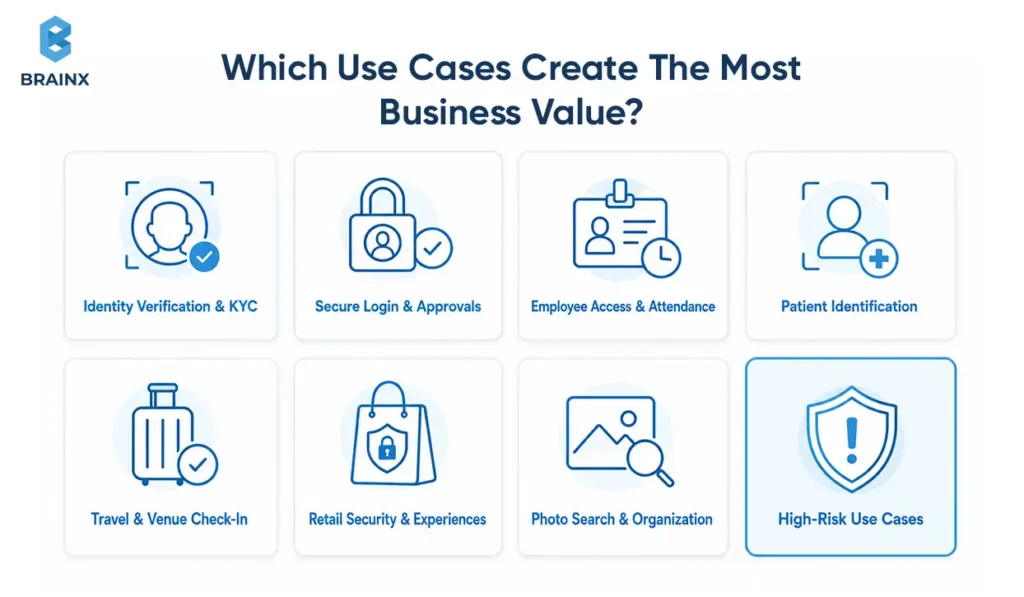
The best use cases have a clear problem, a clear matching mode, a measurable KPI, and an understood risk profile. This prevents the product from expanding into unnecessary identification or surveillance.
Digital Identity Verification And Remote KYC
The problem is remote onboarding fraud and document mismatch. The preferred mode is usually 1:1 verification, where a selfie is compared with an ID document portrait or enrolled profile.
Main KPIs include onboarding completion rate, fraud detection rate, and manual review rate. The main risks are spoofing, synthetic identity attempts, false rejection, and biometric data handling.
A strong KYC flow should combine face match, liveness, document verification, device signals, and risk scoring. A face match alone is not enough.
Secure App Login And High-Risk Transaction Approval
The problem is account takeover and weak recovery flows. The recognition mode is usually 1:1 verification.
Facial verification can make login faster, but it should not be the only way into the account. For high-risk actions, it should work with device possession, passkeys, OTPs, or manual review.
KPIs include login success rate, failed login reduction, account takeover rate, and user support volume.
Employee Access Control And Attendance Tracking
The problem is buddy punching, badge sharing, and manual attendance reconciliation. The app may verify a known employee at a kiosk or gate.
KPIs include entry speed, payroll dispute reduction, unauthorized access attempts, and attendance accuracy.
This use case needs careful handling because employees may not feel they can freely refuse. The ICO’s Serco Leisure enforcement action shows why businesses need a clear necessity test, retention limits, and non-biometric alternatives where required.
Patient Identification And Healthcare Access Workflows
The problem is duplicate records, wrong-patient errors, and slow front-desk verification. The typical mode of operation of healthcare workflows is 1:1 verification or a strict form of identification inside a healthcare premises.
Check-in time, duplicate record reduction, patient matching accuracy, and patient satisfaction are some of the KPIs.
There is a big risk of a wrong match having a significant impact on the care, billing, or integrity of the record. Human review should remain available for uncertain cases. In US healthcare settings, the HIPAA Privacy Rule may also apply when facial data is linked to protected health information.
Airport, Hotel, And Venue Check-In
The problem is throughput. Programs such as CBP’s biometric facial comparison initiative and IATA’s One ID use facial comparison to reduce repeated document checks and move travelers through identity checkpoints more efficiently.
Average processing time, queue length, staffing cost and user satisfaction are some of its KPIs. The risk is heightened if users are unable to understand how the system works or decline to use it.
For travel and venue deployments, visible notices, opt-out lanes, retention policies, and human oversight matter.
Retail Security And Consent-Based Customer Experiences
Retail is sensitive because two very different products often get mixed together: opt-in customer convenience and surveillance-style identification.
An opt-in loyalty flow can personalize service if the customer understands and accepts the use. A watchlist flow carries far higher legal and reputational risk.
KPIs may include incident response time, shrink reduction, opt-in rate, or VIP service speed. The risk is false matches, reputational harm, and poor notice. The FTC’s Rite Aid action shows the harm that can follow weak facial-surveillance safeguards, while the Everalbum settlement highlights the importance of express consent and deletion.
User-Controlled Photo Search And Media Organization
This is one of the safer use cases because the user controls the photos and receives direct value. The system clusters faces in a personal media library so users can find people faster.
The preferred design is privacy-first. On-device processing, local embeddings, and user-managed deletion reduce exposure.
Some of the KPIs are search success rate, time to find media, and engagement with the photo library.
High-Risk Use Cases That Need Stricter Controls
High-risk use cases are generalized remote identification, public watchlists, law enforcement style of surveillance and workplace monitoring without any meaningful alternatives.
These scenarios need stricter controls:
- Legal review before design
- Data protection impact assessment
- Independent accuracy and bias testing
- Human oversight
- Strong audit logs
- Clear retention limits
- Public transparency where applicable
The EU AI Act applies different rules to biometric systems according to their purpose and risk, so some use cases may be restricted or prohibited depending on jurisdiction.
What Essential Features Should a Production-Ready Facial Recognition App Include?
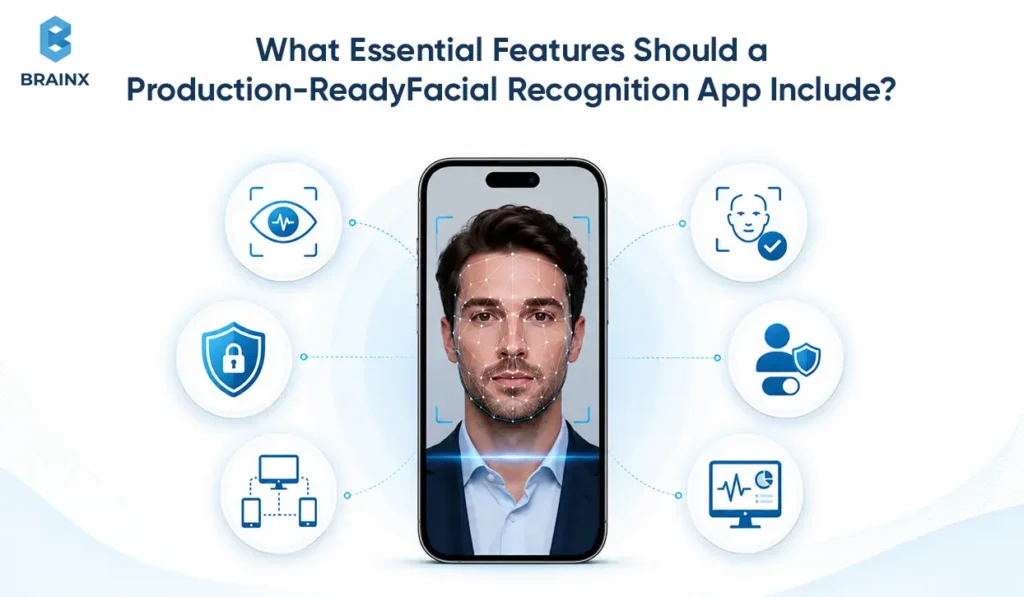
The recognition model is just one part of a production-ready app. It needs secure enrollment, guided capture, liveness, consent, storage controls, fallback access, audit logs, monitoring, and incident response.
The MVP should prove the workflow. The enterprise version should prove trust, scale, and governance.
User Enrolment And Profile Verification
Enrollment is where the system creates the reference identity. If enrollment is weak, every match later becomes less reliable.
A good enrollment flow includes:
- Clear purpose and consent
- Guided face capture
- Image quality checks
- Duplicate enrollment checks where needed
- Optional ID document or account verification
- Secure template creation
For regulated apps, enrollment should also capture policy version, consent timestamp, and reviewer notes if manual approval is used.
Real-Time Face Capture And Image-Quality Checks
Real-time capture improves both UX and accuracy. The app should guide users before matching instead of failing after the image is submitted.
Basic checks include blur, brightness, face size, pose, occlusion, and multiple faces. Enterprise systems may tune capture prompts by device type, region, camera quality, and environment.
This is often one of the cheapest ways to improve production performance.
Liveness Detection And Anti-Spoofing Controls
Liveness is essential when identity risk is meaningful. It helps reduce attacks using photos, videos, deepfakes, injected frames, or masks.
An MVP may use vendor liveness. A higher-risk system may combine passive liveness, active prompts, device attestation, replay protection, and manual review. ISO/IEC 30107-3 provides recognized methods for evaluating presentation attack detection.
Consent, Data Retention, And Deletion Workflows
Consent and deletion should be product features, not policy text alone. Under Article 9 of the GDPR, biometric data used for unique identification is special-category data, while Article 17 establishes a right to erasure in qualifying circumstances. Users should be aware of what is being collected, why it is being collected, where it will be stored, how long it will be stored for, and how to withdraw it where applicable.
A production system should support:
- Consent capture and policy versioning
- Retention rules by region and use case
- Template deletion
- Backup and index deletion planning
- User access or withdrawal workflows
- Audit evidence for compliance review
Admin Dashboard, Audit Logs, And Access Controls
Admins need visibility without unnecessary exposure to biometric data. The dashboard should show attempts, outcomes, risk signals, and review queues while limiting access to sensitive records.
Important controls include role-based access, least privilege, audit logs, threshold change history, and SIEM integration for enterprise environments.
If your team cannot explain who approved a borderline match or changed a threshold, the system is not ready.
Fallback Login And Human Review Options
Fallback is not optional. Lighting, age, make-up, injury, camera quality, disability, or network problems can serve as a barrier to facial recognition.
Safe fall back options are:
- Passkeys
- PIN plus device possession
- OTP
- Human review
- Support-assisted recovery
- Document re-verification
Fallback protects users from lockout and protects the business from support spikes.
Accessibility And Poor-Camera Handling
A facial recognition flow must work for real users, not just ideal test conditions.
Plan for older phones, poor webcams, low light, limited mobility, face coverings, and users who cannot follow visual prompts easily. Provide accessible prompts, clear retry guidance, and non-biometric alternatives.
This is both a usability issue and a risk issue.
Model Monitoring And Incident Response
After launch, performance can drift. New devices, camera updates, lighting changes, user population shifts, and model updates can affect error rates.
Monitor:
- Match success rate
- False reject patterns
- Liveness failure rate
- Latency
- Retry loops
- Manual review volume
- Device-specific failures
- Demographic error patterns where legally and ethically appropriate
Also define who owns incidents, rollback, user communications, and compliance reporting.
Advanced Features to Consider When Building an AI Face Recognition App
The essential features of a facial recognition app support reliable enrollment, matching, security, and account recovery. Advanced features go further by helping the product respond to changing risks, detect sophisticated attacks, manage identity changes, and operate across complex business environments.
Not every application needs these capabilities in its first release. Teams should select them based on the use case, threat model, transaction risk, expected scale, privacy requirements, and operational capacity.
Risk-Based Adaptive Authentication
Adaptive authentication changes the verification requirements based on the risk associated with each attempt.
Instead of relying only on the facial match score, the app can also assess:
- Device reputation
- Login location
- Network behavior
- Transaction value
- Previous verification history
- Unusual account activity
- Failed liveness attempts
- Recent credential or profile changes
A familiar user signing in from a trusted device may complete a standard verification flow. The same account attempting to change payment details from a new device may require stronger liveness detection, a higher match threshold, or an additional authentication factor.
This makes facial verification part of a broader risk engine rather than a fixed approve-or-reject mechanism.
Continuous or Passive Reverification
Some high-risk applications may need to confirm that the authorized user remains present after the initial login.
Continuous or passive reverification can periodically compare a live facial sample with the authenticated user while they perform sensitive actions. This may be useful for remote assessments, protected enterprise systems, financial operations, or access to highly restricted information.
However, the feature should not become invisible surveillance. The application should clearly disclose when reverification is active, minimize unnecessary capture, and provide a practical alternative where required.
Multimodal Biometric Verification
Multimodal verification combines facial recognition with another identity signal instead of relying on a single biometric method.
Depending on the device and workflow, the second signal may include:
- Fingerprint recognition
- Voice verification
- An identity document
- A passkey
- Device possession
- A secure PIN
- Behavioral risk signals
The app does not need to request every signal during each interaction. It can use additional verification only when the risk is high or the facial result is uncertain.
This approach can reduce dependence on facial recognition while strengthening account recovery and high-risk transaction approval.
Advanced Deepfake and Camera Injection Detection
Basic liveness detection may identify printed photographs, replayed videos, or simple masks. Higher-risk applications may also need to detect synthetic media and attempts to bypass the physical camera.
Advanced controls may look for:
- Virtual camera input
- Injected video frames
- Screen replay patterns
- Manipulated facial movement
- Synthetic face generation
- Audio and video inconsistencies
- Emulator or rooted-device activity
- Unexpected changes in the camera pipeline
These checks should complement rather than replace liveness detection, device security, account risk analysis, and manual review.
Keep the existing liveness subsection focused on basic presentation attacks. Use this advanced subsection only for deepfakes, injected media, and compromised capture channels.
Duplicate Enrollment and Cross-Account Fraud Detection
Some platforms need to identify whether the same person is attempting to create multiple accounts under different identities.
During enrollment, the system may compare the new facial template against previously enrolled profiles and flag possible duplicates for review. This can support fraud prevention in financial platforms, benefit systems, marketplaces, loyalty programs, and other account-based products.
Because this feature uses 1:N identification, it introduces greater privacy, false-match, and compliance risks than standard 1:1 verification. It should therefore use:
- Strict confidence thresholds
- Limited and authorized search galleries
- Human review before enforcement
- Clear retention rules
- Documented appeal procedures
- Legal approval where required
A possible duplicate should be treated as a review signal, not automatic proof of fraud.
Facial Template Refresh and Appearance Change Management
A user’s appearance can change because of aging, facial hair, injury, surgery, weight changes, religious coverings, or other factors. Camera hardware and recognition models may also change over time.
An advanced application can support a controlled template refresh when:
- Match quality declines repeatedly
- The user replaces a device
- A major appearance change is reported
- The recognition model is upgraded
- The existing template reaches a defined age
- Security teams determine that the enrollment record may no longer be reliable
The refresh process should verify the user through an existing trusted method before replacing the biometric reference. Previous templates should be deleted or retained only according to an approved security and retention policy.
Privacy-Preserving Biometric Matching
Advanced privacy controls can reduce how much sensitive biometric data leaves the user’s device or appears in centralized systems.
Depending on the product requirements, options may include:
- On-device face matching
- Local template storage
- Encrypted biometric templates
- Separation of templates from direct identifiers
- Cancelable biometric templates
- Tokenized identity references
- Short-lived facial data
- Processing that avoids retaining raw images
Privacy-preserving architecture does not remove legal or security responsibilities, but it can reduce the amount of biometric data exposed if a database, vendor, or network connection is compromised.
Keep this subsection focused on advanced data protection techniques. The existing consent and deletion subsection should continue covering user rights, retention, and governance.
Configurable Policies for Different Users, Regions, and Workflows
Enterprise and SaaS products may serve several organizations, countries, or identity workflows through the same platform. A single set of thresholds and retention rules may not work for every use case.
An advanced policy engine can allow authorized teams to configure:
- Verification thresholds
- Required liveness level
- Retry limits
- Manual review triggers
- Permitted fallback options
- Data retention periods
- Regional processing locations
- User consent wording
- Administrative permissions
- High-risk transaction rules
For example, routine employee attendance may use a different decision policy from entry into a restricted laboratory. Similarly, a European deployment may require different consent, retention, and processing controls from a deployment in another jurisdiction.
All policy changes should be versioned, logged, tested, and limited to authorized administrators.
Should You Use A Facial Recognition API Or Build A Custom Model?
The right option to pick is based upon speed, risk, scale, data control, and long term ownership. APIs are faster for MVPs. Custom models give more control. Hybrid architecture often gives the best balance.
API-Based Facial Recognition Is Faster For MVPs
A managed API helps teams validate the workflow quickly. Detection, comparison, and liveness features are supported by AWS Rekognition, Azure AI Face, and specialist identity vendors.
This path works well when:
- You need a fast proof of concept
- Volumes are moderate
- Vendor compliance fits your target regions
- The use case is common
- Face recognition is not your core IP
The main tradeoff is control. You rely on vendor pricing, region support, accuracy behavior, rate limits, and data handling terms. Review current AWS Rekognition pricing and Azure AI Face pricing before choosing a provider.
Custom Models Offer More Control Over Accuracy And Data
A custom model is better when the recognition layer is strategic, privacy constraints are strict, or the environment is unusual.
Custom development helps when:
- You need on-premise or private cloud deployment
- You need to tune for a specific user group or device set
- You need custom liveness controls
- You need full model evaluation visibility
- You want to reduce long-term vendor dependency at scale
This comes at the cost of increased initial expense, extended timeline, and increased MLOps responsibility.
Hybrid Architecture Balances Speed, Ownership, And Flexibility
Many teams start with an API, build their own workflow layer, then replace selected components later.
For example, a product may use an API for early KYC verification, custom capture UX, a private consent and audit layer, and edge-based quality checks. Later, the team may move matching or liveness in-house if scale, compliance, or cost requires it.
Hybrid architecture reduces lock-in without delaying the first release.
Edge Processing Supports Privacy, Offline Access, And Low Latency
Edge processing is the part of the pipeline that executes on the device or local hardware. It lowers latency and minimizes the amount of biometric data being transmitted to the cloud.
It works well for:
- Offline attendance
- Field access control
- Privacy-first mobile login
- Low-latency kiosks
- Environments with weak connectivity
Edge does not remove compliance obligations, but it can reduce exposure when designed correctly.
How To Choose The Right Option For Your Product
Choose based on the risk and ownership model, not only launch speed.
| Option | Time To Market | Upfront Cost | Data Control | Best Fit |
| API-Based | Fast | Lower | Lower | MVPs and standard verification |
| Custom Model | Slow | Higher | Highest | Regulated, high-scale, or IP-sensitive products |
| Hybrid | Medium | Medium | Balanced | Teams planning phased ownership |
| Edge-Heavy | Medium | Medium to high | High | Offline, privacy-first, or low-latency workflows |
A good guideline is to validate the business workflow using APIs. Yet, do not create the entire product around a vendor black box if biometric matching is a key part of the value you need to deliver in the long term.
Tools and Technology Stack Required for the Development of AI Face Recognition App
Building an AI face recognition app requires more than selecting a facial recognition model. The complete technology stack includes the capture interface, computer vision tools, facial embedding and matching technologies, backend services, secure biometric storage, business integrations, deployment infrastructure, and MLOps.
The right combination depends on whether the application performs 1:1 verification or 1:N identification, where biometric processing takes place, how many users the system must support, and which privacy, latency, and security requirements apply.
Mobile and Web App Development Frameworks
The mobile or web application acts as the user-facing capture layer. It manages camera permissions, live face positioning, image-quality feedback, retries, accessibility, and secure transmission to the recognition service.
Common development options include:
- Native iOS development with Swift
- Native Android development with Kotlin
- React Native
- Flutter
- Browser-based capture with WebRTC
Native mobile applications generally provide more control over camera behavior, device security, and on-device processing. Cross-platform frameworks can reduce development time when the application must support both iOS and Android.
Web capture may be suitable for customer onboarding, internal portals, and KYC workflows where users should not need to install an application. However, browser permissions, webcam quality, and device compatibility require careful testing.
The capture layer should guide the user before an image is submitted. Prompts such as “move closer,” “center your face,” or “improve lighting” can reduce failed attempts and improve the quality of data passed to the recognition model.
Computer Vision and Face Detection Tools
Computer vision tools detect the face inside an image or video frame and prepare it for recognition.
Common options include:
- OpenCV
- MediaPipe
- Apple Vision
- Google ML Kit
- Native platform vision APIs
- Cloud-based face detection services
These tools can support:
- Face detection
- Facial landmark mapping
- Face alignment
- Image cropping
- Pose estimation
- Blur detection
- Brightness checks
- Multiple-face detection
- Occlusion detection
Face detection should not be confused with face recognition. Detection confirms that a face is present and locates it in the image. Recognition compares the detected face with a trusted biometric reference.
Many applications perform detection and quality checks on the device before sending an approved capture to the backend. This can improve responsiveness, reduce bandwidth use, and prevent poor-quality images from reaching the matching engine.
Facial Recognition Models and AI Frameworks
The facial recognition model converts an aligned face into a numerical representation known as a facial embedding. The application compares this embedding with one or more stored reference templates.
Common AI frameworks and model technologies include:
- TensorFlow
- PyTorch
- ONNX Runtime
- InsightFace
- ArcFace-based models
- Managed cloud recognition services
TensorFlow and PyTorch are widely used for training, fine-tuning, and evaluating custom computer vision models. ONNX Runtime can help teams deploy trained models across cloud, edge, desktop, and mobile environments.
Pretrained model libraries such as InsightFace can shorten experimentation, but they still require evaluation against the intended users, devices, camera conditions, and risk level. A model that performs well on a public benchmark may not deliver the same results in a production environment.
Model selection should consider:
- Recognition accuracy
- Inference speed
- Model size
- Device compatibility
- Licensing
- Demographic performance
- Support for edge deployment
- Model update and versioning requirements
The model should be selected according to the actual product workflow rather than benchmark accuracy alone.
Facial Embedding and Matching Technologies
Once the model creates a facial embedding, the matching engine measures its similarity to a trusted reference.
Common comparison methods include:
- Cosine similarity
- Euclidean distance
- Confidence thresholds
- Candidate ranking
- Nearest-neighbor search
For 1:1 verification, the system compares the live embedding with one expected identity. This approach is commonly used for secure login, employee verification, transaction approval, and selfie-to-document matching.
For 1:N identification, the system searches a larger gallery of enrolled identities. Large-scale search may require specialized vector indexing technologies such as:
- Faiss
- Milvus
- pgvector
- Pinecone
- Weaviate
A standard relational database may be sufficient for user profiles, consent records, and account information. However, large biometric galleries often need vector search infrastructure to maintain acceptable search speed as the database grows.
The matching layer should also include a policy engine that determines whether the result should be approved, retried, escalated, or rejected.
Backend and API Development Technologies
The backend connects the recognition model with the rest of the application. It manages enrollment, verification requests, decision policies, integrations, audit events, user accounts, and administrative workflows.
Common backend technologies include:
- Python with FastAPI or Django
- Node.js with NestJS or Express
- Java with Spring Boot
- .NET
- REST APIs
- GraphQL APIs
Python is commonly used when the backend interacts closely with computer vision models and machine learning services. Node.js, Java, and .NET may be preferred when facial recognition is part of a larger enterprise platform.
The backend may handle:
- User enrollment
- Facial template creation
- Verification and identification requests
- Liveness results
- Confidence thresholds
- Retry limits
- Manual review routing
- Fallback authentication
- Consent records
- Audit logs
- Notifications
- Business system integrations
The API layer should include authentication, rate limiting, input validation, encrypted communication, and clear error handling. Sensitive biometric operations should never be exposed through unsecured public endpoints.
Databases and Secure Biometric Storage
A production application may need separate storage systems for account data, consent records, audit logs, facial templates, and vector indexes.
Possible technologies include:
- PostgreSQL
- MySQL
- MongoDB
- Managed cloud databases
- Dedicated vector databases
- Encrypted object storage
User account information and biometric templates should be separated where possible. The application can associate them through controlled internal identifiers rather than storing all sensitive data in one record.
Storage design should support:
- Encryption at rest
- Encryption in transit
- Key rotation
- Role-based access control
- Retention policies
- Template deletion
- Backup management
- Audit logging
- Regional data residency
Deletion must include more than the main database record. A biometric template may also exist in vector indexes, backups, caches, replicas, or derived datasets. These locations should be mapped before the application enters production.
Identity and Business System Integrations
Facial recognition creates business value when the recognition result connects with an existing operational workflow.
Common integrations include:
- Auth0
- Okta
- Amazon Cognito
- Microsoft Entra ID
- KYC and document verification platforms
- HRIS and payroll systems
- Electronic health record systems
- Access control hardware
- Travel and booking platforms
- Security information and event management systems
For example, an employee verification result may record attendance in an HR platform. A successful customer verification may approve account access through an identity provider. A low-confidence KYC result may create a case in a manual review system.
Integration requirements can account for more development work than the facial matching model itself. Teams should confirm API availability, data formats, authentication methods, rate limits, error behavior, and ownership before development begins.
Cloud, Edge, and On-Premise Infrastructure
The deployment model determines where facial data is processed and how the application handles scale, latency, connectivity, and data control.
Cloud Deployment
Cloud infrastructure provides rapid scaling, managed AI services, and easier access to storage, monitoring, and security tools.
It is commonly used for:
- Customer-facing SaaS applications
- Remote onboarding
- KYC workflows
- Multi-region platforms
- High-volume API processing
The main considerations are recurring service costs, data residency, vendor dependency, network latency, and provider availability by region.
Edge Deployment
Edge processing runs part or all of the recognition pipeline on a mobile device, kiosk, gateway, or local computer.
It may be suitable for:
- Offline attendance systems
- Field access control
- Low-latency verification
- Privacy-focused mobile login
- Locations with unreliable connectivity
Edge deployment can reduce biometric data transmission, but it introduces device management, model optimization, secure update, and hardware compatibility requirements.
On-Premise Deployment
On-premise infrastructure gives the organization greater control over data location, networking, and system access.
It may be required for highly regulated environments, restricted facilities, government systems, or organizations with strict data residency policies.
The tradeoff is greater responsibility for infrastructure, scaling, security patching, monitoring, backups, and model deployment.
Hybrid Deployment
A hybrid model divides processing across the device, private infrastructure, and managed cloud services.
For example, the application may perform quality checks on the device, store templates in a private environment, and use a managed service for liveness detection. This approach can balance development speed with data control.
Security and Biometric Data Protection Tools
Facial recognition applications require security controls across the device, API, backend, storage, and administrative layers.
Relevant technologies may include:
- AWS Key Management Service
- Azure Key Vault
- Google Cloud Key Management
- HashiCorp Vault
- API gateways
- Web application firewalls
- Device attestation
- Role-based access control
- Secrets management
- Security monitoring platforms
- Centralized audit logging
The security layer should support:
- Encryption at rest and in transit
- Least-privilege access
- Secret rotation
- Administrative approval controls
- Suspicious activity alerts
- API abuse detection
- Threshold-change tracking
- Incident investigation
- Secure deletion
Security should also extend to the capture channel. High-risk applications may need controls against virtual cameras, injected frames, rooted devices, emulators, replay attacks, and compromised client applications.
MLOps, Monitoring, and Model Management
A facial recognition model requires ongoing management after deployment. Changes in devices, user populations, lighting conditions, cameras, and attack methods can affect production performance.
Common MLOps and monitoring technologies include:
- MLflow
- Amazon SageMaker
- Azure Machine Learning
- Google Vertex AI
- Docker
- Kubernetes
- Prometheus
- Grafana
- Cloud-native monitoring services
The MLOps layer should support:
- Model registry
- Model versioning
- Embedding versioning
- Reproducible builds
- Automated testing
- Canary releases
- Rollback
- Latency monitoring
- Liveness monitoring
- Drift detection
- Error analysis
- Incident runbooks
Model versioning is especially important because embeddings produced by one model version may not remain fully compatible with embeddings created by another. Teams should plan how templates will be migrated, refreshed, or re-enrolled when recognition models change.
Monitoring should connect technical performance with product outcomes. In addition to server health, teams should track match success, false rejection patterns, retries, manual review volume, fallback completion, support requests, and device-specific errors.
Example Technology Stack for 1:1 Face Verification
A typical mobile verification application may use:
- Flutter or native mobile development for capture
- MediaPipe or ML Kit for on-device face detection
- A managed or custom embedding model
- FastAPI or Node.js for backend services
- PostgreSQL for account and consent records
- Encrypted biometric template storage
- A threshold policy and decision engine
- Passkeys or OTPs for fallback authentication
- Cloud monitoring and centralized audit logs
This architecture works well for login, attendance, customer onboarding, and transaction verification where the user first provides a known identity.
Example Technology Stack for 1:N Face Identification
A larger identification platform may use:
- Native or kiosk-based capture
- On-device image quality checks
- A dedicated embedding service
- Faiss, Milvus, or pgvector for biometric search
- A candidate-ranking engine
- Secondary verification before approval
- Encrypted template and metadata storage
- A manual review dashboard
- Role-based administrative controls
- Model monitoring and audit infrastructure
This architecture requires more infrastructure and governance because the system searches across many enrolled identities instead of comparing against one expected user.
How to Develop an AI Face Recognition App: A Step-by-Step Process
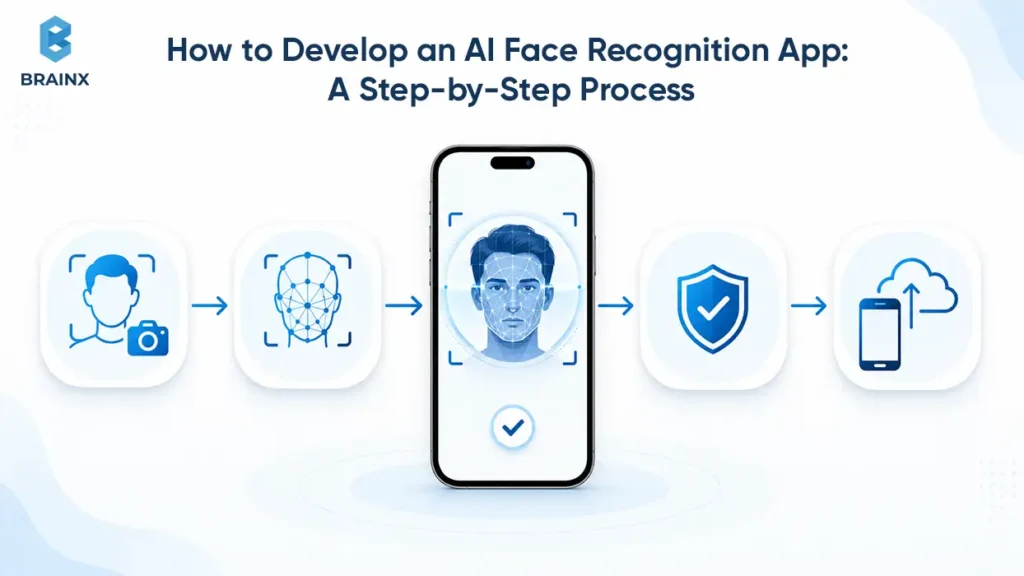
The AI face recognition app development process involves more than connecting a camera to a recognition model. It requires teams to define the matching method, user journey, biometric data lifecycle, security controls, fallback options, integrations, testing criteria, and rollout plan before moving into production.
Step 1: Define The Use Case, User Group, And Risk Level
Start with a short use-case brief. It should define the user journey, decision point, business risk, threat model, and success metrics.
Ask:
- What problem are we solving?
- What happens if the wrong person is approved?
- What happens if the right person is rejected?
- Who can opt out?
- What data do we store?
- How will we measure success?
If the answers are vague, do not build yet.
Step 2: Decide Between Verification And Identification
If you cannot clearly justify 1:N identification, then default to the 1:1 verification.
Confirm if the user is able to provide an identifier, e.g. email, badge, QR code, account ID, or booking reference. If yes, verify against that claimed identity instead of searching a population.
This single decision affects risk, cost, compliance, testing, and infrastructure.
Step 3: Map Consent, Data Ownership, And Retention
Before model work starts, map the biometric data lifecycle.
Document:
- What data is collected
- Where it is processed
- Who owns it
- Who can access it
- How long it is retained
- How consent is captured
- How deletion works
- How backups and indexes are handled
This map supports DPIAs, security reviews, vendor reviews, and future audits.
Step 4: Run A Proof Of Concept With Representative Data
A proof of concept should test the actual workflow, not a polished demo dataset.
Use real target devices, realistic lighting, real capture conditions, and representative user groups. Include users with glasses, face coverings, different skin tones, older devices, and varied environments where legally and ethically appropriate.
The goal is to learn whether the system performs in your real product context. NIST’s Face Technology Evaluations and AI Risk Management Framework provide useful reference points for measurable, risk-aware testing.
Step 5: Design Enrolment, Matching, Fallback, And Review Workflows
This is product design, not just machine learning.
Plan:
- Enrollment path
- Retry behavior
- Low-confidence outcomes
- Manual review screens
- Account recovery
- Threshold policies
- Admin overrides
- User support scripts
A smooth demo does not prove the app is safe. A safe exception flow does.
Step 6: Build The App, Model Layer, And Integrations
Build in controlled slices. A practical sequence is:
- Capture UX and consent flow
- Image quality checks
- Verification API or model layer
- Liveness detection
- Threshold policy engine
- Audit logging
- Admin dashboard
- Business integrations
- Monitoring and alerting
This keeps the team from overbuilding before the workflow is validated.
Step 7: Test Accuracy, Fairness, Security, Latency, And Usability
Test the system across the conditions it will face after launch. Measure:
- False match rate
- False non-match rate
- Liveness failure rate
- Enrollment completion rate
- Median latency
- P95 latency
- Manual review rate
- Device-specific errors
- User abandonment
Security testing should also include spoof attempts, replay attempts, API abuse, permission issues, and account recovery attacks.
Step 8: Pilot With Controlled Users And Measurable Success Criteria
The pilot should be narrow, measurable, and reversible. Start with a controlled user group, limited devices, known locations, and clear escalation ownership.
Pilot the rollout and don't deploy widely without demonstrating the ability for users to safely enroll, verify, recover, and opt out.
Step 9: Deploy Gradually And Monitor Production Performance
Roll out by geography, device class, department, risk tier, or user cohort. Monitor results before expanding.
A gradual rollout helps catch issues that lab tests miss, such as unexpected camera failures, low-light environments, retry loops, and support spikes.
Step 10: Define Pilot Acceptance Criteria Before Launch
A serious pilot should define acceptance criteria upfront. Examples include:
| Metric | What It Tells You |
| False Match Rate | How often the wrong person is accepted |
| False Non-Match Rate | How often the right person is rejected |
| Enrollment Completion Rate | Whether users can create usable profiles |
| Liveness Pass Rate | Whether spoof controls work without blocking too many real users |
| Median And P95 Latency | Whether the app feels usable at scale |
| Manual Review Rate | Whether operations can support exceptions |
| Fallback Success Rate | Whether users recover when recognition fails |
| Support Ticket Rate | Whether the flow creates hidden operational cost |
Launch should be backed up by evidence and not a demo that works on one phone.
How Much Does An AI Face Recognition App Cost To Build?
The price range of an AI face recognition app can vary from a scoped MVP budget to an investment in an enterprise platform. The useful answer is not one fixed number. It is a range tied to assumptions. For API-based builds, recurring vendor costs should be checked against current AWS Rekognition pricing and Azure AI Face pricing.
Cost Tier 1: API-Based Proof Of Concept Or MVP
A light MVP typically would leverage a managed API, 1:1 verification, minimal liveness, one platform, limited integrations and simple admin review.
Directional planning range: $35,000 to $80,000.
This range can involve discovery, UX, mobile or web capture, integration with APIs, basic logs, basic admin review and QA.
It is best for validating product fit before committing to custom model work.
Cost Tier 2: Custom Verification App With Business Integrations
A custom verification product has more powerful workflows, custom thresholds, multi-platform support, liveness, compliance options, audit logs, and integration with identity, HR, KYC, or healthcare systems.
Directional planning range: $90,000 to $220,000.
This tier is common for SaaS products, fintech apps, workplace systems, healthcare check-in flows, and enterprise portals.
Cost Tier 3: Enterprise Identification Platform With Large-Scale Matching
A large-scale identification platform is more complex. It could need vector search capabilities, on-premise or hybrid deployment, stringent governance, high-level admin tooling, human oversight, model monitoring and deeper security review.
Directional planning range: $250,000 to $750,000+.
This tier is typically applicable when the app accesses large databases when searching, has multiple regions, or is used in a regulated environment.
Features That Increase Facial Recognition App Development Cost
The largest cost drivers are not always visible in a demo.
Cost increases when you add:
- 1:N identification
- Advanced liveness detection
- Multi-platform apps
- Edge or offline processing
- On-premise deployment
- KYC or HR integrations
- EHR or EMR integrations
- Admin dashboards
- Human review queues
- Audit logs
- Data deletion workflows
- Compliance documentation
- MLOps and monitoring
The more sensitive the decision, the more testing and governance you need.
How Timeline Changes By Complexity And Deployment Model
A simple API-based MVP may take 8 to 12 weeks. A custom verification product can take 3 to 6 months. A large enterprise identification platform could take anywhere from 6-12 months or more depending on the complexity of compliance, hardware and integrations.
Cloud deployment is usually fastest. Edge and on-premise deployments are more time consuming due to increased device testing, infrastructure setup, monitoring, and planning for updates.
Hidden Costs Include Audits, Testing, Storage, Monitoring, And Retraining
The first build estimate does not cover everything. Hidden or recurring costs include:
- API usage
- Storage and backups
- Security testing
- Legal review
- DPIA or privacy review
- Monitoring dashboards
- Manual review operations
- Model retraining
- Device testing
- Incident response
- Support tickets
- Vendor management
These costs are normal, but they should be planned before launch.
Why Total Cost Of Ownership Matters More Than The First Build Estimate
If a low-cost MVP causes privacy issues, excludes users, doesn't work on real devices or can't be audited, it can become expensive.
Total cost of ownership includes development, infrastructure, compliance, monitoring, support, retraining, and future model updates. For biometric products, the less expensive build is not the most secure choice in the long-term.
A better approach is to scope the smallest safe product, then expand after pilot data proves the workflow.
How Should Accuracy, Fairness, And Security Be Tested Before Launch?
Testing should prove that the system is accurate enough for the business risk, fair enough for the user population, secure enough against spoofing, and usable enough for real conditions.
Measure False Matches And False Non-Matches Separately
Do not rely on one generic “accuracy” number. Track:
- False match rate, when the system accepts the wrong person
- False non-match rate, when the system rejects the right person
False matches create security risk. False non-matches create user friction, support cost, and possible exclusion.
Set Confidence Thresholds Based On Business Risk
Thresholds should depend on the action.
A low-risk check may accept moderate confidence. A high-risk action must be accompanied by increased confidence, liveness and step up authentication.
The thresholds should be editable, logged and reviewed. They should not be hardcoded once and forgotten.
Test Across Devices, Lighting, Angles, Age Groups, And Occlusion
Production environments are messy. Test with old phones, other webcams, indoor lighting, outdoor glare, masks, glasses, facial hair, different camera angles and varying network connectivity.
If the app is only working in perfect light on flagship devices, then it's not production ready.
Run Liveness And Presentation-Attack Testing
Liveness testing should include realistic attack types, not only obvious printed photos.
Test against:
- Printed images
- Images on another phone
- Replay videos
- Screen injection attempts
- Masks where relevant
- Deepfake or synthetic media scenarios where risk justifies it
Evaluate Database Search At Real Production Scale
1:N identification should be tested at the database size the business actually expects. A search that works with 1,000 identities may behave differently with 1 million.
Evaluate candidate ranking, latency, false positive identification rate, and operational review burden at realistic gallery sizes.
Keep Fallback Authentication For Uncertain Results
The system should not force a binary approve or deny decision when confidence is uncertain.
Fallback options protect users and reduce risk. They also help the business gather more signal before making a decision.
Monitor Model Drift And Error Patterns After Deployment
Testing does not end at launch. Monitor drift, failure clusters, device-specific errors, spoof attempts, and retry loops.
Useful evaluation scorecard metrics are the accuracy, liveness, latency, manual review rate, fallback success, support tickets, and error distribution.
What Privacy And Compliance Requirements Should You Plan For?
Biometric data needs stricter planning than standard app data. The product should map consent, storage, access, retention, deletion, audit, and incident response before development starts.
Get Valid Consent Before Collecting Facial Data
Under Article 9 of the GDPR, biometric data used to uniquely identify a person is treated as special-category data. Consent must be unambiguous, explicit, and documented where necessary. Users should understand what data is gathered, why it is used, and which alternatives are available.
In workplaces, healthcare, financial services, and public environments, consent may need additional attention because users may not feel they have a real choice. The ICO’s Serco Leisure enforcement action illustrates why necessity, proportionality, and genuine alternatives matter.
Minimise Raw Image Storage And Protect Biometric Templates
Store the least data needed for the workflow. The app should not store raw images for an extended period of time unless there is a specific business and legal reason to do so.
Biometric templates should be encrypted, have access controls, be separated from direct identifiers if possible, and be tracked with audit logs.
Define Retention, Deletion, And Withdrawal Workflows
Retention rules should be tied to purpose. A login template may be kept while the account is active. A failed KYC attempt may need a shorter retention period. A workplace attendance template may need specific legal handling.
Deletion should cover the database, vector indexes, backups, and derived data where applicable.
Map Compliance By Country, State, Industry, And Use Case
Compliance depends on the location of the user, processing of data, and the functionality of the application.
Common frameworks and laws to review include:
- GDPR
- EU AI Act
- Illinois BIPA and other US biometric laws
- FTC biometric guidance and enforcement
- HIPAA for healthcare contexts
- Sector-specific KYC and identity rules
- Local labor and workplace privacy rules
This section is not legal advice. Product teams should involve legal counsel before collecting biometric data.
Complete Privacy And Algorithmic Impact Assessments Where Needed
A DPIA, AI impact assessment, algorithmic impact assessment, or internal model risk review may be necessary for deployments considered high risk or sensitive.
These assessments should cover necessity, proportionality, alternatives, fairness, data minimization, human oversight, and incident response.
Keep Audit Logs, Access Controls, And Incident Response Plans
A biometric system should be auditable.
Keep records of enrollment, consent, access, threshold changes, deletion requests, manual reviews, and incidents. Restrict access to administration and set permissions for viewing, exporting and deleting sensitive records.
Incident response plans should cover data exposure, false match harm, service outage, spoofing attacks, and model rollback.
Apply Stricter Governance To Remote Identification And Surveillance
The context of remote identification and surveillance type use cases demands that governance be even more robust than that for user-initiated verification.
Risk increases if the user does not actively present themselves for verification. These use cases may need independent review, public transparency, human oversight, legal approval, and stricter retention limits.
Challenges in AI Face Recognition App Development and How to Overcome Them
Developing an AI face recognition app involves technical, operational, legal, and user-experience challenges that extend beyond choosing an accurate model. Performance can change across devices and environments, biometric information requires strict protection, and even a technically correct match may lead to the wrong product decision if thresholds and fallback workflows are poorly designed.
These challenges should be addressed during discovery, architecture, and pilot testing rather than after the application has been released.
Maintaining Accuracy in Real-World Conditions
Facial recognition models are often evaluated using controlled images, but production applications must handle inconsistent lighting, camera quality, user movement, head angles, face coverings, and network conditions.
An application that performs well with professional images may struggle with:
- Older mobile devices
- Low-quality webcams
- Outdoor glare
- Dark environments
- Motion blur
- Glasses, masks, or hats
- Changes in facial hair or appearance
- Users standing too close to or far from the camera
How to overcome it: Build image-quality checks into the capture experience and guide users before submitting an image. Test the application on the actual devices, camera types, locations, and lighting conditions expected after launch. The model should be evaluated through the complete user journey rather than with clean images alone.
Collecting Representative and Legally Usable Data
A recognition system may perform inconsistently when its training or evaluation data does not reflect the people and environments it will serve.
The challenge is not simply collecting a large number of images. Teams must also confirm that the data is:
- Relevant to the intended user population
- Collected with an appropriate legal basis
- Labeled consistently
- Protected against unauthorized access
- Suitable for the target devices and environments
- Documented for future evaluation and audit
Using publicly available facial images without confirming consent, licensing, and permitted use can create legal and reputational risks.
How to overcome it: Begin with a data requirements plan that defines what information is needed, how it will be collected, which users and conditions it must represent, and how long it will be retained. For API-based products, evaluate the provider with representative pilot data instead of assuming that its general benchmark performance will apply to the product.
Balancing False Matches and False Non-Matches
Facial recognition systems do not produce a simple universal answer. They calculate similarity and compare the result with a selected confidence threshold.
A threshold that is too low may approve the wrong person. A threshold that is too high may reject legitimate users.
The correct balance differs by workflow. The consequences of a false match in an attendance app are different from those in banking, healthcare, or restricted facility access.
How to overcome it: Define acceptable false-match and false-non-match levels according to the business risk. Use different thresholds for different actions instead of one rule for the entire application. Uncertain results should trigger retries, another authentication factor, or manual review rather than an automatic approval or permanent rejection.
Delivering Consistent Performance Across User Groups
A model’s performance may vary across user groups because of differences in training data, image quality, capture environments, or model behavior. A strong overall accuracy score can hide higher error rates within specific groups.
This can create user exclusion, repeated verification failures, operational complaints, and regulatory exposure.
How to overcome it: Evaluate performance across relevant user groups, devices, environments, and capture conditions where legally and ethically appropriate. Track false matches and false non-matches separately rather than relying on one accuracy percentage. When significant differences appear, teams may need to improve capture guidance, adjust the model, revise thresholds, collect better evaluation data, or retain stronger fallback options.
The goal is not to claim that every group will produce identical results. It is to identify meaningful performance differences before they create harm in production.
Preventing Spoofing, Deepfakes, and Camera Injection
Attackers may attempt to fool the application using printed images, replayed videos, masks, synthetic faces, virtual cameras, or injected video frames.
Basic face matching cannot determine whether the captured face belongs to a live person using a trusted camera channel.
How to overcome it: Use layered protection based on the threat level of the application. This may include passive or active liveness detection, device attestation, replay protection, virtual camera detection, account risk signals, and manual review.
Higher-risk applications should test realistic attack scenarios instead of validating the system only against simple printed photographs. Liveness should support the wider security architecture rather than act as the only anti-fraud control.
Protecting Biometric Data From Breaches and Misuse
Passwords can be reset after a breach. A person cannot replace their face in the same way.
Facial images and biometric templates therefore require stronger security controls than ordinary application data. Risk increases when raw images, direct identifiers, templates, and account records are stored together or retained longer than necessary.
How to overcome it: Minimize biometric collection, limit raw image retention, encrypt templates, separate them from direct account identifiers, and restrict access through role-based permissions. The system should also support complete deletion across primary databases, vector indexes, backups, caches, and replicas where applicable.
Product teams should document how they would respond if biometric information were exposed, including user notification, access revocation, investigation, and migration to another verification method.
Integrating Recognition With Existing Business Systems
The facial recognition model may work correctly while the broader product still fails because it does not integrate reliably with identity providers, HR systems, KYC platforms, access hardware, healthcare software, or administrative workflows.
Common integration challenges include:
- Incompatible data formats
- Limited vendor APIs
- Slow third-party responses
- Duplicate identity records
- Unclear system ownership
- Failed synchronization
- Inconsistent user identifiers
- Missing audit information
- Poor error handling
How to overcome it: Map the full identity workflow before development begins. Define which system owns each record, which events trigger business actions, and how failures will be handled. Use an integration layer that separates the biometric engine from downstream systems so that providers or business platforms can be changed without rebuilding the entire product.
Integration testing should include partial failures, delayed responses, unavailable services, duplicate records, and retry behavior.
Managing Latency and Large-Scale Matching
Users expect facial verification to feel immediate. However, image processing, liveness checks, network transfer, database search, and business integrations can increase response time.
The challenge becomes greater for 1:N identification because the application must search a gallery of many biometric templates. Performance may decline as the gallery expands from thousands to millions of identities.
How to overcome it: Establish latency targets before selecting the architecture. Use on-device quality checks to prevent poor captures from reaching the backend, optimize model inference, and test database search at the expected production size.
Large identification systems may require vector indexing, candidate shortlisting, caching, replication, and secondary verification. Teams should measure median and P95 latency because an acceptable average can hide slow experiences for a meaningful group of users.
Avoiding Vendor Lock-In and Model Compatibility Problems
Managed APIs can accelerate development, but the product may become dependent on one provider’s pricing, regions, accuracy behavior, data policies, and feature availability.
Changing providers later can be difficult because facial templates produced by one model may not be compatible with another. A model upgrade can create the same problem within a custom system.
How to overcome it: Keep the product workflow, consent records, decision policies, and business integrations separate from the recognition provider. Use an internal service layer so the application does not communicate directly with one vendor throughout the codebase.
Before choosing a provider, clarify:
- Whether data and templates can be exported
- Whether templates remain usable after termination
- Where processing occurs
- How model updates are communicated
- Whether previous model versions remain available
- How pricing changes at scale
- Which features are restricted by region
Plan model and template migration before an upgrade is required. Some changes may require controlled re-enrollment rather than automatic conversion.
Navigating Different Biometric Laws and Regional Requirements
Facial recognition requirements vary by country, state, industry, employment relationship, and use case. A voluntary mobile verification flow may face different obligations from workplace attendance or public identification.
Regulatory changes can also affect where a product may operate and which features it can provide.
How to overcome it: Create a jurisdiction and use-case matrix before deployment. It should document consent requirements, permitted purposes, retention periods, deletion rights, notice obligations, data residency, impact assessments, and restricted uses.
Build these requirements into configurable product policies instead of handling them through documentation alone. For example, retention periods, consent language, and available matching modes may need to change by region.
Legal and privacy teams should review new use cases before the existing system is expanded to another country, industry, or user population.
Building User Trust and Encouraging Adoption
Users may resist facial recognition when they do not understand why it is being used, what information is stored, or whether another option is available.
Even a secure application may experience low adoption if the process feels invasive, unreliable, or difficult to escape.
How to overcome it: Explain the purpose before capture, describe how the data will be used, state how long it will be retained, and provide a practical non-biometric alternative where required.
The interface should avoid vague messages such as “verification failed.” Instead, tell users whether they need better lighting, another capture, a fallback method, or support.
Trust also depends on restraint. Do not add age estimation, emotion analysis, public identification, or other facial analysis features unless they are necessary for the approved user journey.
Supporting Manual Review and Exception Handling
Automation does not remove exceptions. Low-confidence matches, failed liveness attempts, poor cameras, duplicate enrollments, and user disputes may all require human attention.
If review queues grow faster than the operations team can handle them, the application may create delays instead of reducing work.
How to overcome it: Estimate expected review volume during the pilot and define which cases genuinely require human intervention. Reviewers should receive the evidence needed to make a decision without unnecessary exposure to biometric data.
The review process should include:
- Clear escalation rules
- Role-based permissions
- Decision reasons
- Service-level targets
- Appeal procedures
- Audit logs
- Quality reviews
- Reviewer training
Manual review rate should be treated as a product KPI. A model may appear accurate while still creating an unsustainable operational workload.
Controlling Ongoing Infrastructure and Operating Costs
The initial development budget does not include every long-term expense. Costs continue through API usage, hosting, liveness checks, monitoring, manual review, security testing, legal reviews, support, and model maintenance.
A low-cost architecture may become expensive when verification volume increases or when the system requires frequent manual intervention.
How to overcome it: Estimate annual total cost of ownership and cost per successful verification before scaling. Model several volume scenarios and include infrastructure, vendor, support, compliance, and operational expenses.
Start with the smallest safe product, validate the workflow through a controlled pilot, and expand only when the system demonstrates measurable value and manageable operating costs.
Best Practices for Building an AI Face Recognition App
Building a reliable AI face recognition app requires more than selecting an accurate model. Product teams must align the matching method, user experience, privacy controls, security measures, testing strategy, and operational processes with the actual risk of the use case.
The following best practices help teams avoid unnecessary complexity, reduce biometric risk, and move from a working prototype to a production-ready product.
Use 1:1 Verification Unless Identification Is Necessary
Start with the lowest-risk matching mode that can solve the business problem.
In 1:1 verification, the user first provides an identifier such as an email address, account ID, badge, booking number, or employee number. The application then compares the live facial sample with one expected identity.
This is usually appropriate for:
- Secure login
- Employee attendance
- Customer onboarding
- Patient check-in
- Transaction approval
- Selfie-to-document verification
Use 1:N identification only when the application genuinely needs to search across multiple enrolled identities. Identification increases infrastructure requirements, false-match exposure, privacy risk, and operational review needs.
Before selecting identification, ask whether the user can provide another identifier first. If the answer is yes, verification is usually the safer and more practical choice.
Design for Real Users and Environments
A model that works well on clean test images may perform differently when users access the application through older phones, low-quality webcams, weak networks, poor lighting, or unfamiliar environments.
Design and test the product using the conditions users will encounter after launch.
Include variations such as:
- Indoor and outdoor lighting
- Older and newer devices
- Front-facing mobile cameras and webcams
- Different head angles
- Glasses and face coverings
- Facial hair and appearance changes
- Low bandwidth and unstable connections
- Users with limited mobility or vision
The capture experience should guide users before submission. Clear prompts for lighting, distance, alignment, and retries can improve production performance without changing the underlying model.
Treat Benchmark Results as a Starting Point
Public benchmarks can help compare models, but they do not prove that a system will perform reliably within a specific application.
Production performance depends on:
- Camera quality
- User population
- Enrollment quality
- Lighting conditions
- Matching thresholds
- Database size
- Liveness controls
- Device behavior
- Application design
Teams should evaluate the complete user journey, not just the recognition model.
Measure false matches, false non-matches, enrollment completion, liveness failures, response time, retry rates, manual reviews, and fallback success under realistic operating conditions.
A strong benchmark score is useful. A successful pilot using representative users and devices is more meaningful.
Minimize the Collection and Storage of Facial Data
Collect only the biometric data required for the approved workflow.
Raw facial images generally create greater privacy and breach exposure than necessary. Where the use case allows it, the system should convert the facial image into a protected biometric template and remove the original image according to a defined retention policy.
Product teams should document:
- Why each data type is collected
- Whether raw images need to be retained
- Where biometric templates are stored
- Who can access them
- How long they remain available
- How deletion requests are processed
- How records are removed from indexes, backups, and replicas
Separating biometric templates from direct account identifiers can also reduce exposure. The connection between them should use controlled internal references rather than placing all sensitive information in the same record.
Use Layered Identity and Security Controls
Facial matching should not carry the full security burden of a sensitive workflow.
A stronger system may combine facial verification with:
- Liveness detection
- Device possession
- Passkeys
- Document verification
- Risk signals
- Transaction context
- Secure PINs
- Manual review
The correct combination depends on the consequences of an incorrect decision.
A basic attendance workflow may require facial verification and a fallback badge. Remote financial onboarding may require face matching, liveness detection, document verification, device checks, and risk scoring.
Higher-risk actions should require stronger evidence. Approving a large payment, changing recovery details, or resetting authentication credentials should not rely on the same controls used to view a basic account profile.
Set Thresholds According to the Workflow Risk
One confidence threshold should not automatically control every user journey.
A low threshold may increase false acceptance risk. A very high threshold may reject legitimate users and create support, accessibility, and abandonment problems.
Define thresholds based on:
- The action being performed
- The consequences of a false match
- The consequences of a false non-match
- The quality of the captured image
- The liveness result
- The presence of another authentication factor
- Whether manual review is available
Possible outcomes should include more than approval or rejection.
The application may:
- Approve the request
- Ask the user to retry
- Require another authentication factor
- Route the case to manual review
- Provide a non-biometric fallback
- Reject the attempt when risk remains too high
Threshold changes should be versioned, tested, approved, and recorded in audit logs.
Provide Fallback Access and Human Review
Facial recognition will not work perfectly for every user or every environment.
A user may be unable to complete verification because of poor lighting, camera failure, changing appearance, injury, disability, weak connectivity, or repeated liveness failures.
Safe fallback options may include:
- Passkeys
- One-time passwords
- PIN plus device possession
- Document verification
- Support-assisted recovery
- A physical badge
- Manual identity review
Human review is especially important when the decision could affect financial access, employment, healthcare, travel, or another high-impact outcome.
The reviewer should receive enough context to make a decision without being exposed to unnecessary biometric information. The application should also record who reviewed the case and why the final decision was made.
Define Measurable Pilot Acceptance Criteria
Do not launch based on a demonstration that works for a small number of team members.
Before beginning the pilot, define the minimum evidence required for production approval.
Useful criteria may include:
- Maximum acceptable false-match rate
- Maximum acceptable false non-match rate
- Minimum enrollment completion rate
- Minimum liveness pass rate
- Median and P95 verification latency
- Maximum manual review rate
- Minimum fallback success rate
- Acceptable support ticket volume
- Performance across target devices and environments
The pilot should use a controlled user group, representative devices, realistic capture conditions, and a clear escalation process.
Teams should expand the rollout only after the system meets the predefined technical, operational, security, and user-experience requirements.
Plan for Model and Template Changes
Facial recognition systems change after launch.
Models may be updated to improve accuracy, reduce latency, address new attacks, or support new devices. However, biometric embeddings created by one model version may not remain fully compatible with embeddings created by another.
Plan for:
- Model versioning
- Embedding versioning
- Compatibility testing
- Controlled template migration
- User re-enrollment where required
- Canary releases
- Rollback procedures
- Documentation of threshold changes
Do not replace a production model without understanding how the change affects existing templates, confidence scores, liveness results, and decision policies.
The advanced template refresh subsection should explain specific appearance-change workflows. This best-practices subsection should remain focused on broader lifecycle planning.
Assign Clear Operational Ownership
A production app needs named owners for more than model development.
Define who is responsible for:
- Model performance
- Application availability
- Security incidents
- Privacy requests
- Biometric deletion
- Manual review
- Threshold approval
- Vendor management
- User support
- Model rollback
- Compliance reporting
Without clear ownership, monitoring alerts may be ignored, deletion requests may remain incomplete, and low-confidence cases may sit in review queues without resolution.
Ownership should be documented before the pilot begins and reviewed whenever the product expands into new regions, user groups, or use cases.
Monitor Product Performance After Launch
Monitoring should cover the complete identity workflow rather than infrastructure health alone.
Track:
- Verification success
- False rejection patterns
- Liveness failures
- Retry loops
- User abandonment
- Device-specific errors
- Manual review volume
- Fallback completion
- Response time
- Support requests
- Suspicious activity
- Model drift
Review results by device, application version, location, workflow, and user cohort where appropriate and legally permitted.
A sudden increase in failures may indicate a camera update, model change, environmental issue, attack pattern, or user-experience problem. Monitoring should connect each alert with an investigation and response process.
Budget for the Full Product Lifecycle
The initial development estimate is only one part of the investment.
Ongoing costs may include:
- API usage
- Cloud or on-premise infrastructure
- Biometric storage
- Liveness services
- Security testing
- Privacy and legal reviews
- Manual review operations
- Monitoring tools
- User support
- Model updates
- Device testing
- Compliance audits
- Incident response
Product teams should estimate the cost per successful verification and the annual total cost of ownership rather than comparing projects only by the initial build price.
The objective is to build the smallest safe and usable version, validate it through a controlled pilot, and scale only after the workflow demonstrates measurable value.
Future Trends in AI Face Recognition App Development
The future of AI face recognition app development will be shaped by more than improvements in matching accuracy. The larger shift is toward facial recognition systems that are harder to spoof, more privacy-aware, easier to evaluate, and better integrated with broader digital identity platforms.
NIST continues to evaluate facial recognition algorithms through its ongoing 1:1 and 1:N Face Technology Evaluation programs, including a new 1:1 report published in May 2026. This reflects how facial recognition performance, deployment methods, and evaluation requirements continue to evolve rather than reaching a fixed technical endpoint.
Facial Recognition Will Become Part of Broader Identity Systems
Facial recognition is likely to become one identity signal within a larger authentication and risk-management system rather than operating as a standalone decision tool.
A future identity workflow may combine:
- Facial verification
- Device possession
- Passkeys
- Document verification
- Behavioral risk signals
- Transaction context
- Account history
- Human review
The application may request only the signals needed for the risk level of a particular action. A routine login may use a passkey or trusted device, while an account-recovery request may add facial verification and document checks.
This direction reduces dependence on any single identity method. NIST’s current Digital Identity Guidelines distinguish between knowledge, possession, and biometric factors, supporting authentication designs that combine multiple forms of evidence according to the required assurance level.
Passkeys Will Change the Role of Facial Authentication
Facial recognition will increasingly work alongside passkeys rather than directly replacing passwords by itself.
A passkey uses cryptographic credentials tied to the user’s account. The user may unlock that credential through the device’s built-in biometric system, PIN, or pattern, which means the application does not necessarily need to collect or centrally store a separate facial template.
The FIDO Alliance reported in 2026 that billions of passkeys were already in active use and that adoption was expanding across both consumer and workforce environments. This suggests that future product teams will need to decide whether they require server-side facial recognition or whether device-bound passkeys can solve the authentication problem with less biometric data exposure.
Standalone face matching will remain relevant for identity proofing, remote KYC, account recovery, check-in, and access workflows. However, passkeys may become the preferred option for routine authentication after a user has already been verified.
On-Device and Edge Processing Will Expand
More facial recognition tasks are likely to move from centralized cloud systems to mobile devices, kiosks, gateways, and local infrastructure.
On-device or edge processing can support:
- Faster image-quality checks
- Lower verification latency
- Offline operation
- Reduced biometric data transmission
- Local template storage
- Greater control over data residency
- Faster feedback during face capture
Future applications may divide the workflow across several environments. For example, the device may perform detection, alignment, quality checks, and passive liveness, while the backend handles identity policies, audit records, and higher-risk matching.
This shift will require smaller models, hardware-aware optimization, secure model updates, device attestation, and stronger fleet management. Edge processing will not remove privacy or compliance obligations, but it may reduce the amount of sensitive data that must leave the user’s device.
Trusted Capture Will Matter as Much as Matching Accuracy
As synthetic media becomes more accessible, future systems will need to verify not only whether two faces appear similar but also whether the biometric sample came from a real person through a trusted capture channel.
The security question will increasingly become:
Is this the correct face, captured live through an uncompromised device and camera pipeline?
Future applications may combine:
- Presentation attack detection
- Deepfake detection
- Virtual camera detection
- Injected-frame detection
- Device attestation
- Replay protection
- Camera pipeline integrity checks
- Behavioral and account risk signals
ISO/IEC 30107-3 defines methods for testing and reporting presentation attack detection, while ISO/IEC 30107-4:2024 provides a testing profile specifically for mobile devices and integrated mobile biometric modules. These standards indicate that mobile anti-spoofing evaluation is becoming a more formal part of biometric system assurance.
This subsection should remain strategic. The specific deepfake and camera-injection controls belong in the advanced-features section.
Privacy-Preserving and User-Controlled Credentials Will Gain Importance
Future facial recognition systems may rely less on large centralized biometric databases and more on credentials that users carry or control.
Possible approaches include:
- On-device biometric templates
- Encrypted or cancelable templates
- Templates separated from direct identifiers
- Short-lived facial data
- User-controlled identity wallets
- Cryptographically signed facial credentials
- Verification without permanent raw-image storage
A 2025 NIST report examined compact facial images stored in digitally signed 2D barcodes. In that model, the issuer’s signature protects the credential, while a live facial image can be compared with the image stored in the barcode. This points toward identity workflows in which biometric reference data can travel with a trusted credential instead of requiring every application to search a central database.
These methods are still use-case dependent. They do not eliminate biometric risk, but they may give users and issuing organizations greater control over where facial data is stored and how it is presented.
One-Time Accuracy Claims Will Give Way to Continuous Evaluation
Product teams will increasingly be expected to demonstrate how a facial recognition system performs over time rather than relying on a single benchmark or vendor accuracy claim.
Future evaluation programs are likely to place greater emphasis on:
- 1:1 and 1:N performance separately
- False matches and false non-matches
- Database size
- Image quality
- Device conditions
- Presentation attacks
- Demographic performance
- Model versions
- Production drift
- Operational review volume
NIST runs its Face Technology Evaluations as a continuous activity and allows recurring algorithm submissions across several evaluation tracks. This reflects a wider shift toward ongoing testing as models and deployment environments change.
For development teams, this means evaluation dashboards, model cards, version histories, rollback procedures, and production monitoring will become standard delivery requirements rather than optional enterprise features.
Regulation Will Shape Product Architecture Earlier
Privacy and AI regulation will increasingly influence technical architecture before development begins.
The EU AI Act establishes risk-based rules for AI systems and treats biometric applications differently depending on their purpose, context, and level of risk. Remote biometric identification, user-initiated verification, and other biometric categorization or analysis functions may not face the same requirements.
As a result, future platforms may need configurable controls for:
- Permitted recognition modes
- Regional data processing
- Consent language
- Retention periods
- Human oversight
- User access and deletion
- Impact assessments
- Logging requirements
- Restricted use cases
- Vendor and model documentation
This trend favors modular architectures in which policies can change by region, industry, customer, and workflow without rebuilding the entire application.
Keep the detailed legal requirements in the existing compliance section. This subsection should explain how regulation is changing future product design.
User Choice Will Become a Product Quality Standard
Future facial recognition products will be judged not only by how accurately they recognize a face but also by how they treat users when recognition is unavailable, inappropriate, or unsuccessful.
Strong products will provide:
- Clear notice before facial capture
- A defined purpose for biometric use
- Practical non-biometric alternatives
- Accessible capture instructions
- Transparent retry messages
- Account recovery
- Human review
- Data access and deletion controls
- A way to challenge important decisions
This is particularly important because some users may experience repeated failures because of camera limitations, disabilities, appearance changes, environmental conditions, or differences in model performance.
The future direction is therefore not facial recognition everywhere. It is more selective facial recognition, used where it creates enough value to justify the risk and supported by meaningful alternatives where it does not.
The Market Will Move From Recognition Models to Complete Identity Products
As recognition models become easier to access through APIs, open-source frameworks, and optimized edge models, differentiation will increasingly come from the complete product around the model.
The strongest platforms will compete through:
- Better capture experiences
- Trusted enrollment
- Stronger liveness controls
- Risk-based decision engines
- Secure biometric storage
- Business integrations
- Regional policy controls
- Evaluation dashboards
- Human review workflows
- Reliable fallback access
- Model lifecycle management
For businesses planning a new product, this means the long-term advantage will rarely come from facial matching alone. It will come from how safely and effectively the recognition capability is integrated into the identity workflow.
How Do You Choose The Right Facial Recognition Development Partner?
A strong partner should make the risk picture clearer. If a vendor only talks about demo accuracy and says little about thresholds, liveness, privacy, fallback, or monitoring, treat that as a red flag.
Check Computer Vision And Biometric Evaluation Experience
Ask whether the team has handled image quality, liveness, threshold calibration, embeddings, vector search, and real-world biometric evaluation.
Facial recognition is a technology that bridges the worlds of computer vision, identity, security, compliance, and product design. Generic AI experience is not enough.
Ask How The Team Handles Privacy And Data Security
A qualified partner should explain how templates are stored, how access is controlled, how deletion works, how audit logs are protected, and how data residency is handled.
These controls should be present in the architecture and not as an add-on in a legal note.
Review Their Testing, Monitoring, And Pilot Process
Ask for a clear evaluation plan. The team should be comfortable discussing false match rate, false non-match rate, liveness testing, latency, device coverage, cohort testing, and manual review rate.
They should also define pilot acceptance criteria before launch.
Clarify Model, Code, Data, And Deployment Ownership
Ownership questions become painful after launch if they are vague during procurement.
Clarify:
- Who owns the code?
- Who owns model artifacts?
- Who owns templates and embeddings?
- Can data be exported?
- What happens if you change vendors?
- Where does the model run?
- Who manages production secrets?
Confirm Mobile, Backend, Cloud, And DevOps Capability
A biometric product is full-stack. The partner is responsible for mobile UX, backend engineering, cloud infrastructure, security, DevOps, QA, MLOps and support.
The higher the number of pieces that are outsourced, the greater the risk of delivery.
Questions To Ask Before Starting A Face Recognition AI App Project
Before starting a face recognition AI app project, ask:
- What matching mode do you recommend, and why?
- What liveness approach fits our threat model?
- What data will be stored, and for how long?
- How will users opt out or delete data?
- What happens when confidence is low?
- What are the pilot acceptance criteria?
- How will you test fairness, accuracy, latency, and spoof resistance?
- What dashboards will exist after launch?
- Who owns model, code, data, and deployment artifacts?
- What recurring costs should we expect?
Expected deliverables include feasibility report, reference architecture, model evaluation plan, privacy design notes, test report, model card, API documentation, deployment runbook, and monitoring plan.
How BrainX Helps With AI Face Recognition App Development
BrainX Technologies supports teams in designing, building and deploying measurable, auditable, and production-ready face recognition systems. We pay attention to the whole product and the model is just a small part of it.
When starting your AI face recognition app creation journey, the best way to begin is by conducting a short discovery sprint to define the use case, level of risk, matching method, architecture, timeline, and acceptance criteria.
You can look into BrainX’s AI development services for custom AI, computer vision, and model integration projects. We also have a ton of portfolio examples, including AI-powered health and productivity products if you might like to know about them in detail.
Feasibility, Risk, And Use-Case Discovery
BrainX starts by defining the use case, user group, workflow, and risk level.
We help answer:
- Is facial recognition the right approach?
- Is 1:1 verification enough?
- What data needs to be stored?
- What consent and deletion rules apply?
- What are the pilot success criteria?
- What architecture options fit the budget?
Deliverable: a feasibility roadmap with cost bands, architecture options, and pilot gates.
Facial Recognition Model And Application Engineering
BrainX can integrate managed facial recognition APIs, build custom components, or design hybrid systems depending on the product need.
We support:
- Capture UX
- Quality checks
- Verification and identification pipelines
- Liveness controls
- Matching thresholds
- Secure template storage
- Admin workflows
- API documentation
The goal is to build a system that works in real user conditions, not only in a demo.
Mobile, Web, Cloud, Edge, And Enterprise Integration
BrainX builds across mobile, web, backend, cloud, and enterprise systems.
Common integration areas include identity providers, HR platforms, KYC vendors, healthcare systems, audit tools, and security monitoring platforms.
For privacy-first or offline workflows, we can also support edge and hybrid deployment patterns.
Secure Biometric Workflows And Privacy-Aware Architecture
BrainX designs biometric workflows around minimization, consent, encryption, access control, deletion, and auditability.
This includes:
- Data flow diagrams
- Template storage design
- Retention and deletion workflows
- Role-based access controls
- Audit logs
- Secure infrastructure
- Compliance support documentation
Explore BrainX’s custom software development services for secure SaaS and enterprise application builds.
Testing, Controlled Rollout, Monitoring, And Optimization
BrainX helps teams move from pilot to production with measurable rollout criteria.
We can support:
- Accuracy testing
- Liveness testing
- Device and lighting tests
- Latency benchmarking
- Pilot scorecards
- Monitoring dashboards
- Drift alerts
- Rollback planning
- Post-launch optimization
Read about Nutrition Tracker AI, an AI-powered health and nutrition tracking case study by BrainX.
Is Facial Recognition The Right Next Step For Your Product?
Facial recognition is worth pursuing when it solves a measurable identity problem and the business can support consent, fallback access, deletion, monitoring, and ongoing governance.
If those conditions are not present, a lower risk authentication method could be the next step.
When Passwords, QR Codes, Or Human Checks May Be Better
Facial recognition is not always the right choice. Simpler methods may be better when the action is low risk, users cannot give meaningful consent, lighting is unpredictable, or the cost of false rejection is too high.
Use alternatives when:
- A QR code or badge solves the workflow with less risk
- Passkeys provide stronger authentication with less biometric storage
- Human review is required for safety or legal reasons
- Users need a non-biometric option
- The business cannot support deletion, audits, or incident response
The goal is not to use facial recognition wherever it is technically possible. It is to choose the lowest-risk method that delivers the required level of identity assurance.
Final Decision Checklist For Product And Technology Leaders
Use this checklist before approving an AI face recognition app project:
- Do you have a clear identity or verification problem?
- Can users provide meaningful consent?
- Is 1:1 verification enough, or do you genuinely need 1:N identification?
- What happens when the app is uncertain?
- How will you handle deletion, fallback, audits, and monitoring?
- What budget is available for maintenance after launch?
If you can clearly answer the above given questions then the next step is not a full build. It's a scoped feasibility sprint with architecture options, pilot criteria and a realistic cost plan.
BrainX Technologies can help you turn that into a secure, practical roadmap for your product.
FAQs About Face Recognition AI Applications
How Much Does An AI Face Recognition App Cost To Build?
A small API-based MVP may cost around $35,000 to $80,000. A custom verification app with integrations and compliance workflows may cost $90,000 to $220,000. A large enterprise identification platform can reach $250,000 to $750,000+, depending on matching scale, liveness, deployment model, privacy requirements, and monitoring.
These are directional planning ranges, not fixed quotes. The real cost of an AI face recognition app depends on scope, risk, integrations, and long-term support.
How Does A Face Recognition AI App Verify A User?
A face recognition AI app verifies a user by capturing a live facial sample, checking image quality, running liveness detection where needed, converting the face into an embedding, and comparing it with a trusted enrolled template.
If the score meets the threshold, the app approves the user. If the score is uncertain, the app should retry, ask for fallback authentication, or route the attempt to manual review.
What Features Should An AI Face Recognition App Include?
A production app should include enrollment, guided capture, image-quality checks, liveness detection, biometric matching, secure template storage, consent capture, deletion workflows, admin controls, audit logs, fallback login, human review, monitoring, and incident response.
An MVP can start smaller, but it should not skip fallback access, consent, or basic auditability.
Is It Better To Use A Facial Recognition API Or Build A Custom Model?
Use an API when speed matters and the use case is standard. Build a custom model when data control, model ownership, on-premise deployment, specialized accuracy, or long-term cost control matters more.
Many teams choose hybrid architecture. They launch with APIs, keep the workflow and governance layer under their control, then replace selected components as the product scales.
How Accurate Does Facial Recognition Need To Be For A Production App?
There is no universal accuracy target. The right threshold depends on the harm caused by a false match or false non-match.
Before launch, measure false match rate, false non-match rate, liveness performance, latency, enrollment success, demographic performance where appropriate, and fallback success. The system is ready only when it meets the risk level of the actual business workflow.
Can A Face Recognition AI App Work Offline, In Low Light, Or With Poor Camera Quality?
Yes, but only if it is designed for those conditions. Offline workflows may need edge inference and local template storage. Low light and poor cameras require stronger capture guidance, quality checks, retry flows, and fallback access.
The app should be tested on the actual devices and environments users will use after launch.
Is Facial Recognition App Development Legal For Business Use?
Facial recognition app development can be legal for business use, but it depends on jurisdiction, industry, consent, purpose, data handling, and use case. A voluntary 1:1 verification flow is very different from public identification or workplace surveillance.
Businesses should review the GDPR, EU AI Act, Illinois BIPA, FTC biometric guidance, HIPAA where relevant, and local biometric privacy laws before collecting facial data. This article is not legal advice. Legal counsel should review the use case before launch.