 September 11, 2026 -
 19 minutes read


Key Takeaways
- Custom CRM development provides the best value when enterprise workflows and integrations, governance, or scale can't be supported by commercial CRM configuration.
- Scalability for enterprise is more about architecture, data design, observability, workload testing and resilience than just adding more cloud resources.
- CRM security should combine identity controls, least privilege, encryption, auditability, secure development practices, and applicable privacy requirements.
- All CRM integrations require data ownership, direction of data sync, consistency rules, failure handling, and recovery.
- Clean data, phased migration, testing, user adoption, training, and operational ownership are all key factors in the success of CRM implementation.
- Build-vs-buy decisions should take into account workflow fit, integrations, governance, roadmap control, maintenance responsibility, and long-term total cost of ownership.
Enterprise custom CRM software is purpose-built around an organization's customer workflows, data model, access policies, integrations, and scale requirements. When Salesforce, HubSpot, Microsoft Dynamics 365, or another commercial platform starts to become structurally limiting or over the budget, custom CRM development becomes a viable option.
That does not make custom software automatically better. Modern CRM platforms are highly extensible. The real enterprise decision is where the organization needs greater control over workflows, architecture, data, governance, and future change.
What Is Custom CRM Development for Enterprises?
Custom CRM development means designing and building a customer relationship management system around an organization's processes, customer data, permissions, integrations, and operating requirements. Salesforce describes it directly: “Custom CRM software can be tailored and scaled to fit a company’s unique business processes, workflows, and data requirements.”
The difference goes beyond custom fields. An enterprise may need its own account hierarchies, approval rules, service processes, regional controls, or proprietary integrations.
What Makes an Enterprise CRM Different From a Standard CRM?
The major differences between an enterprise CRM and a regular one lies in the level of complexity, governance, integration, and operational criticality of the system. It can be shared among a number of business units, regions, user groups, data sources, and downstream applications.
| Requirement | Standard CRM | Enterprise Custom CRM |
| Workflows | Standard and configurable | Specialized cross-functional processes |
| Data model | Standard objects with extensions | Organization-specific entities and relationships |
| Integrations | Common APIs and connectors | ERP, finance, legacy, BI, identity, portals |
| Governance | Mostly platform-defined | Organization-specific policies and audit |
| Scalability | Managed within vendor limits | Engineered against explicit workloads |
| Roadmap | Influenced by vendor | Controlled by organization |
The tradeoff is control accompanied by responsibility. A custom CRM gives the enterprise more freedom, but it must also secure, test, operate, and maintain more of the system.
For a broader build-vs-buy perspective, see BrainX’s guide to the advantages of custom software development.
What Business Functions Can a Custom Enterprise CRM Support?
A custom enterprise CRM can facilitate coordination of sales pipelines, accounts, quoting and approvals, marketing, case management, field operations, portals, reporting, and cross-functional automation.
For example, a manufacturer could manage dealer opportunities in CRM, request credit status from ERP, route unusual quotes to finance, and expose order status to customers. The value is one controlled workflow across otherwise fragmented systems.
When Should an Enterprise Build a Custom CRM Instead of Buying One?
Build when proprietary workflows, integration complexity, governance requirements, or long-term control create durable value that configuration cannot reasonably provide. Buy and configure when a commercial CRM fits the operating model. Use a hybrid architecture when only selected capabilities require custom engineering.
When Custom CRM Development Is the Better Enterprise Choice
Custom CRM development becomes more appropriate when:
- Core workflows differ materially from standard CRM assumptions.
- Customer relationships require a specialized data model.
- Several proprietary or legacy systems must participate in workflows.
- Governance rules are difficult to model on a platform.
- Platform limits interfere with required operating patterns.
- Roadmap, deployment, data behavior, or UX needs greater control.
The uniqueness must create business value. Rebuilding generic CRM functionality from scratch rarely does.
When Configuring Salesforce, Dynamics 365, HubSpot, or Another CRM Is Enough
When the platform's data model, permissions, automation, interfaces and APIs can support the processes with minimal customization debt, configuration is often sufficient.
HubSpot, Salesforce, and Microsoft Dynamics 365 all offer a significant amount of extension capabilities. Microsoft advises teams to “first consider applying one of the several declarative options” and use workflow extensions when declarative processes do not meet the requirement.
When a Hybrid CRM Architecture Makes More Sense
A hybrid architecture preserves the standard functionality in a commercial CRM, while transferring special logic to custom apps or services.
For instance, Dynamics 365 can remain the sales system, and a custom pricing service may be built to manage complex contracts, leveraging ERP inventory and finance data. In this manner, the proven capabilities of CRM are maintained without forcefully embedding specialized business logic into the platform.
| Decision factor | Configure | Custom | Hybrid |
| Standard workflows | Strong | Usually unnecessary | Strong |
| Proprietary workflows | Can become complex | Strong | Strong |
| Fast deployment | Strongest | Slower | Moderate |
| Roadmap control | Limited | Full | Selective |
| Operational responsibility | Lower | Higher | Shared |
What Capabilities Should an Enterprise CRM Include?
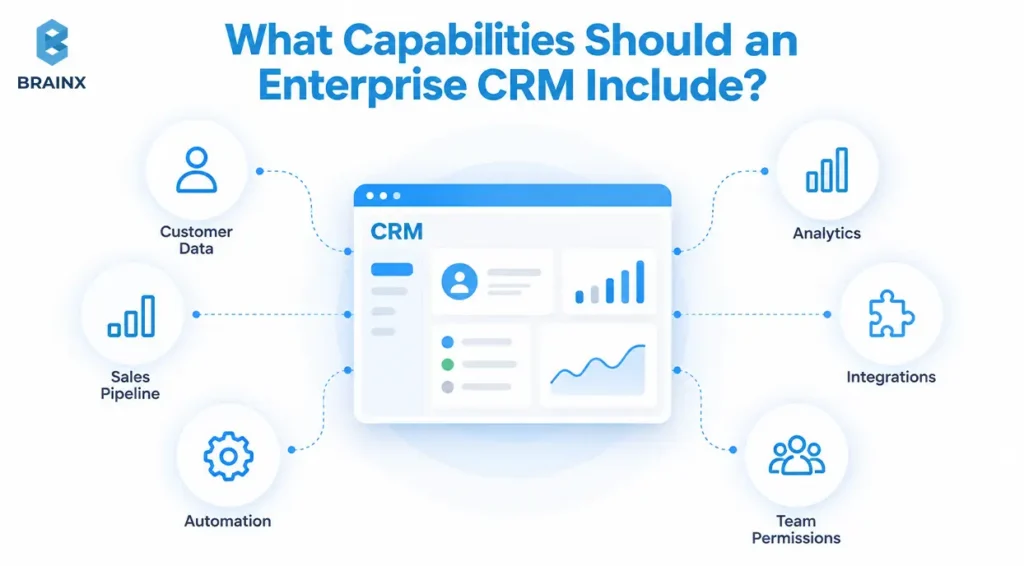
An enterprise CRM should contain the functions to assist key workflows, decisions, and control points. Starting from a generic feature checklist often adds cost before the underlying process is proven.
What Custom CRM Development Services Should Cover
The scope of custom CRM development services should include discovery, workflow analysis, UX, architecture, data design, integrations, security, QA, migration, deployment, monitoring, training and even post-launch improvement.
Covering this lifecycle prevents the CRM from being built in isolation from the systems and operating processes around it.
Sales, Account, Pipeline, and Revenue Workflows
The sales functionality should be consistent with the way the business sells. Common areas include leads, accounts, opportunities, territories, forecasting, quotes, approvals, contracts, renewals, and revenue handoffs.
For complex organizations there might be a need for account hierarchy, partner channels, flexible pricing and custom approval logic as well.
Customer Service, Case Management, and Omnichannel Interaction
Service functionality can combine cases, entitlements, customer history, escalations, knowledge, tasks, service targets, and interactions from email, messaging, portals, or telephony.
The goal is not to store every interaction in CRM. It is to give service teams the governed context needed to resolve issues.
Analytics, Reporting, Workflow Automation, and Role-Based Dashboards
CRM reporting should answer role-specific questions. Sales managers may need pipeline risk. Service leaders may need backlog and resolution trends. Operations teams may need workflow exceptions or integration failures.
Automation should remove repetitive work without hiding critical business logic inside unmanaged triggers.
Where AI-Assisted CRM Capabilities Add Real Value
AI adds value when it reduces repetitive cognitive work inside a defined workflow. Useful applications include lead prioritization, conversation summaries, service-agent assistance, segmentation, knowledge retrieval, and next-step recommendations. For example, Dynamics 365 Sales Copilot can summarize leads, opportunities, and accounts, and Salesforce AI Summary offers contextual AI-generated insights within CRM workflows.
AI should inherit existing CRM permissions, with human review and auditability for higher-impact actions.
If AI is part of the roadmap, BrainX’s AI integration services focus on connecting AI with existing APIs, middleware, data layers, and enterprise workflows.
How to Design a Custom CRM for Enterprise Scale?
A scalable CRM is developed with the following metrics in mind: concurrent users, number of transactions, data volume growth, reporting demand, availability, data recovery, geographic requirements, and integrations. Hosting a system on the cloud alone does not make it scalable.
Design for Users, Transactions, Data Growth, and Geographic Expansion
Architecture should begin with expected workload rather than a preferred technology stack.
Estimate concurrent users, peak reads and writes, API traffic, reporting loads, imports, background processes, data growth, integration bursts, regional latency, and dependency limits. These inputs make architecture decisions testable.
Choose Modular, Service-Based, or Monolithic Architecture Based on Actual Scale Requirements
Microservices do not become an enterprise requirement automatically.
A modular application can separate CRM domains while remaining simpler to deploy and operate. Service-based or microservice architectures make more sense when specific domains need independent scaling, releases, isolation, or ownership.
Choose the simplest architecture that will be able to handle the workload.
Define Performance, Availability, Recovery, and Observability Targets
Establish measurable metrics like API latency, throughput, errors, and report completion times to define performance. The observability should capture the metrics, logs and traces required to understand the health of the system.
Recovery Time Objective (RTO) specifies acceptable restoration time, while Recovery Point Objective (RPO) mentions the acceptable window of data loss. AWS Well-Architected guidance recommends defining both objectives based on business impact.
Validate CRM Scalability With Load and Resilience Testing
Scalability is proven through testing.
Load tests should simulate realistic user journey, integration traffic, reporting and background activity in a production-like environment. AWS Well-Architected guidance on load testing suggests running the entire workload in a production-like infrastructure and scaling beyond the load expectations to identify potential bottlenecks.
Recovery and dependency failures should also be exercised before launch.
How Do You Secure and Govern Enterprise CRM Data?
A custom CRM transfers more security responsibility to the enterprise and development team than a fully managed SaaS platform. Protected data might consist of customer PII, contracts, communications, commercial records, authentication data, and regulated information.
Security, therefore, has to influence the evolution of architecture, development, testing, deployment, and maintenance.
Identity, SSO, MFA, RBAC, ABAC, and Least-Privilege Access
Normally, enterprise CRM authentication should be integrated with the organization's identity provider via single sign-on (SSO) and suitable multi-factor authentication (MFA).
Role-based access control (RBAC) assigns permissions by role. Attribute based access control (ABAC) introduces additional contextual rules like region, department or data sensitivity. Use the simplest model that is effective in enforcing least privilege.
Encryption, Secrets Management, Audit Logs, and Sensitive-Data Controls
Ensure that sensitive CRM data is encrypted at rest and in transit. API keys and service credentials should be managed separately from application code.
Audit trails should capture important events such as permission changes, administrative actions, sensitive exports, authentication anomalies, and significant record changes. Higher-risk data may also need masking, tokenization, or field-level controls.
GDPR, Industry Requirements, Data Residency, and Retention Rules
Compliance requirements should become application behavior.
For organizations that need to adhere to GDPR, CRM design should be based on the GDPR principles provided by the European Commission relating to purpose limitation, data minimization, storage limitation, accuracy, integrity, confidentiality and accountability.
GDPR does not simply require all personal data to remain inside the EU. Transfer rules do apply, with more restrictions possible due to contractual agreement or sector-specific requirements.
Secure the CRM Across Development, Testing, Deployment, and Maintenance
CRM security does not require a penetration test just prior to release, it requires a secure software-development lifecycle.
Perform threat modeling, code review, dependency management, security testing, secrets scanning, vulnerability remediation, and monitoring throughout delivery.
Note: As of August 2026, NIST SSDF Version 1.1 remains final, while Version 1.2 remains an initial public draft. OWASP ASVS 5.0.0 is the current stable Application Security Verification Standard.
How Should a Custom CRM Integrate With Enterprise Systems?
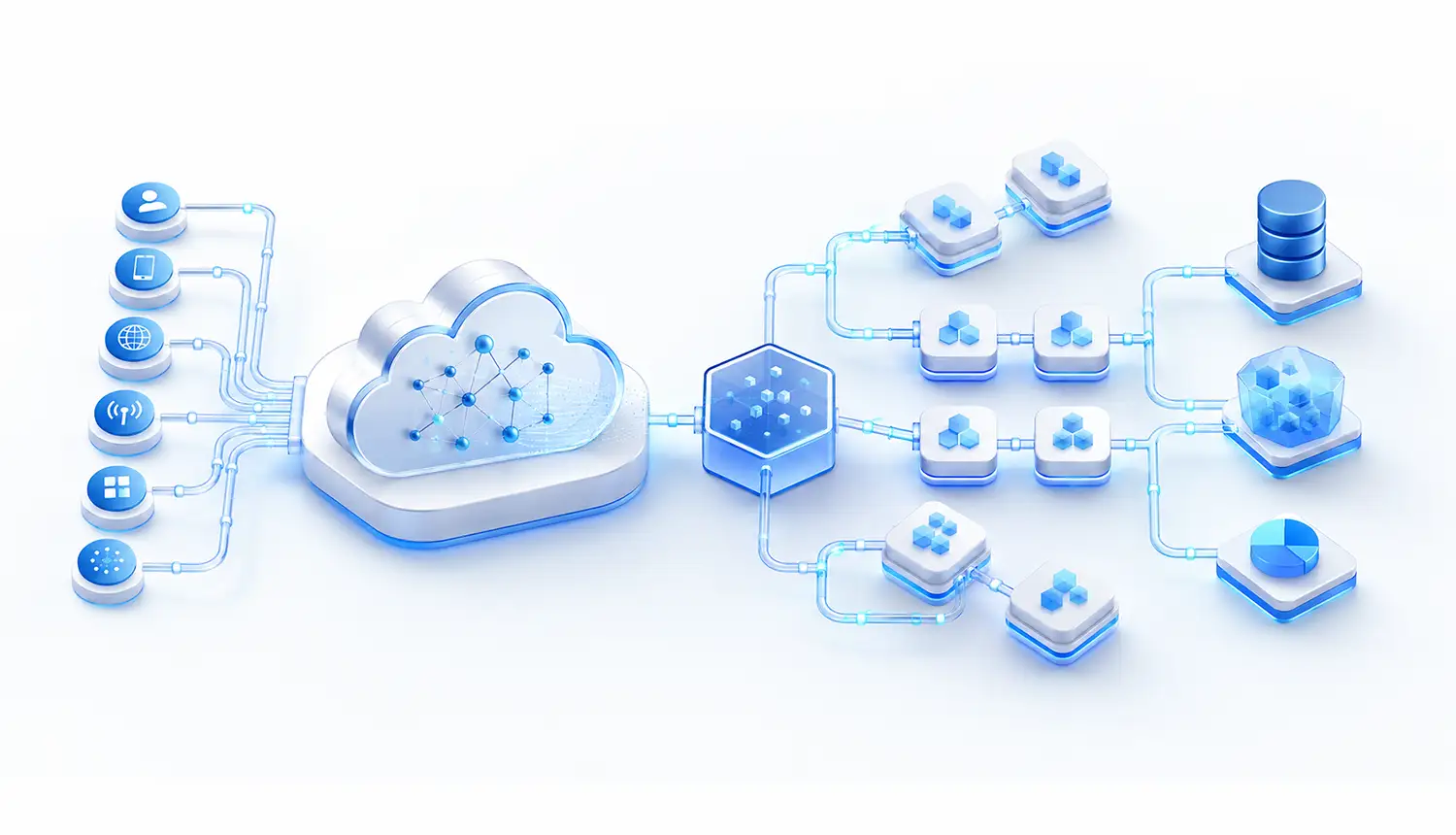
Every CRM integration needs defined data ownership, direction, timing, consistency expectations, security boundaries, failure behavior, and recovery. An API endpoint alone does not create a reliable enterprise integration.
Integrating CRM With ERP, Finance, and Order Management Systems
CRM and ERP typically own different aspects of a customer transaction.
Handling of opportunities and relationship context can be done through the CRM, while inventory, credit, invoices, fulfillment or posted orders can be in the hands of ERP or finance. Assign ownership before synchronization starts to prevent conflicting updates.
Connecting Marketing, Support, Email, Telephony, and Customer Portals
Marketing systems may exchange audiences and engagement data with CRM. Support systems may exchange cases. Email and telephony can associate conversations with records, while portals expose selected workflows externally.
Integration design should also account for authentication, consent, API limits, duplicate messages, webhook failures, and recovery.
Connecting CRM With BI Platforms, Warehouses, and Customer Data Platforms
BI platforms and data warehouses usually consume CRM data for cross-system analysis rather than acting as unrestricted operational writers.
A customer data platform may unify identities and behavioral data across channels. Where suitable, virtual access can also let the CRM query authoritative data without creating another physical copy.
Choose APIs, Events, Batch Sync, Middleware, or Virtual Data Access by Use Case
Choose integration patterns according to latency, volume, consistency, and operational needs.
| Use case | Suitable pattern | Failure strategy |
| Live ERP credit check | Synchronous API | Timeout and controlled fallback |
| Order-status change | Event/asynchronous messaging | Retry and reconciliation |
| Account-master update | Batch/ETL | Validation and replay |
| CRM analytics | ELT, batch, or streaming | Pipeline monitoring |
| Legacy lookup | Middleware or virtual access | Fallback and freshness rules |
Salesforce Architects’ integration patterns guidance distinguishes synchronous, asynchronous, batch, and virtual integration patterns according to the use case, while emphasizing error handling and operational considerations.
Define the System of Record, Data Ownership, and Conflict Resolution Before Integration
Customer data rarely has one universal owner.
CRM might own opportunity status, ERP may own billing data, ecommerce may own transaction events, and a master-data service may own canonical identifiers.
Define ownership where ambiguity matters. Then establish IDs, duplicate rules, update precedence, retries, conflict resolution, reconciliation, and data lineage.
How Do You Plan and Build an Enterprise CRM?
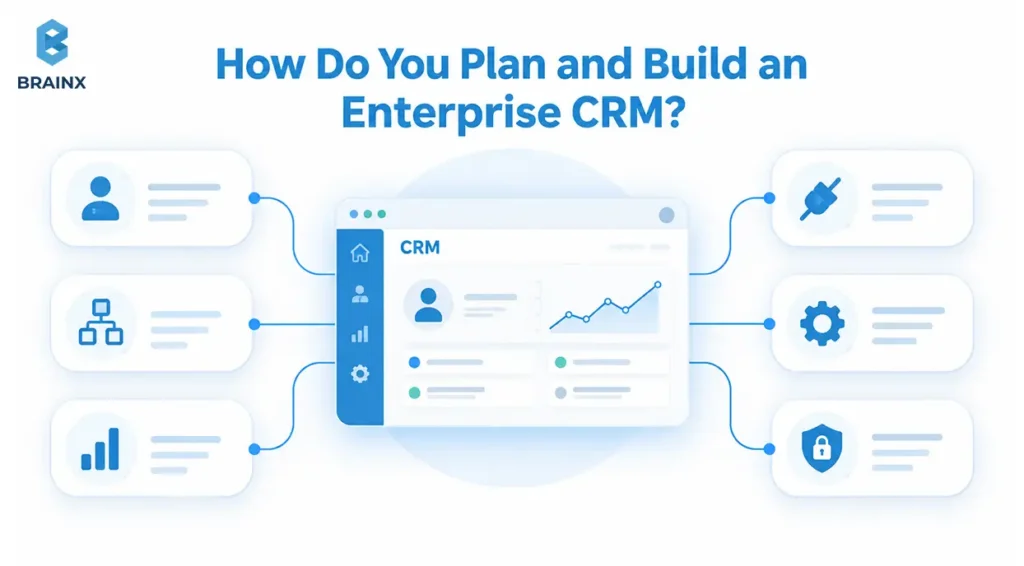
Before starting with any significant development, enterprise CRM implementation should address workflows, data, integrations, non-functional requirements, security and governance. The goal is to expose expensive assumptions before they become production architecture.
What Custom CRM Software Development Requires Before Coding
The first step in custom CRM software development is to create a stakeholder map, future state workflows, a data model, permission model, inventory of integrations, system-of-record decisions, migration constraints, security, performance expectations, success KPIs and prioritized scope.
Discovery should not only tell you what the CRM is supposed to do, but even define how reliably, securely and at what scale.
Phase 1: Discovery, Requirements, and Architecture
Define priority workflows, data relationships, integration boundaries, workload assumptions, migration strategy, security requirements, and measurable outcomes.
Decision gate: requirements and major architecture risks are clear enough to estimate and build responsibly.
Phase 2: UX, Prototyping, and Technical Validation
Test critical user journeys and high-risk technical assumptions.
Use prototypes for key workflows and technical proofs of concept for difficult integrations, identity flows, performance assumptions, or legacy access.
Decision gate: critical user flows and major technical choices have evidence behind them.
Phase 3: Iterative Development, Integration, and Testing
Build the CRM in independently testable increments.
Develop functional modules alongside integrations, automated tests, security controls, telemetry, and deployment automation.
Decision gate: every production candidate meets the agreed upon functional, integration, security, performance, and quality requirements.
Phase 4: Data Migration, UAT, Training, and Controlled Rollout
Clean and map legacy data, rehearse migration, and reconcile results. Real workflows and permissions should be included in user acceptance testing (UAT). Training should reflect actual roles.
Rollout can proceed by region, business unit, workflow, or another controlled cohort.
Decision gate: data, users, support, rollback procedures, and production are ready.
Phase 5: Monitoring, Optimization, and Product Roadmap
Think of the CRM as a product that will last for years.
Monitor workflows, errors, integrations, performance, security events, support demand, and user behavior. Use production evidence to prioritize changes.
Decision gate: monitoring, support, security maintenance, operational ownership, and roadmap decisions have named owners.
For broader vendor due diligence, see our guide on how to choose a software development company.
How Much Does an Enterprise Custom CRM Cost and How Long Does It Take?
There is no defensible universal enterprise CRM price or timeline. Scope, roles, integrations, migration, security, compliance, scalability, testing, and post-launch ownership drive the estimate.
Which Factors Drive CRM Development Cost?
A useful planning model is to look at:
The cost of CRM that includes the core platform, workflows and roles, integrations, migration, scale and resiliency, security/compliance, testing and support.
The above mentioned variables can vary significantly from business to business, so a requirement-driven estimate is more valuable than a generic price range.
How Integrations, Migration, Security, and Scale Affect the Budget
Integrations may require authentication, transformations, middleware, retries, observability, rate-limit handling, reconciliation, and testing.
Migration adds profiling, cleansing, mapping, rehearsals, validation, and cutover planning. Security and resilience add architecture, verification, monitoring, and ongoing operational work.
The budget should account for the number of systems, rules, transformations and failure scenarios that the CRM needs to support.
What Determines an Enterprise CRM Development Timeline?
Timeline depends on scope and dependency uncertainty.
Major drivers include stakeholder decisions, workflow complexity, integration access, legacy APIs, data quality, security review, UAT availability, migration rehearsals, training, and rollout constraints.
Phased delivery can provide value earlier even when the complete enterprise program takes longer.
Compare Upfront Development Cost With Long-Term Total Cost of Ownership
The build-vs-buy economic analysis should be based on the total cost of ownership (TCO) of the system, not on an estimate of its development with a monthly license.
Commercial CRM TCO can involve subscriptions, implementation, premium modules, customization, administrators, integrations, and support. The engineering, infrastructure, security, monitoring, maintenance, and continuous improvements are all part of the custom CRM TCO.
Neither model is automatically cheaper. Compare multi-year scenarios against the same requirements.
How Do You Measure Enterprise CRM ROI and Production Success?
The evaluation of CRM success should be based on the problem that sparked its investment. Count of logins and shipped features are good metrics, but they don't validate business value.
User Adoption and Workflow Completion Metrics
Measure whether users complete meaningful work inside the CRM.
Track active users, workflow completion, abandoned processes, manual workarounds, task time, feature usage, and support demand. High login rates mean little if employees still rely on spreadsheets for critical work.
Customer Data Quality and CRM Hygiene Metrics
Track duplicate records, stale records, missing ownership, validation failures, unresolved sync conflicts, and completeness of business-critical fields.
Measure data quality against intended use. A missing customer identifier may matter far more than a missing optional contact field.
Sales, Service, and Operational Outcome Metrics
Use KPIs linked to the original investment case.
Sales may track quote turnaround, conversion, sales-cycle duration, forecast accuracy, or approval time. Service may track response and resolution time. Operations may track manual interventions, exceptions, or handoff delays.
Use pre-implementation baselines instead of generic benchmarks.
Integration Reliability, Performance, and Availability Metrics
Monitor integration success, failed messages, retries, synchronization lag, availability, API latency, application errors, and recovery-test results.
Technical failures often appear as business problems. A delayed ERP sync, for example, may look like inaccurate order information to a salesperson.
Total Cost of Ownership and Automation Savings
Track operating costs after launch, including infrastructure, engineering, support, security, integration maintenance, and enhancements.
For automated workflows, compare baseline manual effort with current effort and transaction volume. Then compare verified savings with CRM operating costs without attributing unrelated business changes to the CRM.
What Enterprise CRM Implementation Failures Should You Prevent?
Most expensive CRM failures begin in requirements, data, integration, governance, security, or adoption rather than isolated coding defects.
Rebuilding Legacy Processes Without Challenging Them
Digitizing an inefficient process preserves its inefficiency.
Map the current workflow, challenge unnecessary approvals and handoffs, and define the future state before automating it. The CRM should support an improved process, not reproduce the legacy system more neatly.
Underestimating Data Cleansing and Migration
Dirty source data becomes dirty CRM data.
Profile source systems early. Find duplicates, inconsistent identifiers, invalid values, obsolete records, missing fields, and ownership conflicts. Rehearse migration with realistic volumes and reconcile results before cutover.
Creating Brittle Point-to-Point Integrations
Quick point-to-point integrations become difficult to maintain as the application landscape grows.
Define boundaries, monitoring, retry behavior, failure ownership, and escalation procedures. Use middleware or event-driven patterns when they solve a real coupling problem.
Adding Performance and Security Requirements Too Late
Performance, recovery, identity, and security requirements can change architecture.
Define workload targets, access boundaries, privacy requirements, recovery objectives, and verification criteria during discovery. Validate them throughout development instead of hardening the CRM shortly before launch.
Allowing Permission Models to Grow Without Governance
Permissions often accumulate as new roles and exceptions are added.
Start with understandable roles, minimize privileged access, document sensitive permissions, define approvers, and review access regularly. Add attribute-based policies only where simpler role-based rules are not enough.
Launching Without Adoption, Support, and Maintenance Ownership
Go-live transfers the CRM from a project into an operating environment.
Before rollout, assign owners for application support, integrations, data quality, security, infrastructure, training, product prioritization, and incident response. Without this ownership, a technically successful CRM can become difficult to operate.
How Do You Choose an Enterprise CRM Development Partner?
Choose a CRM partner based on evidence of architecture, integration, security, migration, QA, delivery discipline, and lifecycle ownership. Generic claims such as "enterprise-grade" or "highly scalable" are not enough.
Evaluate Enterprise Architecture and Integration Experience
Ask how the team would define CRM domain boundaries, workload assumptions, data ownership, APIs, events, observability, recovery, and integration failures.
A credible proposal should explain tradeoffs. It should show why an architecture fits the workload rather than simply naming fashionable technologies.
Verify Security, QA, DevOps, and Data-Migration Practices
Request the team's security approach, testing strategy, environment model, release process, rollback procedure, migration methodology, reconciliation plan, and production-monitoring design.
Quality, security, migration, and operations should be part of delivery from the beginning.
Ask for Relevant Technical and Delivery Proof
Request artifacts, not adjectives.
Useful evidence may include sanitized architecture samples, integration designs, test strategies, migration plans, threat-model examples, observability approaches, acceptance criteria, or handover documentation.
Review Ownership, Documentation, Support, and Handover Terms
Clarify source-code ownership, intellectual property, repositories, infrastructure access, third-party components, documentation, support expectations, termination assistance, and knowledge transfer.
These terms determine whether the enterprise genuinely controls its custom CRM after delivery.
Use a CRM Development Partner Scorecard
Use consistent evidence to compare providers.
| Area | Evidence to request |
| Architecture | Boundaries, scale assumptions, architecture decisions |
| Integration | Ownership map, patterns, failure and recovery design |
| Security | Secure SDLC, access model, verification |
| Migration | Profiling, mapping, rehearsal, reconciliation |
| QA/DevOps | Test automation, deployment, rollback |
| Documentation | Architecture, APIs, runbooks |
| Support | Ownership, escalation, maintenance |
| Commercial | IP, source access, pricing, change control |
Build a CRM That Scales
A successful enterprise CRM is not defined by the number of features it contains. It succeeds when workflows, data ownership, integrations, security, scalability, and operations work together as one maintainable system.
When custom CRM development appears justified, the next useful step is an architecture and readiness assessment. It should clarify priority workflows, existing systems, data authority, integration boundaries, security obligations, workload targets, migration risk, delivery phases, and measurable outcomes.
BrainX Technologies provides end-to-end custom software development services for organizations that need scalable applications and integrations across existing technology environments.
The objective is to determine whether configuration, custom development, or a hybrid architecture is the right path, then design the CRM for secure and sustainable long-term operation.
Frequently Asked Questions
How long does custom CRM development take for an enterprise?
Enterprise CRM development usually takes several months. The timeline depends on workflow complexity, integrations, data migration, security requirements, UAT, and rollout scope. Discovery should establish a realistic schedule based on actual requirements and dependencies.
How much does it cost to build an enterprise CRM from scratch?
There is no fixed enterprise CRM development cost. Pricing depends on workflows, integrations, migration, security, scalability, testing, infrastructure, and ongoing support. Enterprises should estimate these factors individually and compare them with long-term total cost of ownership.
Can a custom CRM integrate with SAP, Oracle, Microsoft Dynamics, or legacy ERP systems?
Yes. A custom CRM can integrate with SAP, Oracle, Microsoft Dynamics, and legacy ERP systems through APIs, events, middleware, batch synchronization, files, or other governed interfaces. The right pattern depends on ownership, latency, volume, security, and failure recovery.
Is a custom CRM more secure than Salesforce or another SaaS CRM?
Not inherently. A custom CRM offers more control over architecture, deployment, access, and data handling, but it also creates more security responsibility. Security depends on how well identity, encryption, testing, monitoring, maintenance, and governance are implemented.
Should an enterprise build a CRM from scratch or customize an existing platform?
Build when proprietary workflows, integration complexity, governance, or long-term control justify owning more of the application. Configure when standard CRM capabilities cover most requirements and speed matters more. A hybrid approach can combine both.
Who should own customer data when CRM, ERP, ecommerce, and analytics systems are integrated?
Ownership should be defined by the data domain. CRM may own relationship data, ERP may own billing records, ecommerce may own transaction events, and a master-data system may own canonical identifiers. Integration rules should define write authority, synchronization, conflicts, and recovery.