 November 4, 2025 -
 17 minutes read


Key Takeaways
- ChatGPT features in 2026 are primarily centered on enhanced reasoning capabilities, personalization, real-time research, multi-modal support, and business workflow automation.
- GPT-5.6 introduces a more flexible model experience, with GPT-5.6 Sol powering everyday and deeper reasoning on eligible paid plans while GPT-5.6 Luna supports fast everyday use for Free and Go users.
- ChatGPT agent, deep research, apps, and connectors make the platform more useful for real business tasks.
- ChatGPT's memory sources, projects and file libraries can keep it in a useful context without having to repeat oneself.
- There should be a single use case in the beginning, data access should be validated, human review should be identified, and then AI should be safely scaled.
In 2026, ChatGPT is more than just a question-answering bot. It is now a more capable AI research, writing, coding, analysis, image-generation, voice interaction, workflow automation and business productivity assistant.
The most significant change is the transition from "prompt and respond" to more context-aware and actionable support, with ChatGPT becoming a more integrated and intelligent partner. Features like GPT-5.6 Sol and Luna, adjustable reasoning, agent mode, apps, connectors, memory sources, File Library, deep research, and improved image generation are changing how individuals and businesses use AI every day.
From the perspective of businesses, this is significant because AI isn't just about producing content quicker. These days, it's about making workflows more efficient, linking tools together, analyzing files, assisting customers, aiding teams to make decisions, and creating smarter digital products.
In this guide, we'll look at the top ChatGPT features for the year 2026, their functionality, significance, and application by businesses.
Why ChatGPT Features Matter in 2026?
ChatGPT features matter in 2026 because the platform is evolving beyond a mere conversation holder and into a valuable asset in the workplace. It can now support research, code review, spreadsheet work, document analysis, image creation, business planning, customer support, and internal knowledge access.
OpenAI’s latest updates show a clear direction. ChatGPT is getting quicker for regular tasks, smarter for complex reasoning, more context-aware, and more connected to files, apps, and business tools. Now, GPT-5.5 Instant is rolling out as the default model, with a focus on making it more accurate, clear, understanding images, better at answering STEM questions, and better at making decisions when searching the web.
That's why businesses should not overlook ChatGPT as a mere AI writing tool. The right features can help teams:
- Improve productivity: Save time on repetitive tasks, condense long documents, and enhance research efficiency.
- Support better decisions: Get more grounded insights with deep research, file analysis and connected data sources.
- Improve customer experience: Create smarter assistants, chatbot workflows and personalized customer support journeys.
- Strengthen internal operations: Integrate ChatGPT into files, apps, CRMs, spreadsheets, and business processes.
- Move faster with AI adoption: Test specific use cases before investing in custom AI products or integrations.
In short, ChatGPT in 2026 is becoming a practical AI work layer. The companies that understand its features early can use it more strategically instead of only using it for basic content generation.
ChatGPT Features to Look for in 2026

In 2026, ChatGPT is set to be even more capable, connected, and business-ready. The latest updates focus on stronger models, better context, deeper research, apps, agents, file handling, image generation, and safer account controls.
Let’s look at the 12 most important ChatGPT features that businesses, marketers, developers, and everyday users should be aware of.
1. GPT-5.6 Sol and Luna for Smarter Everyday Answers
One of the biggest ChatGPT model updates of 2026 is the rollout of the GPT-5.6 generation. Rather than relying on the same experience for every type of user and task, ChatGPT now uses different GPT-5.6 capabilities depending on the plan and level of reasoning required.
On eligible paid plans, GPT-5.6 Sol powers fast everyday responses while also being able to apply more reasoning when a question becomes complex. Free and Go users are moving to GPT-5.6 Luna as their default model, with a Think option that gives the model additional reasoning time for harder questions.
OpenAI has also tuned the newer ChatGPT models to provide more focused answers, reduce unnecessary formatting, adapt the level of detail to the question, and use retrieved information more reliably.
This makes GPT-5.6 useful for everyday business tasks such as:
- Drafting and refining content
- Summarizing meetings and documents
- Creating outlines and plans
- Analyzing uploaded files
- Answering customer support questions
- Explaining technical concepts
- Conducting web-assisted research
- Preparing marketing and product ideas
Why is it important?
Businesses need AI that can handle both quick questions and more demanding work without producing unnecessarily long or shallow responses. GPT-5.6 creates a more flexible experience by matching the amount of reasoning more closely to the complexity of the task.
OpenAI's internal evaluations also showed improved factual reliability compared with GPT-5.5 Instant, particularly on prompts involving detailed financial, medical, and legal information.
How to use it?
Use the faster GPT-5.6 experience for routine drafting, summaries, brainstorming, and everyday questions. Let ChatGPT apply additional reasoning or select a higher reasoning level when the task involves more complex analysis, planning, or decision support.
Prompt Example:
“Summarize this customer feedback report into five clear insights, identify recurring complaints, and recommend three product improvements our team should prioritize.”
2. GPT-5.6 Reasoning Controls and Models for Complex Work
GPT-5.6 also changes how users can match model capability to the difficulty of their work. On eligible paid ChatGPT plans, GPT-5.6 Sol can operate across multiple reasoning levels rather than requiring users to switch between completely separate everyday and reasoning models.
Depending on the plan, users can choose options such as:
- Instant: Fast responses for everyday tasks
- Medium: Standard reasoning for moderately complex work
- High: Extended reasoning for tasks that require deeper analysis
- Extra High: Greater reasoning effort for demanding problems
- Pro: Uses GPT-5.6 Sol Pro for particularly difficult or longer-running workflows
This is useful when the task requires more careful reasoning, such as:
- Technical architecture planning
- Complex coding and debugging
- Business strategy
- Financial analysis
- Multi-step research
- Product roadmap planning
- Document and compliance analysis
- Enterprise AI workflow planning
The broader GPT-5.6 family also includes different capability tiers:
| Model | Positioning | Best Fit |
| GPT-5.6 Sol | Flagship GPT-5.6 model | Complex reasoning, coding, research, knowledge work, and professional workflows |
| GPT-5.6 Terra | Balanced capability, speed, and cost | Everyday production workloads where efficiency matters |
| GPT-5.6 Luna | Fastest and lowest-cost GPT-5.6 tier | High-volume and everyday AI tasks |
| GPT-5.6 Sol Pro | Highest-capability ChatGPT option | Difficult tasks and longer-running workflows |
There is an important distinction for ChatGPT users: Sol and Sol Pro are central to the standard paid ChatGPT experience, while Terra is primarily available through products such as ChatGPT Work, Codex, and the OpenAI API. Luna powers the default ChatGPT experience for Free and Go users and is also available in other OpenAI products.
Why is it important?
Not every task deserves the same amount of model reasoning. A short rewrite may require speed, while software architecture, financial research, or enterprise planning may benefit from significantly more reasoning. The GPT-5.6 model and reasoning options give users greater control over that trade-off.
For businesses building AI products, the wider Sol, Terra, and Luna family also creates more flexibility when balancing model capability, latency, and operating cost.
How to use it?
Use faster reasoning levels for routine work and move toward High, Extra High, or Pro when the problem requires deeper analysis, multiple steps, or greater confidence. Developers building AI applications can also evaluate Sol, Terra, and Luna based on the performance, speed, and cost requirements of their workload.
Prompt Example:
“Review this enterprise AI integration plan, identify technical and operational risks, and create a phased rollout roadmap covering security, data governance, integration dependencies, cost, and human oversight.”
3. ChatGPT Agent for Research and Action
ChatGPT agent is one of the biggest shifts in how ChatGPT works. Instead of only answering a question, it can plan steps, use tools, browse information, access connected apps, and help complete more complex workflows.
OpenAI describes ChatGPT agent as combining tools such as a visual browser, text browser, terminal, direct API access, and connectors like Gmail and GitHub. This brings ChatGPT a step closer to becoming an AI assistant that can aid in real-life tasks, rather than just explanations.
Why is it important?
Agentic AI helps businesses move from “ask and copy” to “ask and execute with review.” It can support tasks like research, spreadsheet preparation, competitive analysis, reporting, and workflow assistance.
How to use it?
Use ChatGPT agent for tasks that involve multiple steps, tools, or sources.
Prompt Example:
“Research three competitors, compare their pricing pages, summarize their positioning, and create a table of feature gaps we can use for our landing page.”
4. Deep Research With Better Source Control
Deep research is another major ChatGPT feature in 2026. It helps users generate detailed reports by searching across sources, analyzing information, and producing cited outputs.
OpenAI has improved deep research with more control over trusted sources, connected apps, research planning, progress tracking, and fullscreen report review.
Why is it important?
For marketers, founders, product teams, and researchers, this feature can save hours. It helps with:
- Market research
- Competitor analysis
- Industry reports
- Content gap analysis
- Technical research
- Vendor comparison
- Policy and compliance review
How to use it?
Use deep research when the answer needs more than one source or when accuracy matters.
Prompt Example:
“Create a research report on enterprise AI adoption trends in 2026. Use only credible business, consulting, and technology sources. Include citations and key takeaways.”
5. Apps and Connectors for Business Tool Integration
ChatGPT apps and connectors are becoming more useful for business workflows. OpenAI says apps can help ChatGPT search and reference information from connected third-party services, run deep research across multiple sources, sync content, and even support approved write actions depending on the app setup.
This means ChatGPT can work more closely with tools like:
- Google Drive
- Gmail
- Google Calendar
- GitHub
- SharePoint
- Slack
- Microsoft tools
- Business and productivity apps
Why is it important?
Most businesses already have knowledge spread across files, emails, tickets, documents, spreadsheets, and internal tools. Connectors help ChatGPT work with that context instead of relying only on generic answers.
How to use it?
Use apps and connectors to make ChatGPT more useful inside real workflows.
Prompt Example:
“Review the project documents in Google Drive and summarize the main risks, pending decisions, and next steps for the product team.”
6. Memory Sources and More Personalized Responses
Personalization is becoming more transparent in ChatGPT. OpenAI has introduced memory sources so users can see what information helped shape a personalized response. Users can also correct, delete, or mark outdated information as not relevant.
This makes ChatGPT more useful for ongoing work because it can remember useful context such as:
- Preferred writing style
- Ongoing projects
- Past instructions
- Brand tone
- Frequently used workflows
- Connected files or emails where available
Why is it important?
Teams often waste time repeating the same context. Better memory and source visibility help ChatGPT support long-term work while giving users more control.
How to use it?
Use memory for recurring workflows, but keep sensitive business data controlled.
Prompt Example:
“Use my usual BrainX blog tone and create a concise CTA paragraph for this section.”
7. File Library and Project-Based Workspaces
ChatGPT now supports stronger file management through File Library. Users can find, reuse, and build on uploaded or created files over time. The file library is also expanding to Free and Go users, with plan-based storage limits.
Projects also help users keep files, chats, and instructions together for focused work. This is useful for long-running tasks such as content planning, product documentation, research, development planning, and campaign management.
Why is it important?
Businesses often work across many files. File Library and Projects reduce the need to upload the same material repeatedly. They also help ChatGPT stay aligned with the right context.
How to use it?
Use Projects for repeatable workstreams.
Examples include:
- SEO content clusters
- Product documentation
- Sales enablement
- AI implementation planning
- Client onboarding
- Software requirement analysis
Prompt Example:
“Use the files in this project to create a revised blog outline that avoids repeating previous content themes.”
8. ChatGPT Images 2.0 and Image Generation With Thinking
Image generation is now a stronger part of ChatGPT. OpenAI introduced ChatGPT Images 2.0 in 2026, available across all ChatGPT plans. Paid plans also support “images with thinking,” where the model can spend more time planning and refining image outputs before generating them.
Why is it important?
This is useful for marketers, designers, ecommerce teams, and content teams that need visuals faster.
It can support:
- Blog images
- CTA visuals
- Product concept images
- Social media creatives
- Presentation graphics
- UI concept exploration
- Image editing and refinement
How to use it?
Give context, style, size, color palette, and placement.
Prompt Example:
“Create a clean 16:9 blog section image for an article about ChatGPT agent workflows. Use a blue and white technology style with no text.”
9. Voice, Visual Answers, and Multimodal Interaction
ChatGPT’s voice experience is becoming more integrated with the main chat interface. OpenAI says users can now speak, listen, and see the conversation at the same time, with spoken answers alongside streamed text, image search results, widgets, and other visuals.
This makes ChatGPT more useful for hands-free work, quick brainstorming, language practice, accessibility, and mobile workflows.
Why is it important?
People do not always work through text. Voice, images, files, and visual answers make ChatGPT more flexible for real-life use.
How to use it?
Use voice when speed matters or when typing is inconvenient.
Examples include:
- Brainstorming while walking
- Practicing sales pitches
- Reviewing meeting notes
- Talking through a chart
- Asking questions about an uploaded image
- Preparing ideas before writing
10. ChatGPT for Excel, Google Sheets, and Data Work
ChatGPT for Excel and Google Sheets is another practical update for business users. OpenAI says it brings ChatGPT into a sidebar inside Microsoft Excel and Google Sheets to help users build, update, and understand spreadsheets in place.
This can help with:
- Budgets
- Trackers
- Formula support
- Multi-tab spreadsheets
- Scenario planning
- Cleanup of messy data
- Reporting workflows
Why is it important?
Many business decisions still happen in spreadsheets. Bringing ChatGPT directly into Excel and Google Sheets can reduce manual effort and help teams work faster.
How to use it?
Use it for spreadsheet cleanup, formula help, and business analysis.
Prompt Example:
“Review this sales sheet, identify unusual trends, and create a summary for the leadership team.”
11. Shopping Research and Product Comparison
Shopping research is another feature that shows how ChatGPT is becoming more interactive. OpenAI says ChatGPT can help users find products, ask clarifying questions, research across the internet, compare options, and return personalized buyer guides.
In March 2026, OpenAI also improved shopping results with richer product details, better comparison support, image-based product discovery, and fresher product data.
Why is it important?
This feature matters for ecommerce brands because AI-assisted product discovery is becoming part of the buying journey. Shoppers may compare products directly inside AI interfaces before visiting a website.
How to use it?
Ecommerce teams should make product data clear, accurate, structured, and easy for AI systems to interpret.
12. Stronger Security and Account Controls
As ChatGPT becomes more connected to files, apps, and business workflows, security becomes more important. OpenAI introduced Advanced Account Security in 2026, with stronger sign-in methods, recovery keys, session controls, and login notifications.
Why is it important?
AI tools must be able to assist businesses in improving their productivity without compromising on sensitive information. Improved security controls lower account takeover risks and provide protection of business workflows.
How to use it?
Businesses should:
- Use Business or Enterprise plans for team use
- Avoid sharing sensitive data in personal accounts
- Review connector permissions
- Use role-based access where available
- Keep human approval for high-risk actions
- Educate staff on the proper/safe use of AI
How to Choose the Right ChatGPT Features for Your Needs?
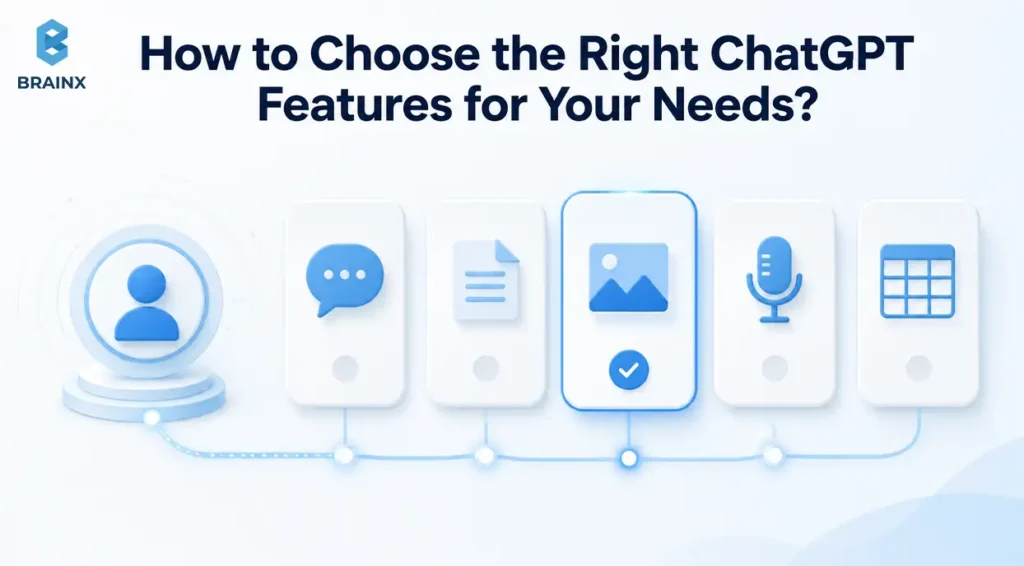
Which ChatGPT feature is right for you depends on what you want to improve. Not all of the features are necessary on day one for every team. The better approach is to match features with clear business goals.
For Marketers
Use GPT-5.6, deep research, image generation, and file analysis for content planning, SEO research, campaign ideas, competitor analysis, and creative workflows.
For Businesses
Use GPT-5.6 reasoning models, Codex, interactive code workflows, GitHub connectors, and technical documentation tools to support debugging, code review, architecture planning, feature development, and software delivery.
For Developers
Use Thinking models, Codex, interactive code blocks, GitHub connectors, and technical documentation workflows to support debugging, code review, feature planning, and development acceleration.
For Content Creators
Use voice, images, file uploads, Projects, and memory to create content faster while keeping style, structure, and brand consistency intact.
For Ecommerce Teams
Use shopping research insights, product data optimization, customer support assistants, and AI-powered personalization to improve product discovery and buying decisions.
For Enterprise Teams
Focus on governance first. Use Business or Enterprise plans, apps with admin controls, secure connectors, human approval, and clear internal AI policies.
The simple rule is this: start with the workflow, not the feature. If the workflow is not clear, ChatGPT will only make it more confusing.
Integrating ChatGPT Features with Other Tools & Platforms

ChatGPT is proving to be increasingly useful when it integrates with the tools that teams are already using. Rather than copying data back and forth across different platforms, businesses can integrate ChatGPT with applications, files, calendar, code repositories, spreadsheets and internal systems.
Here are the most practical integration areas in 2026.
Productivity Tools
ChatGPT can assist with daily work with document summarization, meeting notes, reporting, spreadsheet assistance, project plans, and task follow-ups. Teams can integrate AI into their current workflows through platforms such as Excel, Google Sheets, Google Drive, and Microsoft apps.
Knowledge and File Systems
File Library, Projects, and connected apps help ChatGPT work with uploaded files, internal documents, and project-specific knowledge. This is useful for teams handling proposals, policies, research files, technical documentation, and client material.
Development Tools
ChatGPT can be integrated with GitHub, Codex, code review workflows, technical files and interactive code blocks by the developers. It is beneficial for checking code, explaining bugs, reviewing pull requests and planning technical changes.
Customer Support Platforms
AI workflows can be integrated with business support systems, help desk, CRMs, and knowledge bases. ChatGPT-powered assistants can be used to summarize customer inquiries, generate customer responses, categorize support requests, and direct support personnel.
Sales and Marketing Tools
ChatGPT can support CRM updates, lead research, outreach drafts, campaign planning, content briefs, and customer segmentation. It can enable teams to work quicker while preserving context, when paired with the proper systems.
Ecommerce Platforms
ChatGPT has the capability to help ecommerce businesses with product description, product comparison, shopping assistance, personalization, customer support, and product data cleansing.
Internal Business Workflows
The biggest opportunity is internal automation. ChatGPT can be used for approval processes, reporting, onboarding, answering HR-related questions, summarizing financial documents, checking procurement documents, and operational documentation.
The key is to integrate ChatGPT where your team already works. That makes adoption easier and reduces tool fatigue.
5 Ways Businesses Can Get Started with ChatGPT in 2026
Want to incorporate ChatGPT into your business? Do not automate everything at once, but rather take an experimental and controlled approach.
1. Choose the Right ChatGPT Plan
Start by choosing a plan based on your use case. OpenAI currently lists Free, Go, Plus, Pro, Business, and Enterprise options. Free and Go are more suited for individual exploration, and Plus and Pro are more advanced. For teams with enhanced admin controls, privacy, security, and workspace needs, Business and Enterprise are better options.
If you're looking for a plan for business, do not pick just for the price. Take into account data sensitivity, user access, connectors, admin controls, and frequency of advanced features utilization by your team.
2. Define One Clear Use Case
Do not start with “we want to use AI.” Start with a measurable workflow.
Good starting use cases include:
- Customer support summaries
- Internal knowledge search
- Sales email drafting
- Blog content briefs
- Product description generation
- Meeting summary workflows
- Spreadsheet cleanup
- FAQ automation
- Document analysis
A clear use case helps you measure whether ChatGPT is actually improving work.
3. Prepare Your Data and Files
ChatGPT performs better when the context is clean. Before using it for business workflows, organize your documents, product data, FAQs, policies, and knowledge bases.
Check:
- Is the information updated?
- Who owns the data?
- Are permissions clear?
- Is sensitive data protected?
- Are file names and structures easy to understand?
Good AI output starts with good input.
4. Add Human Review Where Needed
ChatGPT can be used to enhance productivity, but it should not be relied upon in high-risk scenarios where human judgment is required. Use human review for legal, medical, financial, compliance, hiring, or customer-impacting decisions.
For business workflows, define:
- What ChatGPT can draft
- What it can recommend
- What it can never approve alone
- Who reviews final outputs
- How mistakes are reported and fixed
This keeps AI useful and safe.
5. Measure, Improve, and Scale
After testing one use case, track results. Useful metrics include:
- Time saved
- Error reduction
- Response quality
- Customer satisfaction
- Content production speed
- Support ticket handling time
- Employee adoption
- Cost per workflow
Once one workflow proves value, expand carefully into the next one.
Make BrainX Your Partner for Practical AI Development
Your AI journey does not start with tools. It starts with the right use case, the right workflow, and the right implementation plan.
At BrainX, we help businesses move from AI interest to real AI outcomes. Our team works with you to identify practical use cases, design secure AI workflows, integrate AI with existing systems, and build custom AI solutions that fit your operations.
From ChatGPT integrations and AI agents to intelligent automation, RAG systems, voice assistants, and enterprise AI platforms, BrainX turns AI complexity into usable business value.
If you’re ready to move from AI experimentation to real implementation, BrainX can help you build it the right way.
Conclusion
ChatGPT in 2026 is no longer only a tool for quick answers or content drafts. It is becoming a connected AI assistant that can support reasoning, research, coding, file analysis, image creation, voice interaction, workflow automation, and business productivity.
The most important ChatGPT features to watch in 2026 include GPT-5.6 Sol and Luna, adjustable reasoning, GPT-5.6 Sol Pro, agent mode, deep research, apps, connectors, memory sources, File Library, ChatGPT Images 2.0, spreadsheet support, shopping research, and stronger security controls.
For businesses, the opportunity is clear. ChatGPT can help teams work faster, reduce repetitive tasks, improve research quality, and build smarter customer-facing and internal systems. But the best results come when businesses start with clear workflows, clean data, human review, and secure integrations.
The future of ChatGPT is not just smarter conversations, it is smarter work.
Frequently Asked Questions About ChatGPT Features
1. What are the top ChatGPT features in 2026?
The top ChatGPT features in 2026 include GPT-5.6 models and reasoning controls, ChatGPT agent, deep research, apps and connectors, memory sources, File Library, Projects, ChatGPT Images 2.0, voice, spreadsheet support, shopping research, and stronger security controls.
2. What are GPT-5.6 Sol, Terra, and Luna?
GPT-5.6 Sol, Terra, and Luna are models in OpenAI's GPT-5.6 family. Sol is the flagship model for demanding work, Terra balances capability, speed, and cost, and Luna is the fastest and lowest-cost tier. In standard ChatGPT, Sol primarily serves eligible paid users while Luna powers the default Free and Go experience.
3. What is ChatGPT agent?
ChatGPT agent is an advanced feature that helps ChatGPT plan and complete multi-step tasks. It can use tools such as browsers, terminal access, APIs, and connected apps where available. It is useful for research, analysis, reporting, and workflow support.
4. What is deep research in ChatGPT?
Deep research is a ChatGPT feature that helps users create more detailed, source-backed reports. It can search across multiple sources, analyze information, and produce structured answers with citations. It is useful for market research, competitor analysis, technical research, and business planning.
5. Can ChatGPT access live information in 2026?
Yes, ChatGPT can access live web information when search or browsing features are available and enabled. However, users should still verify important information, especially for legal, medical, financial, technical, or business-critical decisions.
6. What are ChatGPT apps and connectors?
Apps and connectors let ChatGPT work with third-party tools and data sources. Depending on the plan and setup, ChatGPT can search, reference, sync, or take approved actions inside connected platforms such as Google Drive, Gmail, GitHub, SharePoint, Slack, and other business tools.
7. Is ChatGPT safe for business use?
ChatGPT can be safe for business use when companies use the right plan, permissions, security settings, and internal AI policies. Businesses should avoid sharing sensitive data through unmanaged personal accounts and should use Business or Enterprise plans when security, privacy, and admin controls matter.
8. Can ChatGPT replace employees?
ChatGPT can automate and speed up many tasks, but it should not be treated as a full replacement for skilled employees. It works best as an assistant for drafting, summarizing, researching, analyzing, and supporting workflows. Human judgment is still important for strategy, creativity, compliance, and final decisions.
9. Is ChatGPT Plus worth it in 2026?
ChatGPT Plus can be worth it for users who need more advanced reasoning, higher limits, deeper research, better image generation, projects, tasks, and custom GPTs. For casual users, the Free or Go plan may be enough. For business teams, Business or Enterprise plans are usually more suitable.
10. How can businesses use ChatGPT in 2026?
Businesses can use ChatGPT for customer support, content creation, internal knowledge search, sales enablement, data analysis, software development support, document review, onboarding, workflow automation, and AI-powered product features. The best approach is to start with one measurable use case and scale after results are proven.