 April 22, 2026 -
  32 minutes read

TL;DR / Key Takeaways
- An AI chatbot development company in 2026 should deliver more than a chat UI: LLM architecture, data grounding (RAG), integrations, security, evaluation, and LLMOps.
- “Enterprise chatbot” success depends on LLM governance: access control, audit logs, monitoring, red-teaming, and safe failure modes.
- The biggest ROI comes from ticket deflection, faster resolution, improved agent productivity, and internal knowledge access, but only when you track the right KPIs.
- Most failures come from underestimating data readiness, identity/permissions, integration complexity, and hallucination risk.
- A strong partner helps you choose the right approach (RAG vs fine-tuning vs agents), avoid compliance gaps, and ship incrementally without locking you into a single model/provider.
- If you want a low-risk start, run a short assessment/workshop → pilot scope → measurable rollout plan.
Enterprise AI initiatives are no longer judged by how impressive a demo looks. They are judged by whether they work reliably in production, respect governance requirements, and create measurable business value.
The said shift is happening fast. McKinsey’s 2025 global survey found that 88% of organizations now use AI in at least one business function, up from 78% a year earlier. It also found that 71% report regular generative AI use, up from 65% in early 2024.
In customer service, the pressure is even clearer. Intercom reports that 82% of senior leaders invested in AI for customer service in 2025, and 87% plan to invest again in 2026. Yet only 10% say their deployment is mature and operating at scale
Deloitte’s 2026 AI report adds another signal. Worker access to AI rose by 50% in 2025, and the share of companies with 40% or more of AI projects in production is expected to double within six months.
That’s why more teams are moving from “let’s try a chatbot” to “we need an AI chatbot development company that can ship an enterprise-grade assistant with governance, integrations, and evaluation built in”.
In 2026, the stakes are higher. Regulatory scrutiny is tighter, security teams are less tolerant of shadow AI, and business leaders expect real ROI, not pilot theater. If you’re a startup founder scaling support, a product manager building AI into the roadmap, or an enterprise IT leader modernizing service delivery, the key shift is this: a chatbot is now an operational system. Treat it like one, or it can fail like one.
What an AI Chatbot Development Company Actually Does (in 2026)
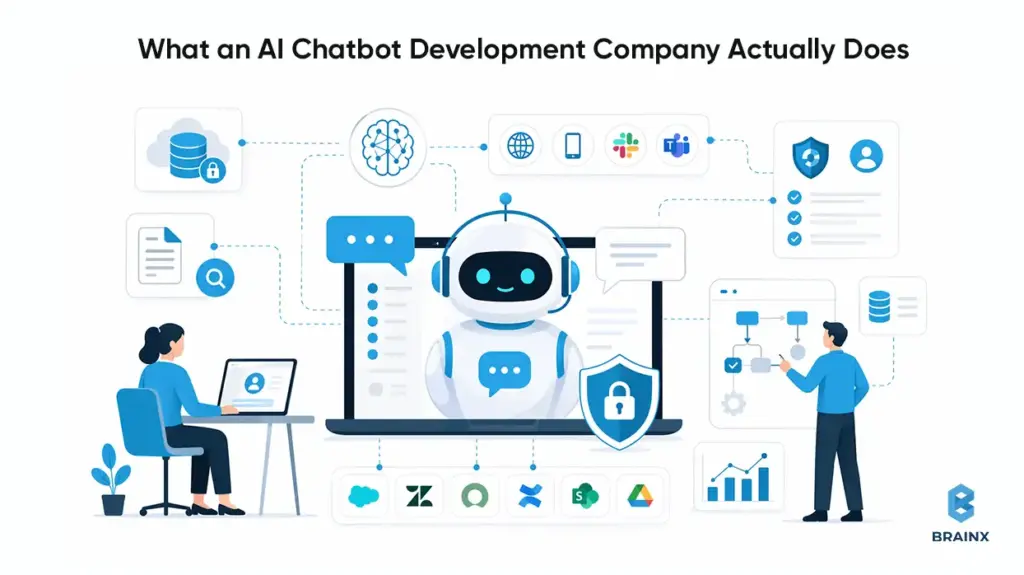
In 2026, an AI chatbot development company is closer to a product engineering partner than a “chat widget” vendor. The work spans strategy, architecture, security, evaluation, and operationalization—because the assistant becomes part of your customer experience and internal operating model.
A capable AI based chatbot development company starts by aligning the chatbot with business outcomes (deflection, conversion, cycle time reduction), then designs how the assistant will access knowledge and take actions. That includes decisions like RAG vs fine-tuning, whether to add tool-using agents, and what guardrails to enforce.
The enterprise-grade part is the unglamorous part: identity, permissions, logging, monitoring, and compliance. Most pilots fail at the handoff from demo to production because teams don’t plan for multi-system integration (CRM, ticketing, IAM, data warehouses) and continuous evaluation.
Finally, a production partner owns rollout mechanics: staged launches, fallbacks to humans, analytics, and iteration loops. The goal is not to “launch a chatbot,” but to run an assistant that improves over time without breaking trust.
Typical Deliverables
Enterprises should expect a clear set of artifacts and system components—not a vague promise of “LLM magic.” Common deliverables include:
Solution architecture
- LLM selection rationale (quality, latency, data handling)
- RAG pipeline design (indexing, chunking, retrieval, reranking)
- Agent/tooling design where relevant (function calling, workflow steps)
Integration deliverables
- CRM/ticketing integrations (e.g., Salesforce, Zendesk, ServiceNow)
- Knowledge source connectors (Confluence, SharePoint, Google Drive, wikis)
- Channel integrations (web, mobile, Slack/Teams, IVR handoff where needed)
Governance and security
- SSO integration, RBAC/ABAC mapping to enterprise identity
- Audit logs and data retention policies
- Prompt injection controls, DLP scanning, and safe content filters
Evaluation and analytics
- Offline test sets and regression evaluation harness
- Production monitoring dashboards (latency, cost, quality signals)
- Analytics for intents, containment, handoff reasons, and feedback loops
Operational runbooks
- Incident response, model/provider failover strategy
- Content update workflows and index refresh policies
- Versioning for prompts, policies, and retrieval configuration
These deliverables reduce operational risk. They also make your assistant maintainable when business rules, systems, or compliance requirements change.
Roles Involved
A production build needs cross-functional ownership. If your vendor says “two engineers can do it,” you’re likely looking at a PoC factory, not an enterprise delivery team.
Typical roles include:
- Product manager / product owner to define scope, constraints, success metrics, and rollout gates.
- Solution architect to design integration patterns, identity flows, and environment topology.
- ML/LLM engineers to implement RAG, agent patterns, and evaluation harnesses.
- Backend engineers to build API layers, orchestration services, caching, and tool endpoints.
- Frontend engineers for chat UX, channel-specific constraints, and accessibility.
- Security engineer to drive threat modeling, DLP, secrets management, and auditability.
- QA engineers for functional testing plus adversarial testing (jailbreak attempts, prompt injection).
- DevOps/LLMOps to manage CI/CD, monitoring, model gateway policies, and cost controls.
The point is not to add process overhead. It’s to ensure the assistant behaves like an enterprise system with predictable failure modes.
Also Read : Revamping Customer Experiences With AI Chatbots in 2026
What Enterprises Should Expect vs What Vendors Often Oversell
Enterprises should expect:
- A documented approach to grounding (RAG), evaluation, and monitoring.
- Clear security boundaries: where data flows, what is stored, and how it’s protected.
- Integration depth: “read + write” workflows, not just Q&A over PDFs.
- A plan for ongoing operations: model updates, regression tests, cost tuning.
What vendors often oversell:
- “Hallucination-free” chatbots. That’s not a real guarantee; the goal is measurable reduction + safe behavior under uncertainty.
- “We fine-tune and it will learn your business.” Fine-tuning doesn’t automatically solve factual accuracy, permissions, or compliance.
- “One-week implementation.” You can deploy a UI quickly, but you can’t responsibly productionize identity, governance, and evaluation in a week for an enterprise.
- “Works with all your tools out of the box.” Real integrations involve permissions mapping, edge cases, audit trails, and operational ownership.
In 2026, enterprises win by choosing partners who are explicit about constraints, tradeoffs, and operating requirements.
Why Enterprises Need an AI Chatbot Development Company in 2026 (Not Just a Tool)
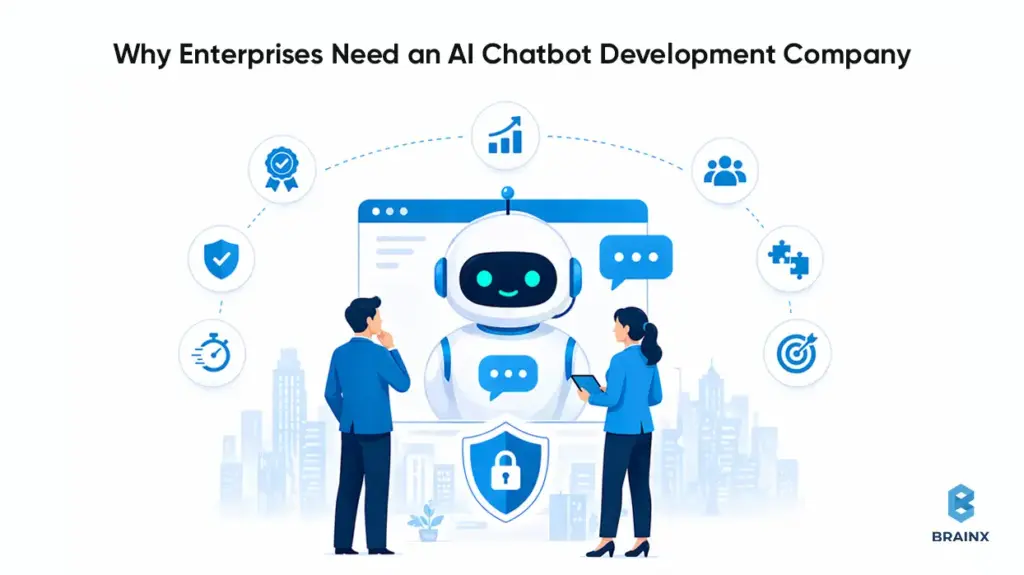
Buying a chatbot tool can be a reasonable starting point. But in 2026, most enterprises discover that “tooling” doesn’t cover the hard parts: data access control, integration reliability, governance, and measurable ROI. That’s where an AI chatbot development company becomes a necessity rather than a nice-to-have.
The biggest driver is risk. An assistant that gives incorrect policy guidance, leaks sensitive data, or takes the wrong action can create real financial and reputational impact. Security teams want provable controls, not just vendor assurances.
The second driver is competitiveness. Customers increasingly expect high-quality self-serve resolution. Employees expect instant access to internal knowledge. If your organization can’t provide that, you’ll feel it in support costs, churn risk, and internal throughput.
The third driver is execution speed. Enterprises that treat assistants as “a side experiment” get stuck in pilots. A delivery partner helps you ship incrementally while keeping the system production-ready from day one.
The Shift From “Chatbots” to “AI Assistants” and “Agentic Workflows”
The term “chatbot” undersells what modern systems do. In 2026, the dominant pattern is assistant + tools:
- The assistant answers questions grounded in enterprise data.
- It executes workflows by calling APIs (create ticket, update order, request approval).
- It routes to humans with context when confidence is low.
- It adapts to role and permissions (employee vs manager vs contractor).
This shift matters because it changes architecture. You’re no longer building a conversational FAQ. You’re building a system that can trigger real business actions—and therefore needs the same rigor as any other production automation.
Agentic workflows also introduce new failure modes: partial completion, tool errors, permission mismatches, or ambiguous user intent. A strong partner designs guardrails (confirmation steps, scoped actions, idempotency, and audit trails) so automation remains safe.
The Hidden Enterprise Requirements
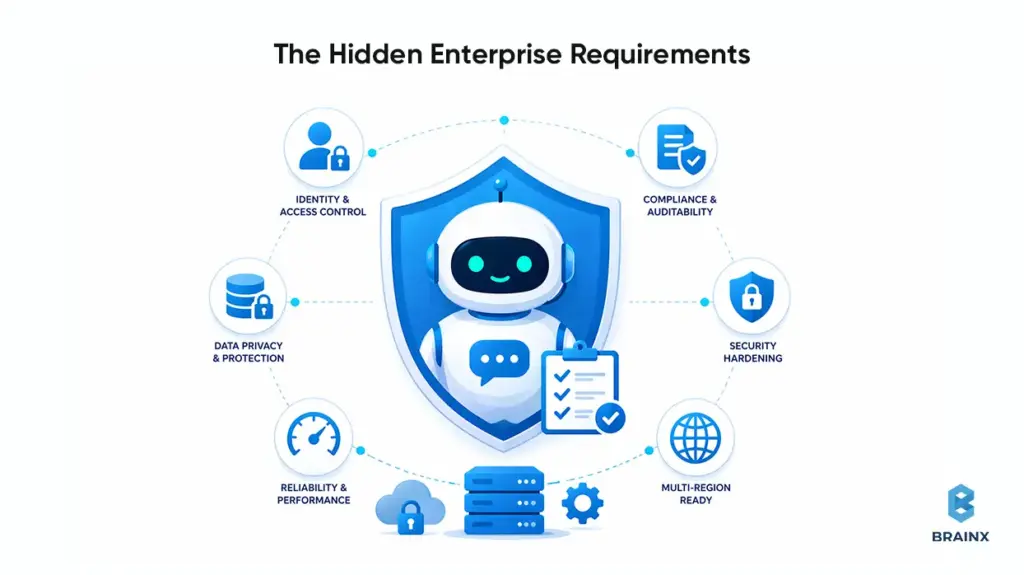
The “hidden” work is what separates an enterprise assistant from a prototype. Typical requirements include:
Identity and access control
- SSO (SAML/OIDC), SCIM provisioning, RBAC/ABAC enforcement
- Permission-aware retrieval (the assistant can’t retrieve what the user can’t access)
Compliance and auditability
- Audit logs for queries, tool calls, data sources, and admin changes
- Retention policies aligned with legal requirements
Security hardening
- Prompt injection defenses (content scanning + sandboxed tool execution)
- DLP controls and secrets management
Reliability and performance
- Latency budgets for interactive UX
- Rate limiting, caching, and fallback behaviors
- Multi-region considerations for global enterprises
Many SaaS tools cover some of these. Few cover them in a way that matches your internal security posture, legacy systems, and governance model.
The Opportunity Cost of Slow Adoption
Slow adoption isn’t neutral—it’s a compounding cost.
Externally, slow adoption shows up as:
- More tickets per customer as your product surface area grows
- Higher cost-to-serve, especially for repetitive “how do I” issues
- Slower response times that reduce CSAT and increase churn risk
Internally, slow adoption shows up as:
- Engineers and IT teams spending time answering repeat questions
- HR and Ops teams acting as “human routers” for policy interpretation
- Longer onboarding cycles and slower resolution of routine requests
In 2026, the winners aren’t the companies with the flashiest demos. They’re the ones that operationalize assistants with governance and iterate based on measurable outcomes.
Business Value: Where Enterprise AI Chatbots Deliver Measurable ROI
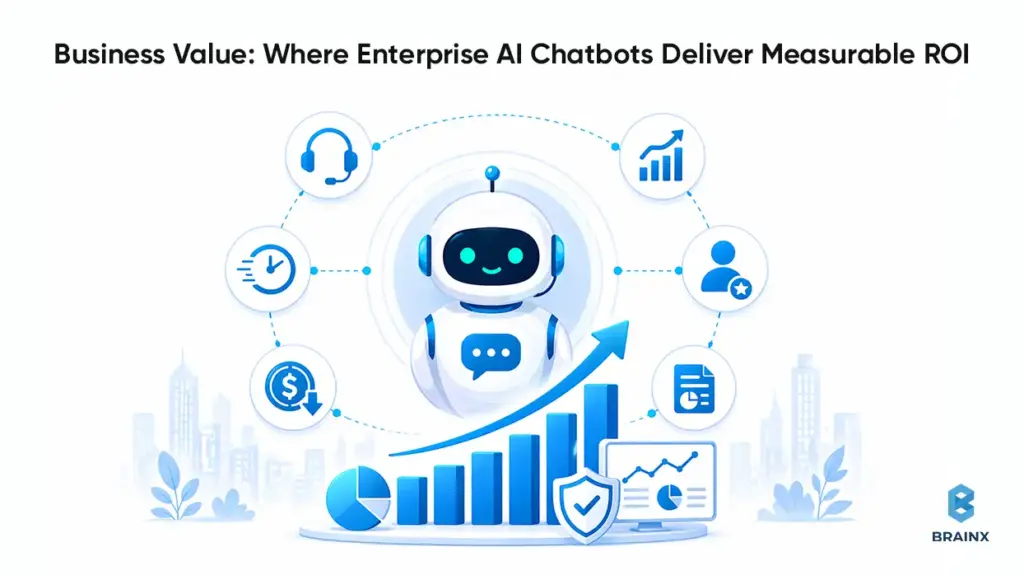
If you want executive sponsorship, you need ROI you can defend. The good news is that enterprise chatbots map cleanly to measurable metrics—if you instrument them properly and avoid vanity numbers like “messages sent.”
The most common ROI path is straightforward: reduce human workload on repetitive interactions, shorten time-to-resolution, and improve self-serve completion. But to claim those outcomes, you need baseline data (ticket volumes, AHT, cost per contact) and a measurement plan that separates “handled by bot” from “deflected but unresolved.”
Enterprises also underestimate second-order value: faster onboarding, fewer escalations, and better knowledge reuse. Those benefits don’t always appear in a single dashboard, but they show up in throughput and cycle times when tracked consistently.
External-Facing
External assistants typically drive ROI in three buckets:
Customer Support Deflection and Containment
- Deflection: user resolves without creating a ticket
- Containment: ticket is created, but bot resolves without human agent involvement
- Primary levers: better retrieval, better intents, better handoff rules
Sales Enablement
- Pre-qualify leads, answer product questions, route to the right rep
- Capture structured attributes (company size, use case, timeline) for CRM
- Reduce time-to-first-response and improve conversion rates on inbound
Onboarding
- Guided setup steps, troubleshooting, “what’s next” recommendations
- Fewer onboarding calls for common configuration issues
- Better activation rates when the assistant is embedded in-product
For startups, these use cases often prevent support headcount from scaling linearly with users. For enterprises, they reduce cost-to-serve and improve customer experience consistency.
Internal-Facing
Internal assistants are frequently the fastest path to adoption because the organization controls the channels and data sources. Common wins include:
IT Helpdesk
- Password reset guidance, VPN troubleshooting, device policies
- Ticket creation with context: device type, OS, screenshots/logs
- Integration into ServiceNow/Jira for routing and status updates
HR and Policy Q&A
- PTO policy interpretation, benefits enrollment steps, travel policies
- Permission-aware responses (manager vs employee vs contractor)
- Strong need for grounding + citations to policy sources
Knowledge Search
- Faster access to SOPs, runbooks, incident postmortems, architecture docs
- Reduced interruptions to SMEs
- Measurable through reduced time-to-answer and fewer internal tickets
Internal assistants also act as a forcing function to improve documentation quality and access control hygiene—which helps beyond AI initiatives.
Also Read: 9 Step Guide on How to Use Generative AI for Your Business
KPIs That Matter
A CFO-friendly KPI set should include both efficiency and quality:
Efficiency Metrics
- Deflection rate (self-serve resolution rate)
- Containment rate (resolved without human after contact)
- Average handle time (AHT) reduction for assisted agents
- Cost per ticket/contact reduction
- Ticket backlog reduction or throughput increase
Quality and Trust Metrics
- CSAT (or internal satisfaction proxy)
- First-contact resolution rate
- Escalation rate due to wrong answers
- Hallucination/error rate on a curated evaluation set
- Citation coverage (how often answers include verifiable sources)
Adoption Metrics
- Weekly active users (WAU) by persona
- Repeat usage rate (retention)
- Top intents by volume and success rate
- Handoff reasons (no data, low confidence, policy restricted)
At this point an enterprise AI chatbot development company adds value as they help you define these metrics upfront and build instrumentation so you can improve what actually matters.
Enterprise Use Cases to Prioritize in 2026 (With Quick Wins vs Strategic Bets)
Picking the right starting point is often more important than picking the “best model.” In practice, enterprises succeed when they start with a use case that has:
- High volume and repeatability
- Clear success criteria
- Known data sources and owners
- A safe failure mode (human handoff, read-only answers)
An enterprise AI chatbot development company can help you structure the roadmap as a portfolio: quick wins that pay for themselves, and strategic bets that unlock deeper automation over time.
A useful way to prioritize is to map use cases on an Impact vs Complexity matrix. Complexity is usually driven by integration depth, permissions, and compliance, not by the UI.
Tier 1 (Quick Wins): Support Deflection + Knowledge Base Assistant (RAG)
Tier 1 is where most enterprises should start in 2026. It’s the cleanest ROI with manageable risk.
Typical Tier 1 scope:
- RAG over curated knowledge sources (help center, internal KB, SOPs)
- Strong citations (“answer + sources”) to improve trust
- Clear boundaries (what the assistant will not answer)
- Human handoff rules and intent routing
Key implementation details that matter:
- Index only approved content; don’t “vacuum up” everything
- Use permission-aware retrieval for internal content
- Build an evaluation set from real historical tickets/questions
- Add feedback capture at the answer level (thumbs up/down + reason)
Tier 1 tends to deliver value quickly because it targets repetitive questions and reduces time spent searching.
Tier 2: Workflow Automation (Ticket Creation, Refunds, Order Status, Approvals)
Tier 2 adds write actions. This is where you start seeing bigger operational leverage—but also higher risk.
Examples:
- Create or update support tickets with structured fields
- Retrieve order status and initiate returns/refunds (with confirmations)
- Approvals workflows (access requests, purchase requests, policy exceptions)
- Account changes that require identity verification steps
Key design requirements:
- Confirmations before irreversible actions
- Idempotency keys and retries for tool calls
- Audit logs that record the user intent and tool execution result
- Permission checks at the tool layer, not only in prompts
This tier benefits from partner experience because the failure modes are often integration- and workflow-related, not “LLM intelligence.”
Tier 3: Agentic Copilots (Multi-Step Tasks, Tool Use, Cross-System Actions)
Tier 3 introduces more autonomy: multi-step planning, tool selection, and cross-system orchestration. This is powerful, but it needs tight guardrails.
Examples:
- “Resolve my VPN issue” → gather context → run diagnostics → update ticket → propose fix
- “Prepare a renewal risk summary” → pull CRM notes → query usage metrics → draft summary
- “Onboard this employee” → create accounts → request approvals → assign training modules
Enterprise considerations:
- Scoped tool access per persona (least privilege)
- Sandboxed execution and explicit action policies
- Strong observability: traces for planning + tool calls
- Regression testing across workflows, not just responses
Tier 3 is usually a “strategic bet.” It can create meaningful differentiation, but only when Tier 1 and Tier 2 foundations are stable.
Industry Snapshots
Different industries prioritize differently based on compliance and workflow patterns:
SaaS
- Tier 1: in-product support + onboarding guidance
- Tier 2: ticket enrichment, account changes, usage-based troubleshooting
- Tier 3: customer success copilot pulling CRM + product telemetry
Fintech
- Tier 1: policy + FAQ with strict compliance/citations
- Tier 2: dispute workflows, account status checks (with identity verification)
- Tier 3: internal compliance copilot with auditable outputs
Healthcare
- Tier 1: internal policy/SOP assistant with strict access control.
- Tier 2: scheduling workflows (within compliance boundaries)
- Tier 3: clinician admin copilots (documentation support) with governance
Retail
- Tier 1: order status, returns policy, product Q&A
- Tier 2: returns/refunds automation and customer identity checks
- Tier 3: supply chain and merchandising copilots using tool access
Manufacturing
- Tier 1: maintenance SOP assistant + safety documentation retrieval
- Tier 2: work order creation and parts availability checks
- Tier 3: incident response copilots integrating CMMS + inventory systems
An experienced partner helps you pick the first use case that fits your data reality and governance maturity—not just what looks impressive.
How Modern Enterprise AI Chatbots Work (Architecture Options)
Architecture is where most enterprise chatbot programs succeed or fail. The key is choosing patterns that map to your data constraints, compliance needs, and maintenance capacity.
In 2026, you’ll typically choose among three core patterns—often combined:
- RAG for knowledge grounding (most common)
- Fine-Tuning for style or narrow behaviors (less common than many assume)
- Tool-Using Agents for workflows and actions (high leverage, higher risk)
Enterprises also need a backbone: identity, audit logs, monitoring, DLP, rate limiting, and environment separation. Without that, the assistant is a liability.
Pattern A: RAG (Recommended Default for Enterprise Knowledge)
Retrieval-Augmented Generation (RAG) is the default recommendation for enterprise assistants because it grounds answers in your approved sources without needing to retrain a model.
A typical RAG flow:
- The user asks a question.
- The system retrieves relevant chunks from indexed sources (based on embeddings + filters).
- Optional reranking improves relevance.
- LLM answers using retrieved context and returns citations.
What makes RAG enterprise-ready:
- Permission-aware retrieval (filter results by user identity and document ACLs)
- Source-of-truth citations (links to Confluence pages, policy docs, tickets)
- Indexing governance (approved collections, update cadence, content ownership)
- Evaluation (test set aligned to real user intents)
RAG reduces hallucinations relative to unguided generation, but it’s not automatic. Retrieval quality, chunking strategy, and prompt constraints matter.
Pattern B: Fine-Tuning (When It Helps and When It Doesn’t)
Fine-tuning can be useful, but it’s often misapplied.
It helps when you need:
- Consistent structured outputs (e.g., specific JSON schemas)
- Domain-specific phrasing or classification behavior
- Narrow task performance improvements with stable requirements
It does not automatically solve:
- Factual accuracy on changing enterprise knowledge
- Permissioning and data access control
- Compliance auditability and retention
- Tool execution safety
In many enterprise scenarios, fine-tuning is unnecessary if you have good RAG, strong system prompts, and a reliable evaluation loop. If you do fine-tune, treat it as a software release: version it, test it, and plan rollback.
Pattern C: Tool-Using Agents (Actions, Workflows, Guardrails)
Tool-using agents connect the assistant to APIs so it can take actions. This is where assistants become operationally meaningful.
A robust agent design includes:
- Tool registry with strict schemas and permission gating
- Policy layer controlling which tools can be used in which contexts
- Confirmation flows for destructive or sensitive actions
- Execution logs that capture tool inputs/outputs for auditing
- Fallback behaviors when tools fail or return partial data
Guardrails matter more than intelligence. An agent that can do fewer things safely is more valuable than one that can do many things unreliably.
The Enterprise Backbone
Regardless of pattern, enterprise deployments need baseline platform capabilities:
SSO + RBAC/ABAC
- Authenticate users and enforce role-based access to tools and documents
Audit logs
- Track prompts, retrieved sources, tool calls, and admin changes
Monitoring & alerting
- Latency, error rates, cost per conversation, drift in answer quality
DLP
- Detect and block sensitive data exfiltration
- Redact PII in logs where required
Rate limiting + cost controls
- Prevent abuse, manage spend, and ensure predictable performance
Environment separation
- Dev/stage/prod with distinct keys, policies, and data boundaries
An enterprise AI chatbot development company should implement this backbone as a first-class requirement, not an afterthought.
Build vs Buy vs Partner - The 2026 Decision Framework
Enterprises usually debate this too late—after a pilot. In 2026, you’re better off deciding upfront what you’re optimizing for: speed, differentiation, control, or compliance.
“Buy” is attractive because it’s fast. “Build” sounds attractive because it’s controllable. “Partner” is often the most pragmatic path when you need enterprise-grade delivery without rebuilding everything from scratch.
If your goal is to pick the best AI chatbot development company, define “best” in terms of your constraints: integration depth, security posture, delivery maturity, and measurable outcomes—not marketing claims.
When SaaS Chatbot Platforms Are Enough
SaaS platforms can be enough when:
- The use case is mostly Tier 1 Q&A over public or low-risk content
- You don’t need deep custom integrations or complex permissions
- Your compliance requirements are modest or already met by the vendor
- You can accept vendor constraints on logging, evaluation, and architecture
Even then, you’ll want to validate:
- How the platform handles data retention and model training defaults
- Whether you can export logs and analytics
- How identity and permissioning is implemented (if at all)
- How you evaluate and regression-test changes
SaaS can be a good starting point, but enterprises often outgrow it when they add workflows or strict governance.
When In-House Makes Sense (and What It Truly Costs)
Building in-house makes sense when:
- The assistant is a strategic differentiator embedded into core product workflows
- You have strong platform engineering, security, and ML/LLM expertise
- You can staff ongoing operations (LLMOps, eval maintenance, monitoring)
- You need maximum control over architecture and vendor exposure
But “in-house” costs more than engineering time. It includes:
- Building and maintaining evaluation harnesses and test datasets
- Security review cycles, threat modeling, compliance documentation
- On-call ownership and incident response
- Ongoing iteration as models, providers, and best practices change
If you don’t budget for operations, an internal build becomes fragile quickly.
When Partnering Wins (Speed, Risk Reduction, Integration Depth)
Partnering often wins when:
- You need production results in a predictable timeframe
- You have complex integrations (ServiceNow, SAP, Salesforce, custom IAM)
- You need governance and compliance alignment from day one
- Your internal team wants to own the product but not reinvent the delivery playbook
A partner can accelerate:
- Architecture decisions (RAG vs agent patterns)
- Security design (prompt injection mitigations, DLP, auditability)
- Evaluation maturity (test sets, red-teaming, regression gates)
- Integration implementation (tooling, orchestration, reliability engineering)
In other words, partnering reduces execution risk while still allowing you to retain ownership of outcomes and IP—if your contract is structured correctly.
What It Takes to Implement Enterprise Chatbots Successfully (Step-by-Step)
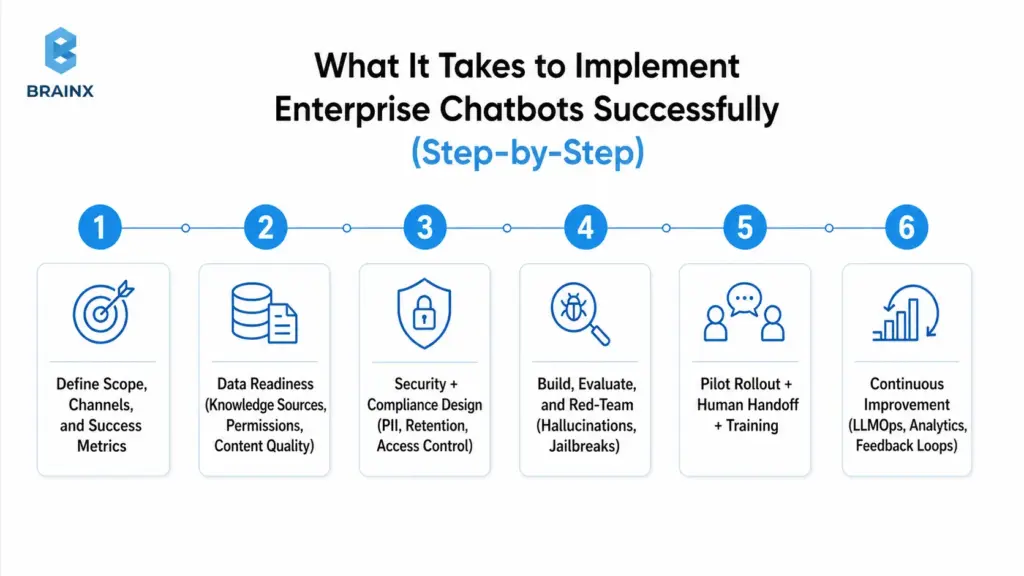
Enterprise assistants fail when teams jump from “we have a model” to “let’s launch.” Implementation needs a roadmap that includes governance, change management, and measurable success criteria.
In practice, the highest-leverage move is to treat the assistant like a product: define personas, design workflows, build an evaluation harness, and roll out in controlled stages.
The steps below reflect what we typically see work for enterprises that need reliability and auditability—without getting stuck in analysis paralysis.
Step 1: Define Scope, Channels, and Success Metrics
Start with clarity, not capabilities.
Define:
- Primary personas (customers, agents, employees, managers)
- Channels (web, in-app, Slack/Teams, email, voice handoff)
- Top intents (based on ticket data, search logs, call drivers)
- Success metrics and thresholds (deflection, CSAT, resolution time)
- Non-goals (topics you will not answer; actions you will not take)
Also define what “good” looks like for failure modes:
- When to handoff to human
- How to signal uncertainty (“I don’t know” behavior)
- How to cite sources or request clarification
Step 2: Data Readiness (Knowledge Sources, Permissions, Content Quality)
Most enterprise assistants are limited by content quality and access control, not model intelligence.
Data readiness includes:
- Identifying authoritative sources (KB, SOPs, product docs, policies)
- Removing or flagging outdated/conflicting documents
- Establishing content ownership and update workflows
- Designing chunking and metadata strategies (department, product, region, effective date)
- Implementing permission mapping (document ACLs aligned with SSO identities)
If you skip this, RAG retrieval will return the wrong context, and the assistant will confidently answer incorrectly.
Step 3: Security + Compliance Design (PII, Retention, Access Control)
Security design should be explicit and testable.
Key decisions:
- What data can be sent to the model provider, and under what terms
- Whether prompts/responses are stored, and for how long
- How PII is detected/redacted (in logs and analytics)
- How user identity is propagated to retrieval and tool layers
- How admin actions are logged and reviewed
This is also where you align with internal policies and external frameworks.
Step 4: Build, Evaluate, and Red-Team (Hallucinations, Jailbreaks)
Evaluation is not optional in 2026. If you can’t measure correctness and safety, you can’t responsibly ship.
A practical approach:
- Build an offline evaluation set from real tickets/questions
- Create expected answers and acceptable sources/citations
- Run regression tests on:
- retrieval quality (did we pull the right documents?)
- answer quality (is it correct, complete, and within policy?)
- safety (does it refuse restricted requests?)
- Red-team for:
- prompt injection attempts (malicious content inside retrieved docs)
- jailbreak prompts (trying to override system policies)
- data exfiltration attempts (asking for secrets, internal-only content)
Red-teaming results should feed back into guardrails, filters, and policy prompts.
Step 5: Pilot Rollout + Human Handoff + Training
Roll out in stages:
- Internal alpha (limited users, full logging, rapid iteration)
- Pilot (single department or customer segment)
- Gradual expansion (more intents, more channels, more actions)
Implement human handoff with context:
- Conversation summary
- Retrieved sources
- Tool calls attempted and results
- User metadata (role, account tier, region) where appropriate
Train support agents and internal teams on:
- What the assistant can/can’t do
- How to correct issues (feedback workflows)
- How escalation should work
This prevents the assistant from becoming a siloed experiment no one trusts.
Step 6: Continuous Improvement (LLMOps, Analytics, Feedback Loops)
Production assistants need LLMOps practices that look like standard DevOps plus model-specific controls:
- Version prompts, retrieval config, and policies
- Monitor quality signals and cost
- Track intent drift as products and policies change
- Add new evaluation items from real failures
- Schedule index refreshes and content governance reviews
The highest-performing teams treat every failure as data: “Why did retrieval fail?” “Was the doc outdated?” “Was the question ambiguous?” Then they fix the system, not just the prompt.
Cost, Timeline, and Resourcing: What Enterprises Should Budget For
Enterprises often ask for a single number. In reality, cost depends on scope, integration depth, security/compliance needs, and ongoing usage.
A useful way to budget is to separate build cost (one-time) from run cost (ongoing). Build cost is driven by engineering and governance work. Run cost is driven by LLM usage, monitoring, evaluation maintenance, and support.
Also plan for hidden costs: stakeholder time, security reviews, content cleanup, and change management. Those aren’t line items from your vendor, but they are real constraints.
Key Cost Drivers
The key cost drivers typically include:
Integrations
- CRM/ticketing, identity providers, knowledge repositories
- Custom APIs, legacy systems, and workflow orchestration
Governance and Security
- SSO/RBAC, audit logs, DLP, threat modeling, compliance documentation
Evaluation and QA
- Building test sets, regression harnesses, red-teaming, ongoing evaluation ops
LLM and Infrastructure Usage
- Token usage, embeddings, vector DB, reranking, caching layers
- Model gateway costs (if used) and observability tooling
Support and Maintenance
- Bug fixes, workflow changes, new intents, policy updates
- On-call expectations and SLA requirements
A common budgeting mistake is to fund the build but not the run. In production, the assistant needs continuous attention—especially in the first 90 days.
Typical Timelines by Scope (PoC vs MVP vs Production Rollout)
Timelines depend on enterprise readiness, but typical ranges look like:
PoC (2–6 weeks)
- Demonstrates feasibility with limited data and minimal governance
- Useful for stakeholder buy-in, not for broad rollout
MVP (6–12 weeks)
- Real channels + curated knowledge + basic evaluation + basic handoff
- Limited integrations, defined scope, measurable KPIs
Production Rollout (12–20+ weeks)
- Full governance, robust integrations, monitoring, security hardening
- Expanded intents and workflows, staged rollout plan, operational runbooks
If you’re integrating multiple systems with strict compliance requirements, expect production work to skew toward the longer end. The tradeoff is fewer incidents and faster scaling after launch.
Team Model Options (Project Squad, Dedicated Team, Staff Augmentation)
Enterprises generally choose one of three resourcing models:
Project Squad (fixed scope)
- Best for a defined MVP with clear deliverables
- Works well when you have internal owners for operations afterward
Dedicated Team (ongoing program)
- Best for multi-quarter roadmap: Tier 1 → Tier 2 → Tier 3
- Supports continuous improvement, eval maintenance, and integrations expansion
Staff Augmentation
- Best when you have architecture ownership in-house but need extra capacity
- Useful for RAG implementation, integration work, or QA/red-teaming support
A mature AI chatbot development company should support any of these and help you pick based on your operating model—not force a single engagement type.
Also Read: Detailed IT Staff Augmentation Handbook: On Benefits, Process, And More
Risks Enterprises Face Without the Right AI Chatbot Partner (and How to Mitigate)
Enterprise assistants combine probabilistic model behavior with deterministic enterprise systems. That mix creates unique risks—especially when teams underestimate governance and evaluation.
A strong partner reduces risk by designing for safe failure modes, implementing measurable controls, and operationalizing continuous validation. Without that, risks surface in production when it’s most expensive to fix them.
Below are the most common risk categories enterprises face in 2026, along with practical mitigations that should be part of your delivery plan.
Hallucinations and Incorrect Answers (Evaluation + Grounding)
Hallucinations are not just a model problem—they’re a system problem.
Common causes:
- Retrieval pulls irrelevant or outdated content
- The question needs data that isn’t available
- Prompt policy is unclear about uncertainty and refusal behavior
- Evaluation coverage is weak, so regressions slip through
Mitigations:
- Use RAG with citations and enforce “answer only from sources” for sensitive domains
- Implement confidence/coverage heuristics (e.g., “no relevant sources found” → ask clarifying question or handoff)
- Maintain an evaluation set from real interactions; run regression tests on every change
- Add “I don’t know” and escalation as first-class behaviors, not failure cases
The goal is not perfection. The goal is measurable correctness improvements and predictable behavior under uncertainty.
Data Leakage and Prompt Injection (DLP, Isolation, Policies)
Prompt injection is a real enterprise threat because malicious instructions can exist inside retrieved documents or user messages. Data leakage can occur through logs, tool calls, or overly permissive retrieval.
Mitigations:
- DLP scanning and redaction for prompts, outputs, and logs where required
- Strict separation of system prompts and retrieved content (treat retrieved text as untrusted)
- Tool isolation: validate tool inputs, enforce permissions at the API layer
- Limit retrieval scope via metadata filters and allowlists
- Rate limit and detect anomalous usage patterns (exfiltration attempts)
Treat the assistant as an entry point that must be hardened like any other application surface.
Compliance Gaps (Auditability, Retention, Access, Model Governance)
Compliance failures often come from ambiguity: “Where is data processed?” “Who can access logs?” “What is retained?” “What changed between versions?”
Mitigations:
- Maintain audit logs for user queries, retrieved sources, tool calls, and admin changes
- Define retention and deletion policies aligned with legal requirements
- Document model/provider usage terms and data handling guarantees
- Establish governance workflows: approvals for new data sources, prompt/policy changes, and tool additions
- Implement environment controls and release gates tied to evaluation outcomes
Your compliance posture should be demonstrable, not implied.
Vendor Lock-In and Maintainability (Architecture + Ownership)
Lock-in happens when your assistant is tightly coupled to one vendor’s proprietary orchestration, evaluation, or retrieval stack—making it expensive to switch models or providers.
Mitigations:
- Use abstraction layers (model gateway, provider-agnostic tool interfaces)
- Keep prompts, policies, and evaluation sets versioned and portable
- Ensure you own:
- vector indexes (or at least the ability to export)
- conversation logs (with privacy constraints)
- integration code and workflow logic
- Contract for IP ownership and clear handover documentation
A strong enterprise architecture makes switching providers a manageable migration, not a rewrite.
How to Choose the Best AI Chatbot Development Company (Enterprise Checklist)
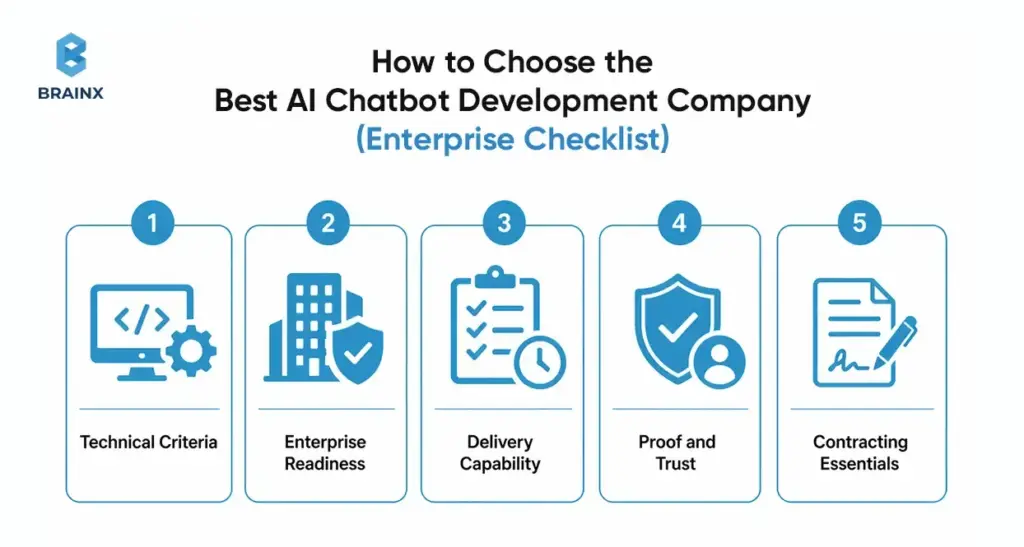
Choosing the best AI chatbot development company is less about branding and more about whether the team can ship safely into your environment. The right vendor will ask hard questions about identity, data permissions, evaluation, and operational ownership—early.
Use the checklist below to evaluate partners. It’s structured to reflect how enterprise assistants fail in real life: missing governance, weak integrations, lack of evaluation, and unclear ownership.
Technical Criteria
Ask for specifics, not generalities:
- Can they implement RAG with reranking, metadata filters, and citation control?
- Do they have a repeatable evaluation framework (offline test sets + regression gates)?
- How do they do red-teaming (prompt injection, jailbreaks, tool abuse)?
- What does monitoring include (quality signals, cost, latency, tool failure rates)?
- Can the system scale with:
- caching strategies
- rate limiting
- async workflows for long-running tool calls
- multi-region deployment needs
If they can’t explain their evaluation approach, you’re taking on avoidable production risk.
Enterprise Readiness
Readiness of the enterprise should be demonstrable:
- SSO integration (OIDC/SAML) and role mapping
- Permission-aware retrieval and tool access enforcement
- Audit logs and admin traceability
- Data handling documentation (retention, redaction, encryption)
- SLA readiness: incident response, uptime targets, support process
Also ask how they handle regulated environments and security reviews. A mature partner has templates and a clear process.
Delivery Capability
The best outcomes come from disciplined delivery:
- Discovery workshops that produce a scoped plan and success metrics
- UX design for:
- clarification questions
- citations and “show sources”
- handoff experience
- Integration capability across your stack (not just a single platform)
- QA approach that includes conversational edge cases and adversarial testing
- Documentation and handover:
- architecture docs
- runbooks
- evaluation harness instructions
- change management guidance
If the vendor can’t show examples of these deliverables, expect gaps later.
Proof and Trust
Credibility reduces risk:
- Case studies with measurable outcomes (deflection, AHT, cycle time)
- References from similar enterprise contexts
- Security posture:
- secure SDLC
- vulnerability management
- access controls for their own team
- clear subcontractor policies (if any)
Also look for honesty. Teams that acknowledge limitations and tradeoffs tend to ship safer systems than teams that promise perfection.
Contracting Essentials
Contract terms can make or break long-term success. Ensure clarity on:
- IP ownership for code, prompts, evaluation assets, and orchestration logic
- Data handling and retention (including logs and training defaults)
- Model/provider usage (who selects, who pays, how changes are handled)
- Support scope post-launch:
- bug fixes
- monitoring
- prompt/policy updates
- evaluation maintenance
- Exit plan:
- documentation handover
- ability to migrate providers
- data export formats
This is where enterprises prevent lock-in and protect governance requirements.
How BrainX Helps With AI Chatbot Development in 2026
BrainX is a custom AI software development company that helps enterprises move from pilots to production with measurable outcomes and governance. We build assistants that work inside real environments: identity systems, ticketing platforms, CRMs, knowledge bases, and compliance constraints.
Our focus is pragmatic delivery. That means we start with a scoped roadmap tied to KPIs, implement a production-ready architecture (often RAG-first), and set up evaluation and monitoring so your team can operate the assistant with confidence.
We also prioritize ownership and maintainability. You should be able to evolve models, add tools, and expand scope without rewriting the system or losing control of your data and IP.
What BrainX Delivers
A typical BrainX engagement includes:
Strategy and Scope
- use case selection (quick wins vs strategic bets)
- KPI model and measurement plan
- rollout plan and risk register
Build and Architecture
- RAG implementation with citations and permission-aware retrieval
- agent/tool layer for workflows where appropriate
- channel UX for web/in-app/Slack/Teams
Integrations
- knowledge sources (Confluence/SharePoint/Drive/custom)
- ticketing/CRM/ERP integrations with reliable tool execution
- identity and access (SSO/RBAC) alignment
Governance and Security
- audit logs, retention, DLP controls
- threat modeling and red-teaming playbooks
LLMOps
- evaluation harness, regression testing, release gates
- monitoring dashboards for quality/cost/latency
- ongoing iteration workflows
This is what turns an assistant into an operational capability—not a demo.
Typical Engagement Paths
Enterprises usually engage with us in one of three ways:
Audit / Workshop (low friction)
- review current chatbot/pilot, data sources, and security constraints
- produce architecture recommendations, KPI plan, and pilot scope
MVP Delivery
- 6–12 week build for a defined use case with measurable KPIs
- production-ready foundations (identity, logging, evaluation)
Scale Program
- expand intents, channels, and tool automation over multiple phases
- operationalize LLMOps and internal enablement
- support governance and cross-team adoption
You can start small and still build the right foundations for scale.
What success looks like (KPIs + enablement + handover)
We define success in operational terms:
- KPIs improve (deflection/containment, resolution time, CSAT, cost per ticket)
- Incidents decrease over time due to monitoring and regression testing
- Security posture is clear (audit logs, DLP, retention, access control)
- Teams adopt the assistant because it’s trustworthy and easy to use
- Your org can run it: documented runbooks, dashboards, and ownership transfer
The end state is not creating any dependency on a vendor. It’s an enterprise assistant your team can confidently operate and evolve.
Next Steps: A Simple 2-Week Plan to Start (Without a Massive Commitment)
If you want progress without committing to a large program upfront, a two-week plan can create clarity quickly. The goal is to exit with a scoped pilot, an architecture recommendation, and a measurable KPI model—plus a risk plan your security team can review.
This approach also prevents wasted effort. You won’t overbuild. You won’t pick a model before you know your data constraints. And you’ll surface integration and governance blockers early.
Stakeholders to Involve
Involve the people who will own outcomes and approvals:
- Product (scope, UX, metrics, prioritization)
- CX/Support or Ops (intents, workflows, handoff rules, quality standards)
- IT (systems, identity, environments, deployment constraints)
- Security/Compliance (data handling, retention, auditability, risk acceptance)
- Data/Knowledge owners (source-of-truth content and update workflows)
If these stakeholders aren’t aligned early, pilots stall during security review or rollout planning.
What to Prepare
You don’t need perfect data, but you do need a starting package:
- Top 20–50 intents from:
- ticket tags
- search logs
- call drivers
- A list of knowledge sources and owners (what’s authoritative vs outdated)
- A shortlist of integration targets (ServiceNow, Zendesk, Salesforce, internal APIs)
- Identity requirements (SSO provider, RBAC model, any sensitive roles)
- Any compliance constraints (PII, regulated data, regional data residency)
This prep lets you build a pilot plan that reflects reality.
Outputs to Demand
At the end of two weeks, you should have:
Architecture Recommendation
- RAG vs fine-tuning vs agents, with rationale
- Data flow diagram and trust boundaries
KPI Model
- Baseline metrics and target improvements
- Measurement plan and instrumentation requirements
Pilot Scope
- Channels, intents, sources, handoff rules
- Rollout gates and acceptance criteria
Risk Plan
- Threat model summary
- Red-teaming plan and evaluation approach
- Compliance checklist (retention, logging, access control)
These outputs make executive approval and implementation straightforward.
How BrainX Helps With AI Chatbot Development Company Needs in 2026
If you’re evaluating an AI chatbot development company for enterprise rollout in 2026, BrainX can help you in navigating the roadmap without missing the challenging steps, which include security, integrations, evaluation, and measurable ROI.
A practical starting point is a short workshop/audit where we map your top intents, data sources, identity constraints, and integration targets into a pilot plan with KPIs and a risk register. From there, we can deliver an MVP and scale in phases—so your assistant earns trust in production and improves over time.
If you want to explore scope and feasibility, start with a short workshop or audit. We will help you in defining the appropriate use case, visualizing your data and integrations, identifying key risks, and creating a pilot with quantifiable KPIs.
FAQs About Enterprise AI Chatbot Development Firm
1. What does an AI chatbot development company do for an enterprise in 2026?
An enterprise-focused AI chatbot development company designs, builds, and operates a production-grade assistant—not just a chat interface. In 2026, that typically includes RAG pipelines for grounded answers, secure integrations with systems like ServiceNow/Salesforce, and identity-aware access control (SSO/RBAC). A strong partner also implements evaluation and red-teaming to manage hallucinations and prompt injection risks. Finally, they set up monitoring and LLMOps so the assistant can be improved safely over time.
2. How much does it cost to hire an AI chatbot development company?
Cost depends on scope, integration complexity, governance requirements, and how much operational support is needed after launch. A limited PoC may be relatively small, while a production-grade rollout typically requires additional investment in security, evaluation, monitoring, and support. The best way to budget is in phases: assessment, MVP, and scale. Contact our AI development experts to find out your project cost estimates.
3. How long does enterprise AI chatbot development take from pilot to production?
Smaller pilots can launch in weeks, but enterprise production rollout usually takes longer because identity, permissions, auditability, and compliance must be finalized before scale. MVP timelines often fall in the 6–12 week range for a single well-scoped use case, while production rollout for multiple channels and integrations can extend to 12–20+ weeks. The timeline also depends on content readiness and how quickly security/compliance reviews can be completed. A phased rollout with clear gates reduces risk while still delivering early value.
4. How do enterprises prevent hallucinations in AI chatbots?
Enterprises reduce hallucinations by grounding responses in approved sources (usually via RAG) and enforcing citation-based answering for sensitive topics. They also build evaluation datasets from real questions and run regression tests whenever prompts, retrieval settings, or models change. In production, monitoring should detect spikes in negative feedback, low source relevance, or increased handoffs. Finally, assistants should be designed to ask clarifying questions or hand off to humans when confidence is low rather than guessing.
5. What should we look for in the best AI chatbot development company?
Look for a partner that can demonstrate enterprise-ready delivery: permission-aware RAG, tool integrations with auditability, and an evaluation/red-teaming practice. They should be fluent in SSO/RBAC, logging/retention requirements, and security controls like DLP and prompt injection mitigation. Also evaluate delivery maturity—discovery, documentation, QA, and operational runbooks matter as much as model selection. Case studies with measurable KPIs (deflection, AHT, resolution time) are a strong signal. Contract terms should clearly define IP ownership, data handling, and support scope.
6. Should we build in-house or hire an enterprise AI chatbot development company?
Build in-house if the assistant is a core differentiator and you have the team to own architecture, security, evaluation, and ongoing LLMOps. Hire an enterprise AI chatbot development company when you need to move faster, reduce delivery risk, or integrate deeply across enterprise systems while meeting governance requirements. Many enterprises choose a hybrid approach: internal ownership of product direction with a partner delivering the initial architecture, implementation, and operational foundations. The right choice depends on your integration complexity, compliance constraints, and operational capacity after launch.