 August 14, 2026 -
 20 minutes read


Key Takeaways
- What is application software? It helps users complete defined personal or business tasks.
- It relies on system software, operating environments and computing infrastructure.
- Applications can be classified according to their purpose, licensing, delivery, ownership, and scope of organizations.
- The integration, governance, security, reliability and scale of business and enterprise applications vary.
- There are different cost, control and ownership trade-offs associated with buying, subscribing and building.
- Requirements for successful adoption include proper selection, integration, migration, security, training, and measurement.
What is application software? It is a program that is designed to assist a person, team, or organization in achieving a particular task. Microsoft Word and WhatsApp are familiar consumer examples, while customer relationship management and accounting platforms support business work.
According to the NIST Application Glossary, an application can be a software program hosted by an information system or a system that collects, stores, processes, and presents data to meet defined requirements. Unlike system software, which manages the computing environment, application software performs useful work for a user or another connected system.
BrainX has delivered customer-facing, operational, mobile, web, and enterprise applications. There are variations in those products between user, workflow, data, integrations, security and scale. Our guide aims to provide an understanding of applications, their classifications, costs and choices and their responsible implementation.
What Is Application Software?
What Is Application Software in Simple Terms?
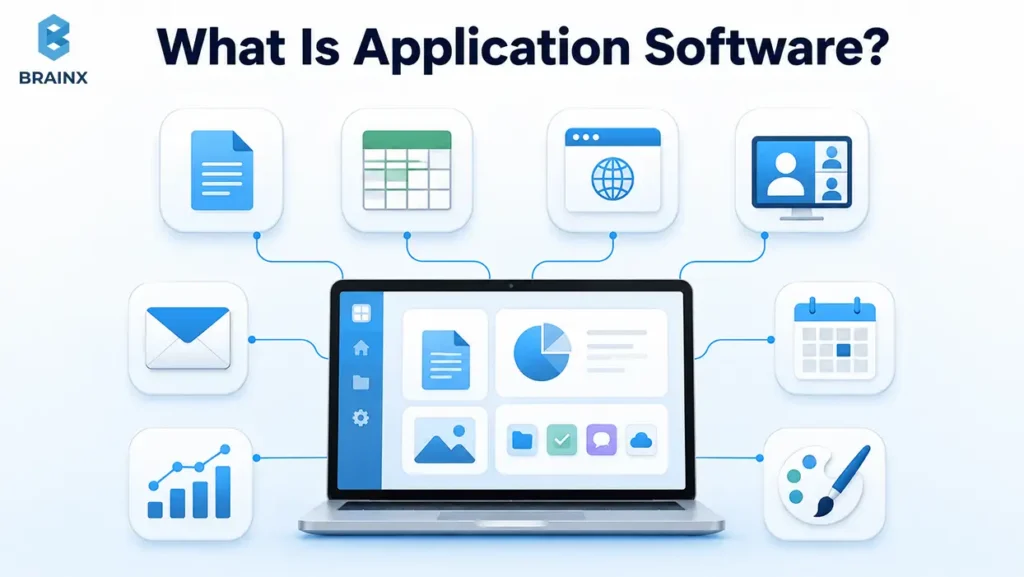
Application software is task-specific software that helps a person or organization complete useful work. It includes desktop programs, mobile apps, browser platforms, SaaS products, and applications used through APIs. The user can be a human, another program, an automated process, or an AI agent.
How Application Software Works
Most applications follow four steps:
- A user or connected system provides an input.
- The application applies rules or business logic.
- It reads from or writes to data sources.
- It displays an output or triggers another action.
For example, an online booking form that validates availability and records the booking, updates a CRM and sends an email confirmation. Interfaces, backend services, databases, APIs, background jobs and external integrations can all be paired together in modern applications. According to the NIST API Glossary, an API is an entry point to a system or a library function that has a well-defined syntax and provides applications access to specific functionality.
What Does Not Count as Application Software?
| Software Category | Primary Role |
| Operating system | Manages hardware, files, processes, and the operating environment |
| Device driver | Lets the operating system communicate with hardware |
| Firmware | Provides low-level control inside a device |
| Compiler | Converts source code into executable or intermediate code |
| System utility | Maintains, protects, or diagnoses the computing environment |
| Middleware | Connects applications, services, messages, or data sources |
| Infrastructure platform | Supplies hosting, runtime, storage, networking, or deployment |
The boundary can depend on context. A database engine may be infrastructure in one system and the central product in another. Classification should follow the product’s primary purpose and intended user.
Application Software vs. System Software
Application and System Software at a Glance
Application software completes user or business work. System software manages the resources that allow applications to run.
| Comparison Factor | Application Software | System Software |
| Primary purpose | Completes user or business tasks | Manages hardware and computing resources |
| Primary user | Individuals, teams, customers, or organizations | The computer and technical administrators |
| Dependency | Requires a platform or operating environment | Supports applications and hardware |
| Interaction | Usually user-facing or API-facing | Often runs in the background |
| Examples | CRM, word processor, accounting platform | Windows, Linux, drivers, firmware |
The NIST Operating System Glossary describes an operating system as the computer’s master control software and a platform on which other programs run.
Common Examples of Each Software Type
- Microsoft Word runs on Windows or macOS.
- WhatsApp runs on Android or iOS.
- Photoshop runs on Windows or macOS.
- A browser-based CRM can rely on Linux servers, databases and cloud infrastructure.
The application performs the user task. The system environment supplies the resources and services required to run it.
Where Utility and Development Software Fit
Antivirus tools, backup utilities, and disk-management programs maintain the computing environment. IDEs, compilers, debuggers, and test tools help teams create software. Databases and middleware usually provide technical capabilities to applications rather than completing a business workflow alone.
When Software Categories Overlap
A browser is an application for a consumer and a runtime for a web developer. A low-code platform could be an application for a business analyst and a development infrastructure for an engineer. When the label is unclear, ask who uses it, what task it performs, and what it depends on.
What Does Application Software Actually Do?
Automates Repetitive Tasks
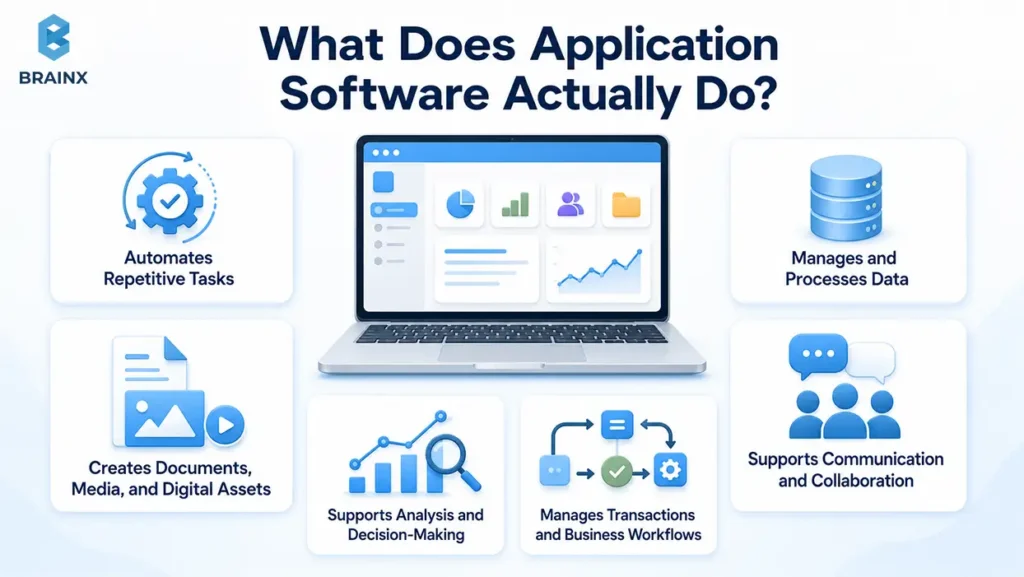
Applications streamline workflow routing, data entry, notifications, calculations, scheduling and approvals. Strong implementations remove unnecessary steps instead of copying every manual handoff. Measure processing time, manual touches, and exception rates.
Manages and Processes Data
Applications collect, validate, store, search, update, and report information. BrainX’s CORE workforce management system replaced disparate time, job, payroll, worker, and certification records with role-specific dashboards and structured workflows.
Supports Communication and Collaboration
Messaging, meetings, comments, task coordination, and file sharing keep work connected to the relevant customer, document, or project instead of scattered across email threads.
Creates Documents, Media, and Digital Assets
Specific digital outputs can be created using word processors, designing tools, video editing tools, presentation software and development environments.
Supports Analysis and Decision-Making
Analytical applications turn operational data into reports, dashboards, forecasts, and alerts. Useful KPIs include issue-detection time, forecast accuracy, and report preparation time.
Manages Transactions and Business Workflows
Transactional applications process claims, bookings, payments, orders, inventory and payroll. The five elements involved in a useful workflow are user, input, action, output, and KPI.
Key Features of Application Software
Simple and Accessible User Experience
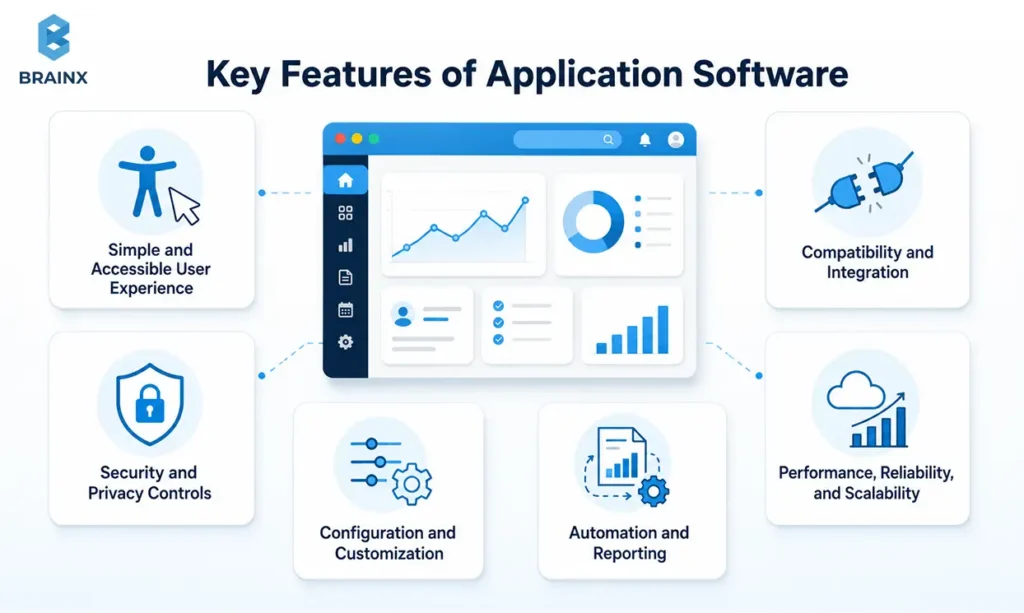
A usable application provides easy navigation, responsive layouts, accessible interactions and an onboarding appropriate to each role. Some customers might require a short flow, whereas an administrator might require tables, filters, bulk actions and audit information.
Compatibility and Integration
Compatibility includes operating systems, web browsers, platforms, devices, identity providers, APIs and file formats as well as third party platforms. Planning for integration should include the system of record, data owner, direction of data flow, limits of the APIs, what happens if it fails, and how the data will be reconciled.
Security and Privacy Controls
Production applications may require authentication, permissions, encryption, audit logging, secure storage, retention rules, and incident response. OWASP ASVS 5.0 provides a current baseline for verifying web-application security controls, while the OWASP MASVS defines security controls for mobile applications.
Performance, Reliability, and Scalability
Response times, concurrency, availability, recovery objectives, data volume and peak loads should be specified in requirements. Monitoring should catch failed jobs, integration failures, performance bottlenecks at an early stage.
Configuration and Customization
Configuration uses supported settings, rules, fields, and workflows. Customization adds or changes behavior through code. Custom work can improve fit, but every change needs ownership, tests, documentation, and an upgrade plan.
Automation and Reporting
Strong applications trigger notifications, route work, schedule actions, and expose operational status through dashboards or exports.
| Application Context | Highest-Priority Features |
| Consumer productivity app | Simplicity, responsiveness, synchronization |
| Field-service mobile app | Offline use, location, rapid data capture |
| Regulated enterprise platform | Permissions, auditability, availability, recovery |
Types of Application Software Based on Purpose
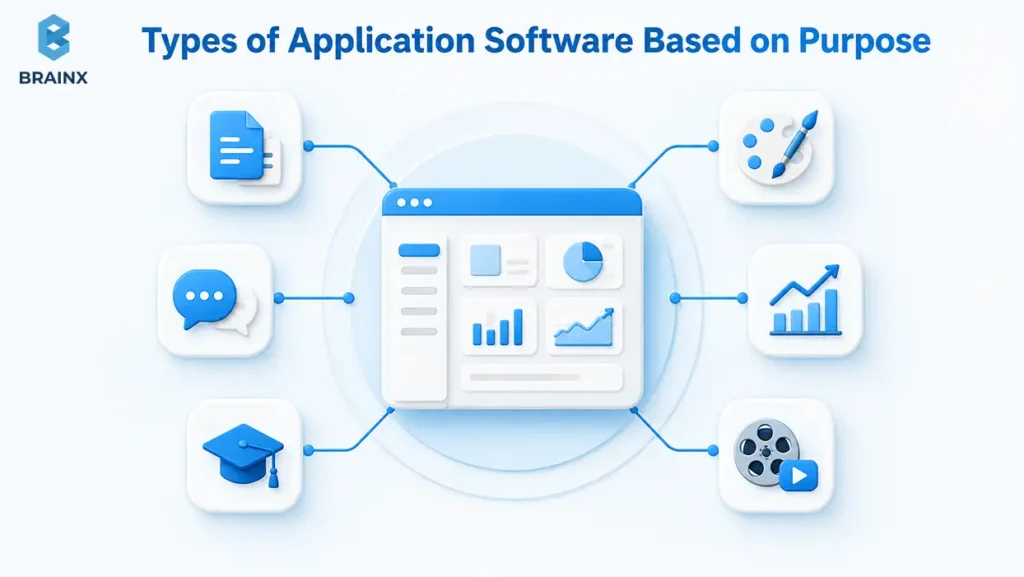
Applications can first be classified by what they are designed to accomplish. This purpose-based model should remain separate from licensing, ownership, hosting, and delivery.
General-Purpose Application Software
Word Processing Software
Creates and formats documents. Examples: Microsoft Word and Google Docs.
Spreadsheet Software
Organizes data, calculations, and analysis. Examples: Microsoft Excel and Google Sheets.
Presentation Software
Creates slide-based visual presentations. Examples: PowerPoint and Google Slides.
Communication Software
Supports messaging, meetings, and file sharing. Examples: Microsoft Teams, Slack, Zoom, and WhatsApp.
Database and Analytics Software
Stores, queries, analyzes, and visualizes information. Examples: Microsoft Access, Power BI, and Tableau.
Web Browsers
Accesses web pages and browser applications. Examples: Chrome, Edge, and Firefox.
Multimedia and Design Software
Creates or edits images, audio, video, and technical designs. Examples: Photoshop, Premiere Pro, and Canva.
Educational Software
Delivers courses, assessments, and learning activities. Examples: Moodle, Canvas, and Google Classroom.
Entertainment Software
Streams media or provides interactive entertainment. Examples: Spotify, Netflix, and Steam.
Simulation Software
Models systems for analysis or training. Examples: MATLAB, Simulink, and engineering simulators.
Business Applications
Business applications support commercial and departmental workflows, including CRM, accounting, HR, inventory, project management, ecommerce, document management, and business intelligence. The label describes the workflow, not the company’s size.
Enterprise Applications
Enterprise applications manage processes between different departments, across locations, between users and between data sources. Its examples include enterprise resource planning, enterprise CRM, supply-chain, content-management, identity and integration platforms.
Custom Application Software
Custom applications are built around one organization's data, workflows and users, and integrations. They are appropriate when standard products create unacceptable gaps or when the workflow provides strategic differentiation.
Industry-Specific Application Software
| Industry | Common Applications |
| Healthcare | Patient portals, clinical systems, telehealth |
| Finance | Lending, fraud monitoring, portfolio management |
| Retail and ecommerce | Storefronts, order management, loyalty |
| Manufacturing | MES, quality, maintenance, production planning |
| Education | LMS, student information, assessment |
| Logistics | Fleet, route, transportation, and warehouse management |
| Real estate | Listings, tenant portals, property management |
Types of Application Software Based on Licensing and Delivery
Licensing determines the rights under which software may be used or modified. Delivery describes how users access and operate it.
Freeware, Shareware, and Freemium Software
Freeware has no purchase price but may remain proprietary. Shareware offers limited evaluation before payment. Freemium software provides a continuing free tier and charges for advanced features, capacity, or support. Buyers should review commercial-use rights, data limits, and export options.
Open-Source and Proprietary Software
Open-source licenses grant clear permissions to view, use, change and distribute code. Proprietary software will still be under the control of the owner. While open source can make things more portable, it won't eliminate hosting, security, upgrade or support expenses.
Commercial Off-the-Shelf and Configurable Software
For many customers, commercial off-the-shelf software is a packaged product. Configurable platforms enables teams to modify fields, forms, rules and reports without affecting the core product. Extensive configuration can still become difficult to govern.
Desktop, Web, and Mobile Applications
| Delivery Type | Strengths | Constraints |
| Desktop | Local processing and offline use | Installation and OS dependency |
| Web | Centralized updates and cross-device access | Browser and network dependency |
| Mobile | Portability, camera, location, notifications | Platform rules and device fragmentation |
Cloud, SaaS, and On-Premise Applications
A cloud application is deployed on cloud infrastructure, either partially or fully. In the NIST SaaS model, the provider handles the underlying network, servers, operating systems and storage, while the customers handle mostly application use and limited configuration. On-premise deployment offers greater control of infrastructure and results in more responsibility for updates, resiliency, and security.
Why One Application Can Belong to Multiple Categories
A proprietary SaaS CRM can be a business application by purpose, SaaS by delivery, commercial by licensing, vendor-owned by ownership, and enterprise-ready by scope. These labels answer different questions and can all be correct.
Business and Enterprise Application Software
What Is Business Application Software?
What is business application software? It is software used to support operational, commercial, administrative, analytical, or customer-facing workflows. It includes tools for sales, finance, HR, projects, inventory, ecommerce, documents, and planning.
Common Business Applications and Their Uses
| Application | Typical Use |
| CRM | Leads, opportunities, accounts, and service interactions |
| Accounting and finance | Transactions, invoicing, reconciliation, and reporting |
| HRMS and payroll | Employee records, leave, benefits, and compensation |
| Project management | Tasks, resources, deadlines, and dependencies |
| Inventory management | Stock, locations, movements, and replenishment |
| Ecommerce | Catalog, checkout, payments, orders, and accounts |
| Business intelligence | Dashboards, reports, trends, and forecasts |
| Document management | Storage, versions, approvals, and retention |
What Is Enterprise Application Software?
What is enterprise application software? It is a software that is used to enhance the complex, interconnected and organization-wide processes. Typically integrates with identity systems, ERP or CRM systems, data warehouses, reporting systems, security monitoring systems, and external partners.
The 2026 Salesforce and MuleSoft Connectivity Benchmark surveyed 1,050 enterprise IT leaders across nine markets. It reported that even though 957 applications on average were managed by respondents, only 27% were integrated, underlining the need to consider enterprise software in the context of a wider ecosystem.
Business Applications vs. Enterprise Applications
| Factor | Standard Business Application | Enterprise Application |
| Scope | One team or function | Multiple functions or business units |
| Users | Similar user roles | Employees, partners, customers, admins, and agents |
| Integrations | Limited connectors | Multiple real-time and batch integrations |
| Data | Moderate | High-volume, distributed, or regulated |
| Availability | Business-hours tolerance may be acceptable | Formal availability and recovery requirements |
| Security | Product-level controls | Central identity, monitoring, and incident response |
| Governance | Departmental ownership | Enterprise architecture and change governance |
What Makes an Application Enterprise-Grade?
Typical features of enterprise-grade systems are SSO, detailed permissions, audit trails, controlled integrations, observability, tested backup and recovery, high availability, compliance-enabling controls, data governance and controlled releases.
Enterprise status depends on integration, identity, reliability, governance, and operational ownership, not simply company headcount.
Key Benefits of Application Software for Businesses
Higher Productivity and Process Efficiency
Workflow automation can remove duplicate entry and manual routing. Measure cycle time, manual touches, cases completed, and automation rate.
More Accurate and Consistent Workflows
Validation and standardized rules reduce variation. Measure error rate, rework, exception volume, and first-pass completion.
Centralized Data and Better Decisions
Governed records and dashboards reduce spreadsheet reconciliation. Track how much time it takes to prepare and issue a report, data completeness, and how long it takes to reach a decision.
Improved Customer and Employee Experiences
Self-service, responsive interfaces, and status visibility reduce friction. Measure task completion, support demand, satisfaction, and adoption.
Greater Scalability and Operational Visibility
Scalable software supports growth without matching growth in manual coordination. Measure throughput, availability, backlog age, and cost per transaction.
Stronger Security and Compliance Controls
Centralized identity, permissions, encryption, logs, and monitoring improve control, although outcomes still depend on configuration and operating discipline.
BrainX’s CORE workforce management case study reports greater automation, transparency, payroll accuracy, and compliance visibility after consolidating workforce workflows. Gartner’s April 2026 IT spending forecast placed worldwide IT spending at $6.31 trillion, including $1.44 trillion in software. This provides market context, not proof that every application creates ROI.
Buying vs. Subscribing vs. Building Application Software
Buying Off-the-Shelf Application Software
Off-the-shelf products are available more quickly, known to work and have a proven track record. The downsides are configuration restrictions, dependency on vendor-roadmap, and a potential workflow compromise.
Subscribing to SaaS Application Software
SaaS combines recurring access, provider-managed hosting, centralized updates, and fast rollout. Customers still own identity configuration, integrations, data governance, access, adoption, and vendor management.
Building Custom Application Software
Custom development offers closer workflow fit, integration flexibility, and roadmap control. It also requires discovery, product ownership, engineering, testing, deployment, security, maintenance, and support. BrainX’s guide to the advantages of custom software development explores these trade-offs in more detail.
What Does Application Software Cost?
The total cost is not universal as it depends on scope, risk, delivery model, integrations, users and ownership.
| Cost Area | Questions to Model |
| Licensing or subscription | Per seat, usage, feature, transaction, or storage? |
| Discovery and configuration | What analysis and setup are required? |
| Development and integration | What must be coded and connected? |
| Data migration | What must be cleansed, mapped, and reconciled? |
| Infrastructure and security | Who owns hosting, backups, monitoring, and controls? |
| Training and support | Which roles need onboarding, and who owns incidents? |
| Upgrades and exit | How will customization affect releases or replacement? |
Which Model Fits Different Business Scenarios?
| Scenario | Likely Starting Model | Reason |
| Startup validating a standard workflow | SaaS | Fast rollout and low initial burden |
| Growing company needing several integrations | SaaS plus integration layer | Keeps standard features while connecting systems |
| Regulated enterprise with specialized requirements | Enterprise platform or custom solution | Governance, control, and auditability |
| Organization replacing a legacy system | Phased modernization | Reduces migration and operational risk |
A hybrid model is often strongest: buy commodity capabilities, build differentiated workflows, and connect them through governed APIs.
How to Evaluate and Choose Application Software: 10 Critical Factors
1. Business Problem and Workflow Fit
Define the problem, users, constraints, current process, and desired outcome before comparing products. Document current and future-state workflows.
2. Essential Features and Requirements
Separate must-have, should-have, could-have, and out-of-scope requirements. Include roles, data rules, integrations, security, performance, and reporting.
3. User Experience and Adoption Effort
Test realistic tasks with representative users. Review accessibility, mobile use, onboarding, terminology, and training requirements.
4. Integrations and API Support
Review API coverage, authentication, rate limits, webhooks, data formats, versioning, errors, and support responsibility. The 2026 Connectivity Benchmark found that only 27% of applications in surveyed enterprises were integrated, showing why connectivity must be assessed before selection.
5. Security and Compliance
Review SSO, MFA, permissions, encryption, logs, retention, data residency, incident response, and relevant regulation. Use ASVS or MASVS as applicable verification baselines.
6. Performance and Scalability
Estimate users, concurrent sessions, transactions, data growth, peak loads, and latency. Review availability, maintenance windows, and recovery objectives.
7. Configuration and Customization
Identify what supported configuration can solve and where custom code is required. Every customization needs ownership, tests, and an upgrade plan.
8. Implementation and Migration Effort
Assess data quality, mapping, reconciliation, integrations, testing, training, rollout, and support. Data meaning and ownership often matter more than file size.
9. Total Cost and Long-Term Value
Model subscription growth, implementation, administration, infrastructure, support, upgrades, and switching costs. The Flexera 2026 State of ITAM Report, based on a survey of 512 professionals, found that only 31% of organizations had visibility into AI software.
10. Vendor Support, Viability, and Exit Options
Review SLAs, documentation, roadmap transparency, data export, portability, termination, and proprietary dependencies. Plan the exit before signing the contract.
Practical Application Software Selection Checklist
| Criterion | Startup | Growing Business | Regulated Enterprise |
| Workflow fit | 25% | 20% | 15% |
| Essential features | 20% | 15% | 10% |
| User adoption | 20% | 15% | 10% |
| Integrations | 10% | 20% | 15% |
| Security and compliance | 10% | 10% | 20% |
| Performance and scalability | 5% | 10% | 10% |
| Implementation effort | 5% | 5% | 5% |
| Total lifecycle cost | 5% | 5% | 5% |
| Governance and exit | 0% | 0% | 10% |
Before selection, confirm that users tested realistic scenarios, integration constraints are known, security requirements are contractual, migration was assessed using real data, total cost includes exit, and clear owners are assigned.
When custom development is the better route, use these criteria alongside BrainX’s guide on how to choose a software development company to evaluate the delivery partner as carefully as the product.
How to Implement Application Software Successfully
Step 1: Define Goals, Users, and Success Metrics
Define the problem, target users, scope, constraints, baseline, and measurable outcome. Assign an accountable owner for each KPI.
Step 2: Map Workflows, Data, and Integrations
Document normal flows, exceptions, approvals, roles, systems of record, and integration dependencies. Define what happens when a service is unavailable or an automated action fails.
Step 3: Define Security, Access, and Compliance Requirements
Specify authentication, authorization, privileged access, encryption, audit logs, retention, privacy, and incident response before launch. The NIST Secure Software Development Framework recommends integrating secure practices into every software-development lifecycle rather than treating security as a final-stage review.
Step 4: Prepare and Validate Data Migration
Profile, cleanse, map, and reconcile data. Run at least one rehearsal, verify critical records and permissions, and document rollback.
Step 5: Pilot and Test With Real Users
Test normal workflows, edge cases, permissions, integration failures, invalid data, peak load, degraded networks, monitoring, support, and rollback. Apply OWASP ASVS or MASVS where relevant.
Step 6: Roll Out, Train Users, and Monitor Results
Roll out by team, region, workflow, or risk level. Train users on the process and exception handling, then track adoption, errors, integration health, support demand, and business KPIs against the baseline.
A BrainX-style pre-launch review should confirm architecture, migration rehearsal, user acceptance, security, performance, monitoring, rollback, training, and support handover.
For a complete discovery-to-maintenance sequence, see BrainX’s web application development process guide.
Common Application Software Challenges and Mistakes
Choosing Software Based on Features Alone
A product may look capable but still create workarounds. Warning sign: users ask how to recreate their spreadsheet process. Prevention: test real workflows, exceptions, integrations, and outcomes.
Underestimating Integration Complexity
Published APIs can still have limits, incomplete endpoints, inconsistent identifiers, and unclear ownership. Warning sign: no one can name the system of record. Prevention: prototype high-risk integrations early.
Migrating Poor-Quality or Incomplete Data
Moving duplicates and outdated records reproduces old problems in the new system. Warning sign: teams disagree about field meanings or totals. Prevention: profile, cleanse, rehearse, and reconcile.
Ignoring User Adoption and Workflow Change
Technically correct software can fail when users do not understand its value or effect on their roles. Warning sign: training starts after launch. Prevention: involve users during discovery, prototyping, piloting, and measurement.
Overcustomizing an Off-the-Shelf Platform
Preserving every historical process can make upgrades difficult. Warning sign: standard updates require repeated fixes. Prevention: prefer supported configuration and customize only justified workflows.
Overlooking Security and Compliance
Login and encryption are not enough if permissions, logs, secrets, recovery, and monitoring remain incomplete. The IBM Cost of a Data Breach Report 2025 analyzed 600 breached organizations and reported a global average breach cost of $4.44 million. Prevention: integrate threat modeling, secure development, verification, and tested response procedures throughout delivery.
Failing to Plan for Vendor Lock-In or Exit
Dependency can develop through proprietary formats, extensions, integrations, or contracts. Warning sign: the vendor cannot explain complete data export. Prevention: define portability, deletion, transition support, and exit costs before purchase.
Adding AI Without Governance or Human Oversight
AI can create risk when it lacks approved data, permission boundaries, evaluation, or human review. Warning sign: no success metric, accountable reviewer, or rollback path. Prevention: define the workflow, model limits, approvals, logs, and security controls before enabling action.
Common rescue-project warning signs include duplicate data, unclear ownership, unsupported integrations, excessive customization, no migration rehearsal, no adoption owner, no baseline, and no exit plan.
Trends Shaping Modern Application Software
AI-Powered and Agentic Applications
Embedded AI summarizes, recommends, drafts, or classifies while the user remains in control. Agentic software can plan and coordinate multistep work across systems.
According to Gartner’s May 2026 forecast, worldwide AI spending is expected to reach $2.59 trillion in 2026. Gartner also predicts that 40% of enterprise applications will include task-specific AI agents by the end of 2026. An agent which is able to update information and send messages must have greater controls of identity, approval, logging and rollback than an assistant that merely drafts content.
API-First and Composable Software
API-first applications expose governed capabilities that interfaces, workflows, and agents can reuse. Composable architecture improves flexibility, but requires versioning, authentication, monitoring, documentation, and ownership.
Vertical and Industry-Specific Platforms
Vertical platforms embed specialized terminology, data, integrations, and compliance requirements. Their value comes from reducing the gap between the product’s standard model and the real operating process.
Cloud-Native and Cross-Platform Experiences
Cloud-native systems use managed infrastructure, automation, observability, and scalable services. By using cross-platform design, you can ensure that the website looks consistent and provides a seamless experience on both desktop and mobile devices, without having to design the same interface for all platforms.
Context-Aware and Personalized Interfaces
Interfaces can customize content and actions according to role, location, workflow phase, permissions or prior actions. Personalization should remain transparent, accessible, and reversible.
Security and Governance by Design
Security by design integrates identity, authorization, auditability, monitoring, recovery, and data governance into architecture. NIST SP 800-218A extends the SSDF with secure-development practices for generative AI and dual-use foundation models. Governance should scale with the software’s autonomy and ability to act.
Conclusion: Choose Software Around the Work It Must Improve
What is application software ultimately defined by? The function it serves, its users, and the needs it must meet. Other factors, such as purpose, delivery, licensing, ownership, and organizational scale are also taken into account in a complete classification.
Just because a product has a long list of features does not mean that it is a good product. Assess workflow fit, usability, integrations, security, scalability, lifecycle costs, ownership and adoption. Now decide which of the options is likely to work best, whether it be purchase, subscription, configuration, integration, modernization, or development.
BrainX helps organizations make that decision through discovery, architecture, design, engineering, AI integration, migration, and ongoing support. The goal is not to build custom software by default. It is to select and deliver the model that best improves the work.
How BrainX Helps With Application Software Development
Application Discovery and Build-vs.-Buy Consulting
BrainX reviews users, workflows, data, systems, risks and measurable results. Discovery delivers prioritized requirements, integration map, delivery options and build vs buy recommendation. The solution can involve SaaS, configuration, integration, modernization, custom development or a hybrid approach.
Custom Application Design and Development
BrainX’s custom web application development services cover requirements, UI/UX, frontend and backend engineering, APIs, QA, deployment, maintenance, security, performance, and scalability.
Software Integration and Legacy Modernization
BrainX connects applications with CRM, ERP, payment, identity, reporting, messaging, and industry platforms. A phased approach can be used to expose legacy capabilities via APIs, replace high-risk components, and allow users to transition gradually.
Testing, Deployment, and Ongoing Support
Delivery can include functional, integration, accessibility, security, performance, and user-acceptance testing, plus CI/CD, cloud deployment, monitoring, backup, and maintenance.
CORE illustrates this full-cycle approach. BrainX conducted discovery, developed role-specific prototypes, implemented a responsive MERN platform, and delivered time, job, payroll, worker, and certification workflows. In a verified BrainX client testimonial, Peter Johnson, Product Manager at Kustomer, described BrainX as “instrumental in delivering quality mobile SDKs in a very short time frame.”
Frequently Asked Questions
What Is Application Software, and What Are Five Examples?
Application software is a program created to help a person or organization complete a specific task.
Five examples are Microsoft Word for documents, Google Chrome for web access, Adobe Photoshop for image editing, Salesforce for customer management, and QuickBooks for accounting.
What Are the Main Types of Application Software?
The main purpose-based types are general-purpose, business, enterprise, custom, and industry-specific applications.
Software can also be classified as desktop, mobile, web, SaaS, on-premise, proprietary, open source, freeware, or commercial off-the-shelf.
What Is the Difference Between Application Software and System Software?
Application software performs tasks for users or organizations. System software manages hardware, memory, files, devices, processes, and the operating environment.
A word processor is an application, while Windows or Linux is system software.
What Is the Difference Between an App and an Application?
“App” is an informal abbreviation of “application,” and the terms usually mean the same thing.
“App” often describes a focused mobile, desktop, or web product, while “application” may sound more formal for complex business systems.
What Is Business Application Software Used For?
Business application software supports commercial, operational, administrative, analytical, or customer-facing work.
Organizations use it for CRM, accounting, payroll, projects, inventory, ecommerce, reporting, document management, and service operations.
What Makes Enterprise Application Software Different From Standard Business Software?
Enterprise application software supports more complex, interconnected, and organization-wide processes.
It often requires SSO, detailed permissions, audit trails, integrations, observability, high availability, disaster recovery, data governance, formal support, and controlled change management.