 June 17, 2026 -
  37 minutes read

TL;DR / Key Takeaways
- AI in education is aiding schools, edtech platforms and training providers to personalize learning at scale.
- Digital Instructors and AI Avatars are capable of enhancing online learning experience by making it highly interactive, human-like, and accessible.
- Automation in the education sector decreases repetitive teaching and admin tasks without taking the human element out of the picture.
- The greatest success is achieved through the synergy of learner data, curriculum design, AI models, avatar layers and strong governance.
- Before extending the impact of AI throughout learning, education teams must pilot it with one high value use case.
Why AI in Education Is Becoming More Practical in 2026
Most “AI for learning” a few years ago was a chat widget that responded to frequently asked questions and sometimes got things wrong. AI in education today, in 2026, is more of a learning layer than a standalone app, with situations where AI adjusts pacing, provides practice, clarifies errors, and integrates with human teachers and content teams.
What changed is not just model capability. The ecosystem evolved into greater identity and role security, safer access to curriculum resources, more affordable multimodal interfaces, and better integration with the LMS, SIS and enterprise training stacks. This makes it possible to use AI avatars and digital instructors that are on-brand, instructional, and not just there for show.
This article breaks down what is actually working in production: how personalization is implemented, where automation helps (and where it hurts), what it costs, and how to roll out responsibly without turning learning into a black box.
What AI in Education Means in 2026
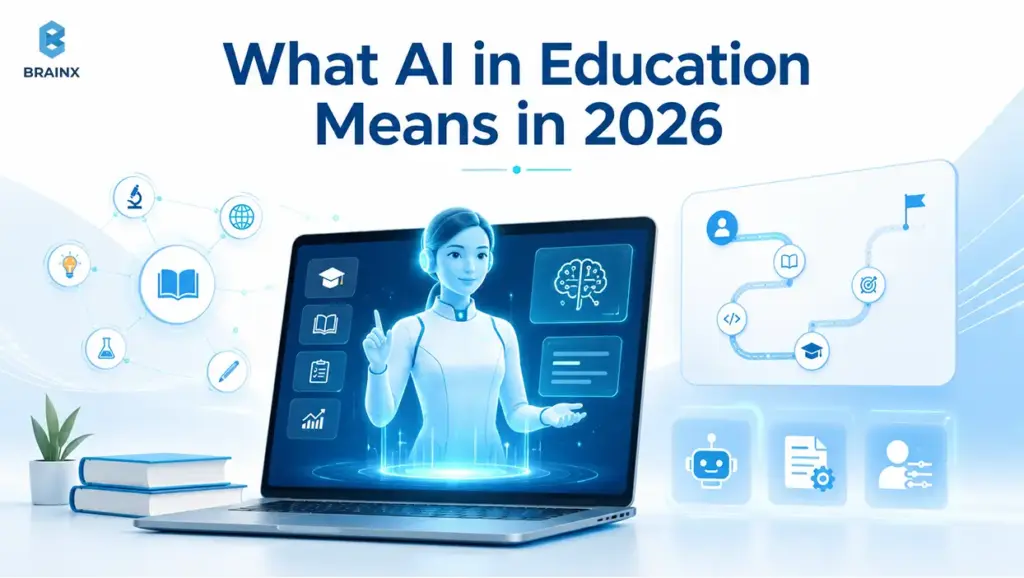
In 2026, AI is not “one feature” inside a product. It usually consists of a combination of elements: information retrieval, teaching method, assessment design, safety norms, analytics, and interfaces (text, voice, video, avatars). The real purpose is to achieve measurable learning outcomes and not novelty.
The three most successful deployments combine instructional design (what is needed to be taught and how), data (what the learner knows and needs), and delivery (how feedback/practice is presented). When any layer is missing, AI outputs may sound fluent but won’t be pedagogically useful.
A helpful way to frame the space is to separate “assistant behaviors” from “teaching behaviors.” Assistants handle navigation, reminders, and documentation. Teaching behaviors diagnose misconceptions, choose practice, and explain reasoning. Confusion for the learner and compliance risk can arise if these are not clearly bounded within the systems.
How AI in Education Has Moved Beyond Basic Chatbots
Most chatbots were simple in the past, waiting for a question, and giving a general answer. Current tutoring systems, on the other hand, can be proactive to an extent, prompting learners to step up when they get stuck, suggesting further exercises and even calling for human intervention if the confidence is low.
Technically, this change is the result of integrating retrieval-augmented generation (RAG) with structured tutoring flows. The AI does not provide a free-form conversation, instead it sticks to the instructional policies. It references approved content, provides steps, asks for understanding checks and records mastery signals.
Multimodal interfaces also matter. Learners now engage with each other regularly via voice, diagrams and brief video explanations. This leads to a smoother learning experience and reduces the friction for younger students, language learners, and hands-busy training environments such as manufacturing or field service.
Why AI Supports Teachers Instead of Replacing Them
The point is not to replace but to complement teachers; it's not something that works in the real world. Judgement calls when teaching are dependent on context: motivation, emotional safety, classroom dynamics, accommodations, and curriculum standards. Even the best models cannot own accountability for these.
Where AI fits best is amplification. It can draft feedback, propose differentiation options, generate practice variants, and summarize progress. Teachers make the final decisions about what to accept, what needs editing, and what should be ignored.
In practice, adoption improves when the “human control points” are explicit: approval workflows, editable rubrics, and the ability to disable behaviors. When teams consider AI as a tool to assist them within limits, there is greater trust and improved results.
Where Automation in Education Fits Into Modern Learning
Automation is effective in repetitive and high-volume tasks with clear rules or at least clear review criteria. Such tasks can be found all over in learning organizations such as generation of quizzes, formatting rubrics, reporting on progress, ticket triage, content tagging, translation, and accessibility packaging.
The key is to avoid automating instructional judgment. “Automate the paperwork, not the pedagogy” is a useful principle. As an example, the system can automatically provide formative feedback, but grading should be done in accordance with policy and should include a review stage.
When done right, the automation also has a positive impact on consistency: the same standard phrasing, the same accommodations checklist, the same escalation routes, etc. It is something that is hard to maintain across large teaching teams.
Why AI Avatars and Digital Instructors Are Gaining Momentum
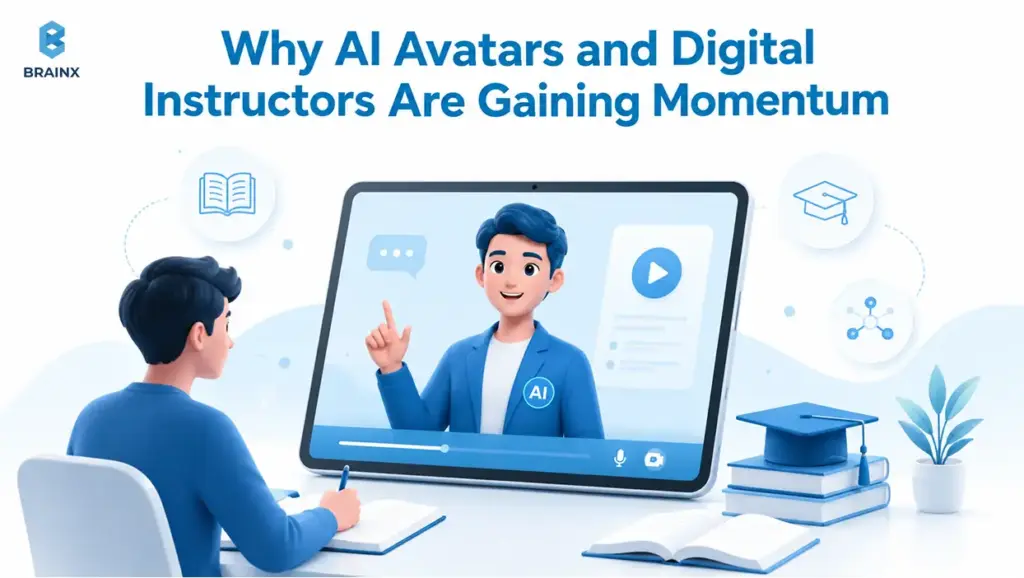
Demand is not driven only by “cool” interfaces. Avatars and digital instructors are taking off because they address practical gaps in online learning: engagement drop-off, inconsistent support coverage, and accessibility barriers.
They also help education brands deliver a consistent voice. Many institutions have strong pedagogy but struggle to communicate it in a uniform way across instructors, campuses, and time zones. A digital instructor can encode parts of that teaching style, then teachers adapt it locally.
In 2026, real momentum comes from pairing a human-like interface with strict content grounding. When the instructor persona is backed by approved curriculum sources and bounded tutoring policies, it becomes useful, not distracting.
How AI Avatars Make Online Learning More Human
If learning feels like reading documentation, it often becomes a disconnect between learners and their education. AI Avatars can bring back some of the cues that humans use, such as tone, pacing, and conversational turn-taking. Even when the avatar is stylized, it helps minimize the sense of isolation in self-paced courses.
The human aspect is important because of how the learning environment can be a little flat when online. Explanations can be rendered less "static" using a well-designed avatar, which can change tone, expression, pace and incorporate simple gestures. Even simple interactions such as eye contact, synchronized speech and a relaxed delivery of the response makes the experience feel more like a guided tutoring session than a normal chatbot.
The best designs avoid pretending to be a human teacher. Instead, the avatar is presented as a “digital tutor” with clear limitations, and it provides transparency when it is unsure. This improves trust and reduces over-reliance.
From a product standpoint, avatars can also simplify UX. Instead of burying help inside menus, learners can ask questions in context, then get answers that reference the exact lesson segment they are working on.
How AI Avatars and Digital Instructors Deliver Always-On Support
Learners do not get stuck on a schedule. They get stuck at 11 pm, during commutes, or mid-shift. AI Avatars and Digital Instructors ensure support coverage without needing instructors to be online 24/7.
For instance, when a student is revising late at night, they may request clarification on a math concept, clarification on a term used in the current lesson, or a recommendation for what concept to review next. The value is not just availability. It is contextual support at the exact moment the learner would normally pause, guess, or abandon the session.
Always on support is best when it is scoped. Common boundaries include: offering answers within the course content, giving hints and not complete solutions, and escalating incidents involving questions of safety, harassment, and/or policy.
Operationally, this also reduces support tickets. Many “support” questions are really learning questions: “What does this term mean?” “Why is my answer wrong?” “Which unit should I revisit?” A digital instructor can handle these quickly and consistently.
Why Digital Instructors Are Useful for Scalable Education Programs
Scale poses three issues: inconsistent instruction, limited instructors' time, and varying feedback quality. Digital teachers assist in the process by making baseline explanations consistent and feedback loops quicker, particularly in large classes.
In corporate training, they also support role-specific learning. Different teams need different examples and scenarios, even when the core content is the same. A digital instructor can select examples based on job role, region, or tooling, while still staying aligned with approved materials.
For institutions, this can be the difference between “offering a course” and “running a program.” Programs require operations: onboarding, reminders, progress nudges, and consistent learner support.
How AI Personalizes the Learning Experience
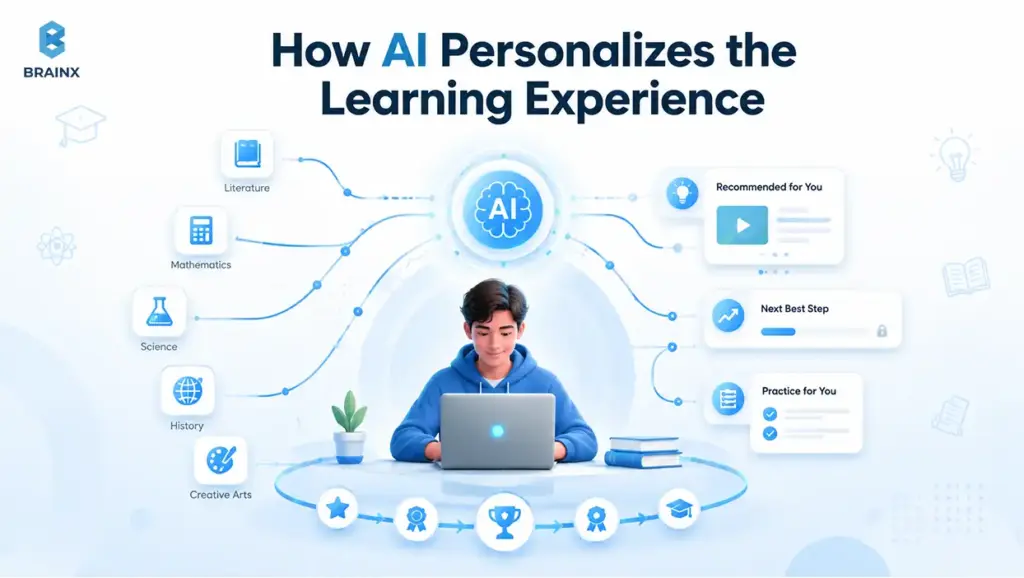
Personalization is not just “show different content.” In production systems, it is usually a loop: collect signals, infer mastery, choose the next activity, and provide feedback in the right modality. If done responsibly, the student does not feel like they are being monitored.
Typical technical implementation consists of three parts: a learner model (profile and mastery state), a content graph (skills, prerequisites and resources), and decision logic (policies for what to do next). Generative models then create explanations, practice items, and feedback within those constraints.
Personalization should also be inspectable. Teachers and admins need to see why a learner got a recommendation, and what signals contributed to it. Without this, it becomes hard to correct errors and nearly impossible to meet governance requirements.
Learner Profiling and Skill Gap Detection
Learner profiling begins with the fundamentals: grade level, preferred language(s), accommodations, and learning objectives. More advanced profiles incorporate performance history, pace, and error patterns, such as consistently missing questions involving fractions or conditional probability.
Skill gap detection works best when assessments are mapped to a skill taxonomy. Instead of “Unit 3 score: 62%,” the system identifies which sub-skills are weak and which prerequisites might be missing. That mapping can be created by instructional designers and refined over time.
Signal quality matters. A wrong answer does not always mean lack of understanding. It can mean fatigue, misreading, or accessibility issues. Production systems treat signals probabilistically and avoid drastic content jumps from a small amount of data.
Adaptive Lessons, Quizzes, and Practice Paths
Adaptive learning typically is accomplished through constrained choice, rather than open-ended generation. The system selects from approved lesson variants, question banks, and practice templates, then adapts difficulty, pacing, and spacing.
A practical approach is “micro-adaptation”: adjust the next 3 to 5 activities based on the last 10 to 20 interactions. This prevents overfitting and helps learners steer away from paths that are unhelpful.
The most secure approach for quizzes is to create questions based on templates tied to learning objectives, and then run automatic validation checks. However, it is still necessary to have a human review or sampling in higher stakes contexts to ensure alignment and fairness.
Real-Time Feedback Through AI Avatars and Digital Instructors
Feedback quality is where many AI systems succeed or fail. The learners must not simply be able to get the correct response. They require explanations on the "why" and the "what's next," and they need to have the confidence to try again.
For example, correcting pronunciation in a language class, pointing to an incorrect step in a problem during a math lesson, or asking the learner to try one more example before moving forward. Immediate, specific feedback which relates to the learner's error during the lesson is more useful than feedback provided after the lesson.
AI Avatars and Digital Instructors can provide feedback in a conversation-like manner: ask a clarifying question, offer a hint, and then confirm understanding with a quick question. This replicates good tutoring but without the risk of inconsistencies between large cohorts.
The most reliable implementations also attach feedback to evidence: citing the relevant lesson segment, showing worked examples, or referencing a rubric. That reduces hallucinations and helps learners build mental models, not just memorize responses.
Personalized Learning Through Text, Voice, Video, and Interactive Content
There are different modalities to solve different problems. Text is searchable and fast. Voice is low-friction and supports learners with reading difficulties. Video helps with demonstrations and “show me” explanations. Interactive content is best suited for practice and retention.
Personalization, in 2026, is frequently about picking the most appropriate modality for the time. For instance: a brief auditory cue for a "stuck" learner, then a step-by-step visual explanation, and finally an interactive or hands-on activity to reinforce learning.
It is here that ‘accessibility' and ‘localization' are real differentiators. Personalization is inclusive and not exclusive due to supporting captions, screen readers, multilingual voice and simplified language modes.
Where Automation in Education Creates the Most Value
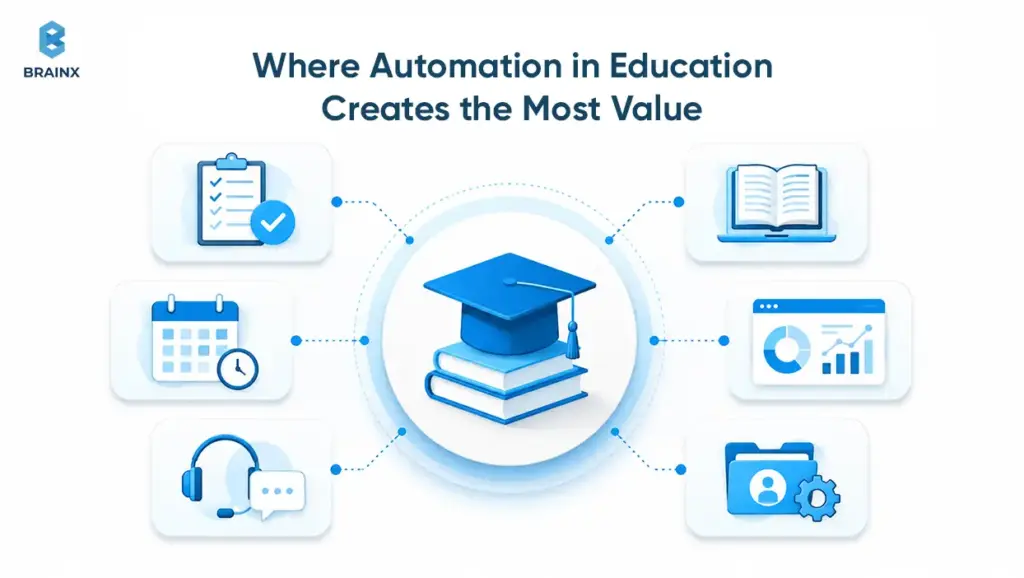
This is the section where automation in education moves from concept to workflow. The highest ROI typically appears in tasks that already have defined standards: rubrics, curriculum maps, ticket categories, and compliance checklists.
A practical warning: automating “everything” usually increases risk and reduces trust. Rather, focus the workflows in which the AI can create, triage or prefill, followed by human approval. That keeps accountability clear and prevents quiet failure modes.
If teams make a smart use of the automation, they reap a higher reward in the form of accelerated content cycles, quicker feedback loops, and enhanced learner progress tracking. These benefits are not hypothetical and very real.
Automation in Education for Repetitive Teacher Tasks
Teachers spend significant time on tasks adjacent to teaching: formatting quizzes, drafting feedback, writing lesson variants, creating examples, and producing parent or manager updates. These are ideal candidates for structured automation.
This is where the time-saving impact becomes easier to justify. A 2025 Walton Family Foundation-Gallup study found that teachers who use AI tools weekly save an average of 5.9 hours per week, equal to about six weeks per school year.
The real value is not replacing teacher judgment. It is reducing repetitive planning, content preparation, and admin work so teachers can spend more time supporting students directly.
Common, safe patterns include:
- Drafting feedback comments from a rubric, with teacher edits before release
- Generating practice variations for the same learning objective (different numbers, contexts, or story problems)
- Producing lesson summaries and “next steps” plans from classroom notes
Quality controls should be built in. For example, require the AI to reference the rubric criteria it used, and log every generated output for later auditing.
Automation in Education for Student Support and Progress Tracking
Education and training organizations' support desks may often see any combination of login problems, scheduling queries, content confusion and policy requests. Automating triage and first responses minimizes responding time and boosts consistency.
Learning-wise, the progress tracking can be done automatically as a reporting pipeline: calculate mastery indicators, identify stagnation, and inform instructors with actionable suggestions. The most helpful alerts contain context: What the learner tried, where the learner was stuck, and what is typically their next step.
A key design choice is escalation. When the system detects low confidence, repeated failure, or sensitive topics, it should route to a human, not keep generating.
Automation in Education for Content Localization and Accessibility
Localization is more than translation. It contains cultural context, reading level adjustments, terminology match-up and region-specific standards. If it is supported by glossaries and style guides, automation can speed up this process.
Accessibility packaging can also be automated: captions, transcripts, alt text drafts, simplified language versions, and screen-reader-friendly formatting. Accessibility outputs, however, need to be validated as a small mistake may render the content unusable.
For instance, the same lesson can be translated into multiple languages (voiceover), translated into captions, simplified reading versions, audio descriptions of visual content, etc. This can be particularly helpful for global education platforms, multi-lingual classrooms, and learners who require accessible content formats. The final review still counts, but AI can minimize the manual work needed to prepare those versions.
Teams that apply this intelligently will use it like CI/CD: changes to the content trigger automatically executed checks, and then reviewers confirm so the content can go live.
Why Human Oversight Still Matters in Automated Learning Workflows
Human oversight is not a philosophical preference, but a control system. Small errors, if not checked and corrected, multiply within thousands of learners and are costly to fix.
If the oversight is designed properly, it can be lightweight:
- Sampling-based review for low-stakes content
- Mandatory approval for high-stakes assessments
- Audit logs and versioning for curriculum changes
- Clear “stop” controls when anomalies appear
The goal is not to slow teams down. It is to keep the system trustworthy while still benefiting from faster production cycles.
Top Use Cases of AI Avatars and Digital Instructors in Education
Use cases matter because they determine architecture. A conversational tutor has different requirements than an assessment proctor or a scenario simulator. Choosing the right use case early prevents scope creep and helps teams measure impact.
The successful use cases have three common characteristics: the content is bounded, there are clearly defined metrics for success, and there is a clear human escalation pathway. Without being able to assess a use case, it will be difficult to make improvements in it.
Here are the top patterns we see across enterprise learning teams, edtech products, and schools in 2026.
AI Avatars as Personalized Tutors for Students
The most direct application is 1:1 tutoring support. The avatar diagnoses mistakes, offers hints, and adapts practice. Voice interaction helps eliminate typing friction and keep younger learners from getting bored.
High-performing tutor systems are built around mastery objectives. They do not provide complete answers right away and help learners reason through. They also track the learner’s confidence and engagement signals to adjust pacing.
For implementation, the critical pieces are: objective mapping, safe content grounding, and a tutoring policy that defines when to hint, when to explain, and when to escalate.
AI Avatars and Digital Instructors for Online Courses
Online courses often fail at the same point: learners hit a confusing concept and leave. Adding a digital instructor that can answer “in-lesson” questions reduces drop-off and helps learners finish.
When used in conjunction with course structure, AI Avatars and Digital Instructors can be particularly effective. For instance, the instructor may say, “Before we continue, let's go over the prerequisite concept from Lesson 2," and then open the relevant segment.
From a product analytics standpoint, these interactions also generate insight. You can see where learners ask for help and which misconceptions are most common, then improve the course itself.
Digital Instructors for Corporate Training and Employee Onboarding
Consistency and time-to-productivity are the main challenges in enterprise environments. New hires need answers that match internal tools, policies, and workflows. A digital instructor can provide role-based guidance without overwhelming human trainers.
For instance, a digital teacher can guide a fresh employee through the company's policies, explain internal tools, address questions that are frequently asked during onboarding, or even carry out a mock conversation with a customer before the employee is put in a similar real life situation. It facilitates training to be repeated without change, yet enables managers and trainers to monitor progress, intervening where necessary, and modify training when policies change.
The most important requirement is integration with internal knowledge sources and permissions. The instructor should not expose restricted information, and it should tailor responses to the learner’s role.
Common usage scenarios include: onboarding Q&A, guided practice in sandbox environments, scenario-based compliance training and explanations of “why” behind policies.
AI Avatars for Language Learning and Speaking Practice
Scaling speaking practice is difficult since it needs to be done in real time with immediate correction. AI Avatars can act as a conversation partner, adapt to skill level, and offer pronunciation feedback in a patient and consistent manner.
Structured progression, such as target vocabulary, grammar patterns and conversation topics, is a key component of effective language systems. They also deliver corrective feedback in a way that is learner-friendly, e.g., one problem at a time, and not too overwhelming.
Teams should include controls on recording, consent, and content filtering, particularly for minors, to ensure privacy and safety.
AI Avatars and Digital Instructors for Scenario-Based Learning
Scenario-based learning is where AI becomes “practice,” not just explanation. Learners respond to realistic prompts: a customer escalation, a clinical triage decision, a security incident report. The system then evaluates decisions against a rubric.
This can be adapted to multiple learning contexts. Medical students can practice patient interviews, business learners can rehearse negotiation conversations, and employees can work through customer escalation or compliance scenarios.
It's a simulated environment, which means that the learner can make mistakes, get feedback and repeat the exercise without any real-world consequences.
AI Avatars and Digital Instructors can serve as valuable additions, acting as customers, patients, managers, and teammates. This makes training more immersive and better aligned with real-world performance.
The safest pattern is rubric-first design. Define the scoring criteria and failure modes first, then implement the scenario engine and generation logic within those constraints.
Teacher Assistants for Lesson Support, Feedback, and Review
Not every implementation needs an avatar. Many teams start with teacher-facing assistants that draft lesson plans, generate differentiated activities, and summarize learner progress.
Teacher assistants also improve feedback turnaround. They can propose rubric-aligned comments and suggest targeted interventions, such as which prerequisite skill to review.
A strong product design here includes: edit-first workflows, transparency into sources, and quick controls to adjust tone, reading level, and accommodation options.
Business Value of AI in Education for EdTech Companies and Institutions
For commercial decision-makers, the question is not “Can we add AI?” It is whether the investment improves outcomes, reduces operational load, and supports sustainable unit economics.
Value shows up in both learning metrics (completion, retention, mastery) and business metrics (support cost, content throughput, time-to-launch). The best teams instrument both from day one.
Importantly, value depends on scope. A broad, vague AI initiative often underperforms. A narrow use case with strong measurement and iteration tends to deliver.
Better Learner Engagement and Course Completion
Engagement improves when learners get help at the moment of confusion. When a system can explain, reframe, and provide practice quickly, learners progress instead of churn.
Completion is especially sensitive to early-week experience. If a digital instructor can reduce first-module frustration, it can improve downstream completion rates materially. Measure this using cohort analysis, not anecdotal feedback.
This is why engagement should be measured beyond logins or session time. Stronger signals include course completion, knowledge retention, assessment improvement, and repeat participation.
By providing assistance to a learner when they are confused, there is a greater chance that they will persevere through the course rather than abandon it after a particularly hard module.
“Productive struggle” indicators, such as time spent on a task, retrial rates, and transfer to new question types, should also be monitored.
Faster Content Production With Automation in Education
Course teams often bottleneck on content updates: new regulations, product changes, localization, accessibility, and versioning. With automation in education, teams can draft updates faster and standardize formatting across modules.
A practical model is “human-authored core, AI-assisted variants.” The core lesson stays controlled, while practice, examples, and explanations are generated within approved templates.
For edtech businesses, faster content cycles can also enable new revenue: faster course launches, more verticalized versions, and better enterprise customization.
Scalable One-to-One Support Through AI Avatars
Scaling human tutoring is expensive. Scaling support tickets is also expensive. Avatars can provide a middle path: guided help for common issues, plus escalation for complex cases.
This changes staffing models. Rather than hiring support staff in proportion to the number of learners, teams allocate resources to curate knowledge, analyze learner data, and have a smaller subset of experts who deal with escalations.
To keep this scalable, you need strong content governance: approved sources, version control, and monitoring for drift as curricula evolve.
Better Learning Insights Through AI Analytics
Raw data from interactions can be turned into useful insights that can help detect student misconceptions, trouble spots, ways to improve their explanations, and assessments that fail to discriminate skill levels.
It is important that these insights are linked to curriculum development. If 40% of your learners are asking the same question in Module 3, your course team needs to fix Module 3.
For institutions, analytics also support early intervention. Identify learners at risk based on stagnation patterns, then trigger human outreach or targeted practice.
Lower Operational Load for Education Teams
Operations often hide in the background: scheduling, reminders, certificates, policy acknowledgments, and reporting. Automating these reduces manual work and error rates.
Lower operational load also improves educator experience. Teachers can invest more time in teaching, supporting, and building community when they spend less time on repetitive tasks.
The best implementations treat operations as a product surface with clear workflows, audit logs, and easy exceptions handling.
How to Build an AI Education Platform With Avatars and Digital Instructors
Building a platform is different from adding an AI feature. A platform needs governance, observability, safe integrations, and iteration loops. It should also support multiple content types and use cases without becoming fragile.
A good strategy is to implement a single workflow and work up to a reusable backbone (identity, logging, content retrieval, policy enforcement), and then grow. This will keep you from creating non-scalable features.
Below is an implementation path we use to keep projects predictable and measurable.
Step 1: Define the AI in Education Use Case
Start with one high-value job to be done: “provide in-lesson help,” “generate practice,” “summarize progress,” or “simulate scenarios.” Write the scope as constraints and not the aspirations you have for them.
Define:
- Target learners and contexts (K-12, higher ed, corporate)
- Success metrics (completion, mastery, reduced tickets)
- Boundaries (what the AI must not do)
- Escalation path to humans
It is also here that you will be determining if you use an avatar interface or a simpler conversational panel.
Step 2: Prepare Curriculum, Content, and Knowledge Sources
AI quality depends on content quality. Know what resources you have: lesson text, PDFs, slide presentations, rubrics, standards, policy documents, and videos. Determine authoritative content among them.
Then structure it:
- Break content into retrievable chunks with metadata (module, objective, reading level)
- Create skill taxonomy and align assessments to objectives
- Develop style guides and glossaries to maintain language consistency
Without this, the AI will sound confident even though it won't always be true to your curriculum.
Step 3: Choose the AI Model, Tutor Logic, and AI Avatar Layer
Model choice is not only about raw capability. You need to consider latency, cost, deployment options, and safety tooling. Many teams use a multi-model strategy: a stronger model for complex tutoring and a cheaper model for classification and routing.
Tutor logic is the policy layer. It defines how the system behaves: hinting strategy, refusal behavior, citation requirements, and tone constraints. This is where you encode pedagogy.
If you add an avatar, treat it as a presentation layer on top of the same policy-controlled tutor. The avatar should not bypass safety rules or content grounding.
Step 4: Connect LMS, SIS, CRM, or Internal Systems
Integrations make the experience feel “real.” Without them, the AI cannot personalize beyond the chat window.
Typical connections include:
- LMS: course structure, assignments, grades, completion events
- SIS: enrollment, class rosters, accommodations flags (with strict controls)
- CRM (for edtech): customer context, plan tier, support history
- Enterprise systems: HRIS, role definitions, internal knowledge bases
Implement role-based access and least-privilege policies. Do not allow the AI to have wide access by default.
Step 5: Add Guardrails for AI Avatars and Digital Instructors
Guardrails are a combination of technical controls and product constraints. They reduce hallucinations, prevent policy violations, and protect learners.
Common guardrails:
- RAG with approved sources and citation display
- Prompt and policy constraints (what to do when unsure)
- Content filters and sensitive-topic handling
- Rate limits and abuse detection
- Role-aware permissions and redaction of private data
If you are using AI avatars and digital instructors, add a disclosure UI. Learners should be aware of when they are interacting with AI, what it can do, and how to get in touch with a human.
Step 6: Test Learning Quality, Accuracy, Accessibility, and Safety
Testing is not just QA, it is also an assessment. Create a test suite that reflects real learner questions and known misconceptions.
Include:
- Accuracy checks against curriculum sources
- Pedagogy checks (does it hint appropriately?)
- Bias and fairness checks across learner groups
- Accessibility tests (captions, screen reader, keyboard navigation)
- Red-team prompts for jailbreaks and unsafe content
Log outputs and measure changes across model updates. Without regression testing, quality can degrade silently.
Step 7: Launch a Pilot and Improve With Real Usage Data
Pilots should be scoped and instrumented. Choose a cohort, define success criteria, and plan weekly iteration cycles.
Track:
- Help request volume and resolution rate
- Learner satisfaction, but also mastery outcomes
- Escalation frequency and reasons
- Hallucination reports and content gaps
- Instructor time saved vs added
Use pilot data to improve curriculum sources, refine tutoring policies, and decide whether to expand to new workflows or new modalities like voice and avatars.
Cost and Timeline Factors for AI Education Solutions
Cost depends less on “AI” and more on scope, integrations, content readiness, and evaluation requirements. A lightweight tutor for a single course is a very different project than a multi-tenant platform with avatars, analytics, and enterprise compliance.
Timelines also differ depending on the procurement requirements and review cycles, particularly in schools and regulated industries. Plan for each iteration and not just one-time release.
Below are the main drivers that change budget and schedule.
MVP vs Full AI in Education Platform
An MVP typically focuses on one workflow and one interface. It may use a limited content set and minimal integrations. Multiple courses, roles, analytics dashboards, and solid governance are supported by a full platform.
Cost will also vary depending on whether the first release leverages existing AI APIs and straightforward interfaces or custom avatars, multi-lingual support, adaptive learning paths, and integration with LMS/SIS.
A pilot is often an easy-to-scope solution for one course or workflow, whereas a full platform typically requires a longer roadmap, robust governance and further optimization post-launch.
A practical MVP scope might include:
- Course-grounded Q&A with citations
- Basic learner context (module and objective)
- Admin panel for content updates
- Logging and feedback capture
A full platform adds: skill graphs, adaptive practice, multimodal delivery, deep LMS/SIS integration, and automated evaluation pipelines.
AI Avatar Production and Interaction Complexity
The cost of the avatar is based on realism, animation, voice and interaction style. Sometimes a simple 2D or stylized 3D avatar with text-to-speech will suffice, and it will be more affordable.
Cost increases with:
- High-fidelity video avatars
- Lip-sync and expressive gestures
- Real-time voice interaction with low latency
- Multiple languages and voices
- Brand-specific persona design and approvals
Also consider ongoing costs: re-recording, persona updates, and moderation for voice interactions.
Digital Instructor Features, Data, and Integration Requirements
A digital instructor that only answers lesson questions is simpler than one that:
- Pulls learner progress and recommends next steps
- Creates and grades practice items
- Writes progress notes to the LMS
- Supports enterprise SSO, SCIM, and audit logging
Integration complexity is a major schedule driver. Every system has different APIs, data models, and permission constraints. Allocate time and budget for data mapping, testing and security review.
Compliance, Security, and Accessibility Requirements
Accessibility requirements, minors, and sensitive data are key aspects of education. Compliance can include FERPA, COPPA, GDPR, and regional requirements, plus institutional policies.
Security requirements that affect cost:
- Tenant isolation and data retention controls
- Encryption, key management, and secure logging
- Vendor risk assessments and model hosting choices
- Content moderation and incident response plans
Accessibility requirements include WCAG compliance, caption accuracy, keyboard navigation, and compatibility with assistive technologies. These are not optional if you want broad adoption.
Ongoing Optimization, Maintenance, and AI Model Improvements
AI systems need ongoing work: content updates, prompt and policy tuning, evaluation improvements, and monitoring.
Plan for:
- Monthly model and safety updates with regression testing
- Monitoring dashboards for quality and abuse signals
- Content lifecycle management (versioning, deprecation, replacements)
- Costs for inference, embedding, storage, and observability
The most cost-efficient teams treat this like product operations, not a one-time build.
Risks, Challenges, and Responsible AI Considerations
Trust is the constraint that matters. If learners, teachers, or admins do not trust outputs, adoption stalls. If regulators or institutional review boards do not approve the approach, you cannot deploy.
Responsible AI in learning is not only about safety filters. It is about instructional quality, transparency, privacy, fairness, and governance.
A good risk posture combines prevention (guardrails), detection (monitoring), and correction (review workflows and rollback options).
Accuracy, Hallucinations, and Learning Quality
Hallucinations are especially harmful in learning because they can teach misconceptions. Mitigations start with content grounding: retrieve from approved materials, cite sources, and refuse when content is unavailable.
Learning quality also depends on pedagogy. A model can be factually correct but instructionally poor, for example giving answers without guiding reasoning. Define tutoring policies and evaluate against them.
Practical controls include confidence thresholds, “I don’t know” behavior, and routing to humans when questions go beyond scope.
Student Data Privacy and Security
Privacy risks rise when systems store conversation logs, performance data, or voice recordings. Collect only what you need, and be explicit about retention and access.
Key practices:
- Role-based access control for staff and administrators
- Data minimization and redaction of sensitive fields
- Clear consent flows, especially for minors
- Vendor and subprocessor reviews, including model providers
Where possible, separate identity from learning interaction logs, and use pseudonymous identifiers for analytics.
Bias, Fairness, and Accessibility in AI in Education
Fairness issues can show up in subtle ways: different feedback tone by name or dialect, unequal difficulty selection, or accessibility gaps in voice interfaces.
Mitigation requires evaluation across groups and contexts. Test with multilingual learners, learners with accommodations, and varied reading levels. Also audit the training data influences indirectly by observing outputs.
For accessibility, do not treat it as a post-launch patch. Build it into requirements: captions, transcripts, keyboard-first navigation, and screen-reader support.
Consent, Disclosure, and AI Avatar Likeness Ownership
Avatars introduce new consent concerns. If an avatar resembles a real instructor or uses a real voice, you need clear rights and licensing terms. This should be documented and revisitable when staff changes.
Disclosure matters for trust. Learners should know when an interaction is AI-mediated and what data is being used to personalize responses.
Also consider cultural and institutional expectations. Some contexts will require explicit opt-in for voice recording or for avatar-based instruction.
Academic Integrity and Assessment Design
If learners can ask an AI tutor for answers, assessment design must adapt. The solution is not banning tools across the board. It is designing assessments that evaluate reasoning, process, and application.
Effective patterns include:
- Open-book style prompts with justification requirements
- Oral or scenario-based assessments
- Personalized problem sets tied to learner context
- Process capture, such as showing steps or reflections
For high-stakes exams, restrict AI assistance technically and procedurally, and communicate rules clearly.
Keeping Teachers in Control of AI Avatars and Digital Instructors
Teacher trust increases when teachers can see, edit, and override. Control mechanisms include:
- Configurable tutoring policies and tone settings
- Ability to disable features per class or learner group
- Review queues for generated feedback and assessments
- Transparent logs of what the system did and why
Even when learners interact directly with a digital instructor, teachers should have dashboards that show patterns, flags, and suggested interventions.
This is the difference between “AI running learning” and AI supporting a learning program with human accountability.
Best Practices for Getting Started With AI in Education
A strong rollout is more operational than technical. The teams that succeed treat this as a change-management and governance project, supported by engineering.
Start small, measure outcomes, and iterate. Do not bet on a single big launch. Education environments are too diverse, and stakeholder trust is too important.
Below are practical steps that reduce risk while still delivering value.
Start With One High-Value Learning Workflow
Choose one workflow where value is obvious and risk is manageable. Examples: course Q&A grounded in a single curriculum, drafting rubric-based feedback, or generating practice variants for formative quizzes.
Define what “done” means using measurable metrics. Avoid success criteria like “teachers like it.” Instead, track outcomes like reduced ticket volume, faster feedback cycles, or improved mastery on a specific objective.
A focused scope also makes evaluation easier. You can build a realistic test suite and improve faster.
Use Human-in-the-Loop Review From Day One
Human review is not only for safety. It is how you teach the system what “good” looks like in your context. Capture edits, accept/reject decisions, and escalation reasons.
Implement review in the workflow, not as a separate process that people forget to do. For example: AI drafts feedback, teacher edits inline, the system learns preferred phrasing and common corrections.
Over time, you can reduce review intensity for low-risk outputs, but keep strict review for high-stakes assessments and sensitive topics.
Design AI Avatars for Accessibility and Multilingual Learners
If you use avatars, design for the broadest set of learners. Provide captions, transcripts, adjustable speech rate, and an option to switch to text-only.
Multilingual support should include UI language, content language, and voice. Also include glossary controls so key terms are translated consistently.
Test with real users who rely on assistive technologies. Accessibility issues are often discovered only through hands-on testing.
Measure Learning Outcomes, Not Just AI Usage
Usage metrics can be misleading. A learner asking the tutor many questions might indicate confusion, not success.
Tie measurement to outcomes:
- Mastery improvement on targeted skills
- Reduced time-to-competency for onboarding
- Improved course completion and reduced dropout
- Faster, higher-quality feedback cycles
Also track unintended outcomes: over-reliance, reduced independent problem-solving, or increased integrity violations.
Scale Automation in Education With Governance
As you expand automation, governance becomes the backbone: policies, approvals, monitoring, and incident response.
Governance components to implement early:
- Content ownership and update workflows
- Model update and regression testing policies
- Audit logs and data retention rules
- Clear escalation routes and human accountability
This is how you scale without losing control, especially when multiple departments and courses are involved.
How BrainX Helps With AI in Education Solutions
BrainX Technologies builds custom AI products for organizations that need production-grade reliability, integrations, and governance. For education and training teams, that typically means aligning instructional goals with robust engineering and responsible AI practices.
We focus on systems that are measurable and maintainable, not prototypes that only work in demos. That includes strong content grounding, evaluation pipelines, and integration patterns that fit existing learning stacks.
If you are exploring personalization, tutoring, or avatar-based instruction, the sections below outline how BrainX typically engages.
Custom AI Tutors and Digital Instructor Platforms
BrainX designs and implements tutor systems that are grounded in your curriculum sources, mapped to learning objectives, and constrained by tutoring policies. The goal is to improve mastery and reduce learner drop-off, not to generate generic explanations.
Typical platform elements include content ingestion, RAG pipelines, skill taxonomies, mastery tracking, and admin tools for content updates. We also implement audit logging and observability so teams can monitor quality over time.
AI Avatars and Conversational Learning Experiences
When an avatar is the right UI, BrainX helps teams design the avatar layer as an interface on top of a policy-controlled tutor. That means consistent personal behavior, safe responses, and clear disclosure.
We build conversational flows that support tutoring strategies like hinting, checks for understanding, and guided practice. For voice interactions, we focus on latency, accessibility, and moderation.
This approach supports both stylized avatars and more realistic digital presenters, depending on brand and learner needs.
LMS, CRM, and Learner Data Integration
Personalization requires context. BrainX integrates AI systems with LMS and enterprise tools so the experience can reflect course structure, learner progress, and role permissions.
We implement role-based access control, secure data handling, and practical integration patterns that reduce operational overhead. For edtech SaaS, we also support multi-tenant architectures and usage-based analytics.
Responsible AI, Testing, and Ongoing Optimization
BrainX treats responsible AI as an engineering discipline: evaluation suites, red-team testing, monitoring, and iterative improvement. We help teams define guardrails, implement human review workflows, and create governance processes that scale.
We also plan for ongoing optimization: content updates, model changes, and regression testing so quality does not drift. This is essential for learning products where accuracy and pedagogy directly affect outcomes.
If you want to discuss a pilot or platform roadmap, BrainX can help you scope a first use case and build a measurable rollout plan.
Conclusion: The Future of Learning Is Personalized, But Still Human
The most effective AI in education deployments in 2026 are not trying to replace teachers. They are building support systems that make learning more adaptive, feedback more immediate, and operations more sustainable.
AI avatars and digital instructors can improve engagement and access, especially when they are grounded in approved curriculum sources and governed by clear policies. Automation can remove repetitive workload, but only when human oversight remains explicit and enforceable.
If you start with one high-value workflow, measure outcomes, and iterate with strong governance, you can scale personalization responsibly. The future of learning is more individualized, but it still depends on human judgment, care, and accountability.
FAQs on How AI Avatars and Digital Instructors Are Personalizing Learning
What is AI in education and how is it used in 2026?
In 2026, AI in education is used to deliver adaptive tutoring, generate targeted practice, summarize learner progress, and provide in-context support inside courses.
Many systems combine curriculum-grounded retrieval with tutoring policies so responses align with approved materials. Schools and training teams also use AI to accelerate content updates, translation, and accessibility packaging with review workflows. The most mature implementations integrate with LMS and learner data systems to personalize pacing and recommendations safely.
How do AI avatars personalize learning for students?
AI avatars personalize learning by adapting explanations, hints, and practice based on a learner’s performance signals and preferences, such as language, pace, and skill gaps.
They can present guidance conversationally, ask checks-for-understanding questions, and shift modality between text and voice when needed.
The best systems ground responses in course materials and show evidence like cited lesson segments. When confidence is low or a topic is sensitive, they escalate learners to a human teacher or support team.
What is the difference between AI avatars and digital instructors?
AI avatars are primarily an interface layer, a visual and often voice-driven character that delivers learning support. Digital instructors are broader: they include the tutoring logic, curriculum grounding, and workflow orchestration that determine what the system teaches and how it responds.
In practice, a digital instructor can exist without an avatar (for example, as a chat panel), while an avatar without strong instructor logic may be engaging but instructionally weak. The most effective products pair the two so the interface stays aligned with pedagogy and governance.
Can automation in education reduce teacher workload?
Yes, automation in education can reduce workload by drafting rubric-based feedback, generating practice variants, formatting quizzes, summarizing progress, and triaging support requests.
The key is to automate tasks with clear standards and include teacher review for high-stakes outputs. This keeps accountability clear while still saving time.
Teams typically see the best results when they start with one workflow and expand based on measured outcomes.
What are the risks of using AI avatars in classrooms and online learning?
Risks include inaccurate explanations (hallucinations), uneven quality across learner groups, privacy concerns around conversation logs or voice data, and over-reliance that weakens independent problem-solving.
Avatars can also raise consent and ownership issues if they use a real person’s likeness or voice. Mitigations include curriculum grounding with citations, confidence-based refusals, robust monitoring, and clear disclosure. Institutions should also design assessments and policies that account for AI assistance appropriately.
How can schools or edtech companies start building an AI education platform?
Start by selecting one measurable use case, such as in-lesson Q&A grounded in a single course, and define strict boundaries and escalation paths. Prepare curriculum sources so the system retrieves from approved materials, then implement tutoring policies and evaluation tests before expanding.
Integrate with the LMS for context, add guardrails for privacy and safety, and run a pilot with instrumented metrics like mastery improvement and reduced support tickets. Once the pilot is stable, scale to additional courses, modalities (voice or avatars), and automation workflows with governance in place.