 September 17, 2026 -
 15 minutes read


Key Takeaways
- Generative AI for business delivers the strongest ROI in frequent, measurable workflows tied to cost, revenue, quality, or cycle time.
- Customer support, knowledge search, document processing, sales, engineering, and reporting are practical starting points because outcomes are measurable.
- Business value, data readiness, integration effort, accuracy, and risk should determine which GenAI project gets funded first.
- Every project needs a pre-AI baseline and measurable KPIs before development begins.
- Enterprise data, APIs, permissions, RAG, human review, and monitoring often matter as much as the model.
- Every pilot should end with a scale, iterate, or stop decision based on business results.

Businesses are applying generative AI to support, knowledge retrieval, documents, sales, software development, reporting, and operations. Practical value comes from improving a measurable process, not deploying AI for its own sake.
Deloitte's 2026 State of AI in the Enterprise found that 66% of surveyed organizations reported productivity or efficiency gains from AI, versus 40% reporting cost reductions and 20% increased revenue. The gap shows why measurement matters.
The following 12 use cases show where GenAI can create measurable value and how to measure it.
12 Practical Generative AI for Business Use Cases That Deliver ROI
ROI comes from changing a business outcome: lowering cost, increasing useful capacity, accelerating revenue, improving quality, or shortening decision cycles. The strongest applications connect GenAI to the systems employees already use and measure performance against an established baseline.
1. AI Customer Support and Agent Assistance
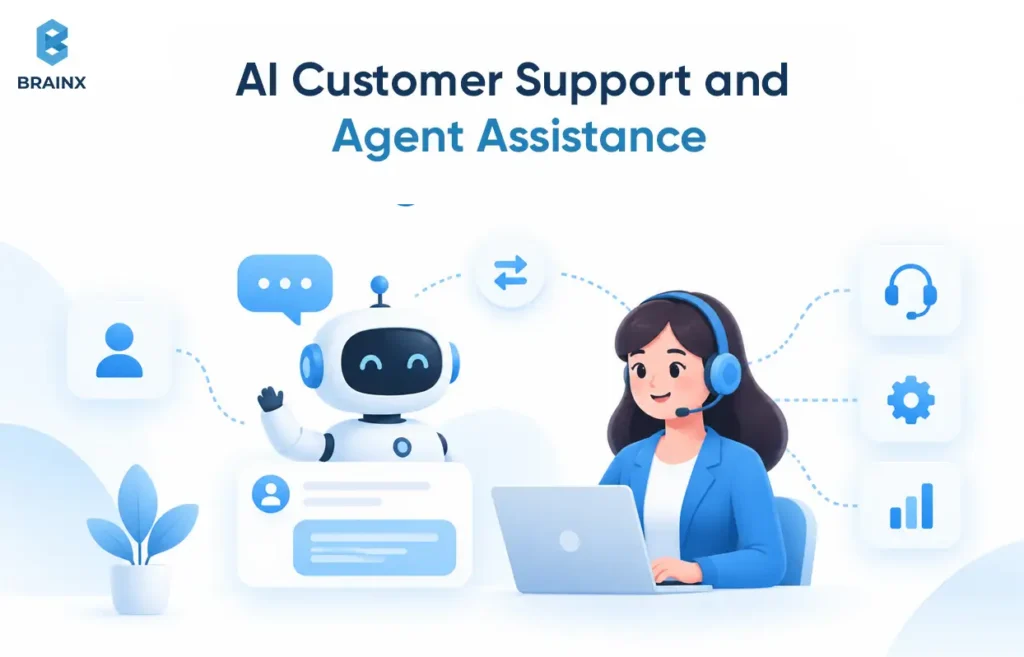
GenAI can reduce the effort required to understand, research, route, and resolve customer cases.
A support assistant can summarize long ticket threads, detect intent, retrieve approved answers, draft replies, classify cases, recommend next actions, and escalate low-confidence requests. Useful integrations include the help desk, CRM, order history, and knowledge base.
Human agents should retain control over sensitive complaints, refunds, unusual exceptions, and other high-impact decisions.
Google Cloud's AIHelp customer story reports 30% higher case-handling efficiency after service teams gained faster access to documentation. The same case study reports a 5% to 10% increase in user satisfaction. These are organization-specific results, not universal benchmarks.
Primary KPIs: average handling time, cost per ticket, first-contact resolution, escalation rate, CSAT.
2. Enterprise Knowledge Search and RAG Assistants
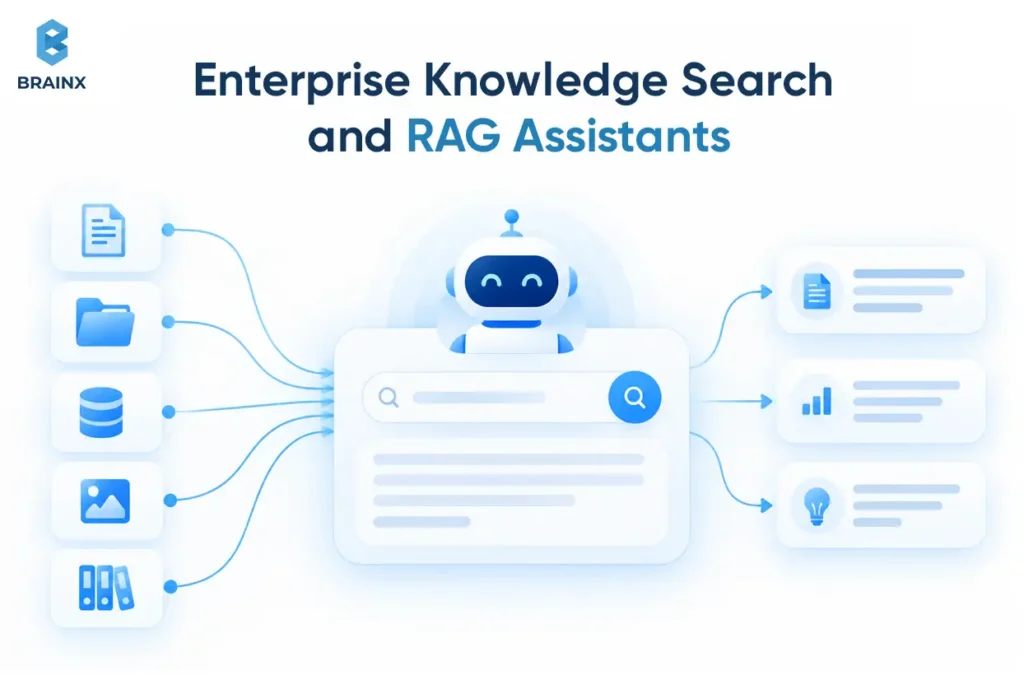
Enterprise knowledge assistants reduce the time employees spend searching across policies, SOPs, product documentation, technical manuals, and internal repositories.
Retrieval-Augmented Generation (RAG) retrieves relevant information from approved sources before the model generates an answer. This makes responses more grounded in current company knowledge. Google Cloud's RAG guidance describes the pattern as retrieving external information and adding it to the model context so generated answers can be grounded in relevant source data.
Production systems should also preserve document-level permissions. An employee should not gain access through an AI assistant to information they could not open directly.
Primary KPIs: retrieval time, employee productivity, resolution time, repeated internal support requests.
For a deeper look at enterprise retrieval architecture, see BrainX's RAG development services.
3. Generative AI for Business Automation in Document Workflows
Generative AI for business automation is especially useful when document workflows combine extraction, classification, interpretation, summarization, and drafting.
Invoices, contracts, applications, claims, compliance documents, and RFPs are common examples. An AI workflow can extract fields, classify documents, summarize content, identify missing information, draft responses, and route exceptions to employees.
The production value comes from connecting those capabilities to document management systems, ERP platforms, approval flows, and APIs. Human reviewers should focus on ambiguous documents, contractual judgment, regulated decisions, or low-confidence outputs.
Primary KPIs: cost per document, processing time, manual-review hours, throughput, rework rate.
4. Sales Research, Proposals, and CRM Automation
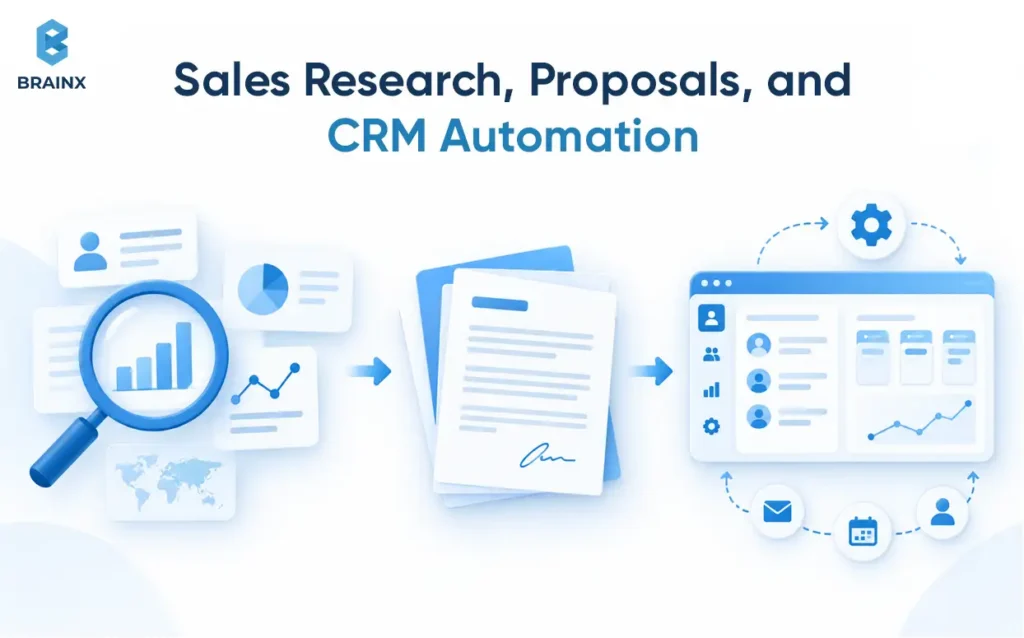
Sales teams can use GenAI to spend less time documenting work and more time working opportunities.
Useful applications include account research, sales-call summaries, CRM note generation, personalized outreach, follow-up preparation, opportunity summaries, and proposal drafts.
The CRM should remain the system of record. GenAI can prepare information and suggest communications, but salespeople should review customer-facing commitments, pricing, and contract-related language.
The strongest business case is not simply producing more AI-written emails. It is reducing administrative work while improving the completeness and speed of the sales process.
Primary KPIs: selling time, proposal turnaround, CRM completeness, response rates, pipeline contribution.
5. Marketing Content and Campaign Personalization
Marketing teams can use GenAI to create more relevant campaign variations without turning the strategy into a content-volume exercise.
Applications include audience-specific email copy, ad variations, landing-page messaging, campaign research, and repurposing approved assets across channels. Connecting GenAI with CRM segments, analytics, brand guidance, and campaign systems makes personalization considerably more useful than an isolated writing tool.
Human marketers still own positioning, claims, audience strategy, compliance, and final approval.
Primary KPIs: content-production cost, campaign turnaround, click-through rate, conversion rate, useful output per marketer.
6. Software Development and Engineering Productivity
AI-assisted development can shorten parts of the software lifecycle while keeping engineers responsible for production quality.
Common uses include code generation, unit tests, documentation, code explanation, debugging, legacy modernization, pull-request summaries, and internal engineering search.
A GitHub randomized controlled study involving 202 experienced developers found that participants with GitHub Copilot access were 53.2% more likely to pass all ten unit tests in the study's coding task. That finding applies to the study setting, not every engineering organization.
Generated code still requires peer review, automated testing, security checks, and normal deployment controls.
Primary KPIs: development cycle time, developer hours, defects, deployment frequency, release velocity.
7. Financial Reporting and Business Analysis
GenAI can reduce the manual work involved in explaining and synthesizing financial information.
Finance teams can use it for management-report summaries, variance explanations, financial-document synthesis, natural-language analytics, expense analysis, scenario summaries, and executive-report drafts.
There is an important boundary: GenAI synthesis is not the same as predictive forecasting. Statistical or machine-learning models may generate forecasts. GenAI can help analysts explain results, compare scenarios, and communicate findings.
Material figures, disclosures, and management conclusions should remain subject to finance controls.
Primary KPIs: analyst hours, reporting cycle time, rework rate, decision turnaround.
8. HR and Employee Service Automation
GenAI can handle repetitive employee-service work while allowing HR teams to focus on cases that require judgment.
Applications include policy assistants, onboarding support, HR case summaries, employee Q&A, training materials, and job-description drafts.
Useful integrations include the HRIS, help desk, policy library, learning platform, and identity-management system. Permissions are especially important because HR environments contain compensation, performance, leave, and other sensitive information.
Primary KPIs: HR ticket volume, response time, administrative hours, onboarding time.
9. Product Research and Innovation
GenAI can shorten the distance between fragmented information and a product decision.
Teams can synthesize research, analyze customer-feedback themes, draft product requirements, explore concepts, compare competitors, create prototype variations, and generate supporting product documentation.
BrainX's MathaMentor project illustrates how this can extend into an AI-powered product itself. The engagement began by validating whether a conversational AI tutor could deliver a natural GCSE Maths lesson. After the PoC, the concept expanded into a school-ready platform with adaptive lesson paths, AI-assisted curriculum generation, educator controls, teacher analytics, and role-based administration.
BrainX has also worked on an AI-assisted teaching platform designed around context-aware generation of lesson plans, worksheets, assessments, visuals, presentations, and other resources while preserving teacher control over educational parameters.
Primary KPIs: research time, prototype cycle time, time to decision, time to market.
10. Procurement, RFP, and Proposal Automation
RFP workflows are strong GenAI candidates because teams repeatedly compare long requests against existing company knowledge.
A practical system can extract requirements, identify mandatory items, retrieve approved material, draft answers, flag missing evidence, and reconstruct the response in the required format.
In one recent BrainX RFP automation engagement, the MVP was designed to parse uploaded RFPs, retrieve relevant company information using RAG, generate grounded responses with source references and confidence indicators, allow human editing, and rebuild the final response for DOCX or PDF export. The workflow also treats insufficient evidence as something to flag rather than encouraging the model to invent an answer.
Primary KPIs: proposal turnaround, hours per response, bid capacity, compliance-review time, win-rate contribution.
For adjacent workflow patterns, see BrainX's business process automation examples.
11. Ecommerce Personalization and Shopping Assistance
Ecommerce businesses can combine generative interfaces with product, inventory, customer, and merchandising data to make shopping more relevant.
Applications include conversational product discovery, intelligent search, personalized campaigns, customer assistance, product descriptions, and merchandising support.
FairPrice Group, for example, connects generative AI with product catalogs, inventory search, RAG, and conversational shopping experiences. In its FairPrice Group case study, Google Cloud reports up to an 18% click rate for personalized recommendations in the in-cart assistant deployment.
Primary KPIs: conversion rate, average order value, cart abandonment, support cost, repeat purchase rate.
For a deeper ecommerce treatment, see ShopX's guide to Shopify integration with AI and ecommerce personalization.
12. Operations Reporting and Decision Support
Operations teams can use GenAI to turn fragmented operational information into faster, decision-ready summaries.
Applications include incident summaries, operational reports, exception explanations, SOP drafts, cross-system synthesis, management briefs, and operational knowledge assistance.
An incident assistant, for example, might combine monitoring alerts, service tickets, recent deployments, and troubleshooting documentation before an engineer begins root-cause analysis.
The AI should accelerate understanding, not make high-impact production decisions without appropriate controls.
Primary KPIs: reporting time, decision latency, analyst workload, issue-resolution time.
| Use Case | Primary Value | Typical Integration | Main KPI | Complexity | Risk |
| Customer support | Lower service effort | Help desk, CRM, knowledge base | Cost per ticket | Medium | Medium |
| Knowledge search | Faster information access | DMS, intranet, identity | Retrieval time | Medium | Medium |
| Document workflows | Higher throughput | DMS, ERP, APIs | Cost per document | Medium-High | Medium |
| Sales | More selling capacity | CRM, email | Selling time | Medium | Medium |
| Marketing | Faster personalization | CRM, CMS, analytics | Conversion rate | Low-Medium | Low-Medium |
| Engineering | Faster delivery | IDE, Git, CI/CD | Cycle time | Medium | Medium |
| Finance | Faster reporting | ERP, warehouse | Reporting cycle | Medium-High | High |
| HR | Lower service workload | HRIS, knowledge base | Response time | Medium | High |
| Product | Faster decisions | Analytics, feedback tools | Time to decision | Medium | Low-Medium |
| RFPs | Faster compliant responses | CRM, DMS, response library | Hours per response | Medium-High | High |
| Ecommerce | Better discovery | Commerce, inventory, CRM | Conversion rate | Medium-High | Medium |
| Operations | Faster decisions | ERP, ITSM, monitoring | Decision latency | High | High |
Complexity and risk are directional. Data sensitivity, autonomy, integrations, and consequence of error can change either rating.

Which GenAI Use Cases Should a Business Prioritize First?
The first project should combine high value, frequent usage, clear measurement, accessible data, feasible integration, and acceptable risk. Technical possibility is not enough.
Generative AI Ideas for Business: Use a Value–Feasibility–Risk Scorecard
Compare business impact, workflow frequency, manual effort, measurability, data readiness, integrations, accuracy, human review, security exposure, and time to pilot. A 1-to-5 score helps comparison, but high-consequence risks may need to act as gates.
Which GenAI Projects Make Poor First Investments?
Poor first projects combine weak value with difficult implementation. Warning signs include low-frequency workflows, inaccessible data, no baseline, unclear ownership, high consequences of error, or processes already handled well by deterministic automation.
What GenAI Business Benefits Actually Translate Into ROI?
An operational improvement becomes ROI only when the business captures economic value from it. Deloitte's 2026 findings reinforce this distinction: productivity and efficiency benefits were reported more often than direct cost or revenue gains.
Generative AI Benefits for Business: Connect Outcomes to Financial Value
Labor efficiency matters when it reduces cost, avoids hiring, or releases valuable capacity. Higher throughput matters when it creates revenue or clears costly backlogs. Faster cycles matter when speed improves service, cash flow, or decisions. Time saved is operational; financial ROI requires showing how that capacity created value.
What Does a Production-Ready GenAI Workflow Require?
A production system needs more than a capable model. Data, integrations, permissions, human controls, security, evaluation, and monitoring determine whether a demo becomes dependable. NIST's Generative AI Profile treats GenAI risk across the lifecycle rather than as an isolated model issue.
Deloitte Middle East AI & Data Leader Aditi Nitin summarized the challenge in June 2026 as “building the right foundations around governance, talent, trust, and scalable infrastructure.”
Reliable Enterprise Data and Knowledge Sources
Production GenAI needs clear data ownership, freshness, metadata, source-of-truth decisions, and access controls. Permissions must prevent indexed confidential content from reaching unauthorized users.
RAG When Outputs Need Trusted Internal Knowledge
Use RAG when an application needs changing, proprietary, or source-verifiable knowledge such as policies, SOPs, product documentation, or technical content. It is unnecessary when all required context is already supplied directly to the model.
APIs and Integrations With Business Systems
AI creates more value inside CRM, ERP, help desks, HRIS, document repositories, ecommerce platforms, and data warehouses. Manual copy-paste leaves avoidable work.
Human Review for High-Consequence Decisions
Human review should match the consequence of error. Low-risk internal summaries may need sampling, while customer commitments, financial disclosures, employment decisions, legal content, or safety-related actions may require explicit approval.
Evaluation, Monitoring, Cost Tracking, and Failure Handling
Evaluate quality before release, then monitor task success, accuracy, latency, cost, fallbacks, overrides, and failures. Define a safe fallback when retrieval is weak, the model times out, or validation fails.
How Should Businesses Measure ROI From Generative AI?
ROI should be designed into the project before development starts.
Establish a Pre-AI Workflow Baseline
Measure current time, cost, throughput, error rate, conversion, service performance, and employee effort. Without a baseline, improvement is difficult to attribute.
Map Every GenAI Use Case to Specific KPIs
Choose a small set of KPIs tied to the business hypothesis. Support may track cost per ticket and first-contact resolution; RFP automation may track hours per proposal and compliance rework. Model scores alone are not business outcomes.
Calculate the Full Cost of the GenAI Solution
Include development, data preparation, integrations, licenses, model usage, infrastructure, retrieval systems, evaluation, security, human review, monitoring, maintenance, and change management.
Calculate Financial and Operational ROI Separately
Net Benefit = Monetized Benefits - Total GenAI Costs
ROI % = Net Benefit / Total GenAI Costs x 100
Keep improvements that cannot be responsibly monetized as operational KPIs instead of forcing them into a financial ROI figure.
Define Scale, Iterate, or Stop Criteria
Scale when quality, adoption, economics, and risk meet thresholds. Iterate when a correctable issue suppresses value. Stop when realistic cost, risk, adoption, or quality makes the project unattractive.
Why Do Some GenAI Projects Fail to Deliver ROI?
Most failures come from workflow, data, integration, rework, governance, or adoption, not model capability alone.
Automating the Wrong Workflow
Low-value automation creates too little benefit to recover development and operating costs.
Poor or Inaccessible Enterprise Data
Incomplete or stale information increases corrections and lowers automation rates.
Hallucinations and Excessive Human Rework
If employees must verify everything, expected labor savings disappear. Use grounding, representative evaluations, validation rules, source references, and escalation where appropriate.
Missing Enterprise Integrations
Manual handoffs remain when the AI cannot retrieve business context or move approved results into downstream systems.
Security, Privacy, and Compliance Costs
AI systems can expose sensitive information or gain excessive tool access. OWASP's 2025 prompt-injection guidance explains how manipulated inputs can influence model behavior, while its Excessive Agency guidance warns that excessive functionality, permissions, or autonomy can enable damaging actions.
For governance controls around GenAI and agents, see BrainX's AI TRiSM enterprise guide.
Low Employee Adoption
A system that users ignore creates little business value. Involve employees early and measure usage, overrides, and workflow completion.
Using AI Agents Where Simpler Automation Would Work
Agents add cost and unpredictability when fixed business logic can already perform the task reliably.
Copilot, RAG, Automation, or AI Agent: Which Fits the Use Case?
Use the least complex architecture capable of reliably producing the required outcome.
Use a Copilot for Human-Assisted Knowledge Work
Use copilots for drafting, analysis, summarization, recommendations, and research where a person remains responsible for the decision.
Use RAG for Trusted Enterprise Knowledge
Use RAG when the application depends on current policies, documentation, product information, or other proprietary knowledge.
Use Workflow Automation for Predictable Processes
Use deterministic automation when triggers, routing, approvals, and actions follow known rules.
Use AI Agents for Controlled Multi-Step Actions
Use an agent when the task genuinely requires dynamic reasoning, tool selection, multiple actions, and controlled autonomy. Microsoft's current Agent Framework guidance describes a spectrum between model-driven behavior and deterministic workflows: “Most real-world applications live somewhere in the middle.”
Combine Patterns for Complex Enterprise Workflows
Complex systems often combine patterns. An RFP workflow might use RAG for evidence, a copilot for drafting, deterministic approvals, and a narrowly scoped agent only where the path must adapt.
How Should Businesses Move From GenAI Pilot to Measurable ROI?
A useful pilot proves both technical feasibility and business value.
1. Select One High-Value Workflow
Choose a frequent, measurable workflow with accessible data, meaningful business impact, and manageable risk.
2. Capture the Existing Performance Baseline
Record current cost, time, quality, volume, and employee effort before introducing AI.
3. Define the ROI Hypothesis
Use a testable structure: If GenAI reduces X by Y while keeping Z above an acceptable threshold, the pilot is commercially viable. Set targets from your baseline.
4. Build the Minimum Viable Workflow
Build only what is needed to test the hypothesis: model, data, integrations, access controls, and review. MathaMentor followed this logic, moving from a validated tutoring PoC to a broader school-ready MVP.
5. Test Accuracy, Adoption, Cost, and Business Impact
Use representative users and realistic data. Measure output quality, adoption, review effort, operating cost, and movement in the target KPI.
6. Scale, Iterate, or Stop
Scale when both the technical and economic case hold. Iterate when a fixable issue remains. Stop when realistic operating conditions make the investment unattractive.
For a broader implementation roadmap, see BrainX's guide to using generative AI for business.
Build High-ROI Generative AI Workflows
High-ROI generative AI for business starts with workflow economics. BrainX Technologies helps businesses prioritize opportunities, validate PoCs, build RAG and automation workflows, integrate enterprise systems, and deploy production AI with appropriate controls.
The goal is not the most sophisticated architecture. It is the simplest reliable workflow that creates measurable value. Explore BrainX's enterprise AI solutions for strategy, generative AI, RAG, integration, and production deployment.
Frequently Asked Questions
Which use cases deliver the highest ROI from generative AI for business?
The strongest opportunities are frequent, labor-intensive workflows with measurable outputs, accessible data, and manageable risk. Support, enterprise search, document processing, sales administration, engineering, and reporting often fit. The best choice depends on local economics.
How do companies choose which GenAI workflow to automate first?
Compare business value, volume, measurability, data readiness, integration effort, accuracy, human review, and risk. Favor a problem that matters financially but is narrow enough to test. High-consequence risks may be gates rather than scoring penalties.
How long should a business run a GenAI pilot before deciding whether to scale it?
There is no universal duration. Run the pilot long enough to capture representative workload, adoption, quality, review effort, and operating cost. High-volume workflows produce evidence faster, so define evidence requirements before testing.
Does every enterprise GenAI application need RAG?
No. RAG is useful when an application needs trusted, current, private, or source-verifiable knowledge. Policy and technical-support assistants are strong candidates. A tool that only rewrites supplied text may need no retrieval layer.
What hidden costs should businesses include when calculating GenAI ROI?
Include data preparation, integrations, infrastructure, vector databases where needed, security, evaluation, human review, monitoring, maintenance, training, and change management. Agentic workflows may add model calls, tool execution, testing, and observability costs.
When should a company use an AI agent instead of traditional workflow automation?
Use an AI agent when a task requires dynamic reasoning, tool selection, multiple steps, and controlled autonomy. Use deterministic automation for predictable rules, routing, and API actions. Choose the least complex reliable architecture.