 October 14, 2026 -
 12 minutes read


What Is an AI Chatbot for Real Estate?

An AI chatbot for real estate answers property questions, collects buyer or seller details, and connects prospects with the right agent. When connected to approved listing information, a CRM, and scheduling tools, it can handle initial inquiries around the clock while leaving advice, negotiation, and sensitive decisions to people.
Imagine a buyer browsing an online listing at 11:30 p.m. They want to know whether the home is available and if they can view it Saturday. A useful chatbot checks what it can verify, captures the request, and leaves the agent enough context to follow up. The value comes from that completed handoff.
This guide focuses on residential brokerage workflows, with US fair housing considerations. It explains which conversations to automate, how to qualify leads, and what to measure before expanding.
Quick Answers Before You Get Started
Is a chatbot useful for a small real estate team?
It can be, particularly when recurring inquiries arrive while agents are unavailable. Estimate the volume and follow-up workload first; a simple form and reliable callback process may be enough for a low-traffic website.
Is a real estate chatbot the same as using ChatGPT?
A brokerage chatbot is an implemented service with approved information, business rules, integrations, and monitoring. Access to a general AI assistant alone does not provide that operational setup.
Does adding a chatbot require a website rebuild?
Not necessarily. A compatible widget can sit on an existing site, although connecting listing data, routing leads, and matching the website experience may require development beyond installation.
Should visitors know they are talking to AI?
Yes. Introduce the assistant clearly and make the route to a person easy to find. Avoid names, photos, or messages that imply a licensed agent is personally answering when that is not true.
Should every visitor be pushed into a conversation?
No. Keep property browsing and ordinary contact options accessible. Offer chat when it can help, rather than blocking a listing behind a conversation or repeatedly interrupting someone who has dismissed it.
Key Takeaways
- An AI chatbot for real estate should turn an inquiry into a clear next action, with an accountable agent or team.
- Buyer and seller conversations need different questions. Collect only the details that help someone respond.
- Listing facts and appointments need reliable source systems, permission checks, and fallbacks in case of missing information.
- Boundaries for fair housing, privacy and professional advice should be part of the workflow from the start.
- Track accepted handoffs, appointments and downstream opportunities alongside response time and operating costs.
- Begin with one lead flow and then expand once agents verify that the information is accurate and helpful.
What Are the Benefits of AI Chatbots for Real Estate Agents?
AI chatbots for real estate agents can shorten the wait for routine answers, reduce repetitive intake work, and prepare agents for more useful follow-up. Their value depends on accurate information and a team that acts on the handoff. A chatbot can support the first conversation; the brokerage still owns the relationship.
Faster initial help gives prospects a way to continue while agents are unavailable. More complete inquiry details reduce the need to ask buyers and sellers to repeat themselves. Consistent assignment rules also make it clearer who should respond next.
These benefits are most useful when agents spend the recovered time on work that requires their judgment, such as understanding a client’s priorities or preparing for a negotiation.
AI use is becoming routine. NAR's September 2026 technology report found that 23% of surveyed REALTORS used AI daily and 25% weekly. Those numbers reflect adoption, but don't prove that a chatbot will be the answer to an increase in a brokerage's conversion rate.
NAR Deputy Chief Economist Jessica Lautz described the practical value: “When routine work gets handled faster, agents have more time for the guidance, negotiation, and steady advice…” Her comments accompanying the report reinforce the goal of giving agents more time for clients.
Chatbots Compared with Other Contact Options
Choose the interface according to the work it needs to complete.
| Option | Main strength | Main limitation |
| Contact form | Collects a predictable set of details | Cannot clarify a visitor's question |
| Human live chat | Handles nuance and relationship building | Coverage depends on staffing |
| AI chatbot | Answers supported questions and gathers context | Needs reliable data and escalation rules |
| AI agent workflow | Coordinates tool use across several tasks | Needs tighter permissions and action controls |
These categories can overlap. A chatbot that checks availability and creates a CRM task is already using tools. What matters is its authority: reading a listing, submitting a request, and confirming a booking require different permissions.
Which Real Estate Chatbot Use Cases Create Value
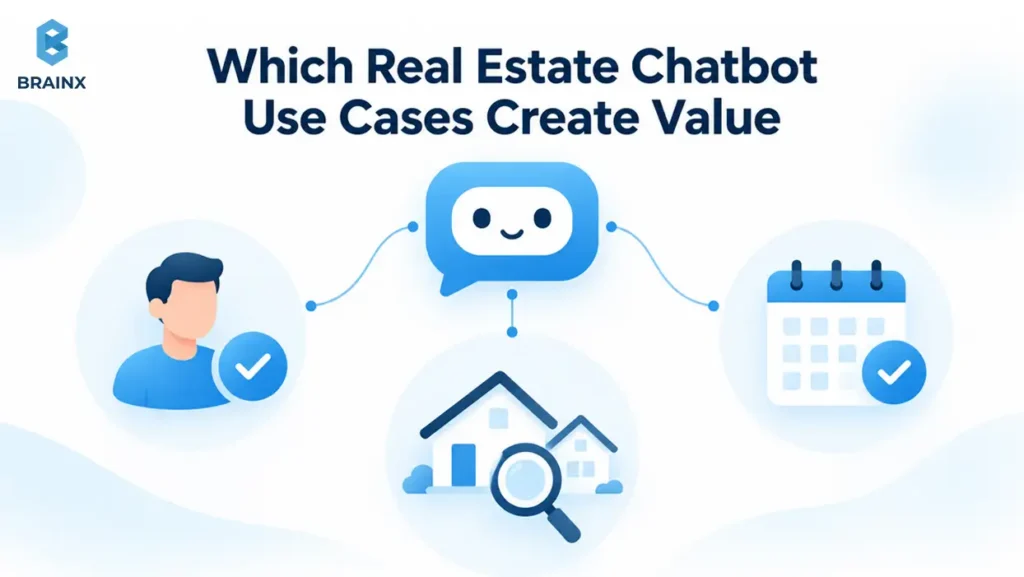
The most useful starting points are recurring questions with a dependable answer and an obvious next step. Begin with the inquiries your team already handles well, then automate the parts that cause avoidable delays.
Answer Listing and Brokerage Questions
The assistant can retrieve approved details such as price, listing status, bedrooms, office hours, and showing procedures. If a buyer asks about an undocumented roof replacement, it should request confirmation from the listing team.
A missing field must remain missing. The chatbot should never convert a plausible answer into a property fact. A response such as “I can't confirm the roof replacement date from the listing information” gives the agent a precise follow-up task.
Capture Buyer and Seller Inquiries After Hours
After-hours chat can preserve the context that a basic contact form misses. A buyer might identify a specific listing and preferred viewing time. A seller may want to consult about a home they hope to list in the next spring.
Before requesting contact details, explain the next step. “Where should the agent send the viewing options?” gives the request a purpose. If nobody is available, communicate the team’s actual follow-up window instead of promising an immediate callback.
The benefit depends on what happens afterward. If inquiries already sit unanswered in the CRM, adding chat may increase the backlog. Pair capture with an assignment rule and an alert when the promised response window is missed. This makes after-hours coverage part of the team’s service process rather than another inbox to monitor.
Request Showings and Valuation Calls
Scheduling is useful when the connected system can distinguish an available agent from an available property. A free calendar slot alone may not satisfy the seller's access arrangements or the showing platform's rules.
Use wording that matches the result. “Your showing request has been submitted” is appropriate for a pending request. Say “Your showing is confirmed” only after the required system returns confirmation. For sellers, offer a valuation consultation without generating an unsupported price opinion.
Route Inquiries to the Right Team
Routing should preserve existing lead ownership and send new inquiries to a responsible team. Use stated intent, the relevant property, service area, and documented assignment rules.
| Inquiry | Useful next action | Responsible team |
| Buyer asks to view a listing | Submit or confirm a showing through the approved system | Buyer or listing team |
| Seller requests pricing guidance | Arrange a valuation consultation | Listing specialist |
| Renter asks about availability | Retrieve permitted details and offer a viewing | Leasing team |
| Tenant reports a maintenance issue | Direct the request into the service process | Property manager |
Rental screening, accommodation requests, and disputes need separate handling. They should not inherit a sales qualification script simply because they arrive through the same chat window.
How Should a Chatbot Qualify Buyers and Sellers
A real estate chatbot should qualify leads by gathering the minimum information needed for a useful next action. Branch early between buying, selling, renting, and existing-customer support, then adapt the conversation to what the person has already shared.
Ask buyers about the transaction they want
A buyer flow can capture the property or search area, approximate budget, purchase timeline, financing stage, and preferred next step. Ask whether they already work with an agent when that affects the brokerage's process.
Avoid making every field mandatory. Someone who has not chosen a lender may still need help finding a home. Record “financing stage unknown” rather than rejecting the inquiry or inventing a readiness score.
Ask one question at a time and recognize answers already given. If the visitor says, “We're looking for a condo under $450,000 in October,” the chatbot should not immediately ask for property type, budget, and timing again.
Give sellers a shorter property focused path
A seller flow usually needs the property location, likely selling timeframe, current listing status, and whether the person wants a valuation or broader consultation. Asking why someone is selling should be optional and purposeful.
Avoid probing into family circumstances, financial distress, or personal events simply to label a lead “motivated.” The agent needs enough context to prepare, not an intrusive profile collected before trust exists.
Define four useful outcomes
Qualification should produce a next step rather than a vague “hot lead” label.
| Outcome | What it means | Next step |
| Qualified | Enough relevant context exists for the requested action | Assign the agent and arrange the next step |
| Nurture | Interest is genuine but timing is later | Offer permission-based follow-up |
| Uncertain | Important information is missing or contradictory | Ask one clarifying question or route for review |
| Human review | The request needs judgment or falls outside the approved scope | Transfer with the question and context |
A practical handoff summary might read: “Buyer asked about Listing 1842, prefers Saturday afternoon, plans to move within three months, and is speaking with a lender. Showing requested, not confirmed. Prefers email.”
That summary separates facts, uncertainty, and action status. It also gives the agent a natural starting point. BrainX's chatbot design guide covers question burden, recovery messages, and handoff behavior in more detail.
For example, suppose the buyer later says Saturday no longer works. The assistant should update the viewing preference and notify the assigned agent, while retaining the distinction between a request and a booking. It should not create a second lead or leave the old appointment status looking current. Testing this small change reveals whether the conversation and operational records actually stay aligned.
What Data and Integrations Does the Chatbot Need
A production chatbot needs approved listing information, brokerage knowledge, CRM access, and any scheduling systems required by its scope. Each connection needs a clear rule for what the assistant may read, show, or change.
Connect authorized listing sources
Multiple listing service data and Internet Data Exchange feeds have access and usage requirements. RESO explains that it supplies standards, not MLS data or credentials. Access comes from the MLS or another data provider.
Confirm permitted fields, display rules, refresh requirements, and channel restrictions before designing the experience. Permission to display a listing on a website should not be assumed to cover every use in messaging or AI systems.
Retrieval-augmented generation, or RAG, can supply approved documents before an answer is generated. Structured listing searches and availability checks may instead use direct API queries. Both approaches need validation; connecting a source does not eliminate mistakes.
Map each answer to its source
Use a simple source map to expose gaps before launch.
| Information | Authoritative source | If unavailable |
| Listing price and status | Authorized property feed | State that the current detail cannot be verified |
| Showing availability | Showing system and required calendars | Capture a request for the agent |
| Office policies | Approved brokerage knowledge base | Route to the office team |
| Lead ownership | CRM assignment record | Use the designated fallback queue |
Keep listing identifiers consistent across systems. Two properties with similar addresses should not be treated as interchangeable. When records disagree, preserve the conflict for review instead of choosing the answer that sounds most helpful.
Preserve context without exposing private records
The CRM should retain the lead source, relevant property, stated preferences, contact permission, conversation summary, assigned owner, and appointment status. Keep unverified information clearly labeled.
For example, Follow Up Boss recommends its Events API for incoming website leads. This integration records inquiry activity, supports agent notifications, and applies configured assignment and action plans. Creating a contact alone does not trigger the same automation, so verify what the connector actually does.
Adding SMS or social messaging also requires identity and consent checks. Do not reveal an existing conversation merely because someone supplies a matching email address. BrainX's real estate app development guide provides broader context for planning property data, search, and application integrations.
Protect Chatbot Data and Connected Systems
Restrict which CRM fields the assistant can access. Internal negotiation notes, another customer's information, and unrelated documents should not appear in consumer replies. Validate tool requests outside the language model, and treat instructions inside listings or uploaded documents as untrusted content.
Protect stored conversations and data sent between connected services with encryption. Require multifactor authentication for administrator accounts. Keep API keys on the server, limit each integration’s permissions, and revoke access when staff or vendors no longer need it.
Review how providers secure the information they handle and who will respond to an incident. The FTC’s data security guide provides a useful foundation for access controls, vendor oversight, and incident planning. Assign an owner who can investigate a problem and coordinate containment with affected providers.
Set practical privacy and retention rules
Decide which conversation details must be retained, who can review them, and when they should be deleted. Explain the data use in an accessible privacy notice. Check the AI provider's retention and training settings against the brokerage's requirements, including any contractual restrictions on listing data.
Do not collect identification documents, bank statements, or mortgage applications through a general lead-capture chat. If a later process needs sensitive documents, direct the customer to the approved secure channel. Keep operational logs useful without copying unnecessary personal information into every analytics system.
Check Which Data Protection Laws Apply
Data protection obligations depend on where the brokerage operates, the people it serves, and how it uses their information. Assess those obligations across the chatbot, CRM, analytics tools, and service providers before launch.
For US operations, assess applicable state privacy requirements. The California Consumer Privacy Act, as amended by the California Privacy Rights Act, applies to businesses that meet its coverage criteria. Where applicable, chatbot data needs to be included in processes for privacy notices and requests to access, correct, or delete personal information, subject to legal exceptions. Sale or sharing of personal information can also trigger opt-out requirements.
For international operations, check whether the GDPR’s territorial scope applies, including relevant EU establishments or offering services to or monitoring people in the EU. An overseas website visit alone does not settle that question. Where GDPR applies, identify a lawful basis, define controller and processor responsibilities, and assess international transfers. A vendor’s compliance claim does not replace the brokerage’s own assessment.
What Are the Limitations and Risks of Real Estate Chatbots?
Real estate chatbots can produce incorrect answers and depend on the quality and availability of connected systems. Their role also has clear boundaries: they should not make discriminatory housing recommendations, invent property facts, or present personalized legal and financial judgments as authoritative. Define those boundaries and test them with realistic conversations.
Keep fair housing rules explicit
The HUD Fair Housing Act overview identifies race, color, national origin, religion, sex, familial status, and disability as protected characteristics. State and local protections may also apply.
The chatbot should not use protected characteristics or inferred demographic traits to decide who receives service or where someone should live. A request for a neighborhood “for people like me” should lead to neutral preferences such as price, commute, property type, and desired amenities.
Handle neighborhood information with care
School and crime information should not be treated as automatically prohibited. HUD's April 2026 clarification addresses sharing such information consistently and without discriminatory intent. NAR's accompanying guidance emphasizes objective facts and warns against steering.
For chatbot design, use approved sources and a consistent process. Providing sourced information differs from declaring an area “right for your family.” Escalate requests for subjective interpretation or recommendations tied to protected characteristics.
Separate general information from professional advice
A chatbot can explain the brokerage's mortgage referral process or arrange a valuation call. Personalized loan recommendations, contract interpretation, disputed valuations, and complex transaction questions need an appropriately qualified professional.
The handoff should preserve the specific question. “I'll ask the listing agent to confirm whether that improvement is documented” is more helpful than a generic refusal. Brokerage counsel or compliance owners should review jurisdiction-specific scripts; these design principles are not legal advice.
How Do You Implement a Real Estate Chatbot
Implement the chatbot as a limited operational pilot, with clear ownership and a measurable baseline. The NIST AI Risk Management Framework provides a voluntary foundation for managing AI risks throughout design, use, and evaluation.
Step 1 Choose one flow and one owner
Start with a specific task, such as a buyer asking about a listing and requesting a viewing. Name the person responsible for the pilot and the team receiving its leads.
Document the current response time, appointment rate, and common handoff problems. Capture these in a lead-flow map with an owner and success criteria so the pilot has a clear comparison point.
Step 2 Confirm access and failure behavior
Map the listing feed, CRM, calendar, and website connection. Create a system map recording permissions, required fields, update frequency, and what happens when each service fails.
Keep a usable fallback contact route. If the CRM is unavailable, a controlled queue can preserve requests for later processing, but the chatbot must not claim the lead was successfully assigned.
Step 3 Write rules before refining prompts
Define required questions, optional fields, routing, escalation, and allowed actions. Have agents approve a written qualification and escalation policy before developers optimize the wording.
Specify what happens when someone changes their mind, declines a question, or asks for a person. A chatbot that cannot leave its script gracefully will create work for the team.
Review the interface on mobile and with keyboard navigation. Check that visitors can read responses, correct an answer, close the widget, and reach a person without struggling. Property searches often involve several open listings, so the assistant should also make clear which property the current conversation concerns.
Step 4 Test realistic conversations
Use appropriately redacted examples and deliberately difficult cases. Include misspelled addresses, stale listings, ambiguous budgets, conflicting records, duplicate inquiries, and sensitive neighborhood questions.
Create a versioned test set recording each expected source, response, action, and handoff. Test failed bookings and repeated submissions so an interrupted conversation does not create duplicate appointments.
Step 5 Check Launch Readiness Before Going Live
In shadow mode, the system can generate proposed responses or classifications without sending them to customers. Compare those outputs with agent decisions, then move to a limited live pilot with human oversight.
Before the limited live pilot, confirm that:
- Listing access is authorized and sufficiently reliable for the approved scope.
- Each lead has an accountable owner and a stated follow-up window.
- Human escalation works and preserves the customer’s question.
- Tests cover unavailable services, failed bookings, and duplicate submissions.
- Required privacy, security, and legal reviews are complete.
- The pilot has an agreed baseline, success criteria, and a review owner.
Record the evidence and any unresolved issues in the pilot report. Pause launch if a critical check fails, and document the decision before expanding the chatbot’s authority.
Step 6 Expand one change at a time
Add another lead type, channel, or action after the first workflow is dependable. Give each expansion its own tests rather than assuming website performance will transfer to SMS or voice.
Create a rollout plan that names the owners of policy updates, source changes, and conversation review. Keep a quick way to disable an affected feature without taking down the entire contact experience.
How Do You Measure Lead Quality and ROI
Measure whether chatbot conversations produce useful agent actions and stronger business outcomes. More captured contacts can still mean more low-value follow-up, so track the full journey rather than celebrating chat volume.
Follow the lead beyond the conversation
Use consistent definitions across the pilot and baseline:
- First useful response: Time until the prospect receives relevant help, not just a greeting.
- Qualification completion: Share of eligible conversations that collect enough context for the intended next action.
- Appointment rate: Share of qualified leads that reach a confirmed appointment, tracked separately from requests.
- Agent acceptance: Share of handoffs agents accept without correcting ownership or essential context.
- Opportunity quality: Progress toward a genuine transaction opportunity under the brokerage's own stage definitions.
- Exception rate: Frequency of factual errors, failed actions, inappropriate replies, and other defined issues.
Review results by buyer, seller, and rental flow, as well as channel and lead source. A campaign that brings more motivated buyers can make the chatbot look better even when its behavior has not changed.
Ask agents which information helped them prepare and which details they had to collect again. If summaries are routinely ignored, examine their length, accuracy, and placement in the CRM. Adoption improves when the output fits the agent's existing work rather than requiring a separate dashboard for every inquiry.
Calculate value using realistic attribution
Include setup, subscriptions, model usage, integration maintenance, data access, monitoring, and staff review in the cost estimate. For transaction-based ROI, use incremental contribution after relevant transaction costs rather than the property's sale price.
ROI (%) = [(incremental contribution + verified labor savings − total chatbot cost) ÷ total chatbot cost] × 100.
Use the same measurement period for value and costs. Count saved hours as financial savings only when they reduce costs or create measurable productive capacity, and avoid counting the same benefit twice.
Use a comparable baseline or controlled rollout where practical. Record agent overrides and their reasons; repeated corrections often reveal exactly where the workflow needs improvement.
For an illustrative pilot, suppose 100 comparable inquiries previously produced 10 confirmed appointments. Another 100 inquiries handled through the pilot produce 14. That is a four-percentage-point increase in appointment rate, not evidence of four extra completed transactions. Check attendance, agent acceptance, and later opportunity stages before assigning revenue to the change. Small samples also warrant caution before drawing a lasting conclusion.
How Do You Choose Between a Platform and Custom Development
Choose a platform when its existing connectors and conversation controls meet your requirements. Consider custom development when your qualification rules, data sources, or ownership model require behavior the platform cannot support reliably.
| Decision factor | Platform may fit | Custom development may fit |
| Lead workflow | Standard buyer and seller paths | Specialized branching and assignment |
| Integrations | Existing connectors match the stack | Multiple feeds or proprietary systems |
| Control | Available settings meet requirements | Detailed permissions and custom evaluation |
| Ownership | Vendor environment is acceptable | Greater application and data portability needed |
| Budget | Subscription and setup suit the scope | Business value supports build and operating costs |
How Do You Choose the Best AI Chatbot for Real Estate?
The best AI chatbot for real estate is the one that handles your priority conversations reliably, connects to authorized data and existing tools, and fits your budget at realistic usage. Evaluate it with your own buyer and seller scenarios before committing to a platform or custom build.
Ask vendors to demonstrate your difficult cases, including stale data, calendar failure, incomplete answers, and an existing lead contacting another branch. Verify export options, retention settings, support responsibilities, and who maintains integrations.
Compare quotes using the same assumptions: monthly conversation volume, supported channels, number of offices, data sources, and human support needs. Ask what happens when usage exceeds the allowance or an integration changes. A low subscription price may exclude setup, message charges, or the connector your team needs, so compare the complete operating scope rather than the advertised starting price.
A hybrid approach is also possible: managed AI infrastructure with custom business logic and connections. Choose based on the workflow you need today and the changes you can reasonably anticipate.
Build a Real Estate Chatbot With BrainX
The strongest starting point is one conversation your brokerage wants to handle better. Define the next action, connect the necessary systems, and establish how agents will review the result.
BrainX Technologies provides custom AI development services for assistants and integrated workflows. Its LevelUp real estate platform project involved agent onboarding, communication, and training, demonstrating experience with the operational software behind real estate teams.
If you are planning a chatbot, bring your current lead flow, listing source, CRM, and recurring handoff problems. Talk to BrainX about your chatbot to scope a focused pilot with clear responsibilities and measurable outcomes.
Frequently Asked Questions
How much does an AI chatbot for real estate cost?
Platform fees, configuration, custom development, and ongoing operations are separate costs. BrainX's AI chatbot development cost guide gives illustrative custom-build bands of $10,000–$30,000 for a focused chatbot, $30,000–$100,000 for an integrated LLM or RAG assistant, and $100,000–$500,000+ for enterprise or agentic systems. These are planning ranges, not market averages or project quotations. BrainX experts can assess the actual scope and integrations before estimating.
How long does implementation take?
Timing depends on data access, integration complexity, conversation design, testing, and approvals. Installing a widget can be a small part of the work. Request separate estimates for discovery, connection setup, evaluation, and pilot rollout, with dependencies clearly identified before accepting a launch date.
Can the chatbot support multiple languages?
Yes, if the selected system supports them, but each language needs testing. Review property terminology, consent wording, question interpretation, and handoff summaries with competent speakers. Provide a route to an appropriate person when the system cannot understand or explain something reliably.
What happens when a prospect refuses contact details?
Allow the visitor to keep accessing public information where appropriate. Explain which requested action requires contact details and why. The chatbot should not invent a CRM identity, repeatedly pressure the visitor, or imply that submitting a phone number is necessary simply to read a listing.