 August 8, 2026 -
 28 minutes read


Key Takeaways
- An EMR is usually practice-centered, while an EHR is designed for broader, longitudinal care and information exchange.
- An EMR may be enough for a focused practice with limited referrals, stable workflows, and modest reporting requirements.
- An EHR is generally a better fit when care spans locations, specialists, hospitals, patient apps, quality programs, or population-health workflows.
- Product labels can mislead. Verify interfaces, APIs, certification criteria, data exports, patient access, and live workflows.
- Implementation success depends on workflow fit, migration quality, interoperability testing, training, security, and total cost.
EHR vs EMR comes down to scope and data exchange. An electronic medical record generally manages clinical information inside one practice or organization. An electronic health record supports a broader, longitudinal record that can move across care settings.
An EMR is a digital version of the paper chart in a clinician’s office and an EHR as a record built to share information with other providers, including laboratories and specialists.
However, buyers should not rely on the product label alone. Modern vendors often use EMR and EHR interchangeably. A platform called an EHR may still require expensive interfaces and manual reconciliation. A capable EMR may connect successfully to hospitals, labs, or health information exchanges.
The safer question is: What can the system exchange, with whom, under which standards, and within which real workflows?
What Are EHRs and EMRs, and Why Are the Terms Often Confused?
EHRs and EMRs are related, but they are not identical. The traditional distinction concerns the breadth of the record and how easily information moves beyond the organization that created it.
The confusion comes from modern product overlap. Many platforms now combine charting, scheduling, billing, patient portals, telehealth, reporting, and selected integrations. Vendors may choose either label based on their audience rather than a formal product classification.
What Is an Electronic Medical Record (EMR)?
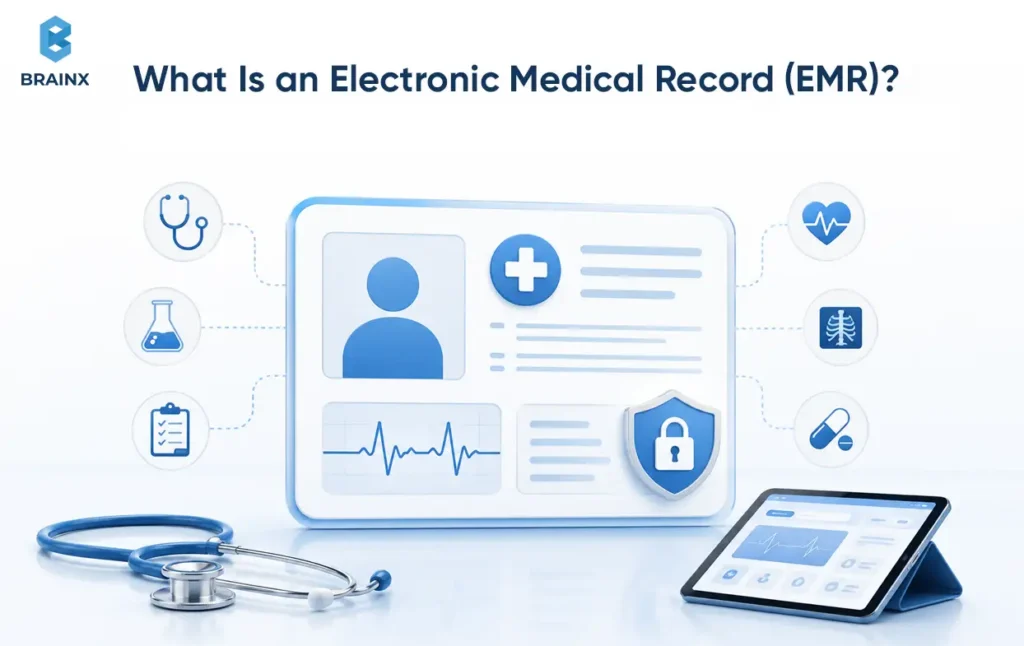
An electronic medical record (EMR) is a digital patient chart created and used mainly within one healthcare organization. It replaces the traditional paper chart with structured, searchable information that clinicians can use to document, monitor, and manage care.
An EMR can contain:
- Diagnoses and treatment histories
- Medications and allergies
- Clinical notes
- Laboratory and imaging results
- Immunization records
- Orders and prescriptions
- Vital signs and clinical measurements
- Specialty-specific forms and templates
According to HealthIT.gov, EMRs contain information collected by and for clinicians in an office, clinic, or hospital and are primarily used for diagnosis and treatment.
An EMR can also include scheduling, billing, e-prescribing, patient portals, clinical alerts, and selected external interfaces. Therefore, calling a platform an EMR does not necessarily mean that it is outdated or completely disconnected. Its defining characteristic is usually its organization-centered scope.
Key Benefits of EMRs
- Faster access to clinical information: Clinicians can retrieve patient histories, medications, results, and notes without searching through paper files.
- Better tracking over time: Practices can monitor clinical measurements, treatment progress, immunizations, and other patient data.
- Preventive-care support: EMRs can help identify patients who are due for screenings, follow-ups, vaccinations, or routine checkups.
- More consistent documentation: Structured forms and specialty templates can standardize how clinical information is recorded.
- Improved practice-level reporting: Organizations can analyze patient populations, workflow activity, and quality indicators within the practice.
- Stronger specialty workflow fit: Focused EMRs may offer templates and processes designed around the needs of a particular clinical specialty.
What Is an Electronic Health Record (EHR)?
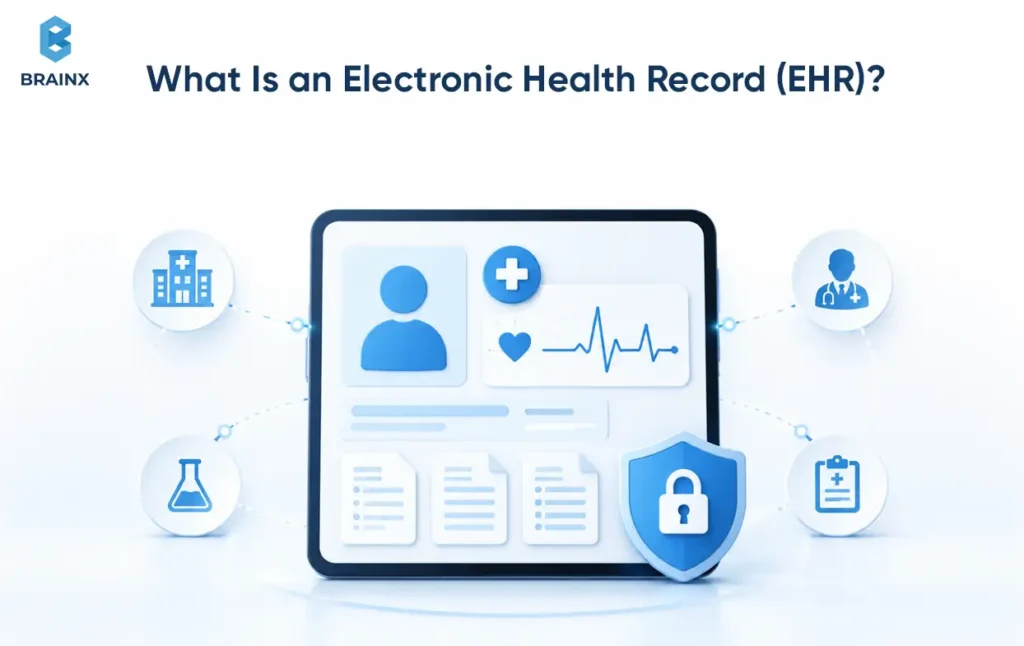
An electronic health record (EHR) is a broader, longitudinal record of a patient’s health information. It is designed to make relevant information securely available to authorized clinicians across different providers, locations, and care settings.
An EHR may include information contributed by or shared with:
- Primary care providers
- Specialists
- Hospitals and health systems
- Laboratories
- Imaging centers
- Pharmacies
- Patients and caregivers
- Other authorized care participants
The goal is to create a record that follows the patient instead of remaining inside one organization. HealthIT.gov explains that EHRs contain information from the clinicians involved in a patient’s care and are designed to share information with providers such as laboratories and specialists.
A well-integrated EHR can combine diagnoses, medications, allergies, test results, clinical notes, referrals, hospital information, and patient-generated information into a more complete view of the patient’s care.
Key Benefits of EHRs
- Broader care coordination: Authorized providers can access relevant information across departments, locations, and care settings.
- Longitudinal patient histories: EHRs can bring information from multiple encounters and clinicians into a more complete record.
- Improved information exchange: EHRs are designed to connect with laboratories, hospitals, specialists, pharmacies, and other healthcare systems.
- Reduced unnecessary repetition: Access to existing results and clinical information may help prevent avoidable duplicate tests or data entry.
- Better patient access: Portals and connected applications can allow patients to review results, notes, medications, and care instructions.
- Quality and regulatory reporting: Certified systems may support structured data collection and reporting for applicable healthcare programs.
EHR vs EMR vs PHR: What’s the Difference?
An EMR, EHR, and personal health record (PHR) may contain similar types of information, but they differ in scope, management, and intended use.
| Comparison Area | EMR | EHR | PHR |
| Primary focus | Clinical care within one organization | Longitudinal care across providers and settings | Personal health management |
| Primary manager | A practice, clinic, or healthcare organization | Authorized healthcare organizations and clinicians | The patient or an authorized caregiver |
| Typical scope | One practice or organization | Multiple providers and care settings | Information selected or collected by the patient |
| Information sources | Mainly one healthcare organization | Hospitals, clinicians, laboratories, pharmacies, and other connected sources | Providers, health plans, devices, applications, and patient-entered data |
| Sharing model | Usually limited or dependent on specific interfaces | Designed for authorized exchange across care settings | Generally controlled by the patient |
| Common purpose | Documentation, diagnosis, and treatment | Coordinated and continuous care | Tracking and managing personal health information |
| Simple example | A dermatology clinic’s internal patient chart | A connected record used by primary care, specialists, and hospitals | A patient-managed health application containing medications and fitness data |
HealthIT.gov describes a PHR as a record designed to be set up, accessed, and managed by patients. It may include information from clinicians, home-monitoring devices, and the patients themselves.
A PHR should not be confused with a patient portal. A portal usually gives a patient access to information stored in a provider’s EHR, while a PHR may allow the patient to collect and manage information from several sources.
EMR vs EHR Examples
The practical difference becomes clearer when the systems are considered in real care settings.
EMR example: A solo dermatology practice uses a digital system to document patient visits, store clinical images, prescribe medication, track treatment plans, and manage billing. Most information remains within that practice, apart from selected laboratory or pharmacy connections.
EHR example: A patient receives care from a primary care group, an external laboratory, a cardiologist, and a hospital. A connected EHR can make laboratory results, medications, allergies, referral information, specialist notes, and hospital discharge documents available to authorized clinicians across those settings.
The first system may meet the needs of a focused independent practice. The second is better suited to care that regularly crosses organizational boundaries. However, actual performance still depends on interfaces, standards, configuration, data quality, and participation by external partners.
“The right information is available to the right person at the right time.” — Dr. Thomas Keane, National Coordinator for Health IT
Why Modern Vendors Sometimes Use the Terms Interchangeably
Modern vendors sometimes use EMR and EHR interchangeably because the product categories have converged.
Many ambulatory platforms originally marketed as EMRs now provide patient portals, APIs, reporting, analytics, telehealth features, and health information exchange connections. Larger EHR vendors also offer smaller packages intended for independent practices.
As a result, product terminology is often less reliable than demonstrated functionality.
An EHR label does not guarantee smooth interoperability. Likewise, an EMR may support selected HL7, FHIR, Direct messaging, or health information exchange connections. Buyers should verify every required capability against their actual partners, standards, data fields, and workflows.
Current EHR Adoption and Usage Trends
EHR adoption is now nearly universal across much of the U.S. healthcare system, but adoption does not guarantee interoperability, usability, or workflow fit.
According to ONC Data Brief 84, published in June 2026, 95% of U.S. office-based physicians used some form of EHR in 2024, while 91% used a certified EHR. Adoption also varied by practice size: solo physicians were less likely to use certified technology than physicians working in larger groups.
ONC’s June 2026 national adoption statistics also show that more than 99% of non-federal acute-care hospitals had adopted certified EHR technology by 2024.
These figures show that the primary question is no longer whether healthcare organizations use electronic records. The more important questions concern certification, workflow quality, patient access, interoperability, data portability, and how effectively the technology supports care.
What Are the Key Differences Between EHR and EMR?
The meaningful differences appear in record scope, exchange capabilities, patient access, certification, workflows, and organizational complexity.
A useful EMR vs EHR comparison should separate what a platform claims from what the organization can verify.
How EMR vs EHR Systems Compare Across the Decision Criteria
The following EMR vs EHR systems matrix provides a procurement starting point.
| Decision Criterion | Typical EMR Profile | Typical EHR Profile | What to Verify |
| Record scope | One practice or organization | Longitudinal record across settings | Whether outside records can be reconciled into one timeline |
| Data sharing | Selected or point-to-point interfaces | Broader exchange capabilities | Supported live workflows with your partners |
| Standards | May support HL7, CDA, or FHIR selectively | More likely to support multiple certified criteria | Exact versions, resources, endpoints, and data fields |
| Patient access | Basic portal may be available | Broader portal and application access | Notes, results, proxy access, downloads, and app connectivity |
| Referral workflows | Often manual or interface-dependent | More likely to support closed-loop referrals | Referral status and returning specialist documentation |
| Reporting | Local operational reports | Quality, regulatory, and population-health reporting | Measures, exports, and reporting-period support |
| Certification | May or may not be certified | Frequently associated with CEHRT | Product and module status in CHPL |
| Scalability | Strong fit for focused environments | Better suited to multisite complexity | Location controls, user roles, and shared identity management |
| Downtime | Varies by vendor | Varies by vendor | Read-only access, recovery procedures, and testing |
| Portability | Often under-evaluated | Still requires verification | Bulk exports, formats, archive costs, and exit fees |
Record Scope and Data Reconciliation
This comparison focuses on how EMRs and EHRs organize, identify, and reconcile information created inside and outside the healthcare organization.
An EMR usually optimizes documentation and operations for the organization maintaining it. An EHR is designed to support a broader patient journey by incorporating information from multiple clinicians and care settings.
When information comes from several sources, the system should preserve data provenance, identify where each item originated, and provide a controlled process for reconciliation.
For example, a specialist may update a medication list after the primary care practice has already documented it. The receiving system should allow an authorized clinician to review the external information, compare it with the existing record, and accept, reject, or amend the change without losing its original source.
Data Sharing, Interoperability, and Health Information Exchange
Interoperability is the largest practical distinction between many EHR and EMR platforms, but it is not binary.
Published in 2026, ONC Data Brief 81 analyzed 2024 hospital data and found that approximately nine in ten hospitals enabled patient access through an API. Seven in ten used standards-based APIs for that access.
The report also found that hospitals relied more frequently on proprietary APIs or non-API methods for many clinical and administrative exchanges with third-party technologies.
Therefore, “FHIR-enabled” is not sufficient proof of usable interoperability. Buyers should verify authentication, supported resources, standards versions, data quality, partner compatibility, monitoring, error handling, and the workflow presented to end users.
Patient Access and Care Coordination
EHR platforms are more likely to provide broader patient-access functions, but implementation quality still varies.
ONC’s Data Brief 77 found that more than three in four individuals were offered online access to their medical records in 2024, while 65% both received and used that access. App-based access increased from 38% in 2020 to 57% in 2024.
Buyers should test more than portal availability. Verify:
- Clinical-note and test-result access
- Proxy or caregiver access
- Secure messaging
- Prescription-refill workflows
- Patient data downloads
- Third-party application access
- Post-referral and post-discharge information
Clinical, Administrative, and Financial Workflows
A broader feature set is not automatically better.
A focused ambulatory EMR may outperform a larger EHR when its specialty templates, charting flow, delegation rules, and billing processes match the practice more closely.
Evaluate the full workflow from intake to chart closure. Include scheduling, orders, results, prescriptions, coding, claims handoff, authorizations, referrals, patient messages, and exception queues.
Poor workflow fit can create more clicks, duplicate entry, incomplete charts, and unresolved inbox items.
Certification, Reporting, and Population Health Capabilities
Certification is specific to health IT modules and criteria. It is not a general promise that every workflow will operate well.
The ONC Health IT Certification Program assesses health IT against adopted capability, functionality, interoperability, and security requirements. The Certified Health IT Product List (CHPL) is ONC’s authoritative listing of successfully tested and certified health IT modules.
CMS requires CEHRT for the Medicare Promoting Interoperability Program and the MIPS Promoting Interoperability performance category. Clinicians reporting the 2026 MIPS category must use ONC-certified EHR technology and provide a CMS EHR Certification ID from CHPL.
CEHRT is the official CMS and ONC term. It stands for Certified Electronic Health Record Technology. Federal certification materials do not use a parallel “CEMRT” designation for Certified Electronic Medical Record Technology. Organizations should verify the exact certified product, version, modules, and criteria through the Certified Health IT Product List.
Ensure you verify the exact product version, certified modules, criteria, reporting requirements, and CMS EHR Certification ID. Do not assume every platform marketed as an EHR meets your organization’s program needs.
When Is an EMR Enough, and When Is an EHR the Better Fit?
Both EHR and EMR systems can improve documentation, information retrieval, patient monitoring, and practice workflows. The better choice depends on the organization’s care model, exchange requirements, reporting obligations, and growth plans.
An EMR may serve a focused practice well. An EHR becomes more valuable as referrals, external data, patient access, reporting requirements, locations, and care-coordination needs increase.
An EMR May Be Enough for a Focused Independent Practice
An EMR may be sufficient when:
- Most care occurs within one organization
- Referral volume is limited
- External interfaces are few and stable
- The practice has focused specialty workflows
- Certified reporting is not required
- A basic portal meets patient expectations
Scenario: A solo dermatology practice with one location, predictable documentation, limited hospital interaction, and one established lab connection may benefit more from workflow simplicity than enterprise-level functionality.
The practice should still verify data exports, security controls, downtime access, and the ability to share records when required.
An EHR Is Usually Better for Connected or Multi-Setting Care
An EHR is generally the better fit when patient care routinely crosses organizational boundaries.
This includes:
- Hospitals and health systems
- Multispecialty groups
- Integrated delivery networks
- Organizations with frequent external referrals
- Practices participating in quality programs
- Care models relying on patient applications or population health
Scenario: A primary care group managing chronic conditions across several locations needs referral visibility, hospital follow-up, consolidated reporting, patient messaging, and external data integration.
Multi-Location Practices Require a Capability Check, Not a Label Check
A multisite organization should evaluate whether the platform supports one patient identity, shared scheduling, location-specific permissions, centralized reporting, and consistent clinical workflows.
Some EMRs handle these requirements well. Some products marketed as EHRs still use separate databases, fragmented billing, or expensive interfaces.
Scenario: A three-location physician group may not need a hospital-scale platform. It does need a unified chart, centralized scheduling, consistent reporting, reliable lab routing, and straightforward expansion.
Specialty and Behavioral Health Platforms Can Be Important Edge Cases
Specialty systems may deliver better clinical fit than broader platforms.
Behavioral health, substance-use treatment, rehabilitation, home health, and therapy settings may require specialized documentation, privacy controls, group workflows, and billing rules.
Published in April 2026, ONC Data Brief 82 reported that 68% of substance-use and mental-health treatment facilities used only EHRs, in 2024, with no paper charts. However, only 19% participated in an HIE.
This shows why adoption alone does not prove connectivity.
Scenario decisions:
- Solo specialty practice: An EMR may be enough when local workflow quality matters most.
- Multisite physician group: Choose EHR-grade capabilities for shared records, reporting, and referrals.
- Rural hospital: Prioritize certified functionality, downtime readiness, and external exchange.
- Integrated delivery network: Use an enterprise EHR core with integrated specialty and patient-facing tools.
For a closer look at EHR, FHIR, and virtual-care integration requirements, see BrainX’s Telemedicine App Development Guide.
How Does the Choice Affect Care, Operations, and Business Performance?
Record systems affect more than storage. They shape clinician workload, patient access, billing, referrals, reporting, and the organization’s ability to introduce new care models.
Care Coordination and Continuity
Connected records can improve continuity when clinicians receive relevant information at the point of care.
The key word is integrated. Receiving a document does not help if it remains buried in an external-records queue or arrives after the encounter.
Measure:
- Closed-loop referral rates
- Time from discharge to follow-up
- Medication-reconciliation exceptions
- Duplicate record creation
- External-data review time
- Interface failures
Clinician Workload and Documentation Efficiency
Poor workflow fit can turn a capable system into a daily operational burden.
AMA research on EHR use identifies excessive tasks and inbox volume, workflow interruptions, and poor interoperability as contributors to physician burnout.
A 2025 AMA analysis of 2024 Organizational Biopsy data found that physicians worked an average of 57.8 hours per week. Only 27.2 hours involved direct patient care, while 13 hours went to indirect work such as documentation, orders, results, and referrals.
During evaluation, measure documentation time, inbox time, chart-close time, clicks, work outside scheduled hours, and support requests.
Billing, Reporting, and Revenue-Cycle Workflows
The record system can reduce or increase administrative rework.
Evaluate how clinical documentation connects to:
- Coding and charge capture
- Eligibility checks
- Claims submission
- Prior authorization
- Denial follow-up
- Quality reporting
- Payment posting
- Patient billing
Certification can support structured data collection and reporting. It does not guarantee an efficient revenue-cycle workflow.
Patient Access, Engagement, and Digital Services
Patients increasingly expect access through portals and mobile applications.
The platform should support appointment information, results, notes, messaging, forms, payments, caregiver access, and clear follow-up instructions.
However, portal activation alone is not enough. Track actual use, unresolved messages, failed logins, response time, and the percentage of patients completing important actions digitally.
Scalability Across Locations, Specialties, and New Care Models
Scalability means more than adding user licenses.
The platform must support new locations, specialties, virtual care, remote monitoring, patient applications, analytics, and external partners without creating new data silos.
Recommended KPIs include:
- Documentation time per encounter
- Chart-close time
- Duplicate data entry
- Referral completion
- Interface failures
- Claim rework
- Portal activation
- Patient-message response time
- Support-ticket volume
- Work outside scheduled hours
How Should You Choose Between an EHR and an EMR?
Choose the system through workflow evidence, not feature lists.
The strongest selection process maps current operations, prioritizes mandatory requirements, tests live integrations, reviews security and portability, and validates the product through a controlled pilot.
Step 1: Map Your Care Model, Users, and Data Flows
Document who creates, reviews, changes, and consumes patient information.
Map:
- Patient intake
- Clinical documentation
- Orders and results
- Referrals
- Pharmacy workflows
- Billing and claims
- Patient messaging
- Hospital transitions
- Analytics and reporting
- Third-party applications
This exposes where information crosses organizational boundaries and where manual work currently occurs.
Step 2: Separate Mandatory Requirements From Optional Features
Divide requirements into three groups:
- Mandatory: Clinical, regulatory, contractual, or operational requirements.
- Important: Capabilities that materially improve performance.
- Optional: Features that may add value but do not determine success.
Mandatory requirements may include specialty documentation, CEHRT criteria, controlled-substance prescribing, patient access, required interfaces, downtime procedures, reporting, or bulk data export.
Step 3: Score Vendors Against Real Workflows
Use a weighted scorecard.
| Category | Suggested Weight | Test Question |
| Workflow fit | 25% | Can users complete our most common encounter without workarounds? |
| Interoperability | 20% | Can the vendor demonstrate our referral, lab, and external-record workflows? |
| Security and compliance | 15% | Are access, logging, encryption, risk management, and BAA terms clear? |
| Usability and training | 10% | Can clinicians complete tasks without vendor coaching? |
| Data portability | 10% | Can the system export complete, usable patient and organizational data? |
| Reporting and certification | 10% | Do the certified criteria and reports match our obligations? |
| Scalability | 5% | Can locations, roles, specialties, and integrations expand safely? |
| Commercial terms and stability | 5% | Are support, interface, archive, renewal, and exit terms transparent? |
Step 4: Validate Interoperability With Actual Systems
Do not accept “FHIR-ready” or “HL7-compatible” as final answers.
Ask the vendor to demonstrate exchange with the actual hospital, lab, imaging center, HIE, payer, telehealth platform, or patient application involved in your workflow.
Verify:
- Who configures the connection
- Which standards and versions are used
- What information moves in each direction
- How patient identities are matched
- How errors are monitored
- Who owns break-fix support
- Whether additional fees apply
Step 5: Review Security, Compliance, and Certification
HIPAA obligations depend on the organization, data, relationships, safeguards, and system configuration, not whether the platform is called an EMR or EHR.
HHS states that the HIPAA Security Rule requires regulated entities to implement reasonable and appropriate administrative, physical, and technical safeguards for ePHI. HHS risk-analysis guidance also describes risk analysis as the foundational first step for identifying and implementing those safeguards.
Avoid claims that a product is “HIPAA certified.” HHS does not endorse or recognize private Security Rule certifications, and such certifications do not replace a regulated entity’s legal obligations.
Also verify the product and modules in CHPL when certified functionality is required.
Step 6: Assess Migration, Training, Support, and Total Cost
A low subscription quote can conceal a high implementation cost.
Request line-item estimates for:
- Software licenses
- Implementation services
- Interfaces
- Data migration
- Data cleanup
- Configuration
- Testing
- Training
- Temporary productivity loss
- Parallel-system operation
- Support
- Archive access
- Contract exit and data export
Also define the internal time required from clinicians, administrators, IT staff, billing teams, and project owners.
Step 7: Run a Controlled Pilot Before Full Rollout
Test the platform with one location, department, specialty, or user group before wider deployment.
The pilot should include normal and exception workflows, such as:
- New-patient intake
- Returning-patient documentation
- Referral initiation and completion
- Abnormal lab results
- Patient messaging
- Billing handoff
- Data export
- Downtime access
- Support escalation
Compare pilot results against the baseline before approving full rollout.
What Should You Ask EHR or EMR Vendors Before Signing?
Ask questions that require evidence:
- Which modules and criteria are currently listed in CHPL?
- Which required interfaces are live with our actual partners?
- What standards and versions support those workflows?
- Can you demonstrate a complete referral and returning-consult workflow?
- Can you show a lab result arriving, routing, and being reconciled?
- What patient data can be exported through FHIR, C-CDA, or bulk export?
- What happens during downtime?
- What are the interface, archive, support, renewal, and termination fees?
- Who owns migration, testing, training, and go-live support?
- Can we speak with customers matching our size and specialty?
ONC’s Real World Testing program requires certified health IT developers to demonstrate interoperability and functionality in “real world settings and scenarios,” rather than only in a controlled test environment.

What Will EHR or EMR Implementation Cost, and What Drives the Timeline?
There is no trustworthy universal implementation price.
Costs vary by provider count, locations, specialties, data quality, integrations, reporting requirements, support model, and contract structure. A useful budget should show every cost category and the assumptions behind it.
Software Licensing Is Only One Part of the Cost
Subscription or license pricing is the most visible cost, but it rarely represents the full investment.
The quoted price may exclude:
- Practice management
- Claims functionality
- Patient communications
- Interfaces
- Reporting modules
- Advanced support
- Data storage
- API access
- Archive access
Compare equivalent scope rather than headline prices.
Interfaces, Migration, Configuration, and Training Drive the Budget
Interfaces and migration often drive cost because they depend on third-party cooperation and source-data quality.
A single connection may require technical configuration, security review, data mapping, identity matching, testing, monitoring, and support ownership.
Migration costs also increase when legacy records contain duplicates, inconsistent codes, inaccessible documents, or poorly structured data.
A Phased Implementation Reduces Operational Risk
A phased rollout limits disruption and makes problems easier to isolate.
An organization may begin with scheduling and administrative configuration, then introduce clinical documentation, interfaces, patient access, and advanced reporting in controlled stages.
The best sequence depends on workflow dependencies. The objective is not simply to extend the timeline. It is to reduce the impact of errors and give users time to adapt.
Hidden Costs Include Data Cleanup, Downtime, Support, and Exit Fees
Hidden costs often include:
- Legacy data cleanup
- Clinical chart abstraction
- Temporary staffing
- Reduced appointment capacity during go-live
- Parallel-system licensing
- Additional interface work
- Post-launch support
- Read-only archive access
- Bulk export
- Contract termination
Ask the vendor to document assumptions beside each cost. A quote without migration, interface, support, and exit details is not decision-ready.
For a structured way to compare replacement and incremental modernization options, see BrainX’s Legacy System Modernization guide.
What Risks and Mistakes Derail EHR and EMR Projects?
Most failed projects begin with incorrect assumptions rather than defective software.
Choosing by Product Label Instead of Demonstrated Capability
Calling a product an EHR does not prove interoperability, reporting quality, usability, or portability.
Require vendors to demonstrate each mandatory workflow and document any dependencies, additional modules, third-party contracts, and implementation fees.
Underestimating Workflow and Usability Problems
Generic demonstrations often hide the effort needed for real encounters.
Test complex patients, incomplete information, interruptions, exceptions, and role handoffs. Include frontline clinicians, billing teams, administrators, and support staff in the evaluation.
A platform that performs well for leadership may still create daily friction for end users.
Migrating Incomplete, Duplicate, or Poorly Structured Data
Migration should improve the reliability of the record, not copy every historical defect.
Define what will be migrated, transformed, archived, or excluded. Validate medications, allergies, problem lists, demographics, documents, and patient identities before cutover.
Implementation lesson: A specialty practice that migrates duplicate medications without reconciliation may lose clinician trust immediately. The safer approach is to clean high-risk clinical data before go-live and archive lower-value history separately.
Assuming an Available Interface Will Work Without Configuration
An available interface is not a production workflow.
Even standards-based connections require authentication, mapping, identity management, testing, acknowledgements, monitoring, and exception handling.
Implementation lesson: A multisite group may discover late that incoming results route to the wrong location. Earlier partner testing and a named interface owner can prevent the delay.
Over-Customizing the System Before Users Validate the Workflow
Heavy customization can reproduce inefficient legacy processes and increase upgrade risk.
Begin with supported configuration. Test standard workflows with users. Add custom code only when a documented gap remains after validation.
Ignoring Data Portability, Downtime, and Vendor Lock-In
Exit readiness should be evaluated before the contract is signed.
Define:
- Data ownership
- Bulk export rights
- Export formats
- Delivery timelines
- Archive access
- Termination assistance
- Related fees
Downtime procedures also require testing. Staff should know what information remains available, how documentation continues, and how data is reconciled after recovery.
Treating Security and Change Management as Final-Stage Tasks
Security and adoption work must begin during discovery.
Conduct risk analysis, define access roles, review vendors, plan logging, and identify incident responsibilities before implementation. At the same time, communicate why workflows are changing and how users will be supported.
Late security reviews create delays. Late change management creates resistance.
Should You Buy a Core System, Customize One, or Build Around It?
For most healthcare organizations, the safest strategy is a stable core with a flexible edge.
Buy a proven record system when certified clinical functionality is required. Use configuration for supported workflows. Build surrounding applications and integrations where they create clear value.
Buy a Proven Platform When You Need a Certified Clinical System of Record
An established platform is generally the better choice when the organization needs certified charting, structured data, regulatory reporting, e-prescribing, and maintained interoperability criteria.
The ONC Health IT Certification Program involves formal criteria, testing, certification, and ongoing requirements. Reproducing that complete responsibility in a custom platform requires significant governance and long-term investment.
Customize Configuration Before Commissioning Custom Code
Use supported configuration before writing software.
Templates, forms, queues, permissions, order sets, routing rules, and dashboards can address many workflow requirements without creating a separate maintenance burden.
Custom development should solve a validated limitation, not replicate a preference that configuration already supports.
Build Integrations, Portals, Analytics, or Workflow Layers Around the Core
Custom software creates the most value when it extends the system of record.
Examples include:
- Patient and caregiver applications
- Provider mobile tools
- Telemedicine workflows
- Care-management dashboards
- CRM connections
- Analytics and reporting
- Document processing
- Referral orchestration
- Approved AI assistance
The EHR or EMR remains the source of clinical truth. The surrounding applications communicate through governed APIs, interfaces, or middleware.
A Fully Custom EHR Is Appropriate Only in Narrow, Well-Justified Cases
A fully custom EHR may be appropriate when the care model is highly specialized, commercial platforms cannot support essential workflows, and the organization can maintain the system over its full life cycle.
Even then, a custom application may still rely on certified products for functions such as e-prescribing, reporting, or external exchange.
A complementary clinical application is not automatically the legal or operational system of record. Define that boundary clearly.
AI and Automation Should Extend the Record, Not Compromise Its Governance
AI can assist with documentation, classification, summarization, work routing, analytics, and patient-service workflows.
It should not bypass provenance, human review, access controls, or auditability. Clinical records, signed notes, orders, and safety-sensitive actions require clearly defined approval paths.
BrainX’s guide to AI integration with an existing technology stack recommends permission-aware data access, human review, evaluation, monitoring, and phased rollout around existing systems.
Organizations that need a tailored integration, portal, analytics, or workflow layer can also review BrainX’s software development services.
Which System Should Your Organization Choose?
The best EHR vs EMR decision is the one that aligns with your workflows, exchange requirements, reporting obligations, and growth plan.
- Choose an EMR when your organization is focused, largely self-contained, and primarily needs efficient local documentation and operations.
- Choose an EHR when care depends on longitudinal records, multisite coordination, patient access, certified reporting, and repeatable exchange across settings.
- Investigate a hybrid or integration-led path when the current clinical system works, but patient portals, analytics, virtual care, automation, or interoperability require modernization.
Do not choose based on organization size alone. A small practice inside a value-based network may need advanced exchange. A large specialty group may operate successfully with a well-integrated specialty platform.
The deciding factor is demonstrated fit.
How BrainX Helps With EHR and EMR Integration and Modernization
BrainX Technologies supports the applications, integrations, and modernization work surrounding clinical record systems.
BrainX is not positioned as an EHR vendor. Its role is to help healthcare organizations connect existing platforms, improve workflows, modernize legacy applications, and build secure digital experiences.
Healthcare Workflow and Integration Discovery
BrainX begins with structured discovery and workflow mapping.
The process identifies:
- Users and roles
- Clinical and administrative workflows
- Data sources and destinations
- Integration dependencies
- Legacy constraints
- Security boundaries
- Migration requirements
- Pilot scope
- Delivery risks
This provides a practical roadmap before development begins.
Data Migration, API, and Legacy-System Modernization
BrainX can support controlled modernization involving legacy applications, APIs, data transformation, and surrounding system architecture.
The objective is not always to replace the clinical record. It may be safer to modernize selected components, build an integration layer, or move workflows away from unsupported legacy applications in phases.
Patient, Provider, Analytics, and Automation Applications
BrainX develops web, mobile, analytics, and AI-enabled applications that can operate around an established system of record.
A documented healthcare example is Baritastic, a bariatric health-tracking application that BrainX took over for revamping and ongoing maintenance. BrainX’s public case study says the team first had to understand the inherited backend environment and later supported both the web and mobile applications. It lists Android, iOS, Vue.js, PHP, and Laravel among the technologies used.
This is an application-modernization example, not a claim that BrainX implemented a certified EHR.
Secure Product Engineering and Phased Delivery
BrainX uses phased delivery across requirements, design, engineering, testing, deployment, and ongoing maintenance.
BrainX describes itself as ISO 9001:2015 and ISO 27001 certified. Its Information Security Policy states that its ISMS follows an ISO 27001 baseline and includes risk assessment, information protection, and business-continuity planning.
The delivery approach can support:
- FHIR or HL7 integration layers
- Patient and provider applications
- Telemedicine workflows
- Analytics dashboards
- Legacy-platform modernization
- Approved AI and automation components
- Testing, deployment, and ongoing improvement
Evaluating a clinical integration or modernization initiative? Discuss your EHR integration or modernization requirements with BrainX.
FAQs About EHR vs EMR
EHR vs EMR: What Is the Main Difference?
The main difference is scope and exchange. HealthIT.gov describes an EMR as a digital chart centered on one practice, while an EHR is built to share information across authorized providers and care settings.
Is an EMR Outdated, or Is It Still Suitable for Some Practices?
An EMR is not automatically outdated. It may be suitable for a focused practice with stable local workflows and limited external exchange requirements.
The important question is whether the system supports the organization’s current referrals, patient access, reporting, security, and growth plans. A modern EMR with reliable integrations may be a better fit than a poorly configured EHR.
Does a Small Medical Practice Need an EHR?
Not always. A small, independent practice may operate effectively with an EMR when care remains mostly self-contained.
However, an EHR may still be necessary for a small organization that participates in CMS programs, coordinates frequently with hospitals and specialists, operates across locations, or needs broader patient and application access.
Are Both EHR and EMR Platforms Required to Comply With HIPAA?
HIPAA obligations depend on the regulated organization and how electronic protected health information is created, received, maintained, or transmitted.
The HIPAA Security Rule requires covered entities and business associates to implement reasonable and appropriate administrative, physical, and technical safeguards for ePHI. The requirement does not depend on whether the software is marketed as an EHR or EMR.
What Is CEHRT, and Does My Organization Need a Certified EHR?
CEHRT means Certified Electronic Health Record Technology. CMS requires CEHRT for participation in programs such as Medicare Promoting Interoperability and relevant MIPS reporting.
Whether your organization needs it depends on its program participation, reporting obligations, reimbursement model, and required functionality. Verify certified modules and criteria through the Certified Health IT Product List rather than relying on a vendor’s general certification claim.
Can an EMR Exchange Data With Hospitals and Labs Through HL7 or FHIR?
Yes. An EMR can exchange data through HL7, FHIR, Direct messaging, HIE connections, or other interfaces when the vendor supports the required capabilities.
The label does not guarantee that the connection is available or production-ready. Verify the exact partner, standard, data fields, configuration work, fees, testing plan, error handling, and support responsibilities before signing.