 September 12, 2026 -
 20 minutes read


Key Takeaways
- Construction industry ERP integrates project execution, job costing, finance, procurement, workforce, equipment, and company-level reporting by sharing data across operations.
- Construction-specific ERP is different from generic ERP as projects, cost codes, commitments, change orders, subcontractors, equipment, and field activity are directly impacting financial performance.
- The most useful ERP modules exchange project and financial data instead of operating as isolated feature sets.
- Bid-to-budget, procure-to-pay, field-to-payroll, change-order control, equipment tracking, progress billing, and portfolio reporting are examples of high value workflows.
- The value of ERP depends largely on its integration with the contractor's existing estimating, BIM, project-management, payroll, CRM, analytics and field systems.
- A firm’s decision to buy, configure, integrate or custom-build should be based on the workflow uniqueness, integration complexity, scale, field requirements and total lifecycle cost.
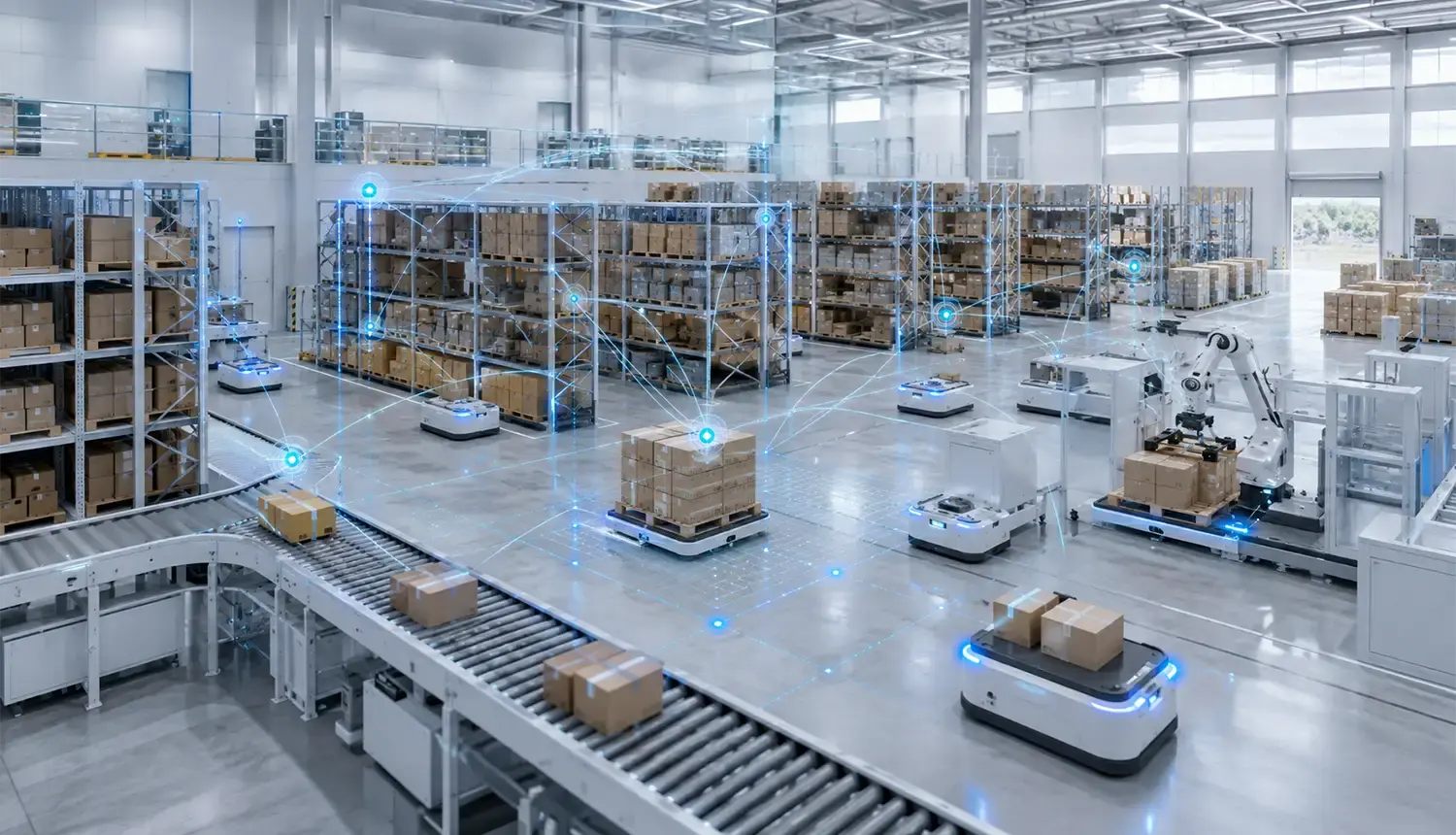
Construction industry ERP is an integrated enterprise system designed around project-based construction operations. It is primarily used to link the jobsite to project controls, job costs, procurement, contracts, payroll, accounting and management reporting.
The connection matters because construction data is often not stored in one system. Estimators may price work in one application, project teams may handle delivery elsewhere, field crews record or track labor on mobile devices, and finance maintains the official ledger. Without reliable project and cost information being shared by the systems, the teams waste time reconciling data rather than executing based on it.
This guide outlines what construction ERP is, how it works, what modules are essential, the value it brings to businesses, the systems it can connect to and how contractors can select and adopt the right approach.
What Is a Construction Industry ERP, and How Does It Work?
Construction industry ERP brings all project-based operational and financial processes under a common roof, such as project, work breakdown structure (WBS), phases, cost codes, contracts, and business units.
The result is more than an all-in-one application. It creates a controlled data model that turns construction activity into financial and operational records.
SAP Project System, for example, uses WBS elements for project cost planning and provides planned-versus-actual cost analysis. Oracle Fusion Cloud Project Management likewise exposes actual project cost and forecast data at project and resource level.
How Construction ERP Turns Project Activity Into Enterprise Data
Construction ERP converts a job site event into enterprise data. It validates the event, sets the context of the project and pushes the transaction to the systems where it is needed.
Consider an approved field time entry:
Crew records hours → supervisor approves → project and cost code are assigned → labor enters job costing → payroll processes the employee → project reporting updates
The same logic applies to materials, expenses, equipment hours, subcontractor invoices, progress claims, and change orders.
Context is what makes the transaction useful. Eight labor hours alone reveal little. Eight hours associated with a specific employee, project, phase, cost code, labor class, and accounting period can support payroll, job costing, forecasting, and reporting.
How Construction Industry ERP Keeps Project and Financial Data Synchronized
Construction ERP keeps project and financial records synchronized by defining which transaction updates each record and which system owns the authoritative version.
Suppose procurement issues a $20,000 purchase order against a project. The ERP can record that amount as a commitment before the supplier invoice arrives. Once the invoice is approved, some or all of that commitment becomes an actual cost.
Project managers can then compare budget, commitments, actuals, and forecast without waiting for every transaction to reach month-end reporting.
Synchronization doesn't always imply real-time updates. A native ERP transaction may be posted right away, whereas an external system could be synced every few minutes or periodically through a scheduled batch. Integration requirements should therefore define acceptable latency for each important data object.
Why Is Construction ERP Different From Generic ERP?
Construction ERP differs from generic ERP because construction needs company-wide controls and project-level financial structures at the same time.
A contractor needs to know more than which department spent money. It also needs to know which project, phase, cost code, subcontract, change, or asset caused the cost.
ERP for Construction Industry Projects: Why Generic ERP Often Needs Adaptation
ERP for construction industry projects must support transactions whose business meaning depends on the job.
A generic ERP system can already perform tasks like finance, procurement, HR, inventory, and enterprise reporting well. Construction companies need to connect all those features with job costing, project commitments, WIP, progress billing, subcontractors, retention/retainer, equipment and varying contract values.
That does not mean a general ERP cannot support construction. Many can. The real question is how much configuration, extension, integration, and process adaptation will be required.
A change order illustrates the difference. It can affect client contract value, budget, forecast, subcontract commitments, procurement, billing eligibility, and sometimes the project schedule. Construction-focused systems are designed to preserve those relationships rather than treating the change as an isolated accounting entry.
Construction ERP vs Construction Project Management Software
Construction ERP and project-management software can overlap, but they serve different primary roles.
| Dimension | Generic ERP | Construction ERP | Construction Project Management |
| Primary role | Enterprise operations | Project-centric enterprise operations | Project execution and collaboration |
| Project accounting | Usually configurable | Core capability | Often integrated externally |
| Job costing | May need adaptation | Core capability | Varies by platform |
| Change orders | Generic workflow | Connected to contracts, cost, forecast, and billing | Strong project workflow |
| Procurement | Enterprise purchasing | Project-linked commitments | Varies |
| Field workflows | Usually secondary | Native or integrated | Major strength |
| General ledger | Core | Core | Usually external |
| Best fit | Standard enterprise processes | Contractors needing project and financial control | Teams focused on field and project execution |
Platforms such as Procore are designed heavily around construction execution and collaboration while also supporting ERP integrations. Procore's ERP Integrations tool connects supported construction accounting systems with Procore. In practice, many contractors use ERP plus specialized construction applications rather than expecting one platform to replace everything.
Which Core Modules Should Construction ERP Include?
There is no universally correct number of construction ERP modules. The right suite depends on the contractor's operating model.
At minimum, useful construction ERP should connect project controls, finance, procurement, workforce or resources, and reporting. The important question is not how many modules exist, but whether data can move between them without being manually recreated.
ERP Software for Construction Industry Operations: Core Module Requirements
ERP software for construction industry operations should maintain consistent project, cost, vendor, employee, contract, asset, and accounting identifiers wherever those records cross workflows.
A compact module map looks like this:
| Module | Core Data | Primary User | Key Output |
| Project controls | WBS, phases, budget | PMs, estimators | Baseline and forecast |
| Financials | GL, AP, AR, WIP | Finance | Financial position |
| Procurement | Vendors, POs, receipts | Buyers, PMs | Commitments and actual cost |
| Workforce | Employees, time, rates | Field, HR | Labor cost |
| Equipment | Assets, hours, assignments | Fleet, operations | Utilization and asset cost |
| Contracts/change | Changes, approvals, commitments | Commercial, PMs | Revised contract position |
| Analytics | Transactions and KPIs | Executives, finance | Exceptions and trends |
Project Planning, Estimating, Budgeting, and Scheduling
This capability establishes what the contractor expects to deliver and what the project should cost.
The ERP may perform estimating directly or receive an approved estimate from specialized software. The essential handoff is from the estimate into a controlled operating budget.
Labor, material, equipment, subcontract, overhead, quantity, phase, and cost-code structures should map cleanly enough for procurement, job costing, and forecasting to reuse them.
Job Costing, WIP, Billing, and Financial Management
Job costing connects financial performance to individual construction projects.
A useful system distinguishes budget, commitments, actual cost, and forecast or cost-to-complete. Depending on contract type and geography, the financial layer may also manage WIP, progress billing, retention or retainage, revenue recognition, accounts payable, receivables, and cash management.
The goal is simple: project leaders should understand the financial position of a job without rebuilding it in a spreadsheet.
Procurement, Inventory, Vendors, and Subcontractors
Construction procurement connects project requirements with financial commitments.
A typical workflow moves from requisition to approval, purchase order or subcontract, receipt, invoice, and payment. Project and cost-code context should remain attached throughout.
This gives teams visibility into committed exposure before supplier invoices become actual costs.
For organizations exploring demand, supplier, and material forecasting, BrainX also covers predictive analytics in supply chain systems, including the data, workflow, and implementation considerations behind practical forecasting.
Workforce, Time Tracking, Payroll, and Compliance
The workforce layer turns jobsite labor into approved project and payroll records.
Useful data can include employee, crew, project, phase, cost code, work classification, hours, expenses, certifications, and jurisdiction-specific payroll requirements.
BrainX Technologies has delivered CORE, a workforce-management platform for construction operations. CORE addresses areas such as time logging, job tracking, workforce records, payroll-related workflows, and role-based interfaces. It is not a full ERP, but it demonstrates the type of field-to-workforce workflow that can connect to a broader construction ERP architecture.
Equipment, Fleet, and Asset Management
Equipment management connects physical asset usage with job cost and maintenance.
Useful records include equipment location, assigned project, usage hours, utilization, downtime, maintenance intervals, and internal charging rules. Telematics can supply meter readings automatically where integrations exist.
Project managers can then see equipment cost by job while operations teams monitor utilization and maintenance across the fleet.
Change Orders, Contracts, Documents, and Approvals
A construction change can affect scope, contract value, commitments, project budget, forecast, billing, and supporting documents.
The ERP should distinguish states such as potential, submitted, approved, and rejected changes where the process requires them. Only appropriately authorized events should alter contractual or financial records.
This creates an audit trail between the reason for a change and its eventual commercial impact.
Reporting, Forecasting, Analytics, and AI-Assisted Workflows
Reporting should convert construction transactions into decisions.
Useful views include committed cost, budget versus actual, cost-to-complete, change exposure, cash position, procurement status, labor performance, equipment utilization, and portfolio margin.
AI capabilities are also becoming more practical. Oracle Fusion Cloud 26C, for example, documents a Project Cost Adjustment Assistant that supports transaction search, validation, review, and project-cost transfer adjustments through natural-language prompts.
AI does not remove the need for good ERP foundations. Accurate project structures, permissions, transaction rules, and governed data remain more important than adding a conversational interface.
What Are the Main Construction ERP Use Cases?
The strongest construction ERP use cases are cross-functional. One event starts the workflow, but several teams or records need the result.
| Construction Stage | Trigger | ERP Output | Typical KPI |
| Preconstruction | Bid won | Approved project budget | Budget setup time |
| Procurement | Material requested | Commitment and receipt | Procurement cycle |
| Execution | Crew submits time | Labor actual | Labor-cost latency |
| Commercial control | Change approved | Revised value and forecast | Change turnaround |
| Operations | Equipment used | Usage and maintenance record | Utilization |
| Billing | Progress approved | Client invoice | Billing cycle |
| Management | Period closes | Portfolio reporting | Reporting latency |
Bid and Estimate to Approved Project Budget
This workflow begins when a bid becomes an awarded project.
Instead of rebuilding the estimate manually, the contractor maps estimating items to the ERP's project, WBS, phases, and cost structures. Teams establish the approved baseline, contingency rules, and resource assumptions.
The result is one controlled budget for future commitments, costs, and forecasts.
Purchase Requisition to Material Delivery and Project Cost
This workflow starts with a project requirement and ends when the material is received and its financial impact is recorded.
A requisition creates the request. Approval creates purchasing authority. A purchase order establishes a commitment. Receipt confirms delivery, and the supplier invoice turns the relevant amount into an actual liability and job cost.
Field Time and Expenses to Payroll and Job Costing
Field employees or supervisors record approved time and expenses with project context.
Once validated, labor information can feed payroll while the corresponding cost reaches job costing. The workflow removes the need for finance to recreate field records manually.
The interface should remain simple for jobsite users. ERP adoption suffers when crews must navigate accounting complexity just to record everyday work.
Change Order to Commitment, Forecast, and Billing
This workflow starts when scope or commercial conditions change.
Before approval, the ERP may show potential financial exposure without treating the change as earned revenue. After authorization, the change can update contract value, commitments, project budget, forecast, and future billing.
Traceability is the key benefit: teams can see what changed, why, who approved it, and which financial records were affected.
Equipment Assignment, Usage, and Preventive Maintenance
When equipment moves between projects, ERP can connect usage with both project cost and asset management.
Operating hours may come from a field entry or telematics platform. Internal rates allocate cost to the job, while meter readings can trigger preventive maintenance.
This gives the business a better view of both project equipment cost and fleet utilization.
Progress Billing, Cash Flow, and Project Financial Reporting
Progress billing connects completed work with receivables and cash-flow visibility.
Project teams establish what is eligible to bill. Finance validates contractual requirements. The ERP creates or supports the billing record and reflects it in project and enterprise reporting.
Connecting these steps helps surface delayed approvals, missing documents, and unbilled changes earlier.
Multi-Project Portfolio Reporting for Executives
Portfolio reporting combines standardized project information into a company-level view.
Executives should be able to move from a measure such as forecast margin or cash exposure into the projects driving it.
That requires consistent project and cost structures. ERP can centralize data, but inconsistent definitions across projects still produce unreliable comparisons.
What Business Value Does Construction ERP Create?
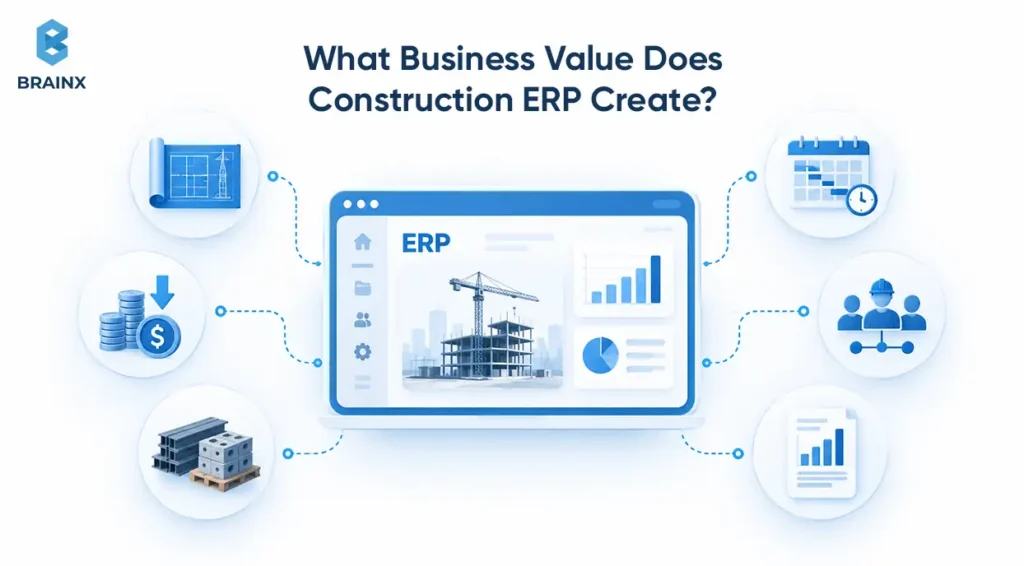
Construction ERP creates value when connected information reveals cost, cash-flow, procurement, resource, or project problems early enough for teams to act.
This is particularly relevant in 2026. Autodesk's 2025 State of Design & Make found that 40% of surveyed construction-services leaders identified cost control and cost management as a top challenge. Deloitte's 2026 Engineering & Construction Industry Outlook also highlights rising material costs, persistent labor shortages, supply-chain disruption, and digital transformation as major pressures shaping the sector.
Better Cost and Margin Visibility
ERP improves cost visibility when budgets, commitments, actuals, changes, labor, equipment, and forecasts share compatible project structures.
Project leaders can move beyond “spent versus budget” and ask whether current commitments and remaining work still support the expected margin.
Faster Financial and Project Reporting
Connected transactions reduce the reconciliation required before reports can be trusted.
Instead of project managers and finance maintaining competing cost views, both can work from controlled records and focus on exceptions, forecasts, and decisions.
Stronger Cash-Flow and Billing Control
ERP connects contractual progress, changes, billing, receivables, commitments, and project forecasts.
A delayed invoice or unapproved change can become a visible workflow exception rather than an unnoticed administrative issue.
Better Field-to-Office Coordination
Field-to-office coordination improves when jobsite events arrive with the project context needed by finance and project controls.
A useful principle is to capture data close to the event, validate it once, and reuse it downstream.
More Consistent Resource and Procurement Decisions
Connected project, inventory, vendor, workforce, and equipment data gives teams a common basis for procurement and resource decisions.
ERP does not automatically make the decision. It makes the cost and operational consequences easier to see.
Which KPIs Should Measure Construction ERP Value?
ERP success should combine adoption measures with business outcomes.
| KPI | Baseline | Target Direction | Owner |
| Cost-forecast variance | Current variance | Lower | Project controls |
| Reporting cycle | Current elapsed time | Shorter | Finance |
| Change-order turnaround | Current median | Shorter | Commercial/PM |
| Billing cycle | Current median | Shorter | Finance |
| Duplicate/manual entry | Current volume | Lower | Operations/IT |
| Equipment utilization | Current rate | Business-specific improvement | Operations |
| Workflow adoption | Current digital completion | Higher | Process owner |
Capture these baselines before implementation. Otherwise, teams may know that the ERP is busy without knowing whether it improved the business.
What Systems Should Construction ERP Integrate With?
Construction ERP should sit inside the broader construction technology stack rather than trying to replace every specialized system.
The ERP may own selected project-financial records while other platforms remain authoritative for estimating, design, scheduling, field collaboration, payroll, CRM, or equipment telemetry.
Estimating, Scheduling, and Preconstruction Systems
Estimating and scheduling tools often remain specialized because they solve detailed planning problems.
An approved estimate might transfer project structure, quantities, cost categories, labor assumptions, and budget values into ERP. Actual transactions can then use that structure without forcing every estimating detail into the accounting system.
BIM and Common Data Environments Such as Autodesk Construction Cloud
Building Information Modeling (BIM) and common data environments should generally remain authoritative for models, drawings, design data, and document-centric collaboration.
An important naming change occurred in 2026: Autodesk Construction Cloud became part of the Autodesk Forma industry cloud on March 24. Autodesk described the transition as “a brand and experience evolution, not a platform replacement”, with existing projects, data, workflows, APIs, and integrations continuing through the change.
The architectural principle remains unchanged. The design environment owns model data, while ERP receives the financial or operational information it requires.
Construction Project Platforms Such as Procore
Construction ERP does not automatically replace Procore.
Procore maintains dedicated ERP integrations that connect construction accounting data between supported ERP products and Procore tools. The supported objects and direction of data flow vary by connector.
That variability is why integration architecture should be designed around actual business objects rather than assuming every platform supports the same sync pattern.
Payroll, HCM, CRM, Banking, and Payment Systems
An ERP may contain these functions or connect with specialized applications.
The important decision is where employee identity, pay rates, customer information, bank transactions, invoices, and payment status originate.
Payroll integrations also need cutoff and reconciliation rules. A technically functioning API is not enough if late time entries can silently alter a payroll period that finance considers closed.
BI, Data Warehouses, Telematics, IoT, and Analytics Platforms
Business intelligence, data warehouses, telematics, IoT systems, and AI applications can extend ERP without replacing its transactional role.
A data platform might combine ERP records with schedule, CRM, equipment, or project data. Telematics can provide equipment usage. AI applications can search, summarize, classify, or forecast using approved enterprise data.
For businesses adding intelligence around existing enterprise applications, BrainX explains how AI integration can work with existing ERP and enterprise systems without forcing a full rebuild of the underlying stack.
How to Define Systems of Record and Data Ownership
Every integration program should define one authoritative owner for important data objects.
| Data Object | Owning System | Consumers | Typical Direction |
| Project master | ERP | Field, PM, BI | Outbound |
| Cost codes | ERP | Time, PM, procurement | Outbound |
| Approved estimate | Estimating | ERP | Inbound on approval |
| BIM/model files | CDE/Forma | PM, analytics | Reference |
| Field time | Workforce app | ERP, payroll | Inbound |
| Equipment telemetry | Telematics | ERP, analytics | Inbound |
| Posted financials | ERP | PM, BI | Outbound |
Also define conflict rules, latency, validation, and reconciliation. If two systems can edit the same project or vendor record without clear authority, integration can create more inconsistency rather than less.
Should You Buy, Configure, Integrate, or Build Construction ERP?
Most construction companies should not rebuild mature ERP functions from scratch.
The best strategy is usually the least custom option that reliably supports the important workflows.
When Off-the-Shelf Construction ERP Is the Best Fit
Buy a construction ERP when the contractor's operating model closely matches established industry workflows.
This route works well when required project accounting, procurement, billing, subcontractor, workforce, and reporting functions already exist in the platform.
When Configuration and Existing ERP Extensions Are Enough
Configuration is preferable when the underlying system is suitable but workflows need adjustment.
Examples include approval levels, project templates, cost structures, user roles, dashboards, and supported business rules. Configuration generally creates less upgrade and maintenance complexity than custom code.
When Custom Integrations or Construction-Specific Modules Make Sense
Integration and extension make sense when the ERP handles the financial core well but another system is better for a specialized workflow.
A contractor might keep its ERP while building a custom field application, subcontractor portal, equipment workflow, analytics layer, or integration with legacy software.
This protects the mature ERP core while allowing differentiation where it creates real value.
When Fully Custom Enterprise Software Is Justified
Fully custom enterprise software becomes reasonable when commercial platforms cannot represent essential workflows at an acceptable lifecycle cost.
Signals include unusual operating logic, complex legacy environments, specialized offline requirements, proprietary data models, or plans to commercialize the software itself.
Custom development also means owning architecture, security, testing, hosting, upgrades, support, and product governance.
Teams considering a custom or productized route should also evaluate the SaaS product development lifecycle so architecture, ownership, security, launch, and ongoing product operations are considered before committing to a full build.
How Contractor Type, Scale, and Workflow Complexity Change the Decision
A practical BrainX Construction ERP Decision Matrix can frame the choice:
| Decision Factor | Buy | Configure | Integrate + Extend | Custom Build |
| Workflow uniqueness | Low | Low-medium | Medium-high | Very high |
| Existing functional fit | High | High | Partial | Low |
| Integration complexity | Low | Medium | High | Very high |
| Specialized field needs | Standard | Configurable | Specialized | Highly specialized |
| Time-to-value priority | Highest | High | Medium | Lowest |
| Lifecycle ownership | Low | Low-medium | Medium | High |
The decision rule is simple: custom code should close meaningful gaps, not recreate mature functions already available elsewhere.
How Should a Construction Company Implement ERP Successfully?
Construction ERP implementation is primarily an operating-model, data, integration, and adoption program. Software configuration is only one workstream.
CMiC's updated 2026 construction ERP implementation guide emphasizes needs assessment, data cleanup, migration, role-based training, testing, staged rollout, measurable objectives, and post-launch improvement. One of its clearest rollout principles is “Pilot first to reduce disruption.”
Step 1: Map Current Construction and Financial Workflows
Document how work actually happens.
Map workflows such as bid-to-budget, requisition-to-payment, field-time-to-payroll, change-to-billing, and month-end reporting. Identify spreadsheets, duplicate entry, unofficial systems, and manual reconciliation.
Step 2: Define Project Structures, Cost Codes, and Data Ownership
Define projects, WBS structures, phases, cost codes, contracts, vendors, equipment, employees, and ownership rules before configuring screens.
Poor project and cost structures can create years of reporting problems because every downstream workflow depends on them.
Step 3: Clean and Prepare Master and Historical Data
Do not migrate every record merely because it exists.
Clean duplicates, standardize names, reconcile balances, map legacy cost codes, and decide which historical information is genuinely required.
Data that users do not trust before migration will not become trustworthy simply because it enters a new ERP.
Step 4: Configure Modules and Build Required Integrations
Configure ERP around the agreed future-state workflows, then develop the integrations needed to support them.
Integration design should cover authentication, mappings, validation, error handling, retries, monitoring, and reconciliation.
Security belongs here too. NIST Cybersecurity Framework 2.0 organizes cybersecurity risk management around six functions: Govern, Identify, Protect, Detect, Respond, and Recover.
Step 5: Test End-to-End Construction Scenarios
Test business workflows instead of isolated screens.
For procurement, for example, create a requisition, approve it, issue a PO, record receipt, process the invoice, post the cost, and verify both project and financial reporting.
Include exceptions, permissions, reversals, cutoffs, and integration failures.
Step 6: Pilot With a Controlled Project or Business Unit
Choose a pilot that reflects real operations without exposing the whole organization to unresolved problems.
Define exit criteria before the pilot begins. Transactions should reconcile, critical integrations should work, users should complete their roles, and agreed KPIs should be measurable.
Step 7: Train by Role and Manage Field Adoption
Train users around the tasks and decisions they actually perform.
A superintendent needs different workflows from an AP specialist or project controller. Field users also need simple interfaces, suitable devices, and realistic support for connectivity constraints.
Step 8: Roll Out, Monitor, and Optimize
Go-live begins the operating phase rather than ending the ERP program.
Monitor integration failures, reconciliation differences, approval bottlenecks, data quality, support issues, and user adoption. Keep clear owners for configuration, master data, integrations, reporting, and security.
What Determines Construction ERP Cost and Timeline?
Construction ERP cost and timeline depend on scope, users, business entities, modules, data quality, migration volume, integrations, customization, training, and internal decision speed.
There is no responsible universal implementation price or timeline. Total cost should include licenses or subscriptions, implementation services, migration, integration development, internal staff time, training, support, upgrades, and future enhancements.
Current construction ERP implementation guidance from Priority Software places implementations from several months to more than a year depending on process readiness, data quality, and decision speed. Treat any vendor timeline as a product- and scope-specific planning reference rather than an industry guarantee.
Which Construction ERP Implementation Failures Should You Avoid?
Most damaging ERP failures begin before go-live.
Avoid unclear workflows, conflicting master-data ownership, poor data cleanup, excessive customization, module-only testing, and late involvement from field users.
Integration also requires ongoing ownership. External APIs and product structures evolve, so connectors need monitoring, version management, error handling, and maintenance.
Finally, do not define success as “the software is live.” Success means users trust the data, transactions reconcile, critical workflows are adopted, and business KPIs improve.
Build ERP Around Real Construction Workflows with BrainX
Construction companies rarely need another isolated application. They need an architecture in which field activity, project controls, enterprise financials, and specialized construction tools exchange reliable data.
BrainX Technologies helps organizations build custom construction workflows, ERP integrations, field applications, enterprise web platforms, and specialized modules around existing systems. BrainX's CORE project provides relevant construction-software experience at the workforce and job-workflow level without implying that CORE itself is a complete ERP.
For companies evaluating construction industry ERP, the strongest architecture is usually the simplest one that gives every critical business event a reliable route from the jobsite to the enterprise record.
For organizations that need a custom field application, ERP extension, integration layer, or enterprise workflow, explore BrainX custom web application development services.
Frequently Asked Questions About Construction ERP
How much does the construction industry ERP typically cost to implement?
There is no universal construction industry ERP implementation price. Cost depends on users, modules, integrations, data migration, configuration, training, and internal effort. Evaluate total lifecycle cost rather than software licensing alone, including support, upgrades, integration maintenance, and future enhancements.
How long does it take to implement ERP in a construction company?
Construction ERP implementation can take several months to more than a year. Data quality, project and cost-code standardization, integrations, user availability, customization, and rollout strategy all influence the schedule. A controlled pilot can reduce rollout risk, but timelines should be based on readiness rather than an arbitrary deadline.
Can construction ERP integrate with Procore, Autodesk Construction Cloud, and existing accounting systems?
Yes, when the relevant systems provide compatible APIs or connectors. Procore maintains dedicated ERP integrations, while Autodesk continues to support its construction APIs and integrations after Autodesk Construction Cloud moved under Autodesk Forma in March 2026. The integration design should first define which system owns each important data object.
Do small and mid-sized construction contractors need a full ERP system?
Not always. Smaller contractors may be well served by accounting, project-management, payroll, and field systems that integrate effectively. A fuller ERP becomes more useful as project volume, subcontractor activity, equipment, reporting requirements, entities, and cross-department reconciliation become harder to manage.
What data should a construction company prepare before migrating to ERP?
Prepare project and cost structures, vendors, customers, employees, equipment, contracts, open commitments, financial balances, active project history, and any records required for reporting or compliance. Remove duplicates and map legacy codes before loading data. Clean, reconciled information matters more than migrating every historical record.
Is cloud-based or on-premise ERP better for construction companies?
Cloud ERP is often attractive for contractors that need distributed field access, managed infrastructure, regular platform updates, and modern integrations. On-premise deployment may still fit organizations with unusual infrastructure, sovereignty, legacy, or operating constraints. The better option depends on architecture, security, connectivity, integration, and lifecycle requirements.